Imagine organizing a large event. The venue, catering, invitations, and sound system all work perfectly on their own—but if they fail to work together on the big day, the event collapses.
Integration testing is the software testing approach that prevents exactly this kind of failure. It verifies that different modules, services, APIs, and databases work correctly together once integrated. Even when individual components pass unit tests, issues like data mismatches, API failures, or configuration errors often surface only during integration.
In this guide, you’ll learn what integration testing is, why it matters, its types, real-world examples, tools, and best practices, so you can implement it effectively in modern software systems.
What is Integration Testing?
Integration testing is a level of software testing that validates the interaction between integrated components of an application. These components may include internal modules, APIs, databases, third-party services, or microservices.
Its primary goal is to ensure:
- Correct data flow
- Proper communication
- Expected system behavior when components are connected
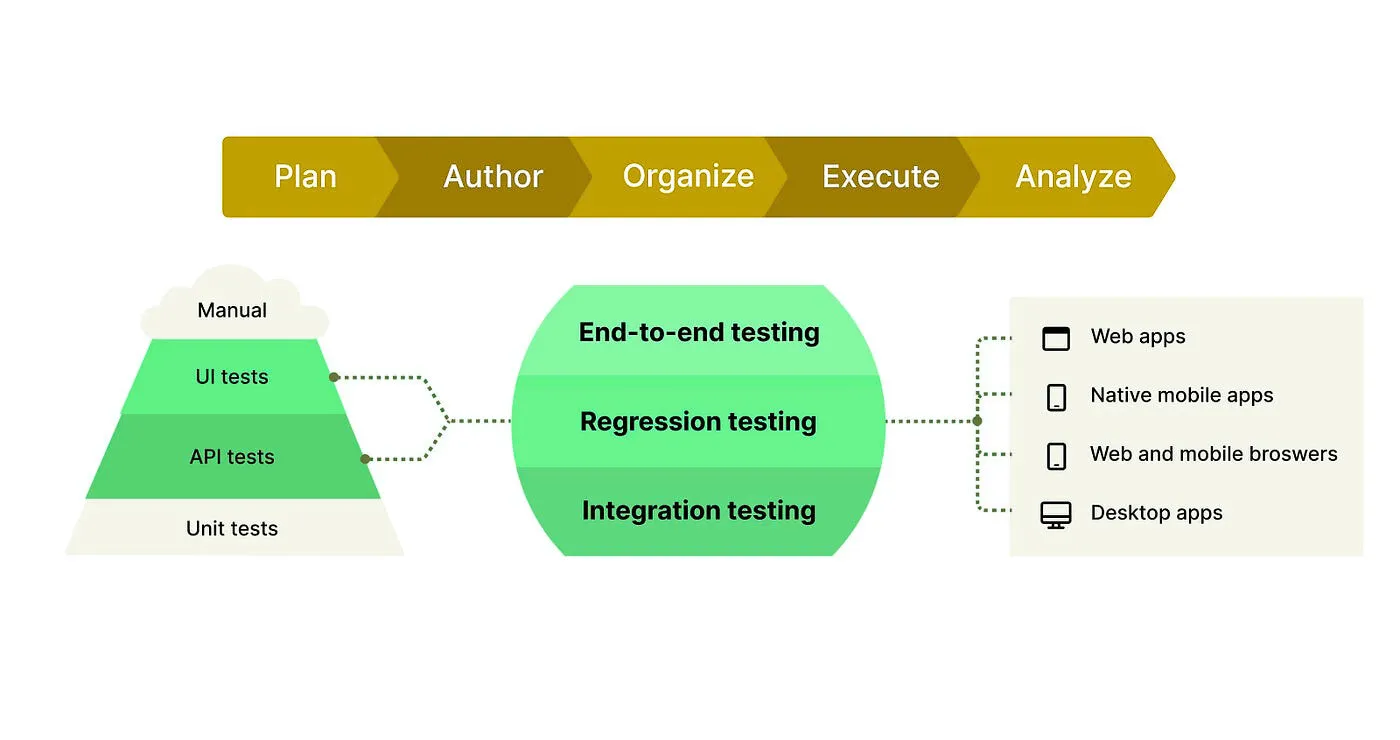
In the testing pyramid, integration testing sits between unit testing and system/end-to-end testing, ensuring modules work together before validating full user workflows.
Where Integration Testing Fits in the Testing Pyramid

| Testing Level | Focus |
|---|---|
| Unit Testing | Individual functions or classes |
| Integration Testing | Interaction between modules/services |
| System / E2E Testing | Complete user workflows |
Unit tests confirm logic correctness.
Integration tests confirm communication correctness.
Why Is Integration Testing Crucial in Modern Software Development?
As applications become more distributed and feature-rich, integration testing ensures that all the systems and modules work together. Whether you’re dealing with monolithic apps or microservices architectures, integration testing plays a key role in validating data flow, module interactions, and overall functionality.
Here are the key benefits of integration testing:
-
Identifying Bugs Linked to Module Interactions:
Many bugs arise from how components interact with each other. For example, data mismatches or API failures may only surface when two modules communicate. Integration testing helps catch these errors early. -
Validating Data Flow:
Integration testing ensures that data passed between components remains consistent and accurately flows from one module to another. For example, when an API sends data to a database, integration testing ensures that the data is processed correctly and remains intact. -
Mitigating Production Risk:
By identifying integration issues early, integration testing helps prevent larger failures once the application is in production. This is crucial in preventing disruptions to users and maintaining smooth operations. -
Improving System Reliability:
Effective integration tests ensure that the combined system performs as expected under different scenarios. Integration testing helps validate the system’s resilience and ensures that modules work well in tandem.
When Should You Use Integration Testing?
Integration testing is most effective when:
- Multiple modules or services depend on each other
- APIs exchange structured data
- External systems are involved
- Changes are introduced frequently in CI/CD pipelines
How Integration Testing Works (Step-by-Step)
Integration testing verifies how different components of a system work together in a controlled environment. Instead of testing individual functions in isolation, it focuses on real interactions between services, APIs, databases, and external systems.
1. Initialize Components
At this stage, all required components are prepared and started. This may include application services, databases, message queues, and third-party integrations. External dependencies that are unstable or unavailable are often mocked or containerized to ensure predictable test behavior.
Goal: Create a stable environment that closely resembles real-world conditions.
2. Trigger Interactions
Once the environment is ready, test scenarios are executed. These scenarios trigger interactions between components, such as sending an API request, publishing an event, or performing a UI action that calls backend services.
Goal: Simulate real system usage and activate communication between modules.
3. Observe Behavior
During execution, the system’s behavior is monitored closely. Logs, API responses, events, and metrics are collected to understand how components interact. This step helps detect issues like failed API calls, delayed responses, or unexpected side effects.
Goal: Gain visibility into how data and requests flow across integrated components.
4. Assert Results
The observed outcomes are compared with expected results. This includes validating HTTP status codes, response payloads, database updates, emitted events, and error handling behavior. Assertions confirm whether integrations behave correctly under both normal and failure scenarios.
Goal: Verify correctness, reliability, and error handling of component interactions.
5. Cleanup
After tests complete, the environment is reset. Test data is removed or rolled back, mocked services are stopped, and configurations are restored. This ensures that future test runs start from a clean and consistent state.
Goal: Maintain test repeatability and prevent data pollution between test runs.
Types of Integration Testing
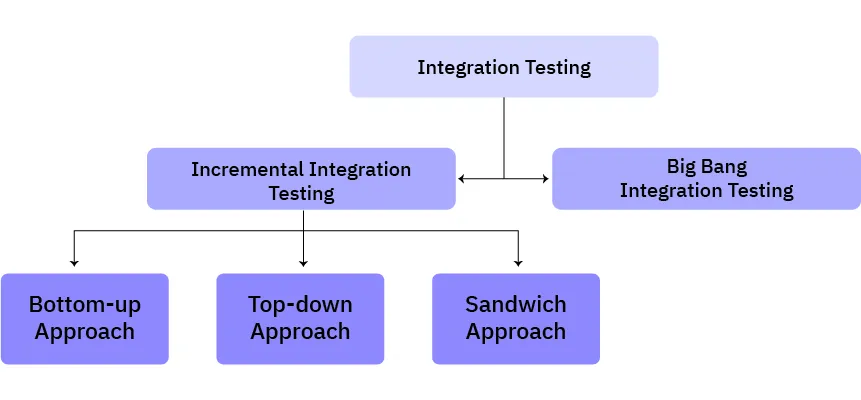
There are several approaches to integration testing, each suited to different types of systems:
1. Big-Bang Integration Testing
-
Description: All modules are integrated after unit testing is completed, and the entire system is tested at once.
-
Advantages: Easy setup, no need to create intermediate tests or stubs.
-
Disadvantages: Difficult to pinpoint the root cause of failures, and if integration fails, it can block all work.
2. Bottom-Up Integration Testing
-
Description: Testing begins with the lowest-level modules and gradually integrates higher-level modules.
-
Advantages: Provides granular testing of the underlying components before higher-level modules are built.
-
Disadvantages: Requires the creation of driver modules for simulation.
3. Top-Down Integration Testing
-
Description: Testing begins with the top-level modules, using stubs to simulate lower-level components.
-
Advantages: Early validation of user-facing features and overall system architecture.
-
Disadvantages: Lower-level modules are tested later in the process, delaying defect discovery.
4. Mixed (Sandwich) Integration Testing
-
Description: Combines top-down and bottom-up approaches to integrate and test components simultaneously from both ends.
-
Advantages: Allows parallel integration, detecting defects at multiple levels early.
-
Disadvantages: Requires careful planning to synchronize both testing strategies.
Integration Testing Example (API + Database)
Scenario: User Registration Flow
Flow
- Client sends registration request
- API validates input
- User data stored in database
- Confirmation response returned
What Integration Testing Verifies
- API accepts valid payloads
- Database schema matches API contract
- Transactions commit correctly
- Errors are handled gracefully
This type of failure cannot be detected with unit tests alone.
Integration Testing vs Unit Testing vs End-to-End Testing
| Feature | Unit Testing | Integration Testing | End-to-End Testing |
|---|---|---|---|
| Scope | Single function | Module interaction | Full workflow |
| Speed | Fast | Medium | Slow |
| Dependencies | None | Partial | All |
| Purpose | Logic correctness | Data & API validation | User experience |
Integration testing bridges the gap between isolated logic and full system behavior.
Tools for Integration Testing
While you mention popular tools like Postman, JUnit, and Selenium, expanding this section with more specific tools and their use cases will provide additional value to readers:
1. Keploy
-
Description: Keploy is an automation tool that helps developers generate integration tests by recording real user interactions and replaying them as test cases.
-
Use Case: Ideal for automating API, service, and UI integration tests with minimal manual effort.
-
Why It’s Useful: Keploy saves time by automatically creating test cases and integrating them into CI/CD pipelines, ensuring repeatability and reliability.
2. SoapUI
-
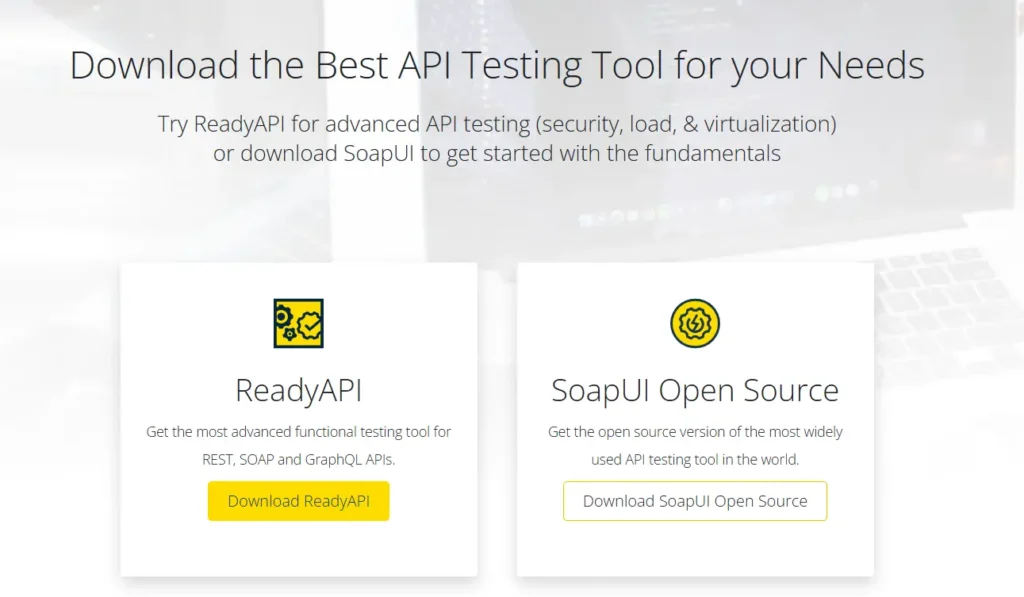
Description: SoapUI is a tool designed specifically for testing SOAP and REST web services.
-
Use Case: Great for testing APIs that interact with multiple external systems and services.
-
Why It’s Useful: SoapUI supports functional, load, and security testing for APIs, ensuring comprehensive validation for service integration.
3. Citrus

-
Description: Citrus is designed for application integration testing in messaging applications and microservices.
-
Use Case: Perfect for validating asynchronous systems and message-based communication.
-
Why It’s Useful: Citrus supports JMS, HTTP, and other protocols, providing a robust framework for testing message-based interactions.
4. Postman
-
Description: Postman is a popular tool for API testing, enabling developers to send HTTP requests and validate responses.
-
Use Case: Widely used for testing RESTful APIs and simulating real-world user requests.
-
Why It’s Useful: With its automation and workflow features, Postman ensures your APIs are robust and properly integrated into your applications.
Best Practices for Integration Testing
You can follow these best practices, grounded in the fundamentals of software testing, to ensure your integration testing efforts remain effective and scalable.
-
Be Strategic About What You Test
Not every integration point needs standalone tests. Prioritize critical interactions and cover less important ones through end-to-end testing. -
Plan Tests Around Integration Points
Identify where components interact—such as APIs, databases, microservices, or third-party services—and design tests around the most critical flows. -
Use Realistic Test Data
Test with data that closely resembles real-world usage to uncover issues that simple or dummy data may hide. -
Automate Wherever Possible
Run integration tests automatically as part of your CI pipeline to catch issues early with every code change. -
Adopt Incremental Testing
Test one integration at a time before combining multiple components, making failures easier to isolate and fix. -
Isolate External Dependencies
Use mocks or stubs for third-party services to improve test reliability and avoid failures caused by external systems. -
Validate with E2E Tests When Needed
Use end-to-end testing to confirm real-world behavior with live third-party services. -
Verify Data Flow and Communication
Ensure data moves correctly across modules, with proper validation, transformation, and messaging. -
Consider Performance and Security
Monitor response times and validate secure data handling during integrations. -
Integrate with CI
Run integration tests automatically on every commit to maintain consistent quality.
Common Integration Testing Challenges & Solutions
| Challenge | Solution |
|---|---|
| External dependency failures | Mock services or containers |
| Flaky tests | Stable test data & isolation |
| Async workflows | Event-aware testing tools |
| Data inconsistency | Controlled test datasets |
Applications of Integration Testing
Integration testing is essential wherever multiple components must work together reliably. Below are some common application areas where integration testing plays a critical role.
Microservices Architectures
In microservices-based systems, multiple independent services communicate with each other. Integration testing helps:
- Validate service-to-service communication via REST, gRPC, or messaging
- Test message queues, event streams, and service discovery mechanisms
- Ensure fault handling when one service is slow or unavailable
Client–Server Applications
For web and mobile applications, integration testing ensures smooth interaction between the frontend and backend by:
- Verifying API requests and responses between UI and server
- Ensuring user actions correctly trigger backend logic and database updates
- Validating authentication and session management flows
Third-Party Integrations
Many applications rely on external services for core functionality. Integration testing helps:
- Validate integrations with payment gateways, authentication providers, and mapping APIs
- Test error handling for timeouts, failures, or API changes
- Ensure secure data exchange with external systems
Data Pipelines
In data-driven systems, integration testing ensures that data flows correctly across processing stages by:
- Validating ETL workflows and data transformations
- Ensuring data integrity from source to storage or analytics layers
- Handling schema changes and missing or malformed data
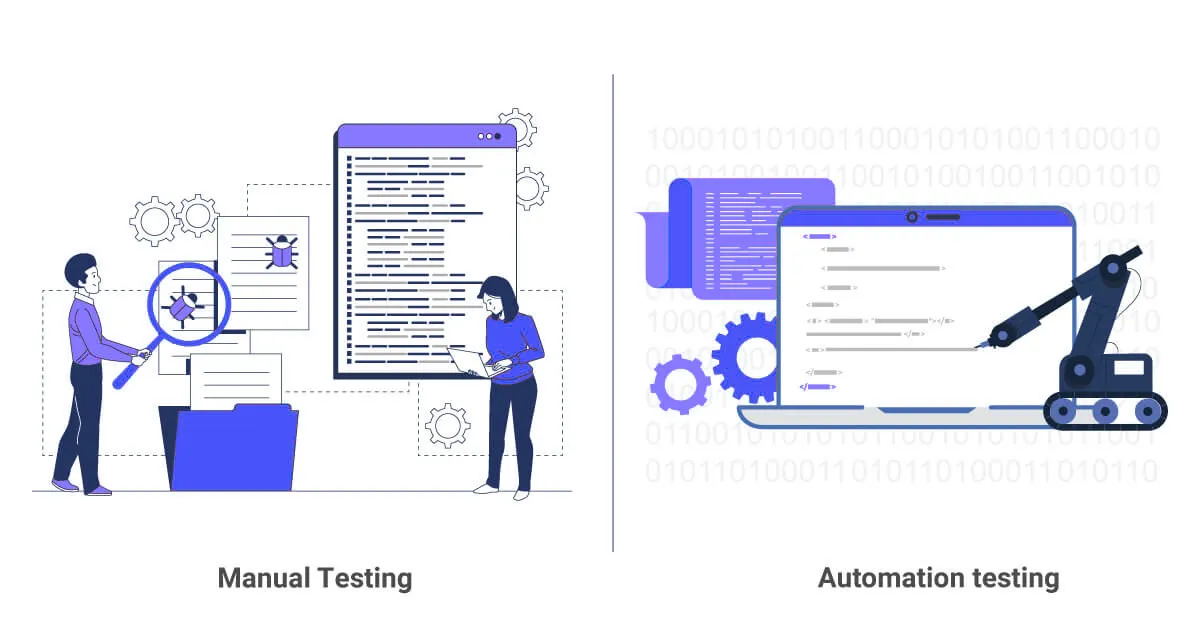
Manual Testing vs. Automated Testing
| Aspect | Manual Integration Testing | Automated Integration Testing |
|---|---|---|
| Repeatability | Prone to human error, time-consuming | Fast, consistent, and repeatable |
| Coverage | Limited by the tester’s time | Can cover many scenarios overnight |
| Maintenance Effort | Low initial setup, high ongoing cost | High initial setup, low ongoing cost |
| Reporting | Subjective, ad-hoc logs | Structured logs, metrics, and dashboards |
Automated integration testing is essential for scalable, modern development.
Why Choose Keploy for Integration Testing?
Keploy revolutionizes integration testing by capturing real API traffic and automatically generating test cases from it. It mocks external systems, ensuring that the tests are repeatable and reliable, making integration testing easier and faster. With seamless CI/CD integration, Keploy ensures that your code is always validated before it reaches production.

Key benefits of using Keploy for integration testing:
-
Traffic-Based Test Generation: Capture real user traffic and convert it into automated test cases.
-
Mocking & Isolation: Mock external systems to ensure repeatable, isolated tests.
-
Regression Detection: Automatically replay tests to detect integration issues with every code change.
-
CI/CD Integration: Works seamlessly with GitHub Actions, Jenkins, and GitLab CI for continuous testing.
Conclusion
Integration testing ensures that your application’s components work together reliably before reaching users. By focusing on interactions, data flow, and real-world scenarios and using modern tools like Keploy, you can catch critical issues early and ship stable software with confidence.
Whether you’re building microservices or monolithic systems, integration testing is non-negotiable for quality software delivery.
FAQs
1. How often should integration tests run?
On every pull request and nightly CI runs.
2. Can integration testing replace unit testing?
No. They serve different purposes and work best together.
3. Are mocks acceptable for integration testing?
Yes, especially for unstable or costly external services.
4. Integration testing vs E2E testing?
Integration tests validate component interaction; E2E tests validate full user journeys.

Leave a Reply