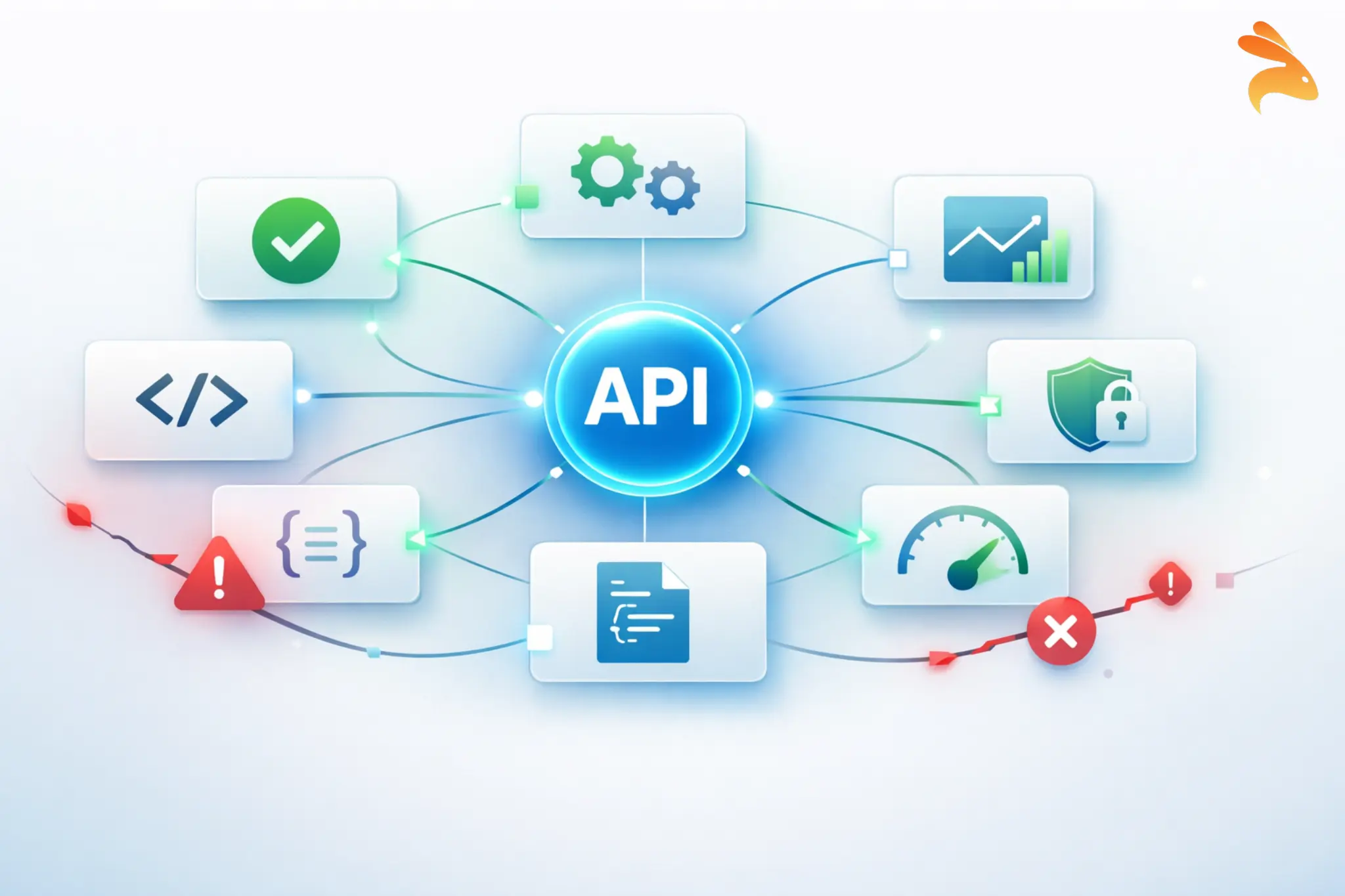
API testing strategies directly impact your release cycle. With 83% of web traffic flowing through APIs, even a single failure can break payments, dashboards, and user experience. Teams that invest in automated API testing do not slow down, they ship faster with confidence.
A strong strategy goes beyond checklists. It defines what success looks like, where tests run, how data stays consistent, and how testing fits into CI/CD.
What Is an API Testing Strategy?
An API testing strategy is a documented plan that defines how you verify your APIs behave correctly — under normal conditions, edge cases, high load, security threats, and version changes.
A well-designed strategy flows through four phases: Plan (define scope and success criteria), Design (create test cases for each scenario), Implement (build and automate), and Evaluate & Maintain (fix flaky tests, evolve the suite as the API grows).
Why Do You Need an API Testing Strategy?
The economics are clear: bugs caught post-production cost 15x more to fix than ones caught during development. A single API incident — rollbacks, patches, customer impact — can dwarf what early testing would have cost.
Teams like Stripe and Netflix have made automated API testing a core part of their release pipelines precisely because the safety net is what enables speed. Without it, every deploy is a gamble.
Core Types of API Testing (and When to Use Each)
No single test type covers everything. A robust automated API testing strategy is layered — different test types serve different purposes and run at different stages of your development cycle.
| Testing Type | Primary Goal | Best Used When |
|---|---|---|
| Functional | Verify correct behavior | Always — it’s your baseline |
| Unit | Isolate endpoint logic | During active development |
| Integration | Validate service interactions | After unit tests pass |
| Contract | Enforce API agreements | Microservices environments |
| End-to-End | Validate full user journeys | Before a major release |
| Performance | Measure speed under load | Before scaling or high traffic |
| Security | Expose vulnerabilities | Continuously, every release |
| Negative | Handle bad inputs gracefully | Alongside functional testing |
1. Functional API Testing
What is functional API testing?
Functional API testing verifies that your API does what it is supposed to do — given a specific input, it returns the expected output with the correct HTTP status code, headers, and response body.
This means testing the happy path (valid inputs producing correct responses) as well as boundary conditions. For a user registration endpoint, you would cover:
-
Valid new user — expects 201 Created with user object
-
Duplicate user — expects 409 Conflict
-
Missing required field — expects 400 Bad Request
-
Invalid email format — expects 400 Bad Request with a descriptive error message
javascript
// Functional test for POST /users/register
const res = await fetch("https://api.example.com/users/register", {
  method: "POST",
  headers: { "Content-Type": "application/json" },
  body: JSON.stringify({ email: "notanemail", password: "secure123" })
});

expect(res.status).toBe(400);
const body = await res.json();
expect(body.error).toMatch(/invalid email/i);
Functional tests form the largest category in your test suite. They are your first line of defense and should run automatically on every code change.
2. API Unit Testing Best Practices
What does unit testing look like for APIs?
Unit testing at the API level means testing individual endpoints or route handlers in isolation, with dependencies mocked or stubbed. The goal is fast feedback — unit tests should run in seconds and pinpoint exactly what broke.
Key principle: if debugging requires tracing through multiple services, it is an integration test, not a unit test.
For example, testing GET /users/:id:
-
Valid ID returns 200 with user object
-
Non-existent ID returns 404
-
Invalid ID format returns 400 without hitting the database
javascript
jest.mock("../db", () => ({
  findUserById: jest.fn().mockResolvedValue(null)
}));

const res = await request(app).get("/users/999");
expect(res.status).toBe(404);
Keploy can automatically generate unit-level mocks from real traffic, so your stubs reflect actual request and response patterns rather than hand-crafted assumptions.
3. Integration Testing for APIs
When do integration tests matter?
Integration tests verify that multiple services work correctly together using real instances of your services, databases, and message queues.
For example, placing an order should:
-
Create the order via Orders API — 201 Created
-
Deduct stock via Inventory API
-
Trigger a confirmation via Notifications API
javascript
const order = await request(app)
  .post("/orders")
  .send({ userId: 1, productId: 42, quantity: 2 });

expect(order.status).toBe(201);

const inventory = await request(app).get("/inventory/42");
expect(inventory.body.stock).toBe(previousStock - 2);
Companies like Shopify run integration tests in pre-merge CI stages to catch cross-service regressions before they reach staging. Keploy can auto-generate these tests by recording real service interactions, removing the need to write each scenario by hand.
4. Contract Testing — Critical for Microservices
What is contract testing and do you need it?
A contract is a formal agreement between a provider and a consumer specifying exact request and response formats. If a provider changes a field a consumer depends on, the contract test fails before deployment — not after it breaks production.
For example, the User Service contract guarantees:
-
idas integer -
emailas string -
roleasadmin,user, orguest
javascript
willRespondWith: {
  status: 200,
  body: {
    id: like(1),
    email: like("user@example.com"),
    role: term({ generate: "admin", matcher: "admin|user|guest" })
  }
}
Tools like Pact and Spring Cloud Contract are purpose-built for this. Teams at Atlassian and ThoughtWorks have documented how contract testing eliminated entire categories of microservice integration failures. If you run microservices without contract testing, any service update can silently break its consumers.
5. End-to-End (E2E) API Testing
E2E tests validate complete user journeys across multiple services. A checkout flow, for example:
-
POST /auth/loginreturns a valid token -
POST /cart/itemsupdates the cart -
POST /orders/checkoutreturns 201 Created -
GET /inventory/:idconfirms reduced stock
javascript
const { token } = await login("user@example.com", "password");
await addToCart(token, { productId: 7, quantity: 1 });
const order = await checkout(token, paymentDetails);

expect(order.status).toBe(201);
Use E2E tests sparingly — only for critical business flows — and run them as a gate before production deployments. They are expensive to maintain and slow to run, so they should never make up the bulk of your suite.
6. Performance and Load Testing for APIs
When should you start performance testing?
As early as possible. Build benchmarks early and run them continuously in CI. By launch time, architectural changes are expensive.
Performance testing measures how your API behaves under stress. Key scenarios include load (sustained traffic), spike (flash sale surge), and soak (long-duration endurance) tests. Key metrics: p50/p95/p99 response times, throughput, and error rate under load.
A spike test simulating a flash sale looks like this:
javascript
export const options = {
  stages: [
    { duration: "10s", target: 50 },
    { duration: "30s", target: 2000 },
    { duration: "10s", target: 50 },
  ],
};
Tools like k6, JMeter, and Gatling are popular choices. Cloudflare and Discord have both published post-mortems where early load testing caught capacity limits before they became production incidents.
7. API Security Testing
Security testing is non-negotiable for APIs handling user data, payments, or authentication. The OWASP API Security Top 10 is a solid starting framework. Key areas to cover:
-
Auth — can expired tokens be reused?
-
Authorization — can User A access User B’s data by changing an ID?
-
Input validation — does the API accept SQL injection or oversized payloads?
-
Rate limiting — can the API be flooded?
javascript
const res = await request(app)
  .get("/users/2/orders")
  .set("Authorization", `Bearer ${userOneToken}`);

expect(res.status).toBe(403);
Integrate lightweight security checks into every CI run and supplement with periodic penetration tests. Keploy captures real traffic and can surface suspicious request patterns, helping teams identify security edge cases that manual test writing easily misses.
8. Negative API Testing
Negative testing verifies your API fails gracefully — bad inputs, wrong types, and malformed auth headers — without crashing or leaking data.
For POST /orders:
-
Missing required field returns 400 with a clear error
-
String sent where integer expected returns 400
-
Malformed auth header returns 401
javascript
const res = await request(app)
  .post("/orders")
  .send({ productId: 5, quantity: "two" });

expect(res.status).toBe(400);
expect(res.body.error).toMatch(/quantity must be a number/i);
Graceful error handling is a feature, not an afterthought. Keploy captures real-traffic edge cases automatically, making it easier to build a negative test suite from malformed requests your API has already encountered.
Building Your API Testing Strategy: Step by Step
Knowing the types of testing is only half the battle. As a result, here is how to translate that knowledge into a practical, repeatable strategy.
Step 1: Understand the API’s Purpose and Architecture

Before writing a single test, read the specification or OpenAPI schema. Walk through the primary user workflows the API supports. Identify the highest-risk endpoints — those that handle money, sensitive data, or complex business logic deserve the most rigorous testing.
Also understand the architecture. Is this a monolith or microservices? Are there external dependencies? What does failure look like for each endpoint? This context shapes every subsequent decision.
Step 2: Define Scope and Coverage Goals
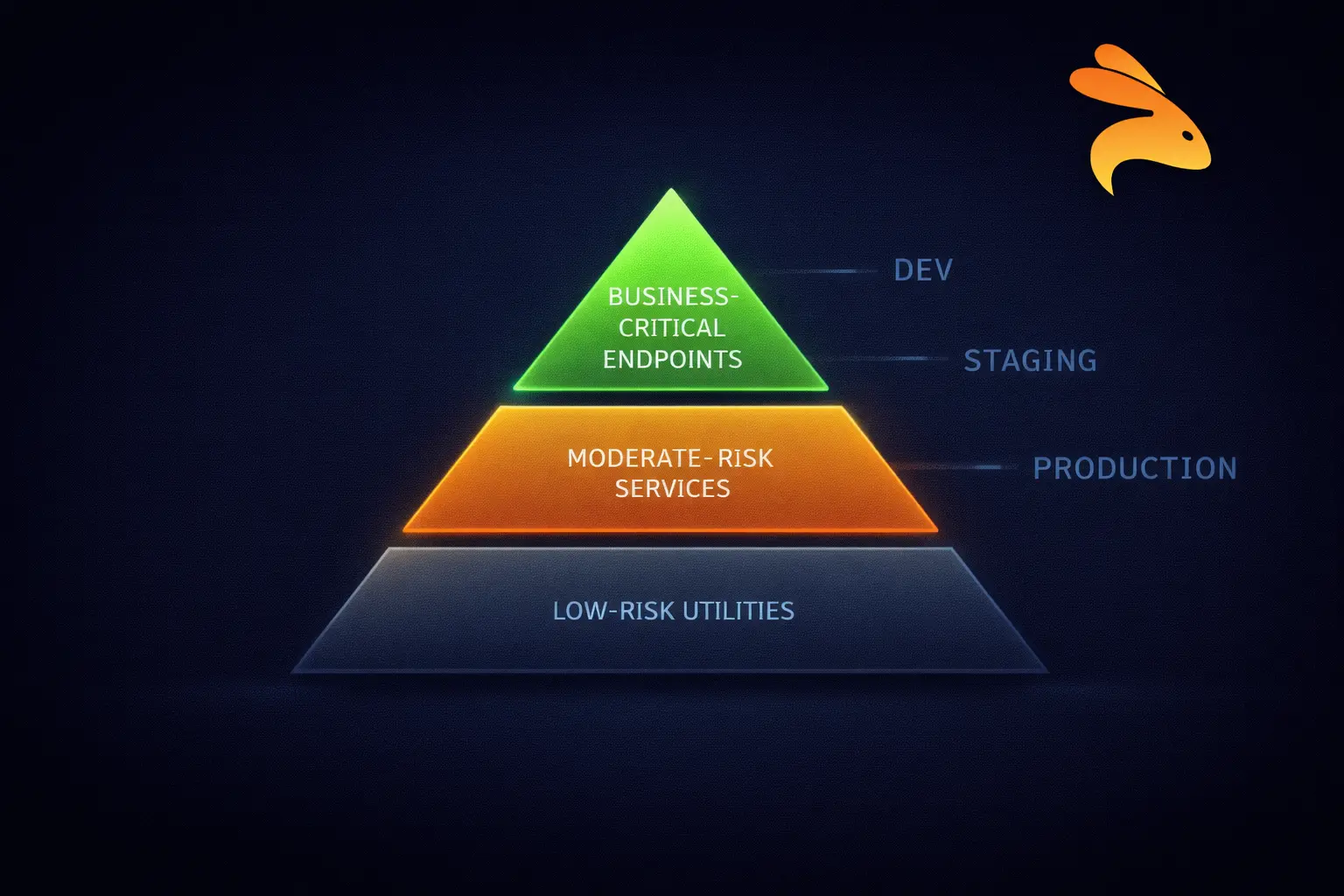
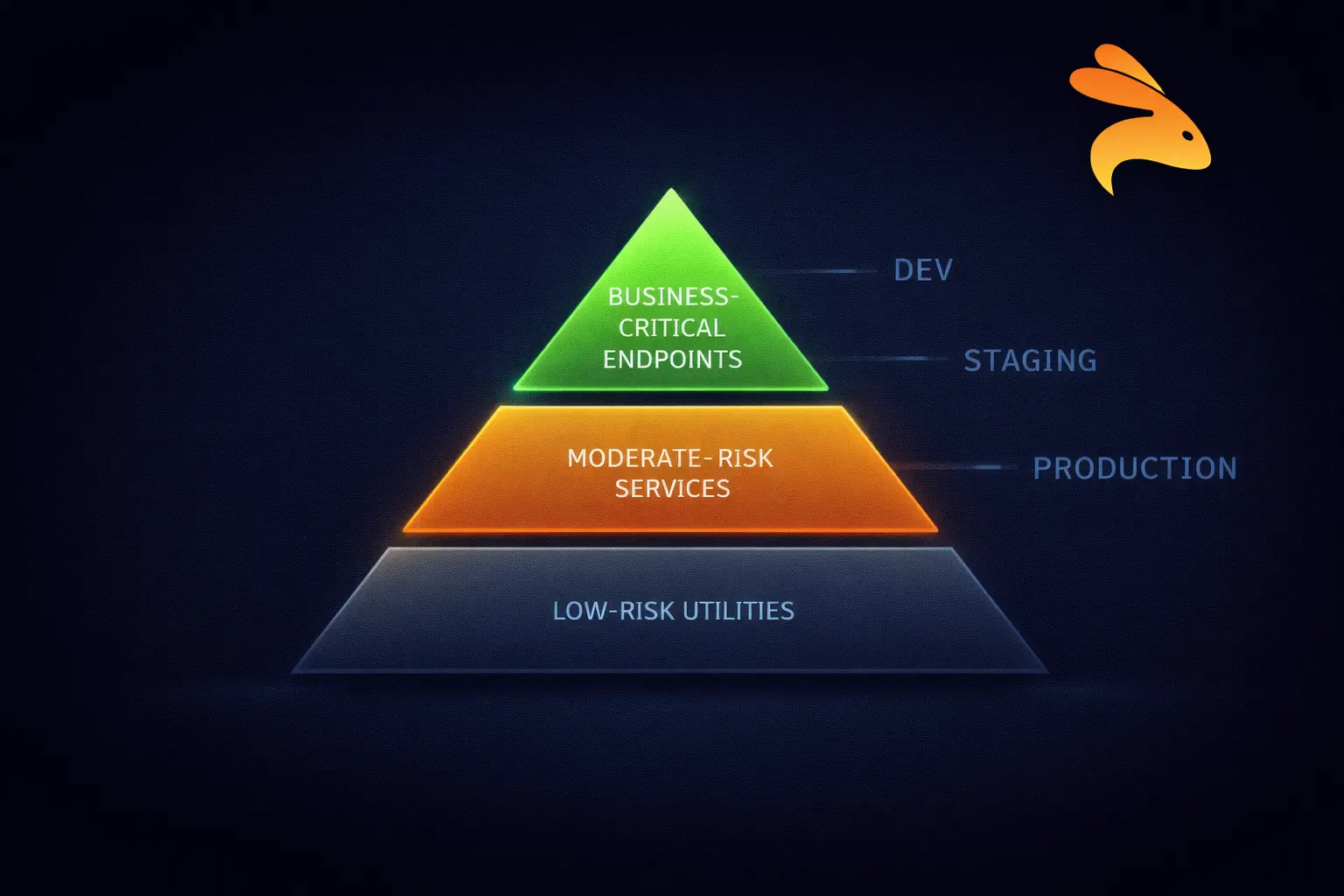
Determine which endpoints are in scope, which environments tests run against, and what level of coverage you target. Coverage is not just about the number of tests — it is about the quality of scenarios covered.
Prioritize based on risk: business-critical flows get the most coverage; low-risk internal utilities get the minimum. Document your goals so the team shares a consistent standard.
Step 3: Choose the Right Tools
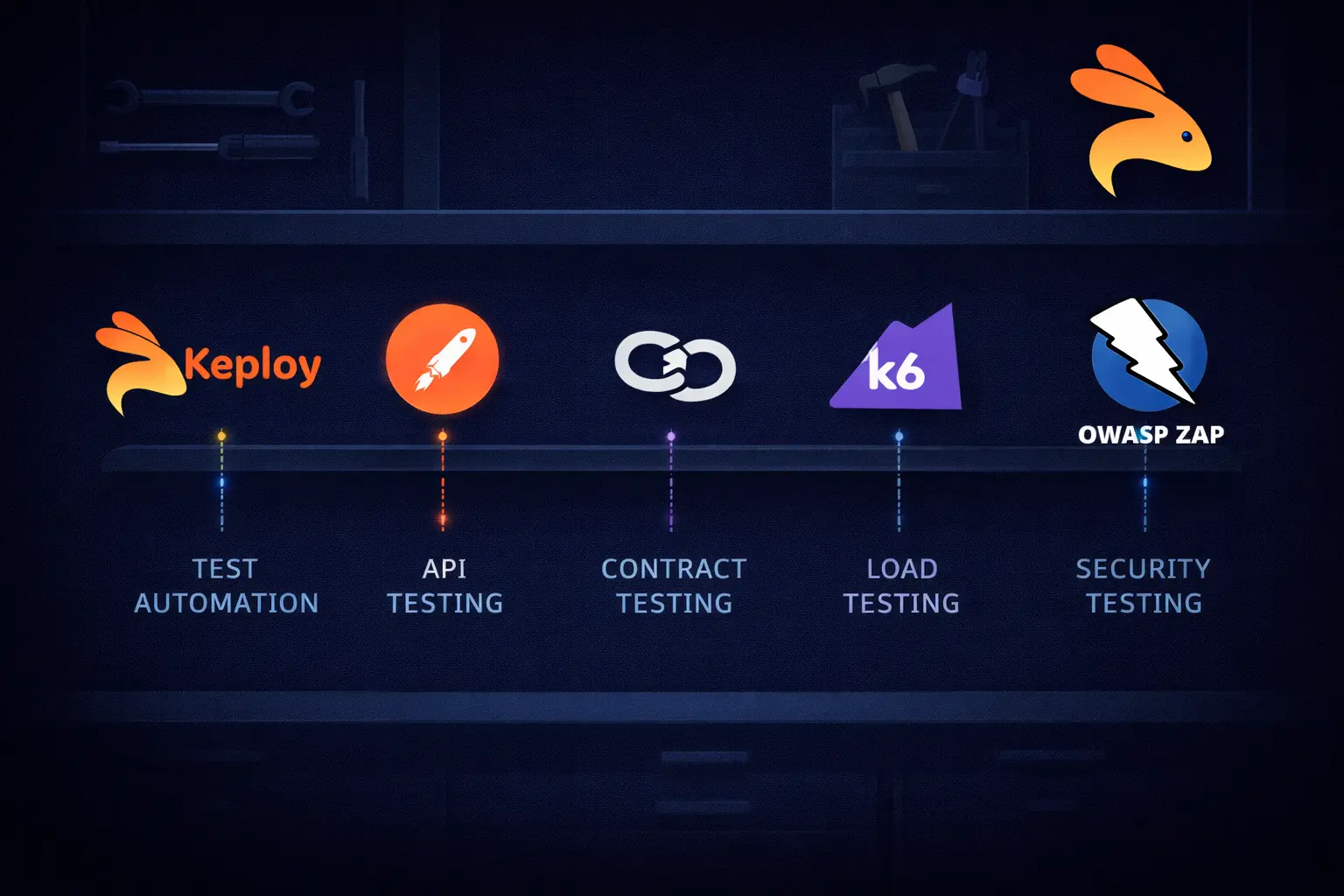
Tool selection should follow strategy, not the other way around. Common choices include:
-
Postman / Newman — great for functional and exploratory testing
-
Keploy — auto-generates tests and mocks from real traffic; ideal for rapid regression coverage
-
Pact — the go-to for contract testing in microservices
-
k6 / JMeter — industry-standard for performance and load testing
-
OWASP ZAP — automated security scanning
-
Jest / pytest — for unit-level API testing in your language of choice
Avoid tool sprawl. More tools mean more maintenance overhead. Pick the minimum set that covers your test types and integrate them properly.
Step 4: Design Test Cases
For each endpoint, create test cases that cover:
-
Happy path — valid inputs, expected responses
-
Boundary conditions — minimum/maximum values, empty arrays, null fields
-
Authentication scenarios — valid token, expired token, missing token, wrong role
-
Error conditions — invalid types, missing required fields, malformed JSON
-
Edge cases specific to your domain — business logic exceptions
Step 5: Set Up Test Environments with Realistic Data
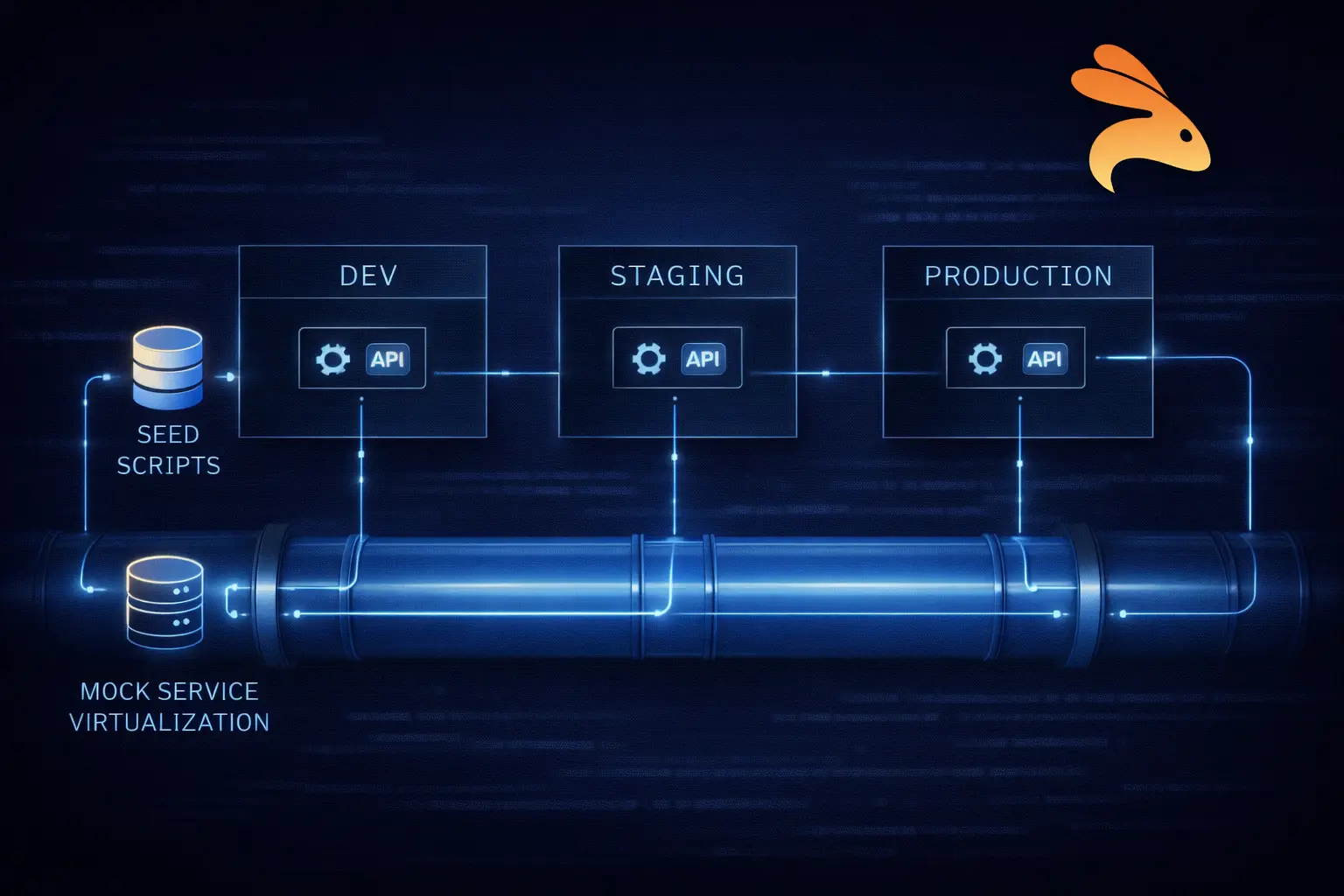
Tests are only as good as the data they run against. Use realistic, anonymized data that reflects production patterns. Use seeding scripts or fixtures to create consistent starting states. Beyond that, avoid tests that depend on execution order or share mutable state.
For services with external dependencies (payment gateways, email providers), use service virtualization or mocking to avoid hitting real systems during automated test runs.
Step 6: Automate and Integrate into CI/CD
Manual testing does not scale. Every test that can be automated should be automated. Connect your test suite to your CI/CD pipeline so tests run automatically on every pull request, merge, and deployment.
Layered pipeline approach:
| Layer | Trigger | Tests | Automated Time |
|---|---|---|---|
| Layer 1 | Every commit | Unit tests, contract tests | Under 2 minutes |
| Layer 2 | Every PR merge | Integration tests, regression tests | Under 10 minutes |
| Layer 3 | Pre-staging / pre-production | Performance, security scans, E2E | Under 30 minutes |
The further right your code travels in the pipeline, the more confidence each layer should have already earned. Let the pipeline do the gatekeeping.
Step 7: Report, Review, and Maintain

Establish a baseline and track metrics over time — test pass rate, coverage percentage, p99 response time. Make test failures block deployments so they are treated as real issues.
Treat your test suite as a living document. As the API evolves, update tests to reflect new behavior. Remove obsolete tests. Review flaky tests weekly and either fix or delete them — flaky tests erode trust in the entire suite.
Shift-Left API Testing: Where Strategy Meets Execution
Shift-left means moving testing activities earlier in the development lifecycle so that bugs are caught when they are cheapest to fix — during design and development, not after deployment.
In traditional workflows, testing happens at the end of a sprint. Developers write code, hand it off to QA, and bugs discovered at that stage are expensive because they require context switching, reproduction, and re-deployment. Shift-left flips this model.
What shift-left looks like in practice
-
Define API contracts before writing code — use OpenAPI specs as living design artifacts from day zero
-
Write unit and contract tests alongside feature code, not after it
-
Run tests automatically on every commit so feedback is immediate
-
Use mocking and service virtualization so developers test against simulated dependencies without waiting for other teams
-
Involve QA and security engineers in API design discussions, not just in the testing phase
The result is a tight feedback loop: a developer makes a change, tests run in minutes, and any breakage is caught while the context is still fresh.
Shift-left in microservices
In microservices architectures, shift-left testing becomes especially critical. Each service can be tested independently through its API contract, which means teams work in parallel without blocking each other. Contract tests ensure that when Service A says it will return a certain response format, Service B can rely on that promise even before Service A is fully deployed.
API Testing in CI/CD Pipelines
Automated testing is only as valuable as its integration into your deployment workflow. A test suite that runs manually on a developer’s laptop every few weeks is not a safety net — it is a false sense of security.
CI/CD integration means your tests run automatically, consistently, and as a gate before code moves to the next environment.
Layer 1 — Every Commit (under 2 minutes): Unit tests for changed endpoints, contract tests for affected services, linting and schema validation.
Layer 2 — Every Pull Request (under 10 minutes): Full functional test suite, integration tests for changed services, regression tests for critical paths.
Layer 3 — Pre-Staging / Pre-Production (under 30 minutes): Performance benchmarks against baselines, security scans (OWASP ZAP, Snyk), end-to-end tests for critical business flows.
A few practical tips for effective CI/CD test integration:
-
Parallelize test runs wherever possible — no reason 500 independent tests should run sequentially
-
Fail fast on critical paths — if authentication tests fail, skip the rest
-
Use test mocking and stubs in CI to avoid external dependencies introducing flakiness
-
Keep test environments ephemeral and isolated — avoid shared staging environments where tests interfere with each other
-
Publish test results as artifacts and track trends in your monitoring dashboards
Common API Testing Challenges (and How to Solve Them)
Even teams with strong intentions run into recurring obstacles. Here are the most common ones and how to address them.
1. Asynchronous Behavior
Many APIs send responses after a delay — because they process data asynchronously, call external services, or queue work. Tests that check the response immediately after a request will fail or return incomplete data.
Solution: Build polling mechanisms or webhook listeners into your tests for async flows. Use eventual consistency assertions that retry up to a timeout. Document which endpoints are async and design tests specifically for that behavior.
2. Test Data Management
Creating consistent, realistic test data across multiple environments is harder than it sounds. Tests that rely on specific database records are fragile — those records might not exist in every environment, or might have been modified by a previous test run.
Solution: Use database seeding scripts that create a known starting state before each test run. Design tests to be self-contained — each test creates the data it needs and cleans up after itself. Use factories or fixtures for common data patterns.
3. Managing API Versioning
APIs evolve. New fields get added, old ones get deprecated, and breaking changes happen. Without a versioning strategy, a v2 deployment can silently break v1 consumers.
Solution: Version your API contracts explicitly. Run contract tests against all active versions. Use semantic versioning and communicate breaking changes through changelogs and deprecation notices with sufficient lead time.
4. Flaky Tests in Distributed Systems
Flaky tests — tests that sometimes pass and sometimes fail without any code change — are one of the most corrosive forces in a test suite. They erode trust, cause developers to ignore test failures, and eventually get disabled entirely.
Solution: Treat flaky tests as bugs. Track them, prioritize fixing them, and treat a flaky test as a signal of either a real intermittent bug or a poorly written test. Never merge code that makes a previously stable test flaky.
5. Testing Third-Party APIs
You cannot control third-party APIs. You cannot predict when they will change, go down, or return unexpected responses. Testing against live external services in CI introduces dependencies that cause random failures.
Solution: Use service virtualization or contract stubs for third-party APIs. Record real responses and replay them in tests. This makes your tests deterministic, fast, and resilient to external service disruptions.
REST API Testing Best Practices
These principles apply regardless of which tools you use or which testing types you prioritize:
-
Start with requirements, not code — understand what the API is supposed to do before writing tests
-
Test all HTTP status code classes, not just 200 — 4xx and 5xx responses carry as much important behavior as successful ones
-
Use realistic, production-like test data — sanitized copies of real data expose bugs that synthetic data misses
-
Automate early, review thoroughly — auto-captured tests are excellent starting points, but always review assertions for your specific business logic
-
Version your API contracts — treat them as first-class code artifacts, not documentation afterthoughts
-
Make tests independent — tests that depend on each other create brittle suites that are painful to maintain
-
Monitor APIs in production — real user traffic reveals bugs that no test environment will ever catch
-
Document your testing strategy — a written strategy ensures consistency as the team grows and members change
-
Review test coverage regularly — schedule quarterly coverage reviews as the API grows
How Keploy Fits Into Your API Testing Strategy
One of the biggest barriers to comprehensive API testing is the sheer effort of writing and maintaining tests. For a mid-size service with dozens of endpoints and hundreds of edge cases, building a complete test suite from scratch can take weeks. And the moment the API changes, tests need updating.
This is where Keploy takes a fundamentally different approach. Instead of asking developers to write tests manually, Keploy captures real API traffic from your running application and automatically generates test cases and mocks from that traffic. Every real request and response pair becomes a test — complete with realistic data and observed behavior.
This approach delivers several practical advantages:
-
Zero-effort regression coverage — tests are generated continuously from real usage, not written once and forgotten
-
Realistic test data — since tests come from actual traffic, they reflect the data patterns your users actually send
-
Auto-generated mocks — Keploy captures dependencies alongside test cases, so your tests are self-contained and do not require external services to be running
-
Native CI/CD integration — run generated tests in your pipeline without manual wiring
Keploy pairs naturally with a shift-left strategy: as you define API contracts early and develop services, Keploy starts capturing traffic in development and staging environments to build a regression suite that grows organically alongside your codebase.
Conclusion
A great API testing strategy is not about having the most tests. It is about the right tests, in the right layers, running at the right times.
Start where you are. No automated tests? Pick your three most critical endpoints and write functional tests today. Already have those? Add contract tests next. Every layer you add compounds the value of what came before.
Quality is not something QA does at the end of a sprint. It is something every engineer builds in from the first line of code. The teams that internalize this ship faster, sleep better, and build products users trust.
FAQs
1. Unit vs integration testing in APIs Unit tests validate single endpoints in isolation using mocks. Integration tests verify multiple services working together using real dependencies.
2. How many API test types are needed At minimum use functional and negative tests. Add contract testing for microservices and performance and security testing for high traffic or sensitive APIs.
3. When to start performance testing Start early in development and run continuously in CI/CD to avoid costly late stage fixes.
4. What is contract testing Contract testing ensures API request and response formats remain consistent between services and prevents breaking changes.
5. How Keploy helps in API testing Keploy generates test cases and mocks from real API traffic, enabling automated testing across unit, integration, and edge cases with minimal effort.

Leave a Reply