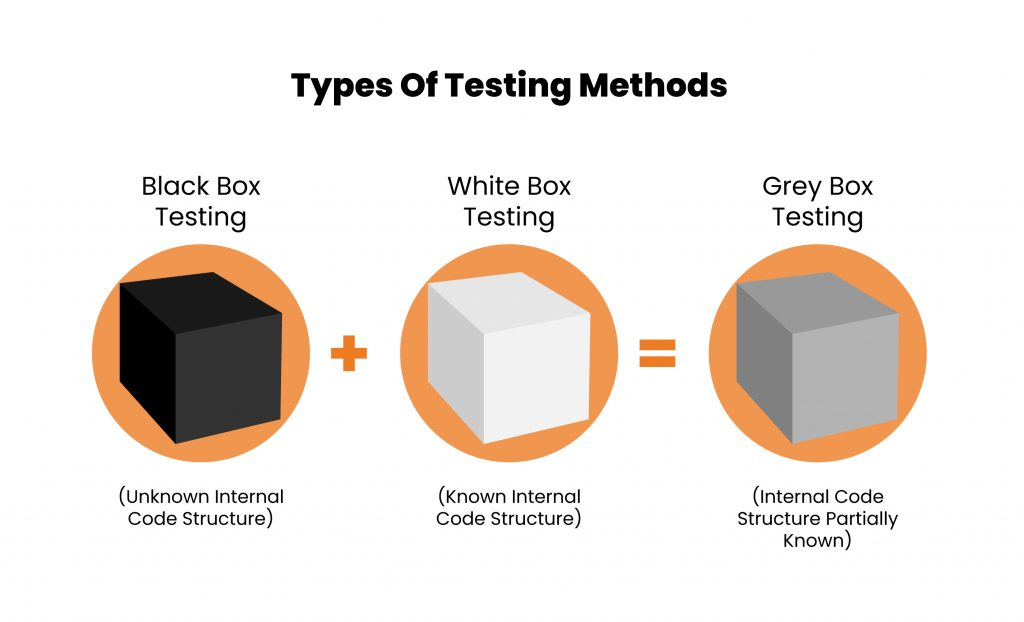
Black box testing evaluates software behavior from the outside – testers validate inputs and outputs without any knowledge of internal code, making it ideal for functional and acceptance testing. White box testing examines the internal code, logic, and structure directly, catching security vulnerabilities and logic errors invisible from the outside. Most mature teams use both: black box to verify what users experience, white box to verify how the code delivers it.
Black box vs white box testing is one of the most common comparisons in software testing, especially when deciding how to effectively validate an application. While black box testing focuses on functionality from a user’s perspective, white box testing examines the internal code, logic, and structure of the system.
Understanding the difference between the two is key to choosing the right testing strategy. Depending on your goals – whether it’s validating user behavior or ensuring code-level accuracy. Each approach plays a distinct role in delivering reliable, high-quality software.
What is Black Box Testing?
Black box testing is a software testing method in which the tester does not need knowledge of the internal structure or implementation of the software being tested, but instead focuses on validating the functionality of an application based on the provided requirements.
Why is it Called a Black Box?
The term comes from the idea that the system being tested is treated as a sealed box: you can see what goes in (inputs) and what comes out (outputs), but everything in between is hidden. The tester has no visibility into the internal code, logic, or architecture. The name reflects the tester’s perspective, not a property of the system itself.

Types of Black Box Testing
The two main types of Black Box Testing are: Functional Testing and Non-Functional testing.
1. Functional Testing:
Functional Testing is a type of software testing that verifies the functionality of a software application by checking that the system behaves according to the specified functional requirements.
2. Non-Functional Testing:
Non-Functional Testing is a type of testing that focuses on assessing the non-functional aspects of a system, such as performance, usability, reliability and scalability. It verifies how well the system performs under various conditions. It aims to optimize the system’s performance and user experience.
Black Box Testing Techniques
Black box testing relies on structured techniques to design test cases without access to internal code. The most widely used are:
Boundary Value Analysis
Tests input values at the edges of valid ranges, where defects are most likely to occur. If a field accepts values between 1 and 100, tests are written for 0, 1, 100, and 101 rather than arbitrary mid-range values. Most defects cluster at boundaries, making this one of the highest-ROI black box techniques.
Applied to a password field requiring 8 to 20 characters, BVA tests 7 characters (invalid), 8 characters (valid lower boundary), 20 characters (valid upper boundary), and 21 characters (invalid). Four test cases cover all failure-prone boundaries.
Equivalence Partitioning
Divides input data into groups where all values in a group are expected to behave the same way. One representative value from each partition is tested, reducing the total number of test cases without sacrificing meaningful coverage.
For an age validation field, three partitions exist:
- below 0 (invalid)
- 0 to 120 (valid) and
- above 120 (invalid).
Testing one value from each partition: say- 1, 30, and 150 – gives full coverage with three test cases instead of testing every possible value.
Decision Table Testing
Maps combinations of inputs to expected outputs in a table format. Useful when multiple conditions interact to produce different results, such as login logic with different user roles and permissions.
A discount eligibility check combining member status (yes or no) and cart value (above or below a threshold) produces four combinations. Each combination maps to one expected outcome, and one test case per row gives complete coverage of the rule logic.
State Transition Testing
Tests how a system behaves as it moves between different states based on inputs or events. Useful for workflows with clear state changes, such as order processing moving through pending, confirmed, shipped, and delivered states.
For a user account moving between active, suspended, and closed states, the test verifies each valid transition, blocks invalid ones, and checks the trigger condition for each path. A missed transition is a defect.
For a complete breakdown of each technique with worked examples and sample test cases, read our dedicated guide to black box testing techniques.
Advantages of Black Box Testing
-
It can be implemented without the tester having functional knowledge or programming skills.
-
It mirrors the user’s perspective and ensures that the software meets user expectations and requirements.
-
Tester’s testing is unbiased and purely based on specifications because they are not aware of internal workings.
-
It can be applied at all levels of software testing: unit testing, integration, system, etc.
Limitation of Black Box Testing
-
It may miss edge cases if test cases are not complete.
-
Limited insight into the system’s internal workings, making it challenging to identify the root causes of issues.
When to Use Black Box Testing?
Black box testing is the right choice in the following scenarios:
- User Acceptance Testing (UAT): When validating that the software meets end-user expectations and business requirements before release.
- System Testing: When testing the complete, integrated system to verify it meets specified requirements.
- Regression Testing: When verifying that new code changes haven’t broken existing functionality from a user perspective. For teams looking to automate this process at scale, read our complete guide on automated regression testing.
- API Testing: When validating API endpoints purely based on inputs and expected outputs, without knowledge of backend implementation.
- Cross-functional Teams: When testers don’t have programming knowledge but need to validate application behavior.
Tools Used for Black Box Testing:
| Tool | Type | Best For |
|---|---|---|
| Selenium | UI Automation | Web app functional and regression testing |
| Postman | API Testing | Manual and automated API validation |
| Keploy | API Testing | Records real API traffic and auto-generates black box test cases – eliminating manual test writing |
| JMeter | Performance Testing | Load and stress testing |
| Cypress | UI Automation | Modern web app end-to-end testing |
Among these, Keploy stands out specifically for API black box testing. It eliminates the manual effort of writing test cases by recording real user traffic and replaying it automatically, making it particularly effective for teams practising continuous testing.
Most of the tools listed above are among the most widely adopted open source automation tools for black box testing, covering UI, API, and performance validation without licensing overhead.
What is White Box Testing?
White-box testing, also known as glass box testing, is a software testing methodology in which the tester has full knowledge of the internal structure and implementation of the software being tested, with access to source code, architectural diagrams, and design details to improve design, usability, and security.

Types of White Box Testing
The two main types of White box testing are: Unit Testing, Integration Testing.
- Unit Testing:
Unit testing is a process of testing individual components or functions of a software application to ensure they work correctly on their own. It helps to improve the quality and reliability of the softwares.
- Integration Testing:
Integration testing is a process of testing how different components or modules of a system work together to ensure they interact correctly. Integration Testing is also the most expensive testing method.
Advantages of White Box Testing
-
White Box Testing Detects hidden issues such as memory leaks, security vulnerabilities, and logic errors.
-
It Provides insights into code quality and maintainability and optimizes code by identifying inefficiencies.
-
Testers can find defects that cannot be detected through other testing techniques.
-
It Can identify bugs at a very early stage.
Limitation of White Box Testing
-
Requires testers with advanced programming experience.
-
It can be time-consuming for large or complex systems.
-
Testing cost will be more by having skilled testers with programming language.
When to Use White Box Testing?
White box testing is the right choice in the following scenarios:
- Unit Testing: When developers need to verify individual functions or components behave correctly at the code level.
- Security Testing: When identifying vulnerabilities like SQL injection, memory leaks, or insecure code paths that aren’t visible from outside.
- Code Optimization: When improving performance by identifying inefficient code paths, redundant logic, or resource bottlenecks.
- Early Development Stages: When catching logic errors and bugs before the software reaches system or acceptance testing.
- Critical Modules: When testing high-risk components where code-level accuracy is non-negotiable.
Tools used for White Box Testing:
| Tool | Type | Best For |
|---|---|---|
| JUnit | Unit Testing | Automated unit tests for Java applications |
| SonarQube | Static Analysis | Code quality and security vulnerability detection |
| Wireshark | Network Analysis | Monitoring and analyzing network traffic |
| JaCoCo | Code Coverage | Measuring how much code is covered by tests |
| NUnit | Unit Testing | Automated unit tests for .NET applications |
Difference between Black Box Testing and White Box Testing
| Attribute | Black Box Testing | White Box Testing |
|---|---|---|
| Internal knowledge | Not required | Required |
| Focus | External behavior and functionality | Internal logic and code structure |
| Basis of testing | Requirements and specifications | Source code |
| Performed by | QA testers | Developers |
| Testing stage | System and acceptance testing | Unit and integration testing |
| Skill required | Low | High |
| Cost | Lower | Higher |
| Speed | Faster | Time consuming |
| Defects found | Functional errors and UX issues | Logic errors and security vulnerabilities |
| Programming knowledge | Not required | Required |
What About Gray Box Testing?
Gray box testing bridges the gap between black box and white box testing. The tester has partial knowledge of the internal structure – such as database schemas or system architecture – without full access to source code. This helps design more targeted test cases while still testing from an external perspective.
Gray box testing is particularly effective for integration testing and security testing where some internal context improves test design.
| Attribute | Black Box | Gray Box | White Box |
|---|---|---|---|
| Internal knowledge | None | Partial | Full |
| Best for | Functional & UAT | Integration & Security | Code quality & logic |
| Skill required | Low | Medium | High |
| Source code access | Not required | Not required | Required |
| Tester perspective | End-user | Partial insider | Developer |
Conclusion:
Black box testing, white box testing, and gray box testing each serve a distinct purpose in a well-rounded software testing strategy. Black box testing gives you an unbiased, user-centric view of software quality – validating behavior through inputs and outputs without any knowledge of internal code.
White box testing complements this by examining the code itself for logic errors, security gaps, and performance issues.
Gray box testing bridges the two by combining external testing with partial internal knowledge for more targeted coverage.
Understanding when to use each approach – and the right tools for each – is what separates a good testing strategy from a great one.
FAQs
What are the main black box testing techniques?
The four core black box testing techniques are: boundary value analysis, equivalence partitioning, decision table testing, and state transition testing. Most QA teams combine at least two of these techniques for meaningful coverage.
How do I choose between black box testing and white box testing for my project?
-
You should use black box testing if the goal is to validate functionality and user satisfaction and choose white box testing to ensure code quality and reliability.
-
For large systems, black box testing is efficient for high-level functionality checks, while white box testing is ideal for detailed code analysis in critical modules.
What are the skills required for Black Box Testing?
Black box testing can be performed by testers that have skills of understanding users requirements, know to execute tests, create test cases and report defects.
When should I use black box testing vs white box testing?
Use black box testing when validating user-facing functionality, acceptance criteria, and end-to-end behavior. Use white box testing when verifying internal code paths, security vulnerabilities, and logic correctness. Most mature testing strategies combine both approaches for comprehensive coverage.
Can black box testing and white box testing be used together?
Yes – and this is considered best practice. Black box testing validates what users experience while white box testing ensures the underlying code is sound. Running both together gives the most comprehensive coverage across all stages of your software development lifecycle.
What is the difference between black box testing and gray box testing?
Black box testing assumes zero knowledge of internal workings. Gray box testing uses partial internal knowledge – such as database schemas or system architecture – to design more targeted test cases while still testing from an external perspective.
Which tool is best for automating black box testing for APIs?
For API black box testing specifically, Keploy is highly effective. It automatically records real API interactions and replays them as test cases, giving you black box test coverage without manually writing a single test.
Is regression testing black box or white box?
Regression testing is primarily black box. It validates that existing functionality still works after a code change, assessed through inputs and expected outputs rather than internal code inspection. Some teams run white box regression checks at the unit level when verifying that specific code paths remain intact after refactoring, but at the system and API level, regression testing is black box by nature.
What is the difference between black box testing and end-to-end testing?
-
Black box testing describes an approach: testing without knowledge of internal code, based on inputs and outputs.
-
End-to-end testing describes a scope: validating the complete flow of a system from the user interface through to the database or downstream services.
End-to-end tests are almost always black box by nature, but black box testing also applies at the API, integration, and system level. The two terms describe different dimensions of testing and are not interchangeable.

Leave a Reply