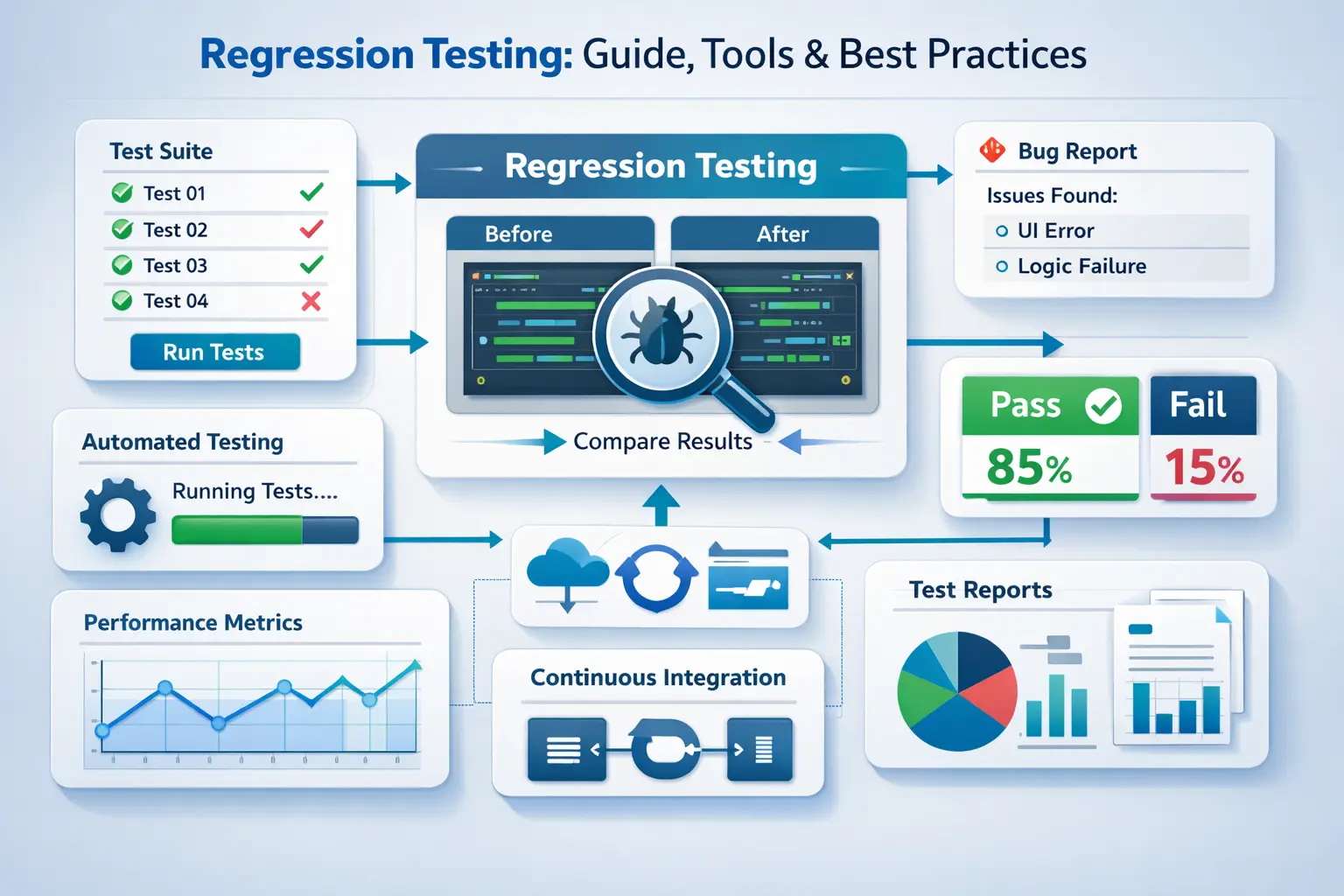
Every stable release depends on one thing holding: that what worked before still works after the change. It differs from smoke testing in depth: smoke checks only critical paths, while regression validates broadly across affected areas. At the API layer, Keploy captures real traffic and converts it into test cases automatically, removing the manual scripting step that makes regression coverage expensive to maintain.
Regression testing sits quietly behind every stable release, yet when it’s missing or weak, the damage is loud and expensive. Over time, I’ve seen teams ship features fast, only to roll them back because something “unrelated” broke in production. That’s where regression testing earns its place – not as a checkbox, but as a safety net that protects trust, velocity, and revenue.
What is Regression Testing?
Regression Testing is the practice of rerunning a set of predefined test cases to verify that changes to an application have not adversely affected existing functionalities. It acts as a safety net, preventing unexpected defects from slipping into production and impacting users.
-
Testing new features — checking if the new functionality works as expected.
-
Testing existing functionality — making sure what worked before still works after changes.
Regression testing focuses on the second part:
-
It’s the process of testing existing features and workflows whenever new code is introduced.
-
The goal is to catch issues where updates unintentionally break something that was previously working fine.
-
Without regression testing, updates can easily disrupt the user experience.
Imagine your favorite food delivery app. It usually runs smoothly; you place an order, pay, and track it in real-time. Now, the team decides to add a new live chat feature, allowing you to message your delivery person.
But after this update, the order tracking stops updating, or payments start failing. That’s a regression bug, something that used to work has broken because of a new change.
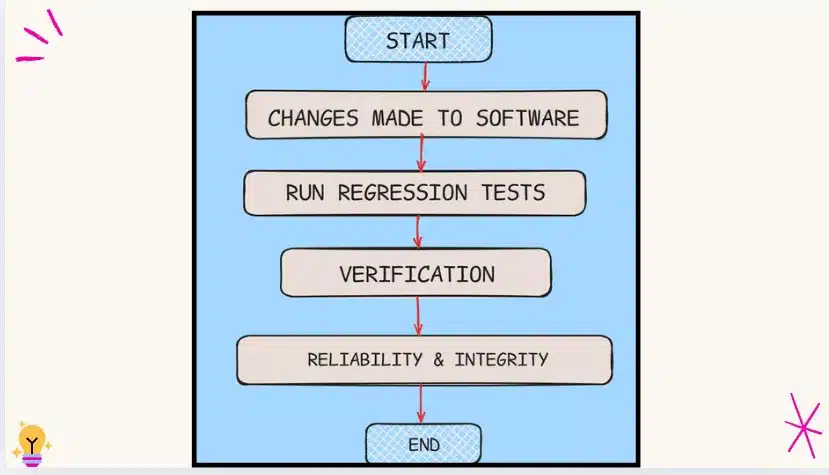
Regression testing ensures that existing features continue to work as expected even as new functionality is added. Whether it’s a simple web app or a complex system, it safeguards the core experience and prevents small updates from causing unexpected problems. By systematically re-validating previously tested functionality, teams can maintain application stability while introducing new features, bug fixes, or performance improvements, enabling confident releases and a consistent user experience.
Regression Testing Examples
Example 1: E-commerce site
-
Your team rolls out a new "wishlist" feature so users can save items for later.
-
During regression testing, you make sure that adding items to the cart, applying discount codes, and completing payments still work smoothly, because these essential features shouldn’t be disrupted by the new wishlist code.
Example 2: Banking app
-
A new biometric login (fingerprint/face ID) is introduced.
-
Regression tests confirm that the old login methods (password, PIN) still work properly, and that money transfers and balance checks aren’t affected.
Why Perform Regression Testing?
Think of regression testing as your safety net. Anytime you change your app – adding a feature, fixing a bug, or fine-tuning performance – you want to make sure nothing that was working before has quietly broken. Here is why teams that skip it consistently pay a higher price:
- Regressions reach production silently. A bug fix in one module can break unrelated functionality elsewhere in the system. Without regression coverage, those breaks surface in production rather than in the pipeline. Users find them before QA does.
- The cost of a bug grows the later it is found. A regression caught at the pull request stage takes minutes to fix. The same regression caught in production requires incident response, a rollback, a root cause investigation, and often a customer-facing communication. The fix is the same – everything around it is not.
- CI/CD pipelines need regression testing to mean anything. Automating deployments without automating regression validation means you are shipping faster without any additional confidence. The speed of the pipeline does not reduce risk – only validated test coverage does.
- Release confidence erodes without it. Teams that lack regression coverage start slowing down releases not because of technical constraints but because of fear. The irony is that the teams shipping most frequently are typically the ones with the strongest regression suites, not the weakest.
- Technical debt accumulates invisibly. Every change that reaches production without a regression check is an untested interaction that could fail at any future point. The gaps compound silently until they surface as an incident.
When Should You Run Regression Testing?
Here are the key moments to run regression tests:
-
Right after you add a new feature that interacts with existing parts of the app
-
After fixing bugs that could ripple across other areas
-
Before big releases or deployments
-
During CI/CD pipelines when code updates happen constantly
-
After database or configuration changes
-
After upgrading a third-party library, dependency, or external integration – external packages can change behaviour silently, and regression tests are the only way to confirm your app still responds correctly after the upgrade.
If you are unsure whether a change warrants regression testing, run it anyway. The cost of a missed regression in production is always higher than the cost of re-running your suite
Running tests at these points keeps your app stable, catches sneaky issues early, and lets your team release updates confidently without worrying about breaking anything for your users.
Types of Regression Testing
Regression testing is not a one-size-fits-all process. Depending on the nature of code changes, the size of the application, and the resources available, different approaches can be taken to ensure existing functionalities remain intact. Understanding the various types of regression testing helps you choose the right strategy for your project, balancing thoroughness, efficiency, and risk coverage.
Pairing that strategy with the right test management tools ensures your suite stays organized, traceable, and visible across builds as it grows.
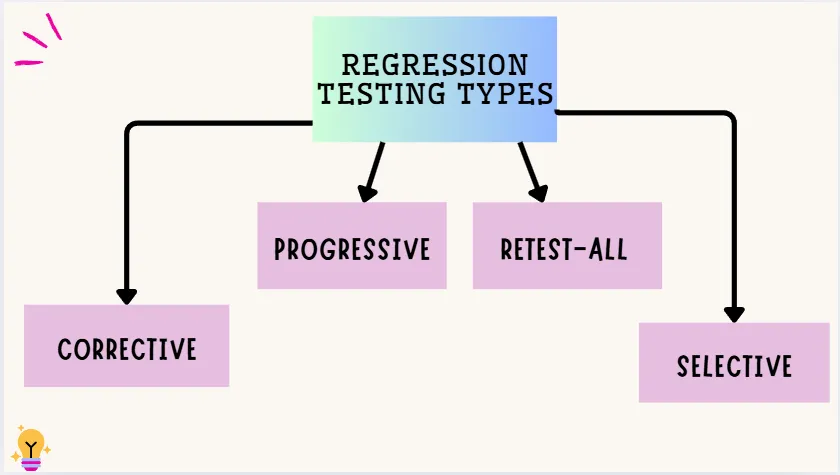
Corrective Regression Testing
This type is used when the code and specifications haven’t changed. You can reuse all existing test cases, making it quick and efficient. It’s a favorite because it saves time and effort by focusing on ensuring nothing old is broken.
- Use Case: Ideal for CI/CD pipelines where code is frequently integrated, allowing teams to verify unchanged modules quickly and keep automated builds green.
Progressive Regression Testing
This is used when code specifications have changed or new features are added. New test cases are created to test the updated parts, while also checking that changes don’t break other areas. It’s perfect for systems that are constantly evolving with frequent updates.
- Use Case: Supports Agile teams adding features continuously by ensuring that new code doesn’t disrupt the existing system, keeping sprint deliveries stable.
Retest-All Regression Testing
This involves re-running all existing test cases to ensure nothing is broken anywhere. It’s thorough but can be time-consuming and costly, so it’s rarely used unless absolutely necessary, like in high-risk systems.
- Use Case: Useful for high-risk releases in Agile environments where full coverage is critical before deployment, preventing production regressions.
Selective Regression Testing
Here, only a subset of relevant test cases is run, based on what parts of the code were changed. It helps reduce testing time and cost by focusing on areas most likely to be affected by the updates.
- Use Case: Perfect for CI/CD workflows to run targeted tests based on changed modules, saving time while maintaining confidence in fast iterations.
The four types covered here are the most commonly used in day-to-day development. For a complete breakdown of all types including Partial, Complete, Unit, and more, see Types of Regression Testing in Software Testing.
Regression Testing Tools and Frameworks
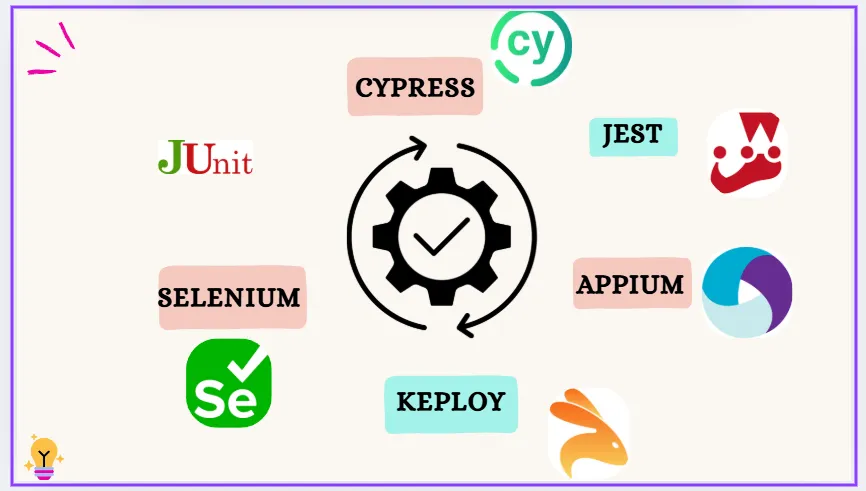
Modern development teams rely on automation tools to make regression testing faster, more consistent, and easier to scale. These tools help teams repeatedly run test suites across environments and check for unexpected behavior after code changes.
-
Keploy – This tool is great for automatically generating API test cases, which cuts down on manual work in regression testing. It’s especially useful for backend/API-heavy systems.
-
Selenium – This is a fantastic open-source tool for automating web browsers. It’s perfect for running regression tests across various browsers and devices.
-
JUnit / TestNG – These are popular Java testing frameworks that help you manage and automate unit-level regression tests. They make it super easy to organize, group, and run tests efficiently.
-
Cypress – Known for its fast execution and real-time debugging, Cypress is a modern tool for front-end testing. It’s excellent for UI regression testing of web apps.
-
Appium – If you’re looking to automate regression tests for mobile apps on Android and iOS, Appium is your go-to tool.
-
Jest – A well-loved framework for regression testing JavaScript code, particularly in React and Node.js projects.
These regression testing tools are lifesavers for teams, helping automate repetitive checks, save time, and catch those pesky hidden issues before they affect the users.
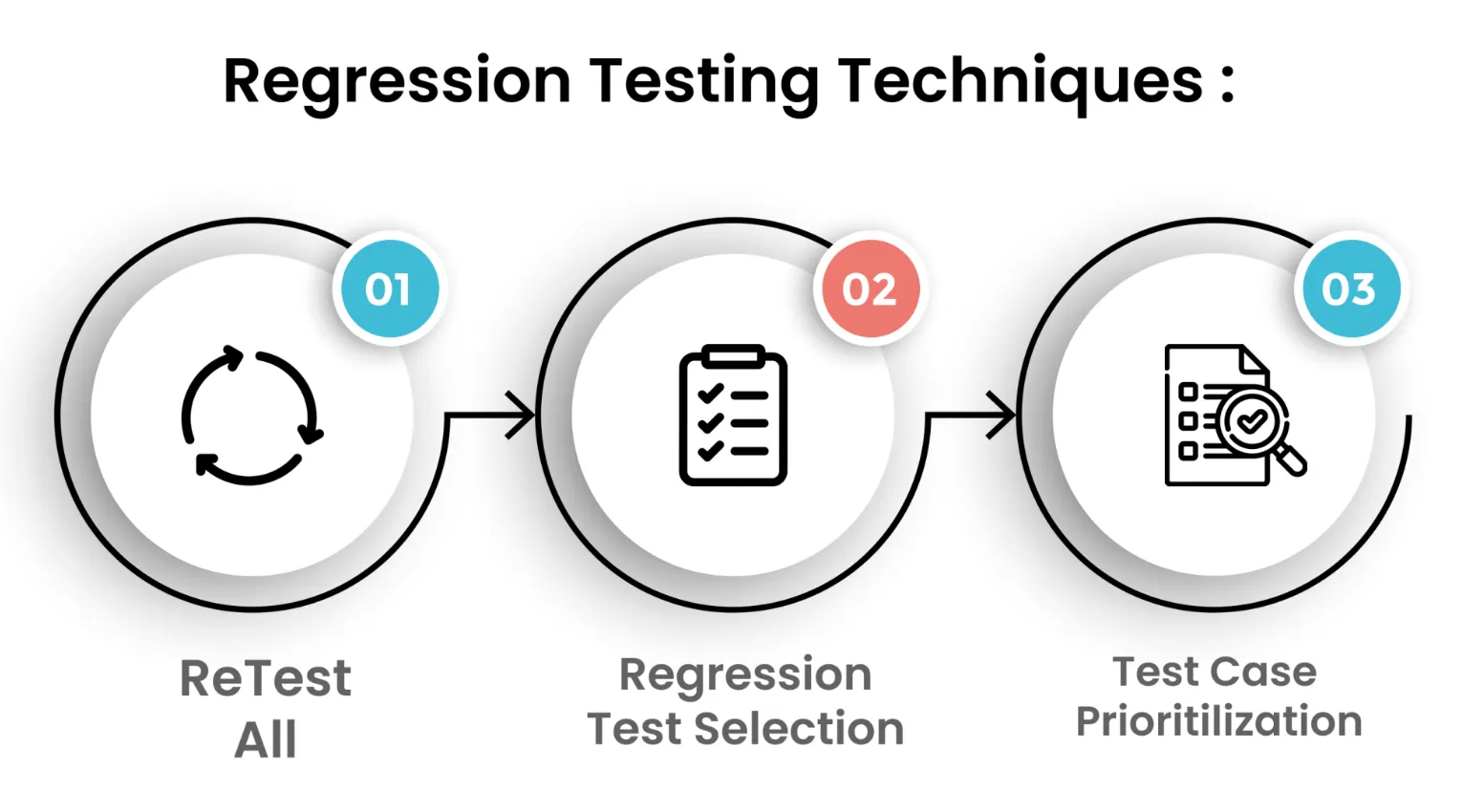
Regression Testing Techniques
Retest All
This technique is all about re-running every single test case to ensure the entire application still functions as expected after any changes. It’s super thorough but can be quite time-consuming and resource-intensive. Typically, it’s used for major updates or critical systems where you can’t afford to miss anything.
Regression Test Selection
Instead of testing everything, this method focuses on choosing only the test cases related to the modified parts of the code. It helps cut down on effort and speeds up testing, especially in bigger projects. Testers pick relevant cases based on which modules or features were impacted by recent changes.
Test Case Prioritization
Here, test cases are ranked by their importance, risk level, and impact on core functionality. High-priority tests are run first, making sure the most critical features are checked early on. This is handy when you’re pressed for time but still want to ensure key areas are solid.
Hybrid Approach
This is a clever mix of test selection and prioritization, allowing you to focus on relevant test cases and run the most important ones first. It balances speed and coverage, making it one of the most practical techniques for real-world projects with tight deadlines.
Regression testing commonly uses black box testing techniques to validate that existing functionality still works after code changes.
Automated vs Manual Regression Testing
Regression tests can be run both manually and automatically. Each way has merits and demerits.
Manual Regression Testing:
-
Testers run test cases by hand
-
Useful for small projects, exploratory testing, or complex UI workflows
-
Allows human judgment for scenarios that are difficult to automate
Automated Regression Testing:
-
Uses scripts and testing tools to run tests repeatedly and consistently
-
Ideal for large applications, frequent updates, and CI/CD pipelines
-
Saves time and ensures repeatable, accurate results
Combining both types of regression testing provides teams with a greater chance of finding bugs quicker than using either type of regression testing alone, while allowing for a better investigation of defects that require a manual test, and will provide a thorough, efficient, and reliable regression test.
AI-Assisted Regression Testing
The biggest maintenance problem in regression testing isn’t writing the tests – it’s keeping them working after the application changes. A UI element moves, an API field is renamed, and a test that was passing correctly starts failing for the wrong reason: not because of a regression, but because the test itself is stale. Teams end up spending more time fixing broken tests than catching broken features.
AI-assisted regression testing addresses this in two ways:
-
The first is self-healing. When a test breaks because of a structural change rather than a behavioural regression – a renamed selector, a shifted element, a reordered response field – self-healing tooling detects this automatically and updates the test’s assertions accordingly. The failure gets corrected without a manual investigation.
-
The second is predictive test selection. Instead of running the full regression suite on every commit, AI-driven impact analysis identifies which tests are most likely to catch a regression given the specific diff that was introduced. High-risk paths run; low-risk paths are deferred. This keeps CI feedback fast without sacrificing coverage on the paths that matter.
At the API layer, the maintenance problem looks different. Non-deterministic fields: timestamps, UUIDs, session tokens – cause tests to fail on every run even when the underlying behaviour hasn’t changed.
Tools that normalise these fields automatically, rather than requiring manual exclusion rules, keep the suite stable across environments without constant upkeep.
The shift AI introduces isn’t about replacing the regression suite. It’s about making it cheaper to maintain, so teams don’t quietly abandon coverage under release pressure.
Regression Testing in Agile and CI/CD Environments
In Agile and CI/CD workflows, software is updated frequently, often multiple times per week. Regression testing allows the ability to implement rapid software development changes without breaking the existing functionality. The benefits are-
-
Early Detection of Issues- Automated regression tests run on every code commit, catching defects before they reach production.
-
Maintains Software Quality- Ensures that new features or bug fixes do not disrupt existing functionality.
-
Faster, Safer Releases- Integrating regression tests into CI/CD pipelines allows teams to deploy updates confidently and frequently.
-
Seamless User Experience- By preventing regressions, the software remains stable and reliable for end users, even during rapid development cycles.
But understanding why regression testing matters is only half the job. Let’s understand where most teams get it wrong in CI/CD environments – and what to do instead.
Common CI/CD Regression Testing Mistakes and How to Fix Them
1. Gate Every Pull Request, Not Just Main
The most common mistake teams make is running regression tests only on the main branch after a merge. By that point, a regression has already landed in the shared codebase, blocking other developers and often requiring a rollback. The correct model is to gate the merge button itself – the PR cannot merge until the regression suite passes. Most CI platforms (GitHub Actions, GitLab CI, Jenkins) support branch protection rules that enforce this automatically.
2. Keep the Suite Fast Enough to Run on Every Commit
A regression suite that takes 90 minutes to run will be skipped. Teams solve this in two ways.
-
The first is parallelisation – splitting the test suite across multiple CI workers so total wall-clock time drops proportionally.
-
The second is test tagging: label tests as smoke, regression, or full, then run only smoke tests on every commit, the regression tier on every PR, and the full suite nightly or pre-release.
This way, fast feedback is preserved at the commit level without sacrificing coverage at the release gate.
How to Integrate Regression Testing into Your CI Pipeline
A practical CI setup for regression testing follows this structure:
-
On every commit: Run smoke tests only – these cover the 5–10 most critical user flows and should complete in under 5 minutes.
-
On every PR before merge: Run the full regression suite scoped to the areas touched by the diff. Gate the merge on a passing result.
-
Nightly or pre-release: Run the complete test suite including edge cases, performance-sensitive paths, and any tests too slow for per-PR execution.
-
On dependency upgrades: Always run the full suite when a third-party library or external service version changes, regardless of whether your own code changed.
For a deeper look at how regression testing plugs into a CI/CD pipeline at scale, see Complete Guide to CI Testing.
Regression Testing Process: How to Perform It Effectively?
1. Know What Changed
Start by checking out what was updated, whether it’s a bug fix, a new feature, or any code change. Understand which parts of the app might be affected.
2. Pick What to Test
Based on the changes, choose test cases that cover those related features. You might use existing test cases or create new ones if necessary.
3. Start with What Matters Most
Prioritize testing the most crucial parts first, like login, payment, or core actions that users depend on.
4. Tweak Test Cases if Needed
If the change alters how a feature works, ensure your test cases reflect the new behavior.
5. Choose How to Test
For small changes, manual testing might be enough. But for frequent or significant changes, automated testing can save time and effort.
6. Run Your Tests
Use tools or manual methods to execute the selected test cases and verify that everything still functions as expected.
7. Check Results & Report Issues
Carefully review the test results. If something’s not working, report the bugs so they can be fixed before the release.
8. Keep Testing Regularly
As new changes come in, continue running regression tests to ensure everything old still works smoothly.
Entry and Exit Criteria for Regression Testing
Before running a regression cycle, teams need two things clearly defined: what conditions must be true before testing starts, and what signals that testing is complete. Without these, regression runs either start too early (on an unstable build) or never formally close.
| Criteria | Example | |
|---|---|---|
| Entry | Build is stable and deployed to the test environment | No critical build failures in the last CI run |
| Entry | Test environment matches the target deployment configuration | Same OS, dependency versions, and config as staging |
| Entry | Scope of changes is documented and communicated to QA | Developer ticket lists affected modules |
| Entry | Existing regression test suite is up to date | No known stale test cases flagged from the previous cycle |
| Exit | All high-priority test cases have been executed | Smoke and regression tiers both completed |
| Exit | No open critical or high-severity defects remain | All P1/P2 bugs resolved or formally deferred |
| Exit | Defect leakage rate is within the agreed threshold | Below 5% for the current release |
| Exit | Test results are documented and signed off | QA sign-off recorded in the test management tool |
How to Build a Regression Test Plan
A regression test plan is the document that defines what gets tested, under what conditions, and how results are tracked. Teams that skip it tend to run tests inconsistently across releases – some cycles cover payment flows, others don’t, and nobody can explain why a regression was missed after the fact.
A practical regression test plan covers four things:
Scope
Define which modules, user flows, and integration points are in scope for this cycle. This is driven by the change log – what was modified, what depends on it, and what historical incidents have occurred in adjacent areas. Anything outside the scope boundary gets documented as explicitly excluded, not just ignored.
Environment
Specify the OS, browser versions, device types, and dependency versions the tests will run against. A regression that passes in one environment and fails in another isn’t a flaky test – it’s an environment mismatch that the plan should have caught upfront.
Test suite and prioritization
List which test cases are included – by tier if you’ve tagged them (smoke, regression, full) – and define the execution order. Business-critical flows run first. Edge cases and performance-sensitive paths run last, or move to the nightly suite if time is short.
Reporting and sign-off
Define who reviews results, what defect severity thresholds block a release, and what the sign-off process looks like. A regression cycle without a defined exit condition tends to run indefinitely or get cut arbitrarily under release pressure.
For most teams running regression in CI/CD, the plan doesn’t need to be a long document. A shared ticket template with these four fields, filled out at the start of each release cycle, is enough to keep the process consistent and auditable.
Regression Testing vs Retesting
While both regression testing and retesting aim to ensure software quality, they serve different purposes and are used in different contexts. Here’s a quick comparison to help clarify the differences:
| Aspect | Retesting | Regression Testing |
|---|---|---|
| Purpose | To verify that a specific bug fix works correctly. | To ensure that recent changes haven’t broken existing functionality. |
| Focus | Known issues that were previously reported and fixed. | Unknown side effects caused by recent code changes or enhancements. |
| Test Cases | Test cases are written specifically for the failed functionality. | Uses a mix of existing and new test cases related to impacted areas. |
| Based On | Based on bug reports or failed test cases. | Based on code changes, new features, or enhancements. |
| Example | A login bug was fixed, and you retest to ensure login works properly now. | After adding a profile picture feature, you test that login, signup, and dashboard still work. |
| Automation | Usually manual, since it checks specific fixes. | Often automated, especially in CI/CD pipelines for regular checks. |
Regression Testing vs Unit Testing vs Integration Testing
Teams often use these three terms interchangeably, but they operate at different levels and answer different questions. Here is how they differ:
| Aspect | Unit Testing | Integration Testing | Regression Testing |
|---|---|---|---|
| What it tests | A single function or component in isolation | How multiple components behave together | Whether recent changes broke previously working functionality |
| Scope | Narrowest — one unit at a time | Medium — two or more integrated modules | Broadest — entire application or affected areas |
| When it runs | During development, on every code change | After units are built and integrated | After any change — bug fix, new feature, or refactor |
| Who writes it | Developers | Developers or QA engineers | QA engineers, often automated |
| Question it answers | Does this piece of code work? | Do these pieces work together? | Does everything still work the way it did before? |
Think of the three as sequential layers:
- unit tests catch logic errors at the code level.
- integration tests catch issues at the connection points between components.
- regression tests confirm the full system remains stable after any change reaches it.
Regression Testing vs Smoke Testing
Smoke testing and regression testing are often confused because both run after a code change. The key difference is depth and intent.
| Aspect | Smoke Testing | Regression Testing |
|---|---|---|
| Scope | Small set of critical paths only | Broad – all affected functionality |
| Depth | Shallow – pass/fail on core flows | Deep – full behaviour verification |
| Trigger | First check on every new build | After any code change reaches a stable build |
| Time to run | Minutes | Minutes to hours depending on suite size |
Use smoke testing as your first gate – if core flows break, there is no point running the full regression suite. Once smoke passes, regression testing takes over. For a full breakdown of how the two work together, see Smoke Testing vs Regression Testing.
How to Define a Regression Test case?
Let’s say you want to check how the shopping cart count shows up in the website header. Here’s a simple breakdown:
Key Things to Test:
-
Correct Count:
Is the cart showing the right number of items? Make sure it’s pulling the count correctly from the database or local storage. -
Data Flow:
Is the count being passed correctly from the backend to the frontend? Ensure the number is received and displayed in the DOM. -
Visibility on Load:
Does the cart icon and item count show up as soon as the page loads? -
Sticky Header Behavior:
When you scroll, is the cart count still visible? If the header is sticky, it should stay at the top. -
Live Update:
When a new item is added, does the count go up right away without needing a refresh? -
Style Check:
Has the look (like color or font) of the cart count changed because of other style updates?
NOTE: When writing regression test cases, think beyond just functionality. Include behavior, style, and visibility too. A good regression test case catches anything that might break after a new code change.
How Keploy Simplifies Regression Testing?

Writing and maintaining regression test cases for API-heavy systems is one of the most time-consuming parts of the QA process.
-
Keploy addresses this by automatically converting real API traffic into test cases and dependency mocks – no manual test scripts required.
-
When code changes are introduced, Keploy replays the captured requests against the updated service and flags any differences in response behaviour. This means teams get regression coverage from actual production-like interactions rather than hand-written scenarios that may not reflect how the system is really used.
-
Keploy works at the network level using eBPF, making it language and framework agnostic. Non-deterministic fields like timestamps and UUIDs are normalised automatically, so tests stay stable across runs without manual maintenance.
For a full walkthrough of how Keploy fits into your regression setup, see the Keploy regression testing page.
Challenges in Regression Testing
Regression testing is super important for catching bugs early, but it comes with its own set of challenges, especially as your app grows. Here’s what teams should keep in mind before fully leaning on it in their development process:
1. Time and resource intensive
As your product expands, so does your test suite. Running an ever-growing number of test cases after each code change can slow down CI pipelines and delay releases, especially without solid automation in place.
- How to address it: Adopt a tiered execution model – run a fast smoke suite on every commit and reserve the full suite for nightly or pre-release runs. Parallelise test execution across multiple CI workers to cut wall-clock time proportionally.
2. Test flow complexity
Features often depend on each other. In a shopping app, testing the cart requires a signed-in user and a product in inventory. As dependencies between flows grow, managing test setup and teardown becomes increasingly fragile.
- How to address it: Use mocks and stubs to isolate the feature under test from its dependencies. Tools like Keploy generate dependency mocks automatically from captured traffic, removing the need to maintain separate test environments for each scenario.
3. Frequent test maintenance
Even minor UI or logic changes can break large numbers of existing test cases – not because a regression occurred, but because the test itself is outdated. Without regular maintenance, stale tests generate false failures that erode team trust in the suite.
- How to address it: Assign explicit ownership of test maintenance as a recurring task, not a one-off cleanup. Consider AI-assisted self-healing tools that automatically detect and update broken selectors or assertions after application changes.
4. Prioritisation is difficult
Running every regression test on every code change is rarely feasible. But deciding which tests are most likely to catch a regression from a given change requires knowledge of the codebase that is hard to maintain manually.
- How to address it: Use change-impact analysis – either via a dedicated tool or by tagging tests against the modules they cover – so the CI pipeline can automatically select the relevant subset of tests based on the diff.
5. Tooling and skill gap
Not every team has the expertise to set up and maintain advanced test automation frameworks. Poorly configured tools, missing coverage, or scripts that require constant manual updates can make regression testing a source of friction rather than confidence.
- How to address it: Start with a well-documented tool that matches your stack, and prioritise automating the 10–15 highest-value test cases before scaling. A small, well-maintained automated suite delivers more value than a large, poorly maintained one.
Best Practices for Effective Regression Testing
1. Build a solid regression strategy early
Define what your regression suite will cover before writing a single test. Identify the critical user flows, the highest-risk integration points, and the areas of the codebase that change most frequently. Teams that start without a strategy end up with an unstructured collection of tests that is expensive to run and hard to prioritise.
2. Keep test cases up to date with every release
A test case that no longer reflects current application behaviour is worse than no test at all – it either passes incorrectly (masking a real issue) or fails incorrectly (creating noise that trains the team to ignore failures). Assign ownership of test suite hygiene to a specific role and review test cases at the end of every sprint.
3. Prioritise core functionality first
Not all test cases are equal. Business-critical flows – login, checkout, payment, data submission – carry the highest cost when they break in production. Run these first in every regression cycle so that the most important failures surface immediately, even if the full suite has not finished executing.
4. Add new test cases whenever new features ship
Every new feature that reaches production without a corresponding regression test is a gap that will eventually be exploited by a future change. Make it a release gate – a feature is not considered done until its regression tests are written and added to the suite.
5. Automate the stable and repeatable parts
Automation pays off where tests need to run frequently, consistently, and at scale. Focus automation effort on test cases that cover stable, well-defined behaviour. Do not automate exploratory scenarios or tests that require frequent manual judgement – that effort will be spent maintaining the automation rather than catching bugs.
6. Use manual testing for complex UI and edge-case scenarios
Some test scenarios require human judgement that automation cannot replicate: visual layout issues, ambiguous user flows, accessibility checks, or workflows too complex to script reliably. Manual testing is not a fallback – it is the right tool for these scenarios. The goal is not 100% automation; it is the right mix.
7. Delete tests that no longer reflect real behaviour
Stale tests accumulate over time and make the suite slower, noisier, and harder to trust. A test that has not caught a single bug in 12–18 months and covers a stable, rarely-changed area is a candidate for removal. Treat the regression suite as a living codebase: review, refactor, and prune it with the same discipline applied to production code.
8. Tag tests by priority level and run the right tier at the right stage
Not every test needs to run on every commit. Tag your test cases as smoke (fastest, most critical), regression (broader functional coverage), or full (exhaustive, including slow and edge-case tests). Run smoke on every commit, regression on every PR, and full nightly. This structure keeps CI feedback fast while ensuring thorough coverage before release.
How to Measure the Effectiveness of Your Regression Testing
Running regression tests is not enough on its own. Teams that consistently improve their quality use specific metrics to tell them whether their suite is actually catching problems, running at a sustainable pace, and staying maintainable over time.
-
Defect Leakage Rate
Calculate as: (bugs found in production / total bugs found in the cycle) x 100. Below 5% is a reasonable target for stable applications. This is the same signal that the change failure rate in DORA metrics tracks at the deployment level – a low leakage rate here should show up as a lower CFR org-wide. If your rate climbs above 10%, your test selection is missing critical scenarios – start by reviewing which production incidents were not covered by any regression test case.
-
False Positive Rate
The percentage of test failures caused by environment issues, flaky infrastructure, or stale test data rather than actual code regressions. A rising false positive rate erodes team trust in the suite. If developers start ignoring red builds without investigating, the false positive rate is already too high.
-
Flaky Test Rate
Tests that pass and fail inconsistently on identical builds without any code change are flaky. Track the percentage of tests producing inconsistent results across consecutive runs on the same build. A flaky rate above 5% signals maintenance debt that compounds. Quarantine flaky tests separately so they don’t mask real failures in the main suite.
-
Suite Execution Time
Set a ceiling based on your deployment cadence. For teams running regression on every pull request, 30 minutes is a practical upper limit before developers start bypassing the gate. If execution time exceeds that, parallelise across CI nodes or move slower tests to a nightly run rather than blocking every PR.
-
Defect Detection Efficiency
The percentage of total bugs first caught by automated regression tests versus manual testing, exploratory testing, or production incidents. Track this metric over time. If it rises, your suite is improving. If production incidents consistently surface bugs your regression suite missed, review coverage of the specific paths that failed – not the overall coverage percentage.
Conclusion
Regression testing might feel like extra work at first, but trust me, it’s a wise investment that brings stability, reliability, and confidence with every release.
In fast-paced development environments, especially within agile teams, it serves as a safety net, catching bugs before your users do.
By keeping existing features intact as new ones are introduced, regression testing not only supports smoother development but also ensures a seamless user experience. When done right, it empowers teams to move fast without breaking things.
Related Reads:
FAQs:
1. What is the difference between regression testing and retesting?
Retesting confirms that a specific, previously identified bug has been fixed – it targets a known defect. Regression testing is broader: it checks whether the fix (or any other recent change) has accidentally broken something else in the system that was working before. The two are sequential – teams retest the fix first, then run regression tests to check for collateral damage.
2. When should you perform regression testing?
Regression testing should be performed after any code change that could affect existing functionality: when a new feature is added, after a bug fix, after a refactor, before a major release, after a third-party dependency upgrade, and whenever you are experiencing unexpected performance issues. In CI/CD environments, regression tests are typically gated on every pull request before merge.
3. What is the difference between regression testing and smoke testing?
Smoke testing is a shallow, fast check that confirms the most critical flows of the application are functional – it is the first gate on a new build. Regression testing is deeper and broader, verifying that recent changes have not broken any previously working functionality. Smoke testing typically takes minutes; regression testing can take minutes to hours, depending on the suite size.
4. Is regression testing part of UAT?
No. Regression testing and user acceptance testing (UAT) are separate stages. Regression testing should be completed before UAT begins – its purpose is to confirm that the application is technically stable and that no existing functionality has broken. UAT then validates that the application meets business requirements from the end user’s perspective. Sending a build to UAT without passing regression testing risks wasting stakeholder time on a build that has known technical failures.
5. What are the different types of regression testing?
The main types are: corrective (reuse existing tests when code specs have not changed), progressive (add new tests when features or specs change), selective (run only the subset of tests covering the modified areas), partial (test only the directly affected portion of the app), complete (re-test the entire application after major changes), unit regression (test individual components in isolation), and retest-all (run every test case in the suite). Each type suits a different scenario – most teams use selective and partial regression for day-to-day CI runs, and complete regression before major releases.
6. How do you perform regression testing in an agile environment?
In agile, regression tests are integrated directly into the CI/CD pipeline and run on every pull request rather than as a separate testing phase at the end of a sprint. Test cases are written incrementally – each sprint’s new features add to the regression suite. Teams use test tagging to separate fast smoke tests (run on every commit) from the fuller regression suite (run on every PR merge). The goal is continuous regression confidence rather than a periodic regression event.
7. Can regression testing be fully automated?
Mostly, but not entirely. Automated regression testing handles the bulk of the work efficiently – it is repeatable, fast, and consistent. However, some scenarios require human judgment: complex UI validations, accessibility checks, ambiguous edge cases, and workflows that are too costly to maintain as automated scripts. The practical target for most teams is to automate the stable, high-frequency test cases and reserve manual effort for the scenarios where human assessment genuinely adds value.
8. How do you measure the effectiveness of regression testing?
The most useful indicators are:
- Defect leakage rate (how many bugs reach production that regression tests should have caught).
- False positive rate (how often tests fail for reasons unrelated to real regressions).
- Suite execution time (whether the suite is fast enough to run at every PR gate).
- Coverage of critical user flows (what percentage of business-critical paths have regression tests).
A regression suite that catches real defects early, runs fast enough to not be skipped, and generates trustworthy results is an effective one – the specific numbers matter less than the trend over time.
9. What is selective regression testing?
Selective regression testing runs only the subset of test cases that cover the areas of the application affected by a specific code change, rather than executing the full suite. It relies on understanding the dependencies between code modules and test cases – either through manual tagging or automated impact analysis tools. Selective regression is faster than running everything, making it practical for every PR execution in large codebases where a full suite run would take too long to fit into a CI feedback loop.

Leave a Reply