
Whether for frontend or backend, testing is a key aspect of building trustworthy JavaScript applications. For example, when writing code that relies on external modules or services such as APIs, databases, or configuration providers, mocking can allow for a more isolated testing structure without those real dependencies.
If you are using Jest, one of the most popular JavaScript testing frameworks, then you may have seen the term mock. In this blog, we’ll define what mocking actually means, provide clarification on how and when it is useful, discuss the various options for mocking available to us using Jest, and outline a real example of how to use a mock of a provider correctly.
What is a Mock?
Suppose you have code you want to test that sends messages using a messaging application. Now, for the purposes of testing, you don’t really want to send actual messages whenever you’re running the test – that would be costly, time-consuming, and unnecessary. And that is where mocks enter the scene.
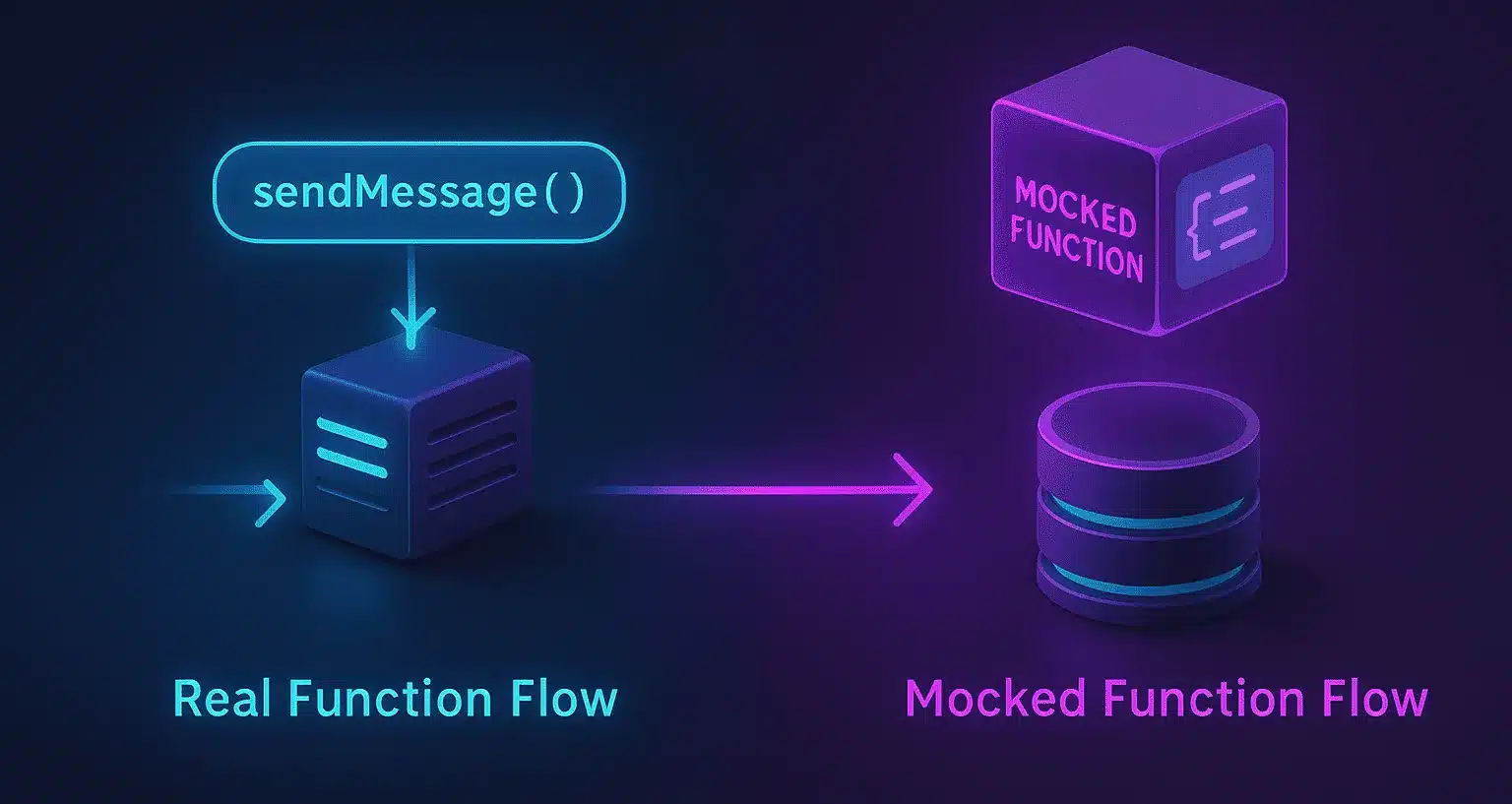
A mock is the same as an in-place imposter of the actual one. Rather than invoking the real function (such as sending an actual message, making a live API call, or invoking a database), you invoke a false one that acts similarly – close enough for your test to execute.
This assists you:
-
To concentrate on the functionality of your code you are testing
-
Not to have external dependencies (such as network or database)
-
Make the mock be whatever you want so you can test under a million different scenarios
-
Make your tests execute quicker and pass more frequently
So in short: Mocks enable you to test smarter by pretending to be the real thing – minus all the side effects.
Why Use a Mock?

Mocking is helpful for:
1. Isolating components
When you are writing tests for one part of your app, you do not want other parts to interfere. For instance, if you are testing how your app will handle users logging in, you don’t want the database, email service, or payment system in the way. Mocks allow you to test just the piece you care about, by substituting all the extra stuff with simple, controlled versions.
2. Speeding up tests
Real-world actions such as calling an API or accessing a database take time – sometimes multiple seconds. Do that dozens or hundreds of times, and everything gets slow. Mocks eliminate those pauses by simulating the response on the fly, so your tests run lightning-fast.
3. Controlling behavior
With mocks, you have complete control over what the function returns. Want to mock an API to respond with an error? Or see how your code will behave with no data? You can control precisely what the mock does, so it is simple to test all sorts of scenarios – good, bad, or wacky – without having to rely on a real system to go haywire.
4. Tracking function calls
Mocks can also be used like spies. They don’t simply mimic the actual function – they recall:
-
How many times they were invoked
-
What arguments they were invoked with
-
If they were invoked at all
This is really handy when you want to verify: "Did my function do what I thought it should do?"
Automated Mocking with Keploy
Although Jest has powerful manual mocking functions (jest.fn, jest.mock, jest.spyOn), mocks can become a chore to write and maintain when dealing with APIs, a database, or a third-party service.
This is where Keploy is useful. Keploy is an OSS tool that records real API and database requests and responses during an application’s run-time to automatically generate mocks for your tests. Instead of creating mocks for each provider, with Keploy you can:
-
Record the actual requests and responses within your typical dev cycle.
-
Automatically generate mocks (YAML files) from those actual requests and responses.
-
Replay the mocks in your Jest tests resulting in deterministic, reliable tests.
Example: Auto-Mock an API with Keploy
Let’s say you have a getData() function that makes a fetch request to an API:
javascript
// utils.js
export const getData = async () => {
  const res = await fetch("https://api.example.com/data");
  return res.json();
};
You would typically do something like
javascript
jest.mock("../utils", () => ({
  getData: jest.fn().mockResolvedValue({ id: 1, name: "John" }),
}));
With Keploy, instead of having to type in this mock you run your app along with Keploy and it records the API interaction:
bash
Sudo env "PATH=$PATH" keploy record -c "npm start"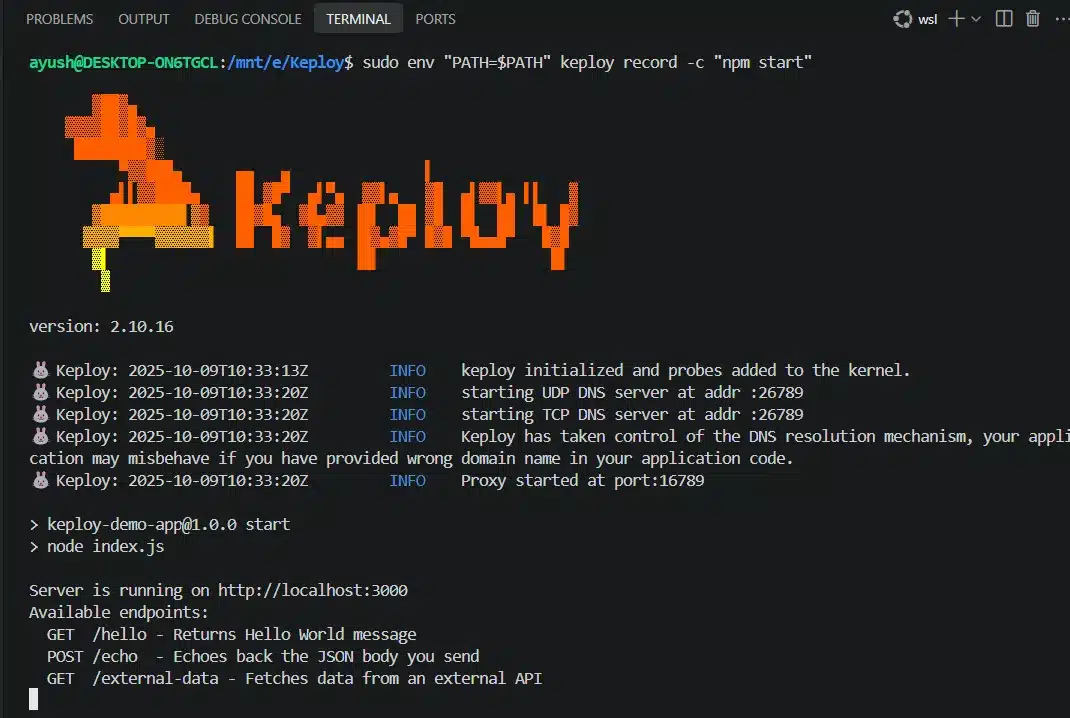
Keploy generates a test case (YAML representation):
yaml
version: api.keploy.io/v1beta1
kind: Http
spec:
  req:
    url: "https://api.example.com/data"
    method: GET
  res:
    status: 200
    body: '{"id":1,"name":"John"}'
And then next time, you run your Jest tests:
bash
sudo env "PATH=$PATH" keploy test -c "npm start"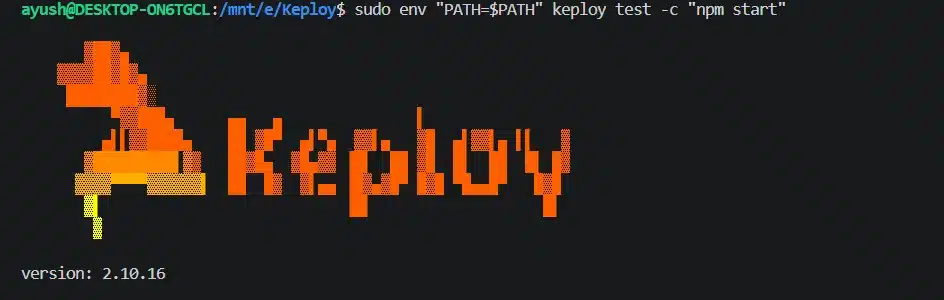
Keploy will automatically mock the API call so it uses the expected response.
-
No manual mocks.
-
Consistency of when the tests are invoked.
-
Works across APIs, DBs, and micro services.
Jest Mock Methods – Simplified
Jest makes testing incredibly strong by allowing you to simulate (mock) pieces of your code. Let’s examine the most popularly used mock methods, and what they actually signify:
🔹 jest.fn() – Build a mock function from scratch
Imagine building with a clean sheet. You build an imitation function that you can make up as you wish.
This is ideal when you just want a simple function for your test – no actual logic, just something to "stand in".
Example use case:
You have a button click handler you want to test without committing it to any actual business logic yet.
powershell
const mockClickHandler = jest.fn();
button.onClick = mockClickHandler;
jest.mock() – Mock a whole module automatically
This is like saying to Jest: "Hey, pretend everything within this file or package for me. It automatically substitutes all exports from such a module with mocks.
Example use case:
You’re importing an API helper file (api.js) and don’t want it to actually call the internet when testing
powershell
jest.mock('./api');
Now all functions in api.js are substituted with mocks.
🔹 jest.spyOn() – Observe (spy on) an actual function
At times, you might need to use the original function, but also monitor it – such as how many times it’s being called, or with what arguments. That’s what spyOn() does. It’s like creating a secret camera on a function.
Example use case:
You’d like to test whether console.log was called without altering how it’s called
powershell
const spy = jest.spyOn(console, 'log');
myFunction();
expect(spy).toHaveBeenCalled();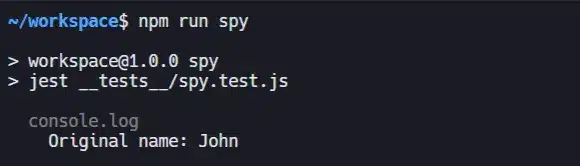
🔹 mockImplementation() – Set up custom behavior for the mock
With this approach, you can make your mock function behave exactly the way you want..
Example use case:
Mock an API call that returns varying values based on input.
javascript
const mockFn = jest.fn().mockImplementation((user) => {
  return user === 'admin' ? 'Welcome' : 'Access denied';
});

🔹 mockReturnValue() – Return a constant value each time
If you don’t require sophisticated behavior, and you simply want your mock to always return the same result, this is the most elegant solution.
Example use case:
Mock a function which consistently returns true.
powershell
const mockFn = jest.fn().mockReturnValue(true);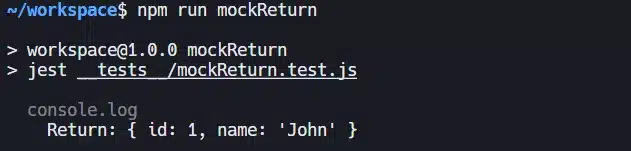
🔹 mockResolvedValue() – Return a resolved Promise (for async mocks)
Great for async functions or functions returning Promises. Rather than writing .then() chains, you simply instruct Jest what the outcome should be.
Example use case:
You wish to mock a call to fetchData() which would otherwise return JSON from an API
powershell
const mockFetch = jest.fn().mockResolvedValue({ id: 1, name: 'John' });
Jest Mocking Techniques – Theory and Practical Examples Described
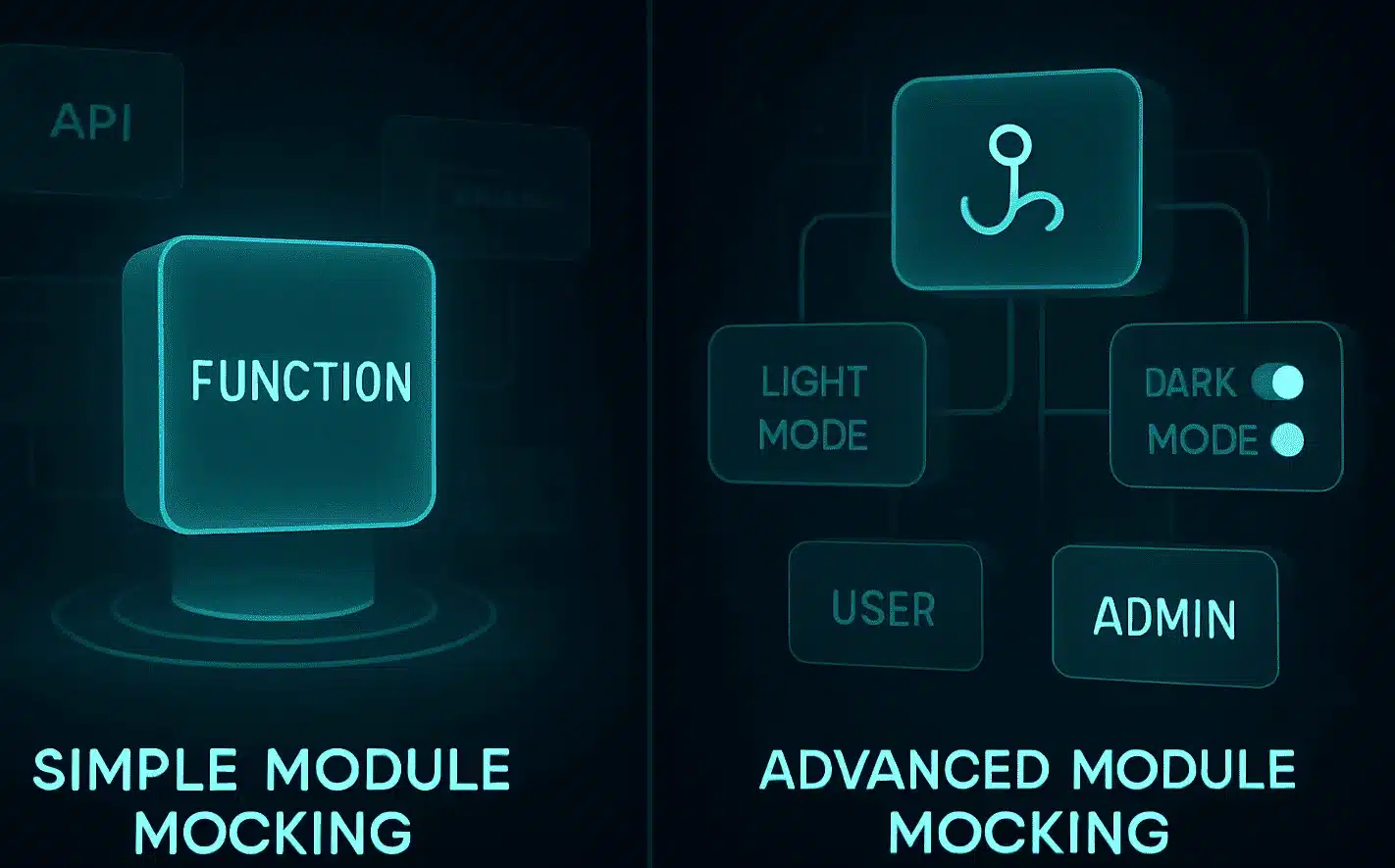
1. Simple Module Mocking
Theory
When testing a function or a component, you should test something all at once. If your code calls a helper or utility function in another module, invoking the actual function might result in:
-
Unwanted side effects (e.g., making network requests)
-
Test failure due to problems beyond code you’re testing
-
Slower tests.
Mocking allows you to substitute actual functions with mock ones, and you can decide what they do during your test execution.
Example
javascript
Edit// utils.js
export const getData = () => {
  return fetch("/data").then(res => res.json());
};
Test file:
javascript
jest.mock("../utils", () => ({
  getData: jest.fn(),
}));

import { getData } from "../utils";

test("should call getData", () => {
  // Mock return value
  getData.mockReturnValue({ name: "John" });

  // Call the function (this is required, otherwise .toHaveBeenCalled() fails)
  const result = getData();

  // Assert it was called
  expect(getData).toHaveBeenCalled();
  expect(result).toEqual({ name: "John" });
});
bash
PASS __tests__/utils.test.js
✓ should call getData (5 ms)Why this matters:
You wrap code to be tested and get it working regardless of what getData does internally
2. Advanced Module Mocking (Mocking Providers & Hooks)
Theory
The majority of new applications (especially React) use context providers, hooks, or state management libraries. Mocking them is important because:
-
They often depend on global app state or browser APIs.
-
You might need to mock different contexts (e.g., dark mode, or different user roles).
-
Real providers can return side effects, which we don’t want to occur within unit tests.
Example
// themeProvider.js
export const useTheme = () => {
  return { darkMode: true };
};
Mock it in your test:
javascript
// __mocks__/themeProvider.js
export const useTheme = jest.fn();
Then:
javascript
jest.mock("../themeProvider");
import { useTheme } from "../themeProvider";

useTheme.mockReturnValue({ darkMode: false });

test("should render in light mode", () => {
  // render component
  // assert light mode UI
});
bash
PASS path/to/your/testfile.test.js
✓ should render in light mode (5 ms)Why this matters:
It enables you to experiment with how your component is going to behave in a given case without depending on actual implementations.
3. Using a Mock Function
Theory
Jest enables you to utilize the jest.fn()function to create custom mock functions. These mock functions allow you to:
-
Simulate behavior
-
Catch how and when they were called,
-
Not have to provide an actual implementation.
This is the basis of mocking in Jest.
Example
javascript
const mockFn = jest.fn();

mockFn("hello", 42);

expect(mockFn).toHaveBeenCalledWith("hello", 42);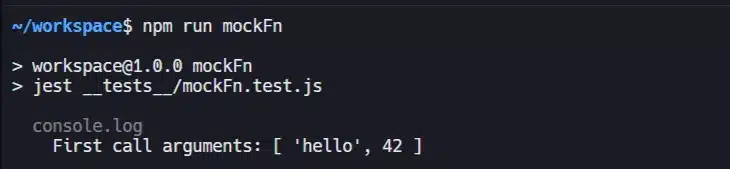
Why this matters:
It’s perfect for testing callbacks, event listeners, or dependency injections – whenever you just need a fake function to watch.
4. Mock Return Values
Theory
Sometimes you merely need a mock function to return pre-programmed results. That’s where mockReturnValue() and mockReturnValueOnce() are useful.
They enable you:
-
To mock a fixed response (e.g. API success)
-
To generate sequences of results (e.g. retry examples).
Example
javascript
const fetchUser = jest.fn();

fetchUser.mockReturnValue({ id: 1, name: "John" });

expect(fetchUser()).toEqual({ id: 1, name: "John" });
Sequential mocks:
javascript
fetchUser.mockReturnValueOnce("First").mockReturnValueOnce("Second");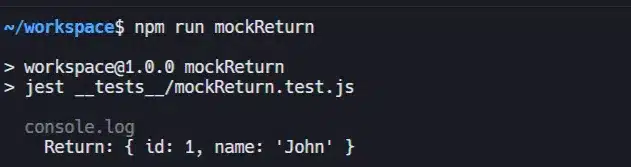
Why this matters:
It allows you to mock various real-world responses without actually relying on actual APIs.
5. Mocking Modules with jest.mock()
Theory
When testing third-party libraries (such as Axios, Firebase, Stripe), you do not want to make real services calls.jest.mock() instructs Jest to replace a whole module with a mocked module.
You can then tell the mocked module what to respond like.
Example
javascript
jest.mock("axios");
import axios from "axios";

axios.get.mockResolvedValue({ data: { id: 123 } });
Why this matters:
It prevents you from making real HTTP requests in the process of testing, which makes your tests run faster and be more reliable.
6. Mock Implementations
Theory
When return values are insufficient, mockImplementation() to specify the implementation within the mock.
This leaves room for maneuvering to mimic the way the function responds to various conditions.
Example
javascript
const logger = jest.fn().mockImplementation((msg) => {
  return `Logged: ${msg}`;
});
Why it is important:
It must be used when the functioning of the function is critical, or when the need to cause dynamic effects depends on information.
7. Automatic Mocking
Theory
In Jest, you can find a similar file in the __mocks__ directory. If you have a mock faculty position in __mocks__/, Jest will use the mock spontaneously when you use jest.mock().
Directory Structure:
powershell
project-root/
├── utils.js
└── __mocks__/
    └── utils.js
In your test:
javascript
jest.mock("../utils"); // Automatically uses __mocks__/utils.js
Why this is useful :
It’s ideal for large codebases where multiple test files have the same mocked behavior.
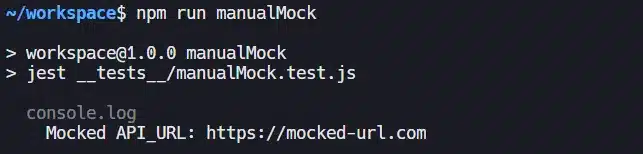
8. Manual Mocking
Theory
Manual mocking enables you to declare mock objects or beliefs directly in your trial file. It is very convenient for constants, configuration files, or environment variables when you execute a mock file that does not require a packed mock file.
Example
javascript
jest.mock("../config", () => ({
  API_URL: "https://mocked-url.com",
}));

Why this is important:
It’s fast, it’s tidy, and perfect for mocking constants or one-off configurations.
Recommended Blogs
-
Understanding Different Types of Behavioral Unit Tests
It highlights Keploy’s strategy to mock third-party support and APIs, demonstrating by which method derisive allows unit of measurement trial to persist focused and reliable. -
Stubbing and Verifying: My Journey to Smarter Testing
An anecdotal tutorial explains how Keploy transforms real interaction data between recyclable and verifiable trial stubs – a major circumstance for the mock-based testing method. -
Mastering Mocking: A Complete Guide to Mocks and Other Test Doubles
A detailed guide to the precise use of mock, stub, and trial doubles for unit of measurement testing is provided in this book. -
A Technical Guide to Test Mock Data: Levels, Tools, and Best Practices
Explores how to create inactive as well as energetic mock statistics for different types of trial using tools such as Faker.js and Mockaroo, useful to capture your mock trial processes to the next level.
Conclusion
It is important to familiarize yourself with jest mock methods in an attempt to write dependable, efficient, and unit tests independently for JavaScript applications. From easy utility functions to heavy providers like context APIs or external modules, Jest boasts a robust and flexible mock system that will meet the majority of testing requirements.
By being able to mock a provider, return values, and fake behavior, you make your components testable in isolation – regardless of actual dependencies or side effects. Not only does this make your tests more reliable but debugging and maintenance much more convenient. So next time you’re writing a test, don’t hesitate to mock smart – your future debugging self will appreciate it
FAQs
1. What’s a mock in Jest?
A mockery is basically a fake version of something, such as a function, faculty, or perhaps a service, which you use in a trial rather than the real thing. This helps to keep your trial predictable and independent since you can control the way the mock trial is performed and see which method it is second best acquainted with.
2. How do I mock a provider in Jest?
To replace the actual faculty or function with a mock version, you can use jest.mock(). Then, if you want to return exact data for your trial, use approaches such as mockReturnValue() or mockImplementation() to determine how the mock behaves.
3. What’s the difference between jest.fn() and jest.mock()?
jest.fn() creates a unique mock function which is very useful when you want to test recall accuracy, else a little logic. jest.mock() replaces the entire faculty otherwise file, which is more useful for integration-style testing where you want to mock complete the dependency at one time.
4. Can Jest mock async functions?
Yes! Jest owns mockResolvedValue() and mockRejectedValue() to imitate commitments settlement alternatively reject. The present will be helpful if you are testing a code that uses a name database, APIs, or another async support.
5. Is manual mocking better than automatic mocking?
The manual mock gives you more control and is very useful if you’ve got complicated logic to test it, as long as you know exactly how the mock behaves. However, there might never be a machine mock that is easy to set up and yet flexible enough to be used in slippery trial situations.

Leave a Reply