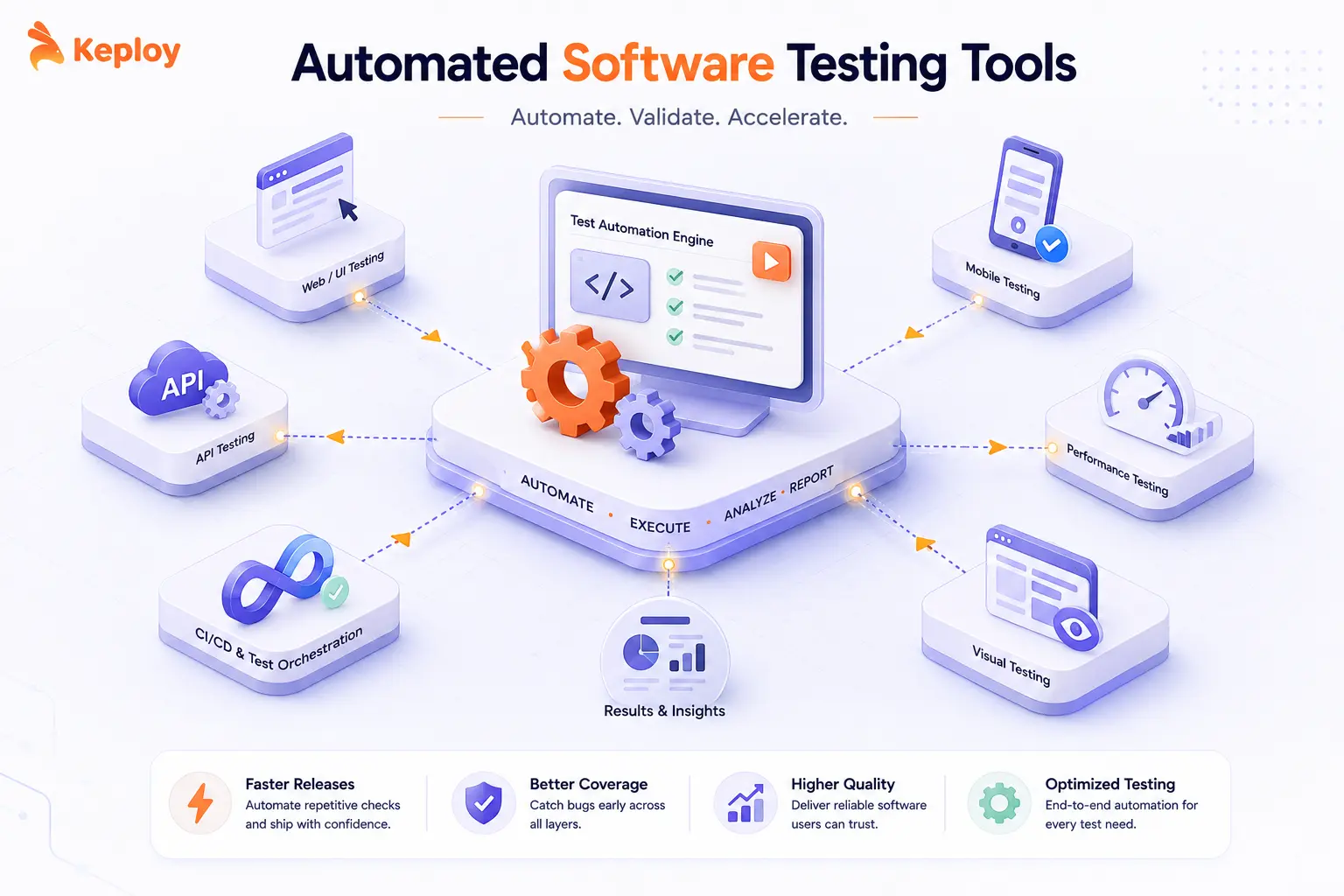
Automated software testing tools have become the baseline for any engineering team that ships software regularly. Companies like Netflix, Stripe, and Google run thousands of automated tests on every commit because manual regression cycles at their release cadence simply aren’t feasible. The same principle applies regardless of team size.
In 2026, the tool landscape has shifted significantly. AI-native platforms now generate and maintain tests automatically based on application behavior. Cloud execution platforms run your existing tests across thousands of real devices and browsers without any local infrastructure. A solid grasp of software testing fundamentals makes it easier to choose the right tools, compress release cycles from days to hours and cut production incident rates significantly.
What Are Automated Software Testing Tools?
Automated software testing tools are platforms that execute test cases without manual intervention. They validate functionality, performance, security, and compatibility across web, mobile, and API layers by running scripted or AI-generated tests on every code change.
Unlike manual testing, automated tools run consistently, catch regressions the moment they appear, and scale to thousands of test cases without additional QA headcount. Modern platforms go further. Tools like Keploy generate tests directly from real API traffic without any scripting. AI-native tools like Mabl auto-heal tests when a UI element changes and a locator breaks.
The core value is the same across all categories: run tests on every change, report failures fast, and give development teams the confidence to ship without regression risk.
Quick Comparison Table
The table below compares the 10 best automated software testing tools across testing type, AI capabilities, and pricing to help you shortlist the right fit before reading the full entries.
| Tool | Best For | Testing Type | Pricing | AI Capabilities |
|---|---|---|---|---|
| Keploy | API-first teams, zero-script test generation | API, Integration | Free open source. Paid cloud tier available. | Yes – auto-generates tests from real traffic |
| Selenium | Enterprise web testing, maximum flexibility | Web UI | Free open source | No |
| Cypress | JavaScript teams, fast E2E testing | Frontend | Free open source. Paid cloud plans available. | No |
| Playwright | Cross-browser including Safari, multi-language | Web UI | Free open source | No |
| BugBug | Low-code regression, startups and SaaS teams | Web UI | Free plan available. Paid plans available. | No |
| TestComplete | Non-technical QA teams, GUI testing | Desktop, Web, Mobile | Paid | Yes — AI object recognition |
| Appium | iOS and Android mobile automation | Mobile | Free open source | No |
| Katalon Studio | All-in-one platform, beginner to mid-size teams | Web, Mobile, API | Free tier available. Paid plans available. | Partial |
| BrowserStack Automate | Cloud cross-browser execution at scale | Web UI, Mobile | Paid. Free trial available. | Partial |
| Mabl | AI-native, self-healing, CI/CD-first teams | Web UI, API | Paid | Yes — auto-healing and test generation |
Note: Visit each tool’s official website for current rates before purchasing.
Top 10 Automated Software Testing Tools in 2026
1. Selenium– Web UI Automation
Selenium is a well-established test automation tool that automates web browsers across different platforms. It offers scripting-only modes, providing testers and developers the flexibility to write complex test cases using various programming languages.
Best For: Enterprise teams and developers with strong coding skills who need maximum flexibility and cross-browser coverage.
Key Features:
-
Cross-Browser Testing: Supports automation across different web browsers
-
Language Support: Compatible with Java, C#, Python, Ruby, and more
-
Integration: Easily integrates with other tools like Jenkins, Maven, and TestNG
-
Community Support: Strong open-source community for continuous updates and support
-
Flexibility: Provides a robust platform for custom test automation
-
Parallel Test Execution: Supports running tests in parallel across different environments
Pricing: Free, fully open source.
2. Keploy– API Test Generation from Real Traffic
Keploy automatically generates API tests by capturing real application traffic. Instead of writing test cases manually, it records actual API interactions and converts them into automated tests with mocks for external dependencies.
Best For: API-first and backend teams that need high test coverage without writing or maintaining manual test scripts.
Key Features:
-
Auto-Generated Tests: Creates tests from real API traffic without manual scripting
-
Smart Mocking: Automatically mocks external services and databases
-
Zero Setup: No need for complex test data or environment setup
-
Real-World Scenarios: Tests based on actual usage patterns
-
Database State Management: Captures and replays database interactions
-
CI/CD Integration: Seamlessly integrates with continuous integration pipelines
Pricing: Free open source core. Enterprise plans with advanced features available at keploy.io/pricing.
Website: https://keploy.io/
3. Cypress– Fast Frontend Testing
Cypress is built specifically for modern web applications with lightning-fast test execution. It runs directly in the browser and provides excellent debugging capabilities with real-time reloads and interactive testing.
Best For: JavaScript and TypeScript teams building modern web apps who need fast, developer-friendly E2E testing.
Key Features:
-
Real-Time Testing: See tests run in real-time with automatic reloads
-
Time Travel Debugging: Step through each command and see what happened
-
Automatic Waiting: Smart waiting for elements without explicit waits
-
Network Stubbing: Easy API mocking and network traffic control
-
Screenshot/Video Recording: Automatic capture of test failures
-
Modern Architecture: Built for JavaScript frameworks like React, Vue, Angular
Pricing: Free open source. Cypress Cloud (parallelization and analytics) available on paid plans.
4. Playwright– Cross-Browser Automation
Microsoft’s cross-browser automation framework that works reliably across Chrome, Firefox, Safari, and Edge. It provides fast, reliable automation with modern web standards support and an excellent developer experience.
Best For: Teams needing true cross-browser coverage including Safari, and multi-language test authoring beyond JavaScript
Key Features:
-
True Cross-Browser: Native support for all modern browsers
-
Auto-Wait: Intelligent waiting for elements before actions
-
Mobile Testing: Test mobile web apps with device emulation
-
Multiple Languages: Supports JavaScript, Python, Java, and .NET
-
Parallel Execution: Run tests in parallel across browsers
-
Modern Web Standards: Full support for modern web features
Pricing: Free, fully open source.
5. BugBug– Fast Low-Code Test Automation
BugBug is a low-code test automation tool designed for regression testing of web applications. It allows teams to automate user flows through a Chrome extension, making it suitable for startups and SaaS companies that need reliable and fast test coverage without extensive coding. By recording browser interactions, BugBug maintains test stability through smart selectors and supports parallel execution for faster feedback.
Best For: Startups and SaaS teams that need codeless regression testing without per-seat pricing constraints.
Key Features:
-
Codeless Test Recorder: Easy-to-use web test recorder
-
Unlimited Testing: Unlimited local and cloud runs, and no per-seat pricing.
-
Edit & Rewind test editing: Modify test steps at any point without rerunning the entire flow
-
Built-in email testing: Validate login and signup flows without leaving the app
-
CI/CD Integration: Connects with popular CI/CD and testing tools
Test reporting: Download comprehensive, compliance-ready reports.
Pricing: Free plan available. Paid plans for cloud runs and team features.
6. TestComplete– GUI Automation
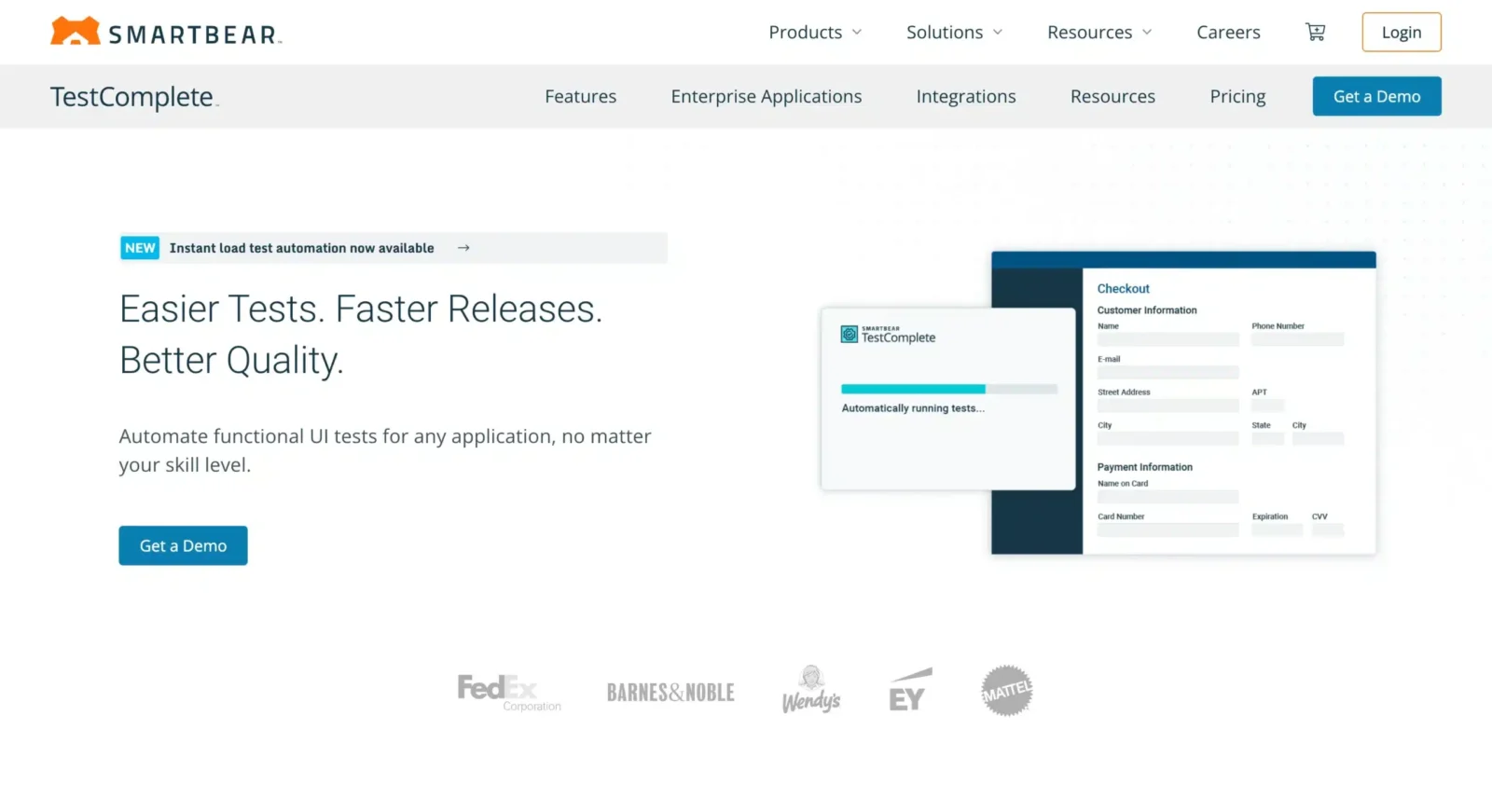
TestComplete is a comprehensive GUI testing tool that can test desktop, web, and mobile applications. It uses advanced object recognition and supports both script-based and scriptless testing approaches.
Best For: QA teams with limited coding experience who need AI-assisted GUI testing across desktop, web, and mobile.
Key Features:
-
Multi-Platform Testing: Desktop, web, and mobile app testing
-
Object Recognition: Advanced AI-powered object identification
-
Scriptless Testing: Record and replay functionality for non-programmers
-
Visual Testing: Image-based verification and comparison
-
Data-Driven Testing: Easy integration with external data sources
-
Reporting: Detailed test reports with screenshots and logs
Pricing: Paid. Check exact pricing on their official website.
7. Appium – Mobile Testing
Appium is the industry standard for mobile app test automation, supporting both iOS and Android platforms. It allows testing of native, hybrid, and mobile web applications using the same API across platforms.
Best For: Teams building native or hybrid iOS and Android apps who need a single API across both platforms.
Key Features:
-
Cross-Platform: Single API for iOS and Android testing
-
Multiple App Types: Native, hybrid, and mobile web app support
-
Real Devices & Simulators: Test on actual devices or emulators
-
Language Flexibility: Supports multiple programming languages
-
Cloud Testing: Integration with cloud testing platforms
-
Open Source: Active community and continuous development
Pricing: Free, fully open source
8. Katalon Studio – All-in-One Automation Tool
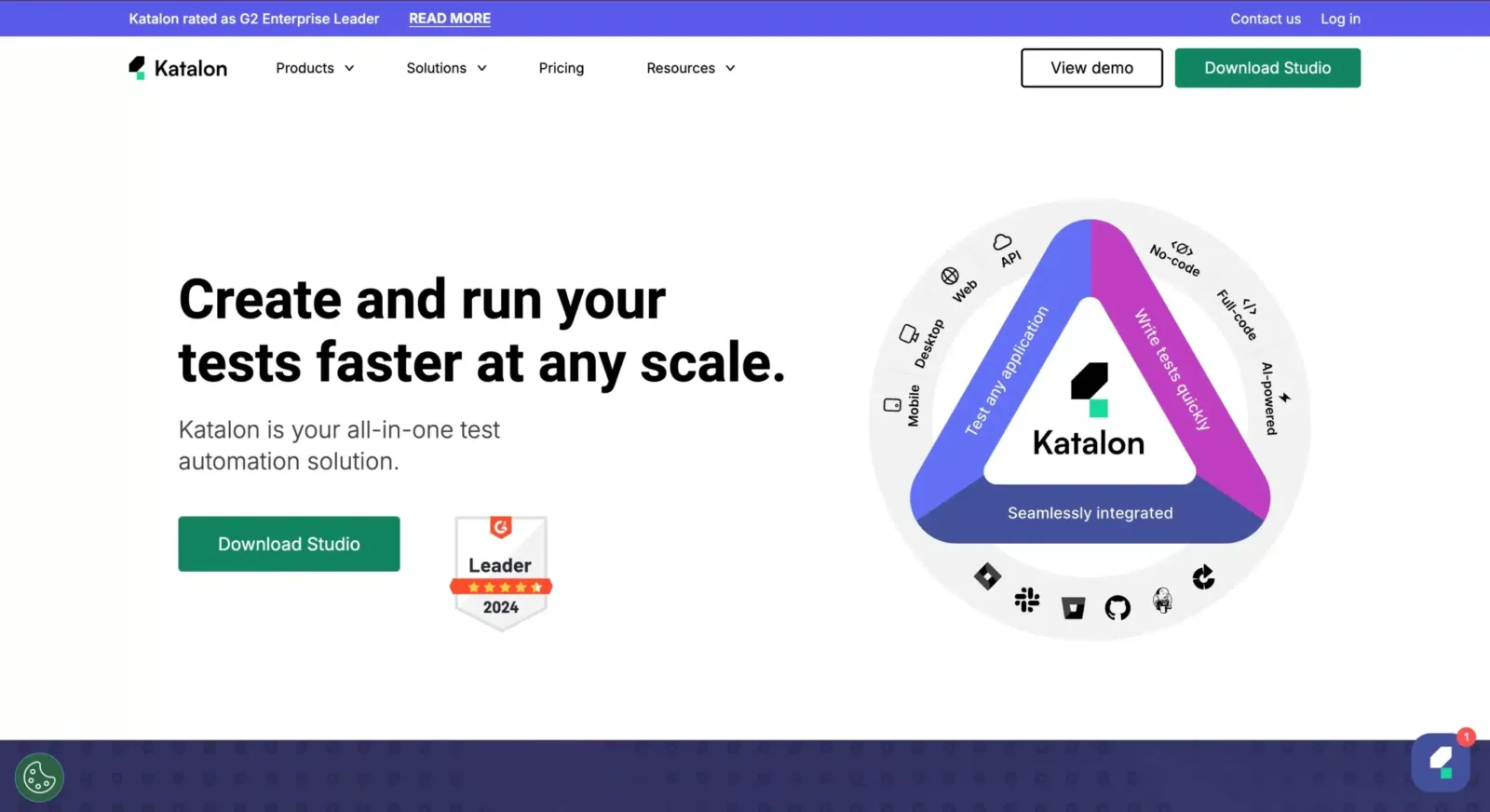
Katalon Studio provides a comprehensive testing solution that combines web, mobile, API, and desktop testing in a single platform. It offers both codeless and script-based testing approaches.
Best For: Beginner to mid-size teams wanting one platform covering web, mobile, and API testing without switching tools.
Key Features:
-
Multi-Platform Testing: Web, mobile, API, and desktop in one tool
-
Codeless Testing: Record and playback without programming
-
Built-in Keywords: Pre-built test actions and keywords
-
Integration Hub: Connects with popular CI/CD and testing tools
-
Test Analytics: Built-in reporting and analytics dashboard
-
Dual Interface: Both scriptless and script-based testing options
Pricing: Free tier available. Paid plans for advanced features and team collaboration.
9. BrowserStack Automate – Cloud Cross-Browser Testing
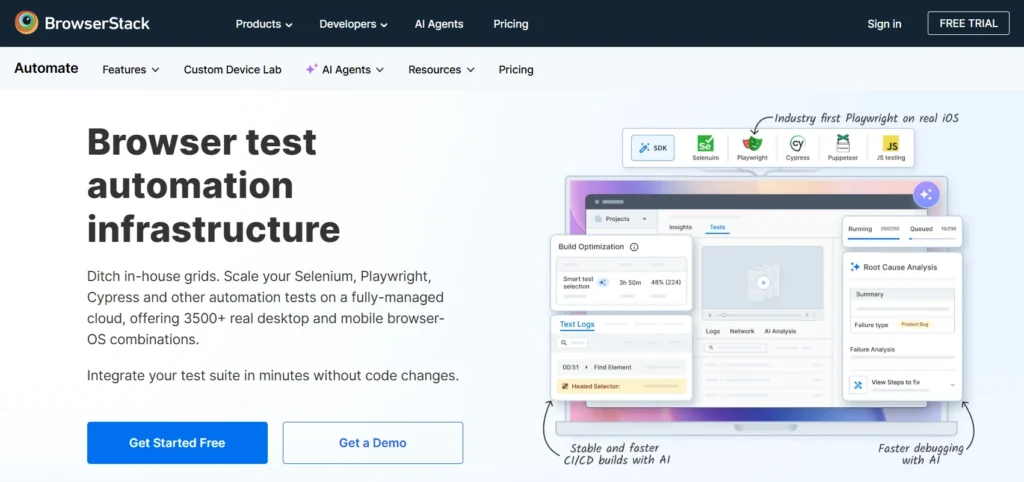
BrowserStack Automate provides instant access to over 3,500 real browsers, devices, and OS combinations for automated testing in the cloud. It eliminates the need to maintain local device infrastructure and integrates directly with Selenium, Playwright, and Cypress frameworks already in your stack.
Best For: Teams needing cross-browser and cross-device regression coverage without managing their own device infrastructure.
Key Features:
-
Real browser and device testing without local setup
-
Integrates with Selenium, Playwright, Cypress, and Appium
-
Parallel test execution across multiple browser and OS combinations
-
Native CI/CD integration with GitHub Actions, Jenkins, CircleCI, and Azure DevOps
-
Visual regression testing with automated screenshot comparisons
-
Real-time test logs and video recordings for debugging
Pricing: Paid. Free trial available. Pricing based on parallel sessions and device hours.
10. Mabl – AI-Native Test Automation
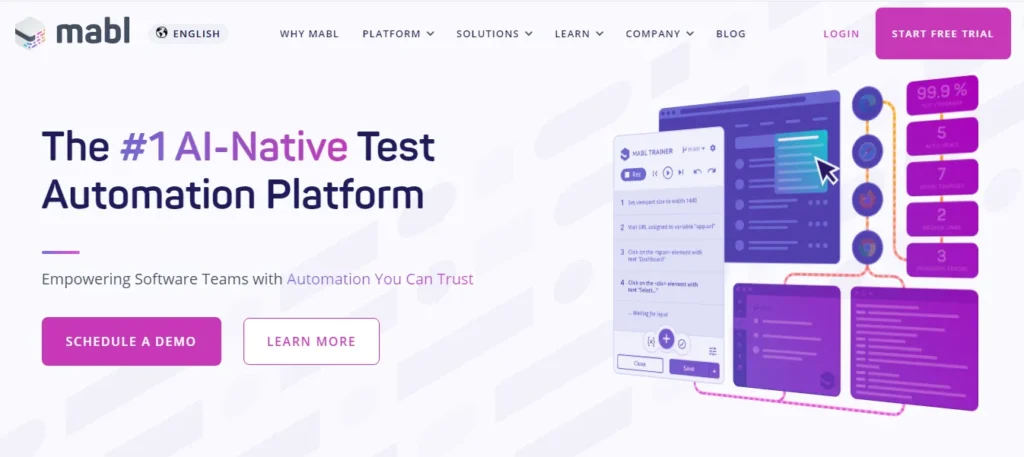
Mabl is an AI-native test automation platform that generates and maintains end-to-end UI and API tests automatically. Unlike tools that require scripting, Mabl observes application behavior and auto-heals tests when the UI changes – significantly reducing maintenance overhead for teams running continuous delivery workflows.
Best For: Teams in continuous delivery environments where test suites must run on every commit and stay stable without constant manual upkeep.
Key Features:
- Auto-healing tests that fix broken element locators when the UI changes
- AI-driven test generation based on observed application behavior
- Cross-browser execution across Chrome, Firefox, and Edge
- Built-in WCAG accessibility testing alongside functional tests
- Native CI/CD integration with GitHub Actions, Jenkins, and Azure DevOps
- Unified coverage for UI, API, and performance regression in one platform
Pricing: Paid. Check their official website for pricing
How to Choose the Right Automated Software Testing Tool
Picking the tool that fits your stack and team matters more than picking the most popular one. The wrong tool creates maintenance overhead that cancels out the time automation was supposed to save. Work through these five criteria before deciding.
Application Type
Your testing layer determines your shortlist before anything else:
- Web UI testing: Selenium, Cypress, Playwright, BugBug
API and backend testing: Keploy - Mobile testing: Appium, BrowserStack Automate
Cloud cross-browser execution: BrowserStack Automate - AI-native full-stack: Mabl, Katalon
Team Expertise
Teams with strong coding skills get the most from open-source frameworks like Keploy, Selenium and Playwright. Teams with limited scripting capacity should evaluate Katalon, BugBug, TestComplete, or Mabl, which offer codeless or low-code workflows that don’t require a dedicated automation engineer to get started.
Budget
Keploy, Selenium, Playwright, Cypress, and Appium are all free and open source. They require more setup and maintenance than paid platforms but have zero licensing cost.
Paid platforms like Mabl, TestComplete, and BrowserStack Automate offer managed infrastructure, support contracts, and AI features that reduce ongoing maintenance time significantly.
CI/CD Integration Requirements
Every tool in this guide integrates with GitHub Actions, Jenkins, and CircleCI. However, Keploy and Mabl are built specifically around CI/CD-first workflows and require minimal configuration to fit into an existing pipeline without a dedicated DevOps setup.
Maintenance Overhead
Script-based tools like Selenium require ongoing maintenance every time the UI changes a locator. AI-native tools like Mabl auto-heal when locators break. If your team spends more time fixing broken tests than writing new ones, prioritize tools with self-healing capabilities.
Benefits of Using Automated Software Testing Tools
- Speed: Tests that take an afternoon to run manually complete in minutes. At companies shipping multiple times daily, this is the difference between a viable CI/CD pipeline and a release bottleneck that slows every team down.
- Consistency: Automated tests run identically every time. Human testers miss steps, get fatigued, and make judgment calls that vary between runs. Automated tests don’t.
- Cost Reduction: Over Time The initial setup investment is real. The long-term payoff is significant. Replacing repetitive regression cycles with automation frees QA capacity for exploratory and edge case testing that actually requires human judgment.
- Coverage at Scale: Automated tools test thousands of scenarios, edge cases, and device and browser combinations simultaneously. Manual testing can’t match this volume, especially as applications grow in complexity.
- Earlier Bug Detection: Bugs caught during development cost a fraction of what they cost in production. Automated tests surface regressions the moment a breaking change is introduced, not after customers report it.
- Continuous Monitoring: Tests run overnight, on weekends, and on every commit. Your application stays continuously validated without anyone staying late.
Types of Automated Software Testing
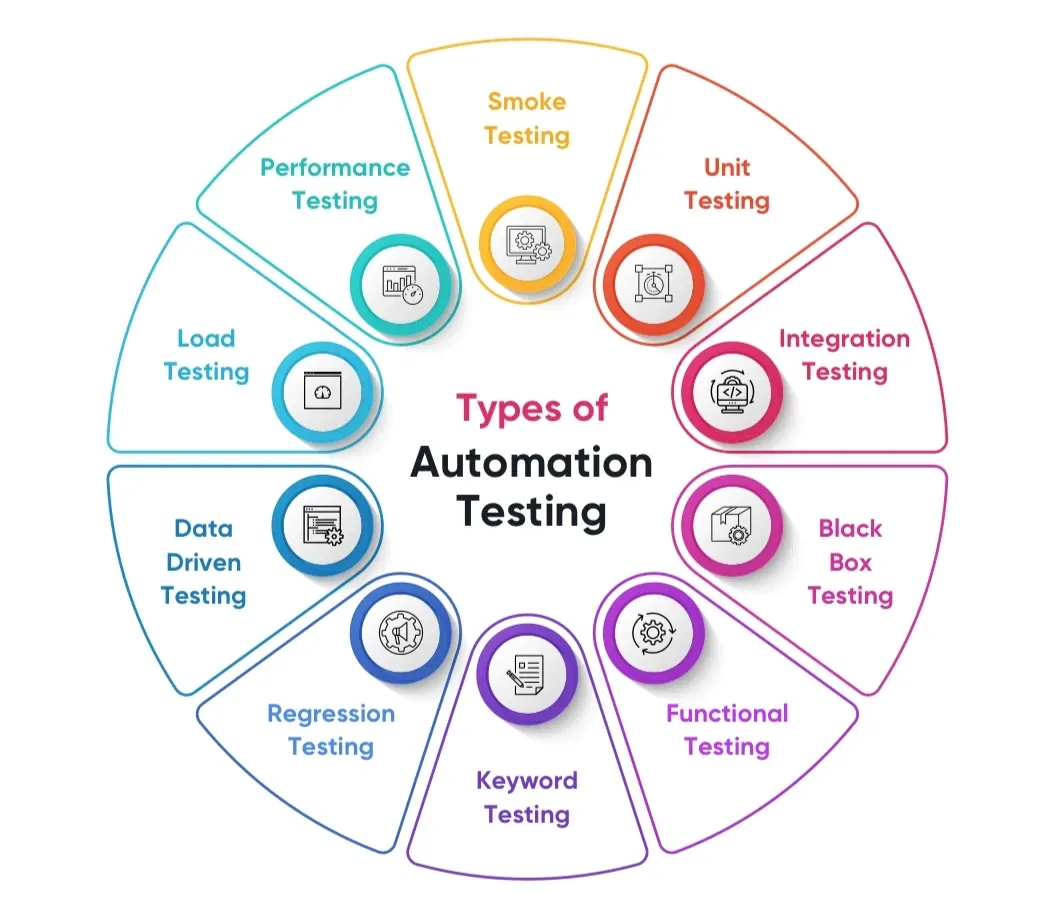
Different types of automated testing play different roles in ensuring the quality of software. Each kind concentrates on certain elements of your application, from individual parts to overall system performance. Teams may develop comprehensive testing procedures that detect issues at every level by understanding these different approaches.
Unit Testing
Unit testing validates individual functions or methods in isolation, checking that each component produces the correct output for a given input. These tests run fast, give immediate feedback, and are the cheapest type of defect to find and fix.
- Example: Testing a discount calculation function to confirm it returns the correct value across different input combinations.
- Recommended tool: Keploy (AI-generated unit tests via PR Agent and VS Code extension)
Integration Testing
Integration testing checks whether different parts of your system work correctly when connected. A function that passes all unit tests can still fail when it interacts with a real database, a third-party API, or another service in your stack.
-
Example: Testing whether the authentication module communicates correctly with the user database and returns the right session token.
-
Recommended tools: Keploy (captures real API and service interactions for integration test generation), Playwright
Functional Testing
Functional testing validates that your application does what users expect, end to end. It focuses on whether features work correctly from a user’s perspective rather than how the internal code executes. Choosing the right functionality testing software makes a significant difference in how reliably you catch these gaps before users do.
-
Example: Testing the complete password reset flow from clicking "forgot password" through successfully logging in with new credentials.
-
Recommended tools: Selenium, Cypress, Playwright, Katalon Studio
Regression Testing
Regression testing verifies that new code changes haven’t broken existing functionality. Every deployment is a regression risk. Automated regression testing tools catch these breaks before they reach production.
-
Example: After deploying a new search feature, running the full suite to confirm login, checkout, and account management still work correctly.
-
Recommended tools: Keploy, Mabl, BrowserStack Automate, Cypress, Playwright
Smoke Testing
Smoke testing is a quick pass over core functionality after a new build to confirm the application is operational before deeper testing begins. If smoke tests fail, the build gets rejected immediately without wasting time on a full regression run.
- Example: After a new deployment, checking that the app starts, the home page loads, and the login flow completes successfully.
- Recommended tools: Cypress, Selenium, Keploy
Performance Testing
Performance testing measures how the application behaves under load, including response times, throughput, and stability under peak traffic conditions. It identifies bottlenecks before real users encounter them.
-
Example: Simulating 10,000 concurrent users on a checkout flow to measure response times and find where the system starts degrading.
-
Recommended tools: BrowserStack Automate, Mabl (includes performance monitoring)
Acceptance Testing
Acceptance testing is the final validation that the system meets business requirements and is ready for release. These tests mirror real user journeys to confirm the application delivers what stakeholders expect before it goes live.
-
Example: Testing the complete order lifecycle from product browsing through confirmation email to verify all business rules are correctly implemented.
-
Recommended tools: Cypress, Playwright, Katalon Studio, BrowserStack Automate
How Keploy Automates Your Testing
Keploy takes a different approach from every other tool in this guide. Instead of requiring teams to write test cases manually, Keploy uses eBPF-based tracing to observe real API traffic in your running application and converts those interactions directly into test cases, complete with mocks for all external dependencies including databases and third-party services.
Unit Testing
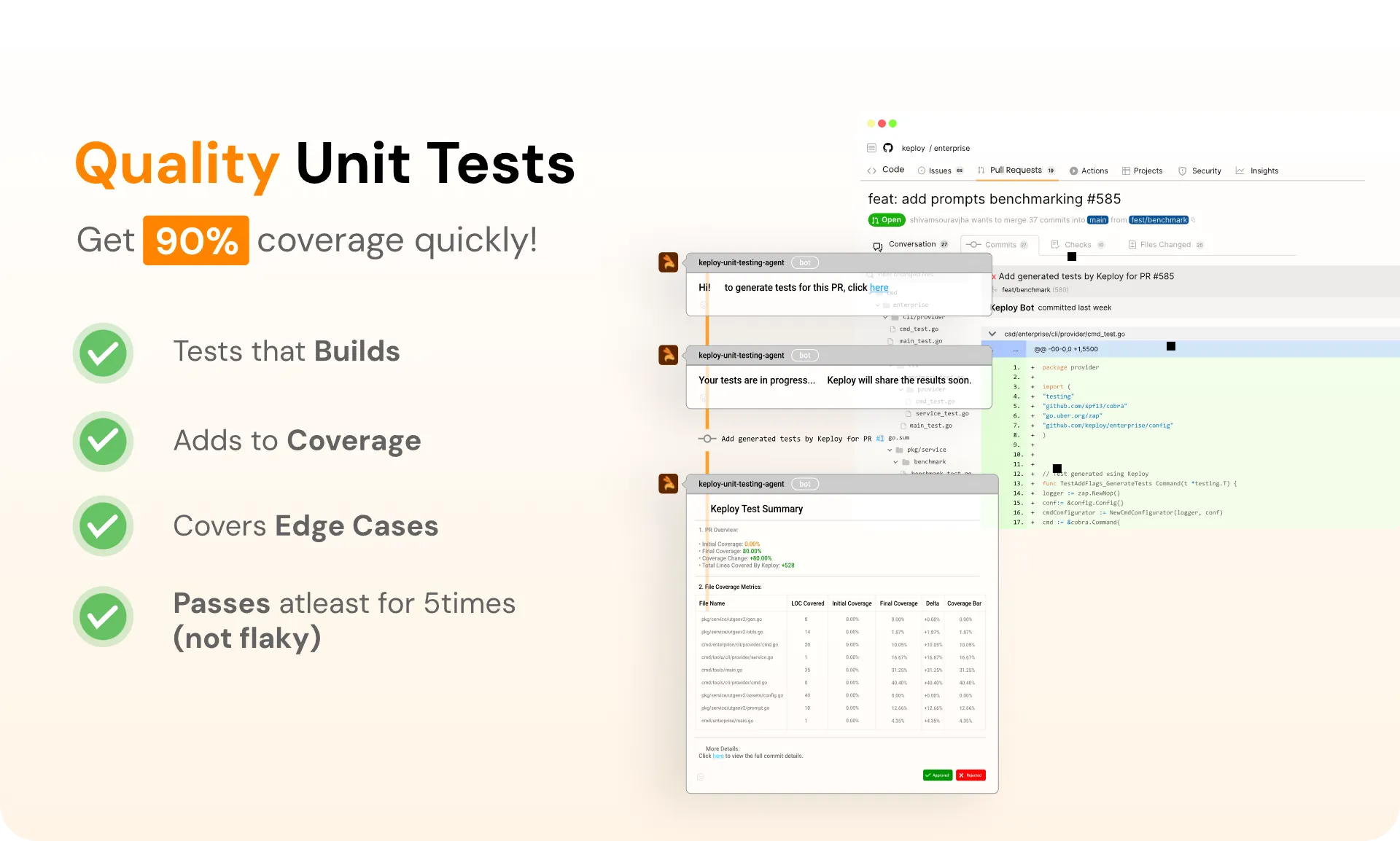
Unit testing forms the foundation of any robust testing strategy. Keploy provides two powerful tools to automate unit test generation:
A. Keploy GitHub PR Agent: Automated Testing for Every Code Change
You know that sinking feeling when you submit a PR and realize you forgot to write tests? Yeah, the Keploy PR agent has your back. It automatically generates unit tests for every file you change in a pull request. No more "I’ll add tests later" (we all know how that goes).
Installation and Setup
Getting started with the Keploy PR agent is straightforward:
-
Visit the Keploy GitHub Marketplace
-
Click "Install" to add the app to your GitHub account.
-
Select the repositories where you want to enable automated test generation.
-
Configure permissions for the app to read your code and create pull request comments
Once installed, the agent automatically activates for all new pull requests in your selected repositories.
How the PR Agent Works
Automatic Detection: When a pull request is created or updated, the agent automatically scans all changed files to identify functions, methods, and classes that need testing.
Intelligent Analysis: The AI examines the diff to understand what new functionality has been added or what existing code has been modified.
Test Generation: For each significant change, the agent generates appropriate unit tests that verify the new or modified functionality.
PR Integration: Generated tests are either committed directly to the PR branch or provided as suggestions in PR comments, depending on your configuration.
Coverage Reports: The agent provides detailed reports showing which parts of your code changes are covered by the generated tests.
B. Keploy VS Code Extension: AI-Powered Unit Test Generation
The Keploy VS Code extension brings the power of AI directly into your development environment, making unit test generation as simple as a few clicks.
Key Features:
Intelligent Test Generation: The extension analyzes your code structure, function signatures, and logic to generate comprehensive unit tests that cover various scenarios, including edge cases, error conditions, and normal execution paths.
Context-Aware Testing: The extension considers your existing codebase, imports, and dependencies to generate tests that integrate seamlessly with your project structure.
Customizable Test Templates: You can configure the extension to match your team’s testing conventions, naming patterns, and preferred testing frameworks.
How It Works:
The extension integrates directly into your VS Code workflow:
-
Right-click on any function or class you want to test
-
Select "Generate Unit Tests with Keploy" from the context menu.
-
Review the generated tests that appear in a new file or are integrated into your existing test suite.
-
Customize as needed and run your tests.
The AI analyzes your code’s complexity, identifies potential failure points, and creates tests that cover both happy paths and edge cases you might not have considered.
Benefits for Developers:
Faster Development Cycles: Instead of spending hours writing boilerplate test code, developers can focus on business logic while ensuring comprehensive test coverage.
Improved Code Quality: AI-generated tests often catch edge cases that developers might overlook, leading to more robust applications.
Consistent Testing Patterns: The extension ensures that all tests follow consistent patterns and conventions across your codebase.
Learning Tool: By examining AI-generated tests, junior developers can learn best practices for test writing and understand different testing scenarios.
Integration Testing
Keploy captures real API calls, database queries, and service interactions while your application runs. It converts this recorded behavior into integration tests that reflect how your system actually works. You don’t need to set up mock environments or create synthetic test data.
For more details, visit Keploy’s official website or check out their GitHub repository.
API Testing
API testing is crucial for modern applications, but traditional approaches can be time-consuming and complex. Keploy revolutionizes this process with its innovative API Testing Agent.
Provide your schema, API endpoints, and curl commands to the Keploy API Testing Agent and it generates a full test suite automatically. It covers success cases, error handling, and edge cases without touching any code.
Try it: app.keploy.io
Conclusion
Moving from manual to automated testing isn’t just about tools. It’s about building a testing infrastructure that keeps pace with your release cadence without adding maintenance overhead that slows the team down.
The 10 tools in this guide cover every major testing layer in 2026. Keploy handles API and integration testing with zero scripting. Selenium and Playwright give developer-led teams full scripting flexibility. Mabl and BrowserStack Automate handle cross-browser and AI-native execution at scale. Katalon and BugBug give less technical teams a codeless entry point.
The right combination depends on your stack, your team’s expertise, and your CI/CD requirements. Start with the layer that causes the most production incidents today, build coverage there first, and expand from that foundation.
Related Keploy Blogs
Top Test Automation Tools
This blog covers the top test automation tools, their features, use case and more to help teams take an informed decision in selecting the right fit for their specific requirements.
Link to the blog: https://keploy.io/blog/community/test-automation-tools
QA Automation: Revolutionizing Software Testing
This blog talks about QA automation, its benefits, and all the tools that can be used for QA automation.
Link to the blog: https://keploy.io/blog/community/qa-automation-revolutionizing-software-testing
Introduction To REST API In Python
This blog covers what a REST API is, its benefits, the different types of Python frameworks available, and how to build a simple REST API using Python.
Link to the blog: https://keploy.io/blog/community/introduction-to-rest-api-in-python
Playwright Alternative For API Testing
This blog explores Playwright as a tool for API testing, discusses why developers may look for alternatives, introduces Keploy as a modern option, and outlines the steps to migrate from Playwright to Keploy.
Link to the blog: https://keploy.io/blog/technology/playwright-alternative-for-api-testing
AI-Powered Test Automation: Exploring AI-Powered Test Automation Tools
This blog explores AI-powered test automation tools, how they work, their key benefits, and popular options in the market. It also offers tips on choosing the right tool, introduces the Keploy VS Code AI extension, and discusses the future of AI in test automation, highlighting how AI supports, rather than replaces, human testers.
Link to the blog: https://keploy.io/blog/community/ai-powered-test-automation
FAQs
1. How do I choose the right test automation tool?
Start by deciding what you want to create, be it a web, mobile, or API. Then, move on to the technology that is required for creating it. Thinking about your team can also be an important factor, like what tools are they already comfortable with, or what would be easier for them to take up? Also, think about your budget since some tools are free and some require a subscription. Check if the product performs well with your current setup. And most importantly, make sure it supports the testing you need, whether it is for interfaces, APIs, performance, or everything altogether.
2. How often should automated tests be run?
As often as possible! The ideal configuration is to run automated tests every time you make a change to the code, this is called continuous testing. Some teams also run their test set every night or before releasing. Running frequent testing can help you catch bugs early, when they are easier and cheaper to fix.
3. Can small teams benefit from test automation?
Definitely! You don’t have to have a huge QA team to take advantage of automation. A lot of tools are simple to use and require little maintenance. Automated tests can take care of the everyday stuff, which unburdens developers and testers to take up more challenging tasks for smaller groups. Even some basic automation can help speed things up and raise the quality of your product in the long run.
4. What is Keploy, and how does it help with automation testing?
Keploy is an open-source tool that makes API testing simpler by recording API requests and converting them into test cases. By doing this, you can avoid writing a lot of test code. Keploy learns from your app’s real-world behavior and that information is used to generate useful tests. It is a convenient method to make sure that your tests accurately represent user behavior and also saves time.
5. Does automation replace manual testing completely?
Not at all. Automation is great for testing the same checks repeatedly, but there are some things that only people can test, like testing how user-friendly an app is or noticing any strange bugs that automated tests might miss. The best teams combine both: they use automation for the regular tasks and manual testing where a human’s perception might be needed.
6. Can production traffic be converted into automated software tests?
Yes. Some automated software testing tools, like Keploy, capture real API traffic from your running application and convert those interactions into test cases automatically. Tests built this way reflect actual user behavior rather than assumptions about how the system should work, giving you higher coverage without manual scripting effort.
7. Why do bugs still reach production even when teams use automated software testing tools?
Automated software testing tools catch bugs in scenarios they’ve been scripted or trained to cover. Gaps appear when tests don’t reflect real production traffic patterns, when edge cases weren’t anticipated during test creation, or when test environments differ from production. Teams that combine automated software testing with traffic replay validation and exploratory manual testing consistently see lower defect escape rates.
8. How is AI changing automated software testing?
AI is shifting automated software testing from script-heavy workflows to automatic test generation. Tools like Keploy generate tests from real API traffic without scripting, Mabl auto-heals tests when UI elements change, and TestComplete uses AI object recognition to reduce maintenance. Teams maintain comprehensive automated software test coverage without proportional growth in manual effort.
9. Which automated software testing tools work best for microservices architectures?
Microservices testing requires tools that handle inter-service API calls, dependency mocking, and distributed transaction flows without extensive environment setup. Keploy is purpose-built for microservices architectures, capturing real service-to-service traffic and generating integration tests automatically. Playwright and Cypress work well for web-layer testing within microservices-based applications.
10. How do automated software testing tools improve DORA metrics?
Automated software testing tools directly improve three of the five DORA metrics. Deployment frequency increases when automated tests remove manual QA gates from the release process. Lead time for changes shortens when tests run on every commit rather than waiting for a QA

Leave a Reply