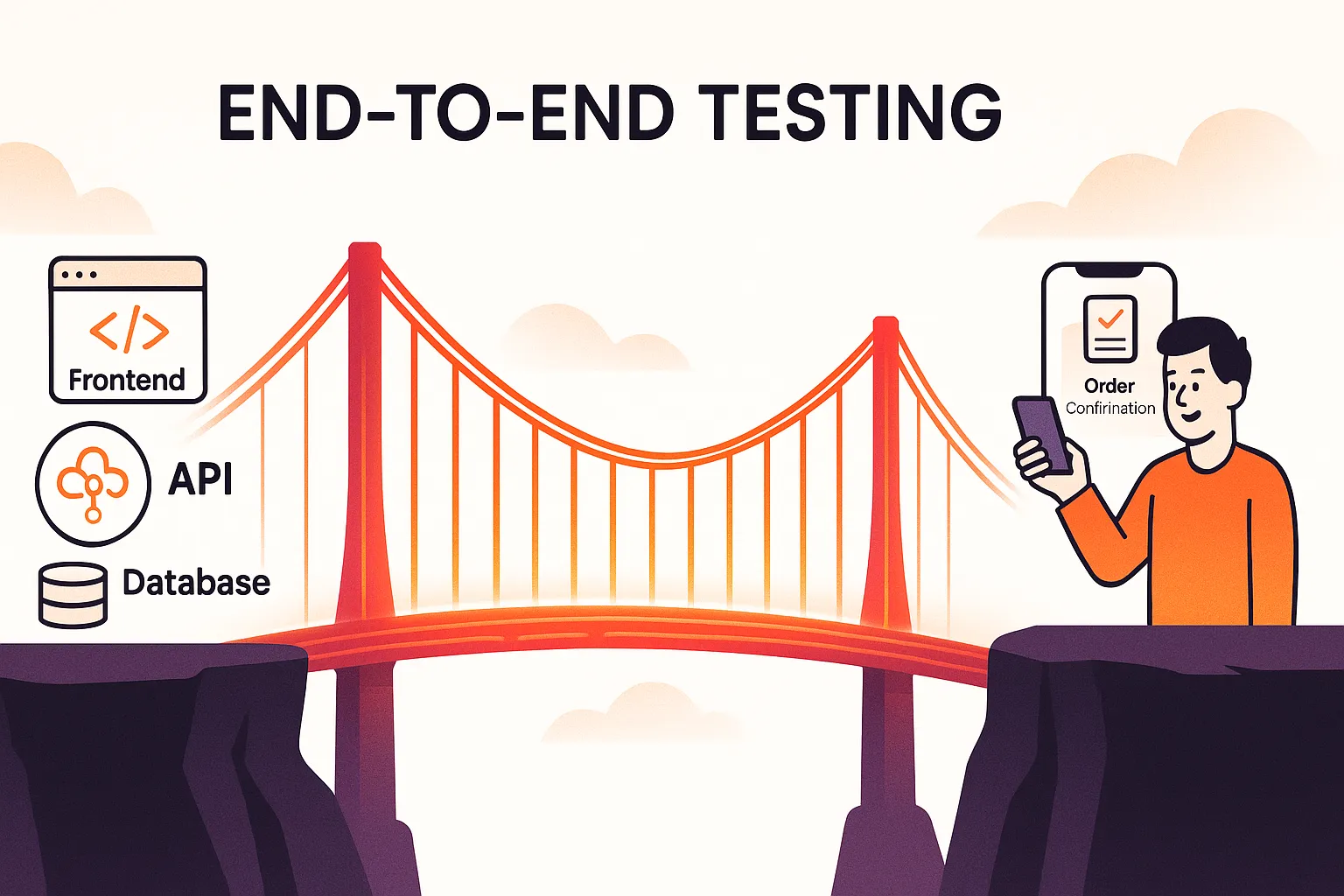
End-to-end testing (E2E testing) verifies that a complete application works correctly by simulating real user actions from start to finish. It ensures the UI, backend, database, and external services function together as a single system.
End-to-end testing works together with lower-level tests such as unit testing and integration testing to ensure both individual components and complete workflows behave correctly.
This guide explains what end-to-end testing is, how it works, examples, best practices, challenges, and commonly used tools.
What Is End-to-End Testing?
End‑to‑end testing validates an application by executing full user journeys exactly as a real user performs them. Instead of checking features individually, it confirms the entire system behaves correctly when all components interact together.
Example Workflow
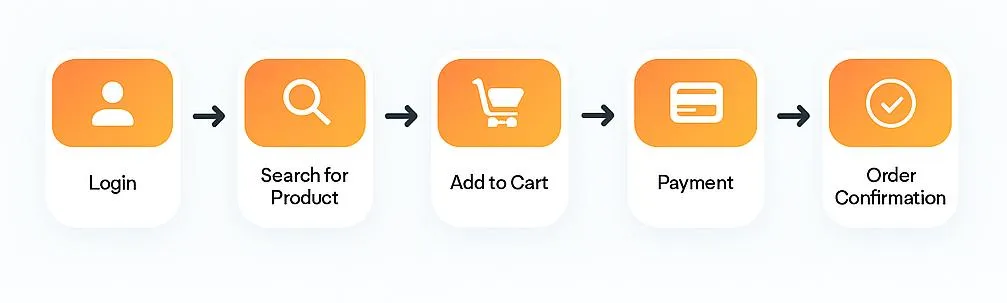
A typical e‑commerce user journey:
-
User logs in
-
Searches for a product
-
Adds item to cart
-
Completes payment
-
Receives confirmation
If any step fails, the whole test fails – because from the user’s perspective the feature failed.
End-to-End Testing Architecture
End-to-end testing validates the entire application stack as a single system:
User Interface → API Layer → Services → Database → External Services → Response
If any layer fails, the workflow fails from the user’s perspective.
This is why E2E testing focuses on system behavior instead of isolated functionality.
Why Is End-to-End Testing Important?
End-to-end testing is critical because most production issues occur between systems, not inside individual components. Even when unit and integration tests pass, real users can still experience failures due to broken workflows, data mismatches, or third-party dependencies.
Key benefits include:
- Improved user experience: Ensures essential journeys like login, checkout, and form submission work smoothly from start to finish.
- Early detection of integration issues: Identifies problems at API boundaries, database interactions, and external services.
- Reduced production risk: Prevents costly failures such as broken payments or incomplete orders.
- Higher release confidence: Validates real user flows before deployment.
- Business protection: Minimizes customer-facing issues that can harm revenue and brand trust.
When NOT to Use End-to-End Testing
End-to-end testing should not be used for:
-
Validating small logic changes
-
Mathematical calculations
-
Edge-case handling
-
Fast developer feedback loops
Lower-level tests handle these faster and more reliably.
E2E testing is best reserved only for critical user journeys such as login, checkout, and payments.
Where E2E Testing Fits in the Testing Pyramid
| Test Level | Coverage | Purpose | Speed |
|---|---|---|---|
| Unit Tests | Individual functions | Logic correctness | Fast |
| Integration Tests | Module communication | API & data exchange | Medium |
| End-to-End Tests | Full workflows | Business behavior | Slow |
Recommended distribution:
- 70–80% unit tests
- 15–20% integration tests
- 5–10% end-to-end tests
End-to-End Testing Example (E-commerce)
A simple end-to-end testing example for an e-commerce platform looks like this:
- User logs in with valid credentials
- Searches for a product
- Adds the product to the cart
- Proceeds to checkout
- Completes payment
- Receives order confirmation
If any step fails, such as payment not processing or confirmation not appearing – the test fails. This ensures the full customer journey works exactly as expected.
Real-World End-to-End Testing Examples
Banking Application
User logs in → checks balance → transfers money → receives transaction confirmation.
Ride-Booking App
User selects pickup → driver assigned → trip completed → payment processed.
SaaS Platform
User signs up → verifies email → creates project → invites team members.
End-to-End vs Integration vs System Testing
Each type of software testing targets a different level of an application. Understanding these differences helps teams apply the right testing strategy.
| Testing Type | Validates | Goal |
|---|---|---|
| Unit Testing | Individual logic | Code correctness |
| Integration Testing | Module interaction | Technical reliability |
| System Testing | Entire application internally | Functional completeness |
| End-to-End Testing | Real user workflows | Business reliability |
Horizontal vs Vertical End-to-End Testing
End-to-end testing can be viewed through two helpful lenses: horizontal and vertical flows.
Horizontal E2E Testing
Horizontal end-to-end tests validate a complete, user-facing journey from start to finish.
Example:
User logs in → searches for a product → adds it to the cart → completes payment → receives an order confirmation.
These tests focus on the UI, navigation, and overall user experience, ensuring the entire workflow behaves exactly as a real user expects.
Vertical E2E Testing
Vertical end-to-end tests go deep into the technology stack for a single feature or service.
Example:
The payment service receives a charge request → communicates with the payment gateway → updates the database → emits events to downstream services.
These tests emphasize APIs, databases, queues, and backend integrations that power critical application logic.
Why Both Matter
High-performing engineering teams leverage both horizontal and vertical flows to ensure full coverage:
- Horizontal flows secure business-critical journeys such as onboarding, checkout, and payments.
- Vertical flows verify backend components for reliability, data integrity, and compliance—even when the UI isn’t involved.
Common Challenges in End-to-End Testing
Despite its value, end-to-end testing comes with some common challenges that teams often face:
-
Flaky tests due to environment instability
-
Many flaky tests are caused by improper test environments and missing API communication dependencies
-
Slow execution when tests involve UI or long workflows
-
Managing test data across services and environments
-
Dependencies on external services that can fail
-
Maintenance overhead as the application evolves
Understanding these challenges helps teams plan better and improves how testing is executed in CI/CD pipelines.
End-to-End Testing Best Practices
Here are some best practices to get the most value from end-to-end testing:
- Focus tests on critical user workflows
- Keep tests as independent as possible
- Use mocking for external services
- Run end-to-end tests as part of CI/CD automation
- Ensure reliable test data management
- Avoid redundant or overlapping tests
Modern testing tools can help teams implement these practices more efficiently and reduce ongoing maintenance.
How End-to-End Testing Works (Step-by-Step)
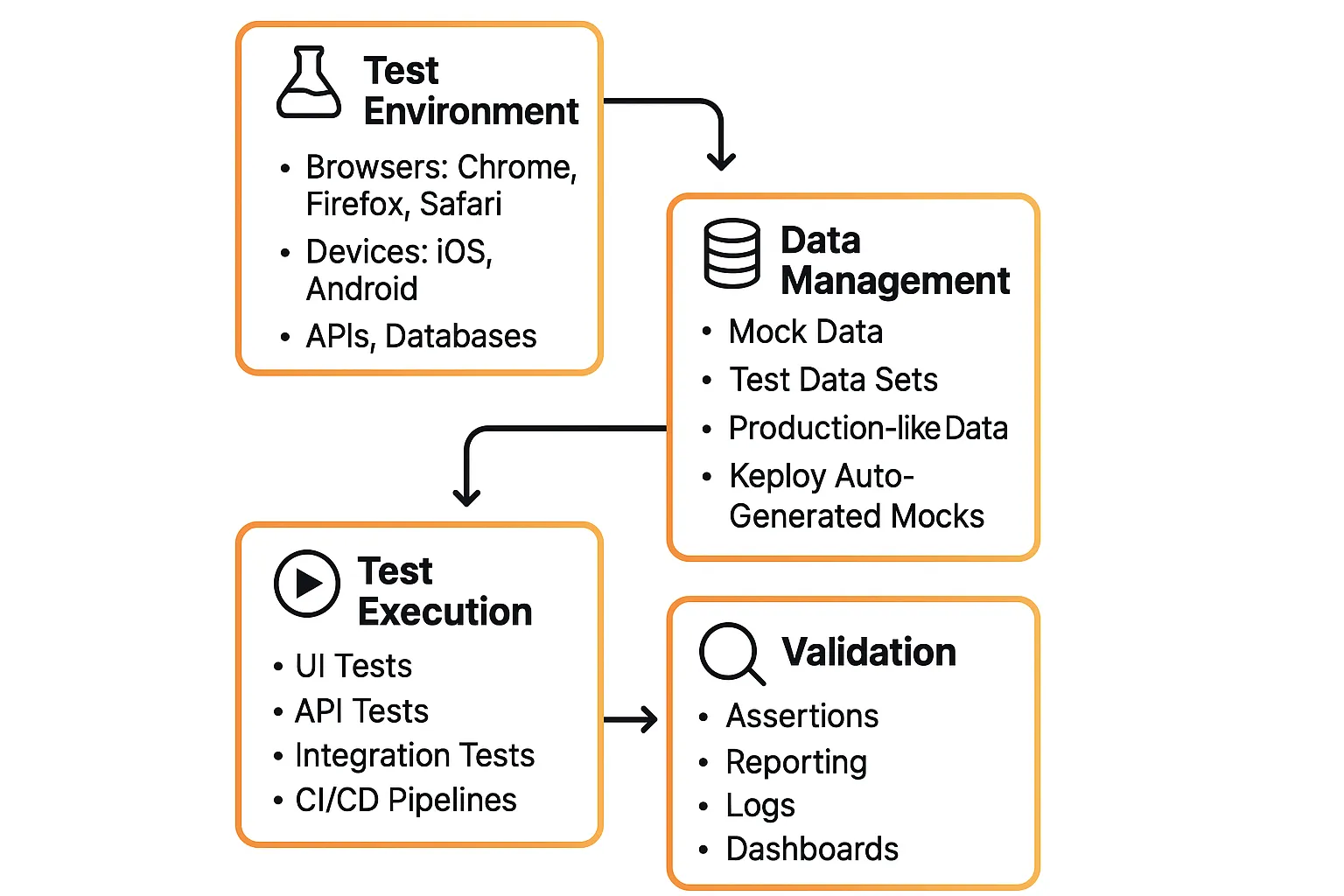
End-to-end testing requires a well defined setup to deliver reliable results. This includes a stable test environment, realistic test data, clear scenarios, and accurate validation to ensure complete user workflows are tested effectively.
Here are the core components:
-
Test Environment Setup
-
Mimics the environment of the real world, including browsers, gadgets, databases, and APIs.
-
Should be very similar to production in order to prevent "it worked on my machine" problems.
-
Example: Verifying cross-browser compatibility by running tests in Chrome, Firefox, and Safari.
-
-
Data Management
-
Decides how to handle input and output data while testing.
-
Can use production-like datasets for realism or mock data for controlled tests.
-
For instance, Keploy ensures realistic yet maintainable test data by automatically creating test cases and mocks from actual API calls.
-
-
Test Scenarios
-
Discuss UI activity, interactions with APIs, database interactions, and functional flows (paying, login).
-
Guarantees validation occurs on all stack levels.
-
-
Validation & Reporting
-
Verify results against results that were predicted.
-
Failures ought also be prominently highlighted in reportage in order that teams respond in a timely fashion.
-
For instance, CI/CD pipelines that incorporate test reports to provide immediate release confidence.
-
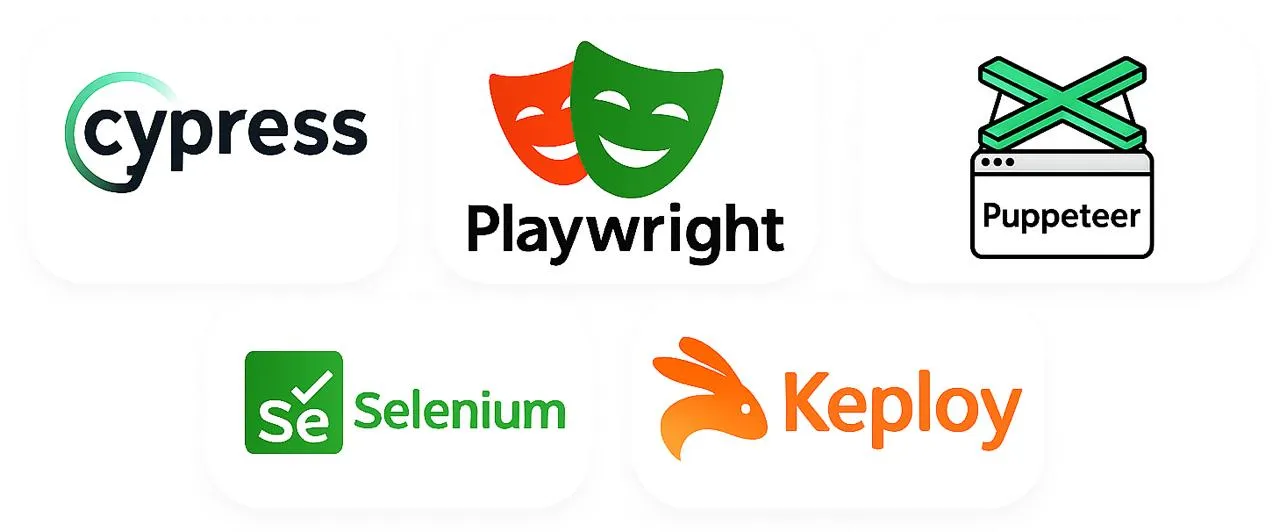
Tools for End-to-End Testing
| Tool | Key Features | Best For |
|---|---|---|
| Cypress | Excellent debugging tools, real-time reloading, developer-friendly, and quick setup | Front-end teams (which function best with React, Vue, and Angular) prioritize speed, simplicity, and a seamless developer experience. |
| Keploy | Uses reusable test cases, real user traffic, and mocks external services to automatically generate tests. Minimizes the effort required for maintenance and test writing. | Regression test maintenance is time-consuming for modern CI/CD teams and microservice-heavy apps, where speed is crucial. |
| Selenium | Supports almost every OS, language, and browser. a sizable, highly adaptable ecosystem. | Maximum compatibility is required for large organizations or teams with diverse tech stacks. |
| Playwright | Cross-browser compatibility, intelligent auto-waiting, adept handling of intricate flows, and CI/CD integration. | Teams that require cross-browser testing that is dependable, scalable, and free of legacy framework snags. |
| Puppeteer | Lightweight, quick, simple to use, and perfect for scripting or automation with Chrome or Chromium. | For full enterprise E2E testing, prototyping, scraping, or Chrome-specific workflows are not the best options. |
Performance Optimization in E2E Testing
As end-to-end test suites grow, execution time and stability can quickly become bottlenecks. Optimizing performance ensures teams get fast, reliable feedback without slowing down development or CI/CD pipelines.
Parallel Testing: Running tests sequentially can significantly increase feedback time. Splitting end-to-end tests across multiple agents or containers allows teams to execute workflows in parallel instead of waiting for one test to finish before starting another. Parallel execution is especially effective for independent user journeys such as login, search, and checkout.
Test Data Reuse: Repeatedly rebuilding application state—such as creating users, seeding databases, or logging in—adds unnecessary overhead. Reusing stable test data like pre-seeded product catalogs or authenticated sessions reduces setup time and improves consistency. By replaying known-good states, teams can focus on validating workflows instead of recreating them.
Selective Testing: While full test-suite runs are important before major releases, they are often unnecessary for every code change. Selective execution prioritizes high-risk, business-critical workflows such as authentication, payments, and order processing. Running these tests first provides faster feedback and helps catch regressions early, while comprehensive suites can run on scheduled or nightly builds.
These practices help keep end-to-end testing fast, scalable, and practical in modern CI/CD environments.
Test Maintenance and Updates
Maintaining an end-to-end test suite can be challenging as user interfaces change, workflows evolve, and APIs are updated. Without regular maintenance, E2E tests can quickly become unreliable.
Keeping test cases aligned with current application behavior, removing outdated tests, and updating data when workflows change helps reduce flakiness and maintenance overhead. A well-maintained E2E suite stays reliable and continues to provide accurate feedback as the product evolves.
Embedding Security Checks into E2E Flows
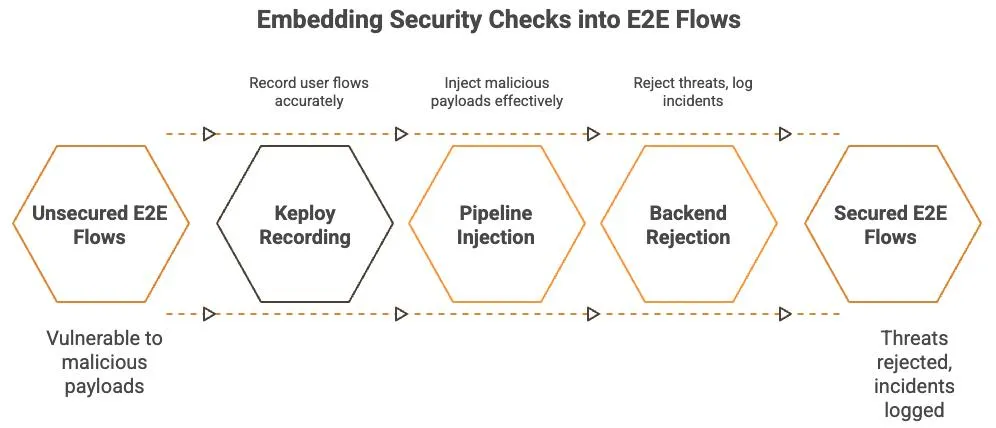
Functional correctness alone is not enough—security must also be validated. End-to-end testing helps verify that critical user flows can withstand real-world attacks by testing them under realistic conditions.
Security scanners such as OWASP ZAP or Burp Suite can be used to replay login, signup, and payment workflows with malicious inputs, including oversized payloads, SQL injection attempts, and expired or invalid tokens. This ensures the backend handles threats correctly, logs incidents, and fails safely.
When vulnerabilities are discovered, updating the affected test flows helps keep security checks aligned with the latest application behavior.
Conclusion
End-to-end testing plays a crucial role in delivering reliable and high-quality software by validating complete user workflows across frontend, backend, and integrated systems. It ensures that applications behave as expected under real-world conditions, not just in isolated test environments.
When combined with unit testing and integration testing, end-to-end testing helps teams catch critical issues early, reduce production failures, and improve the overall user experience. By focusing on business-critical journeys such as authentication, checkout, and payments, teams can release software with greater confidence and maintain long-term application stability.
Reducing E2E Test Maintenance
Maintaining end-to-end tests can be difficult as workflows evolve.
Modern testing platforms like Keploy generate reusable test cases and mock external dependencies from real API interactions, helping teams maintain reliable test suites with less manual effort.
Frequently Asked Questions (FAQ)
What is end to end testing with example?
Testing a full workflow like login → checkout → payment → confirmation to ensure the application works as a user expects.
Is end to end testing same as system testing?
No. System testing checks internal functionality, while end-to-end testing validates real user workflows across integrated systems.
Why are end to end tests flaky?
They depend on multiple systems, networks, and environments, which can introduce instability.
How often should end to end tests run?
They should run before releases and on critical workflow changes, not on every small code change.
What is the main goal of end to end testing?
To ensure the business workflow works correctly for real users.

Leave a Reply