Functional testing software is a tool that automatically checks whether each feature of an application works according to its requirements. It sends inputs through the UI or API, compares the actual results with the expected ones and reports any feature that does not behave as specified.
You may also see it called functionality testing software or a functional test tool. Whatever the name, the goal is the same: catch broken features before users do. This guide explains what functional testing software does, the main types of tools, the best options in 2026 and how to choose the right one for your team. If you are new to the topic, start with our guide to functional testing.
What is functional testing software?
Functional testing software automates the work of checking that an application does what it is supposed to do. Instead of a tester clicking through every screen or calling every endpoint by hand, the tool runs the same checks automatically, as often as needed, and flags any result that does not match the requirement.
It focuses on what the software does, not how fast or secure it is. Speed and load belong to performance testing, and vulnerabilities belong to security testing. Functional testing software answers one question: does each feature work for the user?
Most functional testing tools support some or all of these steps:
- Creating tests: by writing code, recording user actions or generating tests from real traffic.
- Running tests: locally, in a test environment or inside the CI/CD pipeline on every change.
- Comparing results: checking actual outputs against expected values, screenshots or API responses.
- Reporting: showing which tests passed or failed, with logs and screenshots to help developers fix the problem.
What does functional testing software test?
Functional testing tools cover every part of an application a user or another system interacts with:
- User interface: buttons, forms, menus, navigation and on-screen messages.
- APIs: status codes, response bodies, error handling and contract compliance. See our guide to API functional testing.
- Business logic: calculations, rules and workflows such as pricing, discounts and approvals.
- Database interactions: records are created, updated and read correctly.
- Input validation and error handling: invalid data is rejected with a clear message.
- Integrations: payments, emails and third-party services are called and handled correctly.
Types of functional testing tools
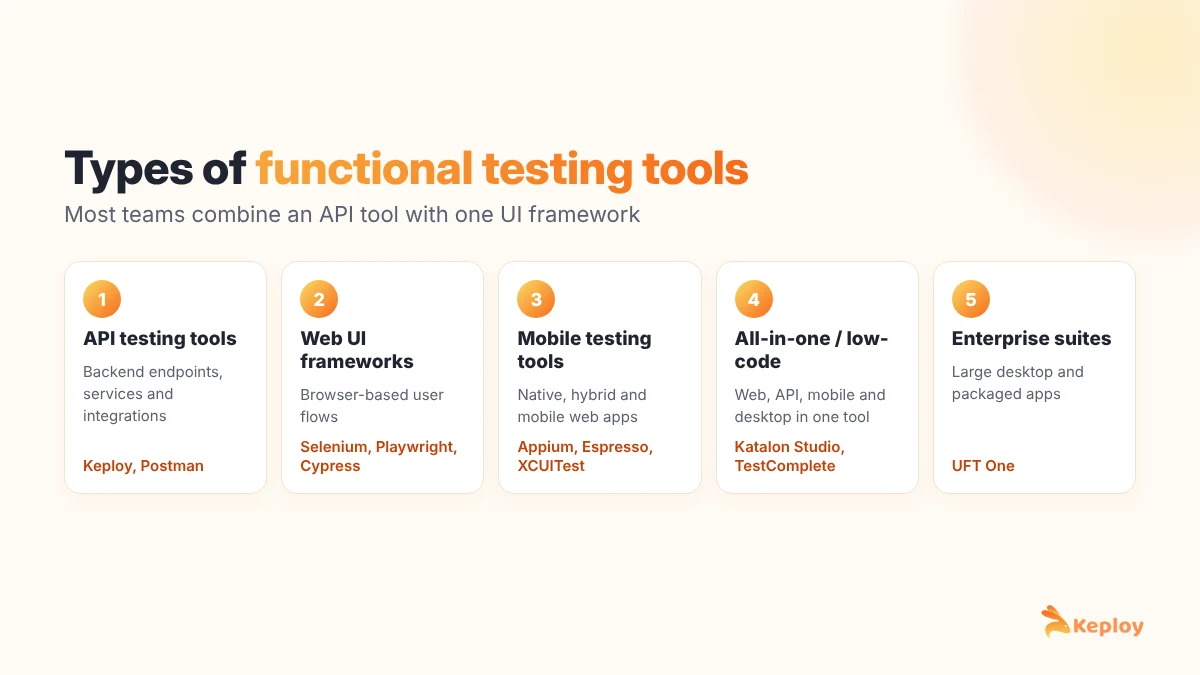
No single tool covers every layer well, so most teams combine two or three types:
| Type | What it tests | Examples |
|---|---|---|
| API testing tools | Backend endpoints, services and integrations | Keploy, Postman |
| Web UI automation frameworks | Browser-based user flows | Selenium, Playwright, Cypress |
| Mobile testing tools | Native, hybrid and mobile web apps | Appium, Espresso, XCUITest |
| All-in-one and low-code platforms | Web, API, mobile and desktop from one tool | Katalon Studio, TestComplete |
| Enterprise suites | Large desktop, web and packaged applications | UFT One |
Best functional testing software in 2026
1. Keploy
Keploy is an open-source tool for API and integration testing. It records real API traffic, turns each interaction into a functional test case and automatically creates mocks for databases and third-party services. The tests then replay in CI to catch any change in behavior, which gives teams a regression suite without writing test scripts by hand.
Best for: teams that want automated functional and regression tests for APIs and backend services with minimal manual effort.
2. Selenium
Selenium is the long-standing open-source standard for automating web browsers. It supports many programming languages and all major browsers, and it has the largest community of any UI testing tool.
Best for: web UI testing in teams that need wide language and browser support.
3. Playwright
Playwright is an open-source browser automation framework that runs tests across Chromium, Firefox and WebKit. Auto-waiting, parallel runs and built-in tracing make tests faster and less flaky than older frameworks.
Best for: modern web apps that need fast, reliable end-to-end tests.
4. Cypress
Cypress is a JavaScript testing framework that runs in the browser alongside the application. Its interactive runner and time-travel debugging make it popular with frontend developers.
Best for: frontend teams testing JavaScript web applications.
5. Postman
Postman is a widely used platform for exploring APIs and writing API test scripts in collections. It is easy to start with but tests are written and maintained by hand. See how it compares in Keploy vs Postman.
Best for: manual API exploration and small scripted API test suites.
6. Appium
Appium is an open-source tool for automating native, hybrid and mobile web apps on Android and iOS from one API. For more options, see our list of mobile functional testing tools.
Best for: cross-platform mobile UI testing.
7. UFT One
UFT One (formerly Unified Functional Testing) is a commercial tool for functional and regression testing of desktop, web and enterprise applications, with keyword-driven and scripted testing. Read our UFT testing guide.
Best for: enterprises testing large desktop and packaged applications.
8. Katalon Studio
Katalon Studio is a low-code platform that covers web, API, mobile and desktop testing, with record-and-playback for beginners and scripting for advanced users.
Best for: mixed-skill QA teams that want one tool across platforms.
9. TestComplete
TestComplete is a commercial tool for automated UI testing of desktop, web and mobile applications, with both scripted and codeless test creation.
Best for: teams that need strong desktop application support.
Functional testing tools compared
| Tool | Main focus | License | Test creation |
|---|---|---|---|
| Keploy | APIs and backend services | Open source | Generated from real traffic |
| Selenium | Web UI | Open source | Code |
| Playwright | Web UI | Open source | Code, with a test recorder |
| Cypress | Web UI (JavaScript) | Open source with paid cloud | Code |
| Postman | APIs | Free and paid plans | Manual scripts |
| Appium | Mobile UI | Open source | Code |
| UFT One | Desktop, web, enterprise apps | Commercial | Keyword-driven and code |
| Katalon Studio | Web, API, mobile, desktop | Free and paid plans | Low-code and code |
| TestComplete | Desktop, web, mobile | Commercial | Codeless and code |
How to choose functional testing software
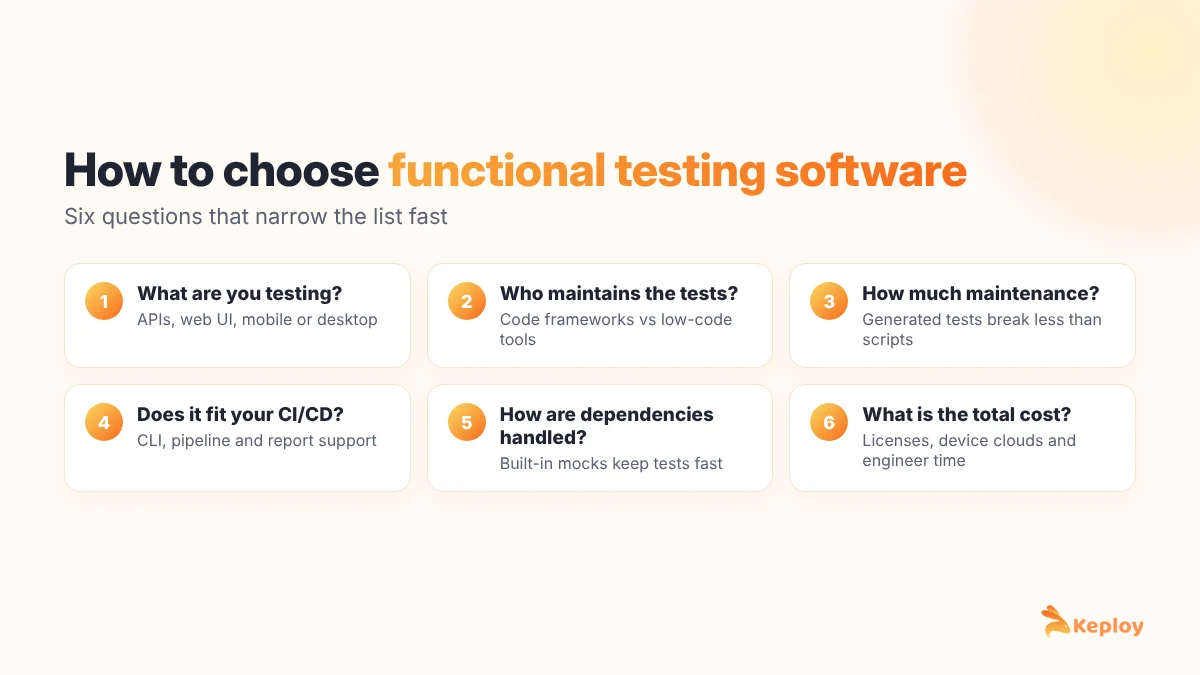
Use these questions to narrow the list:
- What are you testing? APIs, web UI, mobile apps or desktop software each point to a different kind of tool. Most bugs in modern apps come from the APIs behind the screens, so start there if your product is API-driven.
- Who will write and maintain the tests? Developers usually prefer code-based frameworks, while mixed QA teams may prefer low-code platforms. Tools that generate tests automatically reduce the maintenance load for everyone.
- How much maintenance can you afford? Hand-written scripts break when the application changes. Look at how each tool handles changes, flaky tests and test data.
- Does it fit your CI/CD pipeline? The tool should run from the command line, integrate with your CI system and report results where your team already looks.
- How does it handle dependencies? Tests that call real third-party services are slow and unreliable. Built-in mocking keeps tests fast and repeatable.
- What is the total cost? Compare licenses, cloud device or browser fees and, above all, the engineering time spent writing and fixing tests.
For broader comparisons, see our lists of API testing tools, test automation tools and regression testing tools.
How functional testing software improves product quality
- Consistent coverage: automated tests check the same scenarios the same way every time, across devices, browsers and environments, so edge cases are not skipped.
- Fewer post-release defects: bugs caught in testing cost far less to fix than bugs found by customers, and automated regression tests catch them on every change.
- Faster releases: automated suites run in minutes in the CI pipeline, so teams can ship often without waiting for long manual test cycles.
- Better user satisfaction: users judge software by whether it works. Reliable features build trust and reduce churn and support tickets.
- Business alignment: each test maps to a requirement or acceptance criterion, which proves the product does what the business asked for.
- Measurable quality: pass rates, coverage and defect trends give teams clear software testing metrics to track over time.
Conclusion
The right functional testing software depends on what you are testing and who maintains the tests. Selenium, Playwright and Cypress lead for web UIs, Appium for mobile, and platforms like Katalon Studio, TestComplete and UFT One for mixed or enterprise needs. For APIs and backend services, Keploy removes most of the manual work by generating functional tests and mocks from real traffic. Most teams get the best results by combining an API testing tool with one UI framework and running both in CI on every change.
FAQs
What is functional testing software?
Functional testing software is a tool that automatically checks whether an application’s features work according to its requirements, by running tests against the UI or APIs and comparing actual results with expected results.
Is functionality testing software the same as functional testing software?
Yes. Both terms describe tools that verify an application’s features work as specified. "Functional testing" is the more common name.
Are functionality and performance testing the same thing?
No. Functionality testing checks that features work correctly, while performance testing measures speed, stability and scalability under load. Both matter, but they assess different aspects of quality.
What types of issues can functional testing software detect?
It finds incorrect outputs, broken workflows, UI elements that do not respond, invalid data handling, faulty API responses and integration errors between services.
What is the best free functional testing tool?
Selenium, Playwright, Cypress and Appium are popular open-source choices for UI testing, and Keploy is an open-source option for API functional testing that generates tests automatically.
Why should teams automate functional testing?
Automation makes functional tests faster, more accurate and repeatable, reduces manual effort and lets teams validate every change in the CI/CD pipeline before release.

Leave a Reply