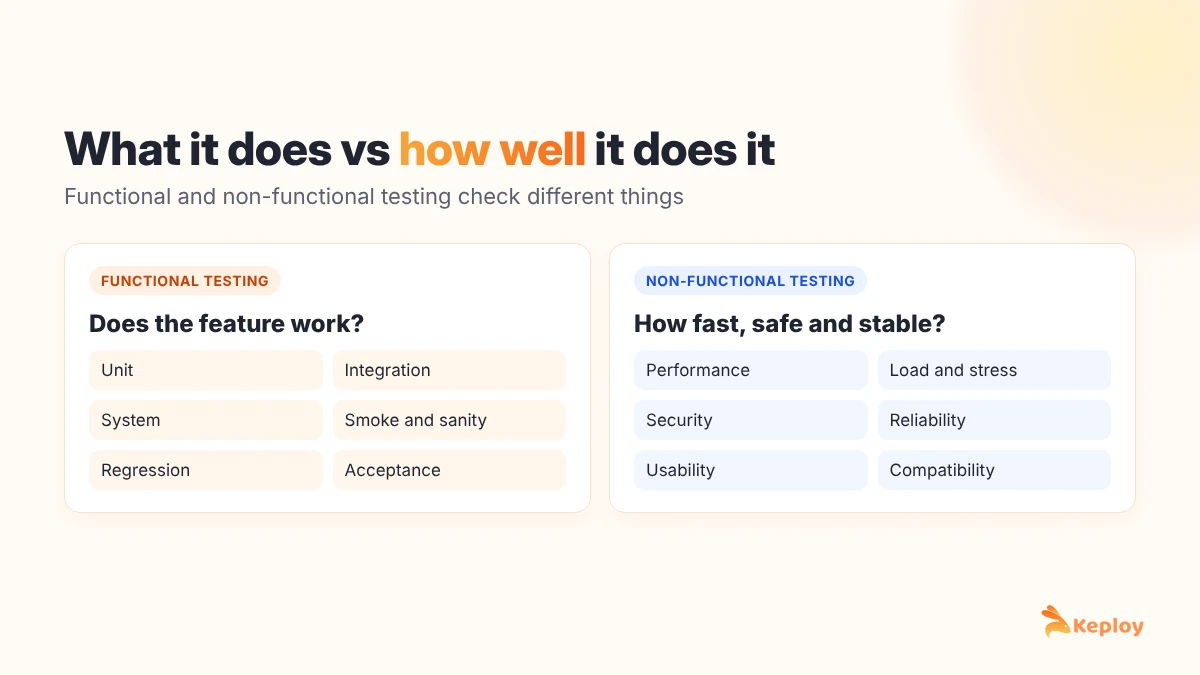
Functional testing checks what a system does: whether each feature behaves the way the requirements say. Non-functional testing checks how well it does it: how fast, how secure, how stable under load and how easy to use. A login that accepts the right password passes functional testing. A login that takes eight seconds to respond fails non-functional testing, even though it technically works.
Both matter, and users notice failures in either one. Nobody cares that checkout is fast if it charges the wrong amount, and nobody cares that it charges the right amount if the page times out on Black Friday.
This guide breaks down the differences with a side-by-side table, real examples for the same feature, the main types of each and the tools teams use.
Functional vs non-functional testing at a glance
| Functional testing | Non-functional testing | |
|---|---|---|
| Question it answers | Does the feature work? | How well does the system work? |
| Based on | Functional requirements: features, rules, user stories | Non-functional requirements: speed, security, uptime, usability targets |
| Checks | Inputs, outputs, workflows, business rules | Performance, load, security, reliability, usability, compatibility |
| Typical result | Pass or fail against expected behavior | Pass or fail against a measured threshold, such as response time under 500 ms |
| Example | "User can reset password by email" | "Reset email arrives within 30 seconds for 99% of requests" |
| When it runs | Throughout development, on every change | Usually later and on production-like environments, plus on a schedule |
| Who usually runs it | QA engineers and developers | Performance, security and QA specialists, plus developers |
| Typical tools | Selenium, Playwright, Cypress, Postman, Keploy | JMeter, k6, Gatling, OWASP ZAP, Lighthouse |
What is functional testing?
Functional testing verifies that each feature of an application works according to its requirements. It treats the system as a black box: send an input, check the output.
Common types of functional testing:
- Unit testing: individual functions or classes.
- Integration testing: components working together, such as a service and its database.
- System testing: the complete application against its requirements.
- Smoke and sanity testing: quick checks that a build is stable enough to test further.
- Regression testing: re-running tests after changes to catch anything that broke.
- User acceptance testing: users or the client confirming the software meets their needs.
What is non-functional testing?
Non-functional testing measures quality attributes of the system rather than individual features. Each test needs a target, such as a response time, an error rate or a number of concurrent users, or there is nothing to pass or fail against.
Types of non-functional testing
- Performance testing: how fast the system responds under normal use. See our performance testing guide.
- Load testing: behavior at expected peak traffic.
- Stress testing: what happens beyond the expected peak, and whether the system recovers. The differences are covered in performance vs load vs stress testing.
- Scalability testing: whether adding resources actually increases capacity.
- Security testing: vulnerabilities, access control and data protection.
- Reliability and availability testing: uptime, failover and recovery after crashes.
- Usability testing: whether real people can complete tasks without getting stuck.
- Compatibility testing: behavior across browsers, devices, operating systems and versions.
- Accessibility testing: whether people using screen readers, keyboards or other assistive technology can use the product.
Same feature, two kinds of tests
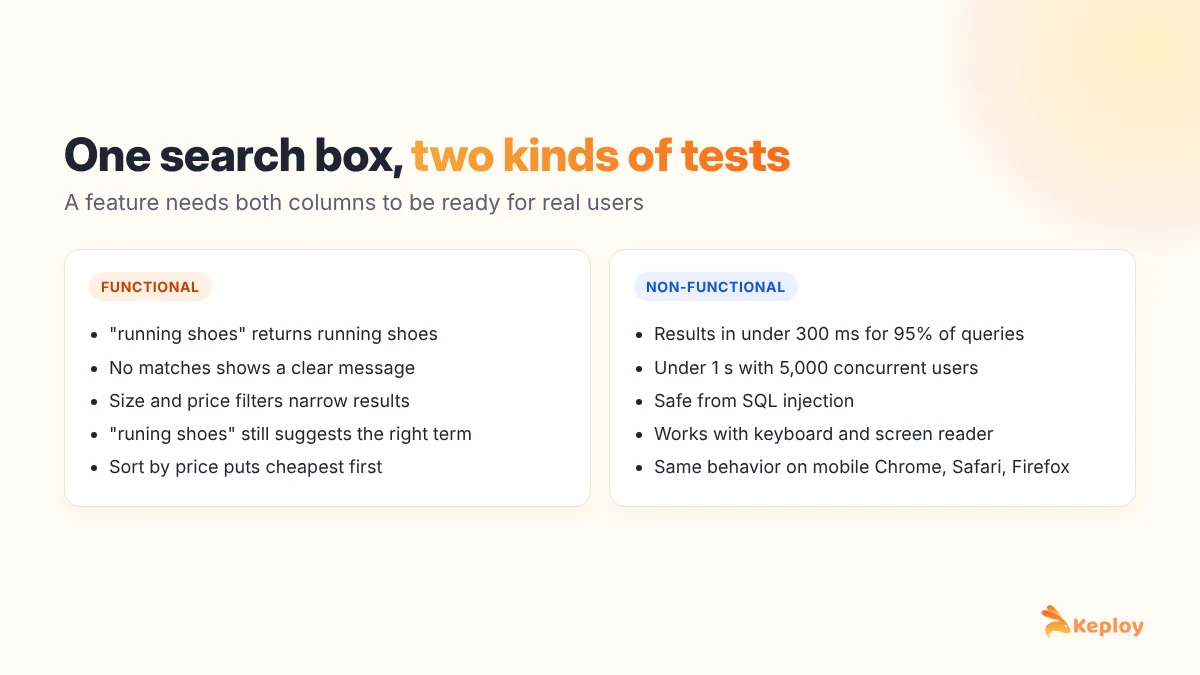
The clearest way to see the difference is to test one feature both ways. Take a product search box on an e-commerce site.
| Functional tests for search | Non-functional tests for search |
|---|---|
| Searching "running shoes" returns running shoes | Results load in under 300 ms for 95% of queries |
| A search with no matches shows a "no results" message | Search stays under 1 second with 5,000 concurrent users |
| Filters by size and price narrow the results correctly | Search input is safe from SQL injection |
| Misspelled "runing shoes" still suggests running shoes | The search box works with a keyboard and a screen reader |
| Sorting by price puts the cheapest item first | Search works the same in Chrome, Safari and Firefox on mobile |
The left column checks behavior. The right column checks qualities of that behavior. A search feature needs both columns to be ready for real users.
Functional and non-functional requirements
Each type of testing traces back to a type of requirement. Functional requirements describe features and rules: "Users can export their invoices as PDF." Non-functional requirements set quality targets: "Export completes in under 5 seconds for invoices up to 500 lines."
If a non-functional requirement has no number attached, it can’t be tested. "The app should be fast" is a wish, not a requirement. For more on writing both kinds, see our guide to functional vs non-functional requirements.
Which should you do first?
Functional testing usually comes first. There’s no point load testing a checkout flow that calculates tax incorrectly. Once the main flows are functionally stable, non-functional testing tells you whether they will hold up in production.
That said, don’t leave non-functional testing until the week before launch. A few practices help:
- Add basic performance checks, such as response time assertions on key endpoints, to the CI pipeline early.
- Run security scans on every build. They are cheap and catch common issues quickly.
- Schedule full load tests before major releases and big traffic events.
- Re-run performance tests after large refactors or dependency upgrades, because that’s when performance regressions sneak in.
Can one test be both?
Sometimes a single test checks both. An API test that asserts the correct response body and also asserts the response arrived within 200 ms is doing a bit of each. That’s fine for quick guardrails. For real performance or security work, though, you need dedicated tests that run under realistic load or with dedicated scanning tools, because one request in a test environment tells you very little about behavior at scale.
Tools for functional and non-functional testing
Functional testing tools:
- Keploy for API functional and regression tests generated from real traffic, with automatic mocks for dependencies.
- Playwright, Cypress and Selenium for web UI tests.
- Appium for mobile apps.
- Postman for exploring and scripting API tests (Keploy vs Postman).
Our guide to functional testing software compares these in detail.
Non-functional testing tools:
- JMeter, k6 and Gatling for performance and load testing.
- OWASP ZAP and Burp Suite for security testing.
- Lighthouse and axe for web performance and accessibility checks.
- BrowserStack and similar device clouds for compatibility testing.
Where Keploy fits
Keploy focuses on the functional side of API and backend testing. It records real API traffic, turns each request into a test case and mocks the database and third-party calls, so your functional and regression tests run fast and reliably in CI. Pair it with a load testing tool for the non-functional side.
Try Keploy API testing to generate functional tests for your APIs automatically.
FAQs
What is the difference between functional and non-functional testing?
Functional testing checks whether features work according to requirements, such as a user being able to log in. Non-functional testing checks how well the system performs, such as login speed, security and behavior under heavy load.
What are examples of non-functional testing?
Common examples are performance testing, load testing, stress testing, security testing, usability testing, compatibility testing, reliability testing and accessibility testing.
Is performance testing functional or non-functional?
Performance testing is non-functional. It measures speed, responsiveness and stability rather than whether a feature produces the correct result.
Is API testing functional or non-functional?
API testing can be both. Checking that an endpoint returns the right data and status codes is functional testing. Checking how fast it responds under load or whether it’s secure is non-functional testing.
Which is more important, functional or non-functional testing?
Both are needed. Functional testing comes first because a feature has to work before its speed matters, but skipping non-functional testing leads to slow, insecure or unstable software in production.
Can non-functional testing be automated?
Yes. Performance, load and security tests are usually automated with tools like JMeter, k6 and OWASP ZAP. Usability testing is the main exception, because it needs real people.

Leave a Reply