Software Development is progressing faster than ever, as software teams are now able to regularly release new features in cycles that often last a week to a day. As a result of this cycle, bug tracking and QA processes are sometimes not enough to prevent there from being bugs in place before a problem arises. When these bugs enter production, they cause a lot of frustration among users, downtime, and a large amount of time being spent trying to fix the problem which makes users angry.
Bug Bash provides an opportunity to catch potential bugs earlier in the development of an application than most structured test approaches would. They are fast-paced, collaborative, creative, and often highlight the same user problems identified in structured tests that were missed.
The purpose of this guide is to provide an overview of what Bug Bashing is, how Bug Bashing works, how to use Bug Bashing successfully, and how tools like Keploy can help convert Bug Bashes into long-lived automated coverage for a software team.
What Is Bug Bashing?
Bug Bash is an event-based function in which teams work collaboratively and on a predetermined schedule to perform exploratory testing of a product. Bug Bash aims to increase the creativity and exploration of real-world usage patterns and develop an extensive amount of exploratory testing. All of the participants use the product in an unanticipated manner to help identify:

-
Edge Cases
-
Unusual User Pathways
-
UI inconsistencies
-
Performance Degradation
-
Real-World Usage Problems
The strength of bug bashes comes from the collaborative nature of all team members:
-
UX Designers are able to identify friction in the user’s experience
-
Developers identify logic flaws
-
Product Managers can recognize gaps in user flow
-
Support Team identifies usability concerns that customers encounter
Bug bashes are especially useful:
-
Before major releases
-
After big features land
-
During regression cycles
-
When customer bug reports spike
Reasons to Conduct a Bug Bash
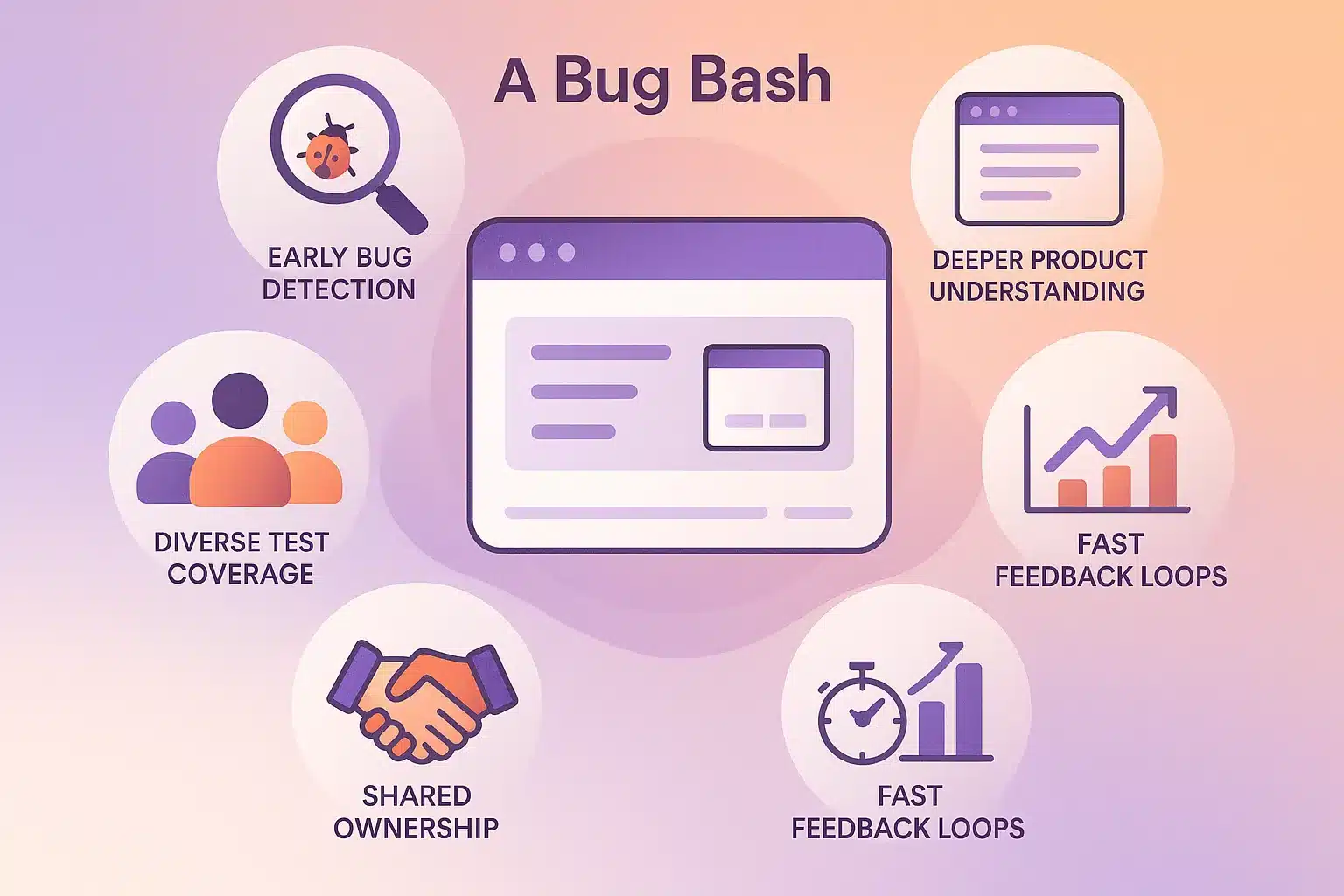
1. Early Bug Detection
Finding bugs earlier in the process helps reduce costs, time and effort associated with fixing them later on.
2. Diverse Test Coverage
By having testers from multiple disciplines and backgrounds participate, testers investigate areas or workflows that normal testing may overlook.
3. Shared Ownership
There is no longer a divide between QA and business. Both are now accountable for the quality of the product.
4. Better Product Understanding
QA teams will now have first-hand experience with the product, giving them the ability to make better decisions regarding the product going forward.
5. Fast Feedback Loops
A one to four-hour bug bash session can yield numerous actionable issues.
When Should You Schedule a Bug Bash?
Bug bashing is most effective:
-
Before major releases
-
After merging a big feature
-
During regression cycles
-
When users report unusual bugs
Make sure:
-
Environments are stable
-
Test accounts/data exist
-
Scope is defined
-
A bug-logging tool is ready
How to Plan and Execute a Bug Bash
1. Pre-Event Preparation
Set Objectives
Identify if the team will be testing:
-
A new feature
-
A problem area
-
Mobile/responsive flows
-
A product zone (entirely)
Invite appropriate participants:
Beyond QA:
-
Developers
-
Designers
-
PMs
-
Support engineers
Prepare the Environment
Provide:
-
Staging/demo URLs
-
Test credentials
-
Device/browser matrix
-
Seeded data
Choose tracking tool that produces repeatable formats with:
-
Title
-
Reproduction steps
-
Expected vs actual behaviour
-
Screenshots/videocamera
2. Running a Bug Bash
Kick-off
Overview of goals, timeline, communication and scope for the event in a short presentation.
Exploration Phase
Encouragement of participants to:
-
Test unexpected flows (random or confusing)
-
Deliberately create bugs
-
Test concurrency
-
Use different operating systems or devices
-
Create simulated conditions similar to real-world usage of application
Real-Time Logging
Participants should log bugs as they find them and provide steps to reproduce each bug.
A facilitator should be responsible for reviewing and addressing duplicates and assisting participants with any questions.
3. Post-Event Follow-Up
Triage
Categorization of found bugs (by severity, priority, module, and by who owns them).
Assign Owners
Establishing service level agreements and tracking progress against those agreements.
Retest Fixes
Validation of fixed bugs through manual or automated testing.
Retro
Discussion of successes and improvements that can be made.
Best Practices for a Successful Bug Bash
-
Time-Box the Bug Bash (1-4 hours)
-
Make Bug Bash Entertaining (Points Leader Boards Rewards)
-
Create a No Blame Culture
-
Tell Participants to Use Real Devices With Realistic Data
-
Make It Easy to Log Bugs
-
Communicate Openly
-
Always Follow-Up on Fixes
Common Pitfalls to Avoid
-
Scope Too Wide
-
No Triage
-
Duplicate Bug Spam
-
Running Too Late In The Release Cycle
-
Focusing on Quantity Not Quality
How to Measure Bug Bash Success
Track:
-
Unique Bugs Found
-
Severity Distribution
-
Bugs Fixed Within Time Frame
-
Devices Tested
-
User Flow Covered
-
Percentage of Bugs Fixed Before Release
-
Participant Satisfaction
A Good Bug Bash Will Help Build Future Bug Bashes.
Integrating Bug Bashing Into Your QA Strategy
Bug bashing works best when combined with:
-
Automated unit tests
-
Integration tests
-
API/UI tests
-
Regression suites
-
CI/CD automation
It complements automation by surfacing real-world issues that scripts often miss.
How Keploy Supercharges Your Bug Bash Outcomes
Bug bashing uncovers issues, but the real challenge comes afterward:
-
How do you prevent these bugs from reappearing?
-
How do you convert unpredictable exploratory findings into repeatable tests?
-
How do you ensure regressions are caught automatically in future releases?
This is exactly where Keploy amplifies your QA strategy.

1. AUTO-GENERATE TESTS FROM REAL TRAFFIC
During bug bashes, Keploy captures real-time API calls and automatically generates the following types of tests:
Thus, every bug bash produces test coverage in addition to bug tickets.
2. PREVENT REPEAT REGRESSIONS
Once generated, tests will be validated for response accuracy and checks against behavioral consistency, which means a bug identified during a bug bash will be recorded as an on-going guardrail in CI/CD.
3. ZERO CODE SETUP FOR DEVELOPERS
Developers will no longer be required to write mock objects and keep track of test fixtures. With Keploy’s Help:
-
Network call traffic is recorded.
-
Request/Response pairs are captured and serialized.
-
Deterministic Mocks are built.
-
Flakiness checks and reproduction will be ensured.
4. WORKS ALONGSIDE BUG BASHING; NOT INSTEAD OF
Bug bashing is used to find bugs, while Keploy ensures they will not reappear.
5. IDEAL FOR FAST–MOVING TEAMS
Shipping daily? Weekly?
With Keploy, teams will be assured of:
-
Stable releases
-
High-confidence deployments
-
Early regression detection
-
Lower QA effort
One bug bash plus Keploy can produce more than 100 Automated Tests of Quality without placing any additional overhead on Developers.
A Real-World Example
X Company recently used Keploy during a major software release, where they facilitated a two-hour bug bash with the following personnel:
-
5 software engineers 3
-
QA personnel
-
2 designers
-
2 project managers
-
1 technical support engineer
Through the process, the team identified:
-
58 bugs reported
-
9 critical issues automation missed
-
20 UX improvements
-
14 mobile issues
-
They completed fixes prior to the launch of the software.
After this stage of the process, the team then implemented Keploy into their testing environment.
The results of the testing phase were:
-
Keploy automatically converted 41 API flows into regression tests
-
Validation of the fixes via the CI/CD(pipeline) process
-
No regression issues were observed in subsequent cycle of releases
The using Keploy has improved the quality of software releases and greatly reduced on-call responsibilities.
Conclusion
Bug bashing is one of the most inexpensive means of exposing problems that may not otherwise be visible. An effective bug bash can include:
-
Broader test coverage
-
A catalyst for inventive exploration
-
Support for enhanced teamwork and collaboration
-
Increase in overall product quality
When you combine bug bashing with automated testing generation tools such as Keploy, you build a foundation that provides a protective barrier against subsequent regression for any bugs identified, allowing teams to deliver their products expeditiously and confidently.
Frequently Asked Questions
What is a Bug Bash? A Bug Bash is a time-boxed event that occurs when members of cross-functional teams work together to find bugs that may be missed during structured testing of a product. It allows for exploratory testing, creativity, and real-world scenarios to uncover usability problems, edge cases, and unexpected issues.
Why is Bug Bashing important? Bug Bashing allows teams to identify potential bugs earlier in development; improve test coverage; gain better product knowledge by including all members in the testing process (from developers to product managers to UX designers).
When should teams conduct Bug Bashes? Prior to major releases; after large feature merges; during regression testing cycles; or when there is an increase in customer reported defects. Conducting a Bug Bash at the appropriate time allows for detection of high severity bugs prior to going live.
How long should a Bug Bash last? Bug Bashes are most productive when limited to 1-4 hours maximum. Limiting the time frame creates focus, energy, and participation by all members involved.
Who should be involved in a Bug Bash? Developers, QA Engineers, User Experience Designers, Product Managers, and Support Engineers should all be involved. A diverse group of people will help ensure that testing will uncover more defects than with typical Quality Assurance.

Leave a Reply