Regression bug reports tend to share one sentence: it worked last week. That sentence makes them some of the most frustrating tickets to receive, because the feature was tested, shipped, and trusted before something unrelated knocked it over. Users also feel them sooner than most bugs, since they were already relying on the thing that broke.
They’re expensive to trace, too. The change behind one often lives in a different file, a different service, or a different year from the code that fails, and the commit that introduced it usually passed review without a second look. By the time anyone connects the two, the fix has to undo something other people already built on.
What Is a Regression Bug?
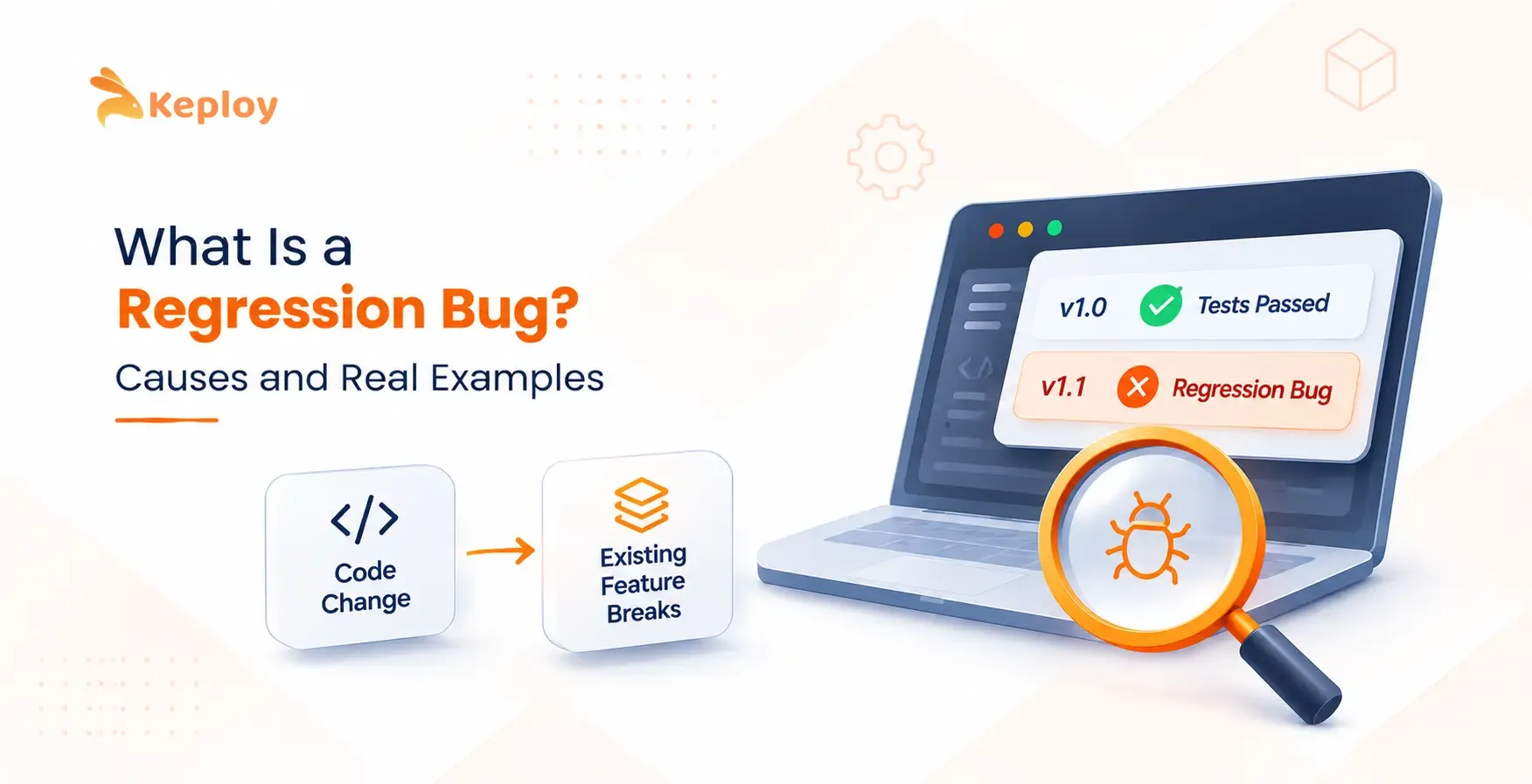
A regression bug, also called a software regression or regression defect, is a defect where behavior that was correct in a previous version stops working, or gets measurably worse, after a change to the code, its dependencies, or the environment it runs in.
The key word is previous. A bug in a feature that never worked is just a bug. It only becomes a regression when there’s a version where the behavior was right, which is why every regression testing strategy starts from a known-good baseline.
Regression Bug, Software Regression, Regression Issue: Same Thing?
Mostly, yes. Teams and tools swap these terms freely.
|
Term |
Where you’ll usually see it |
What it means |
|
Regression bug |
Bug trackers and QA teams |
A defect in behavior that used to work |
|
Software regression |
Engineering literature and reference sites |
The same defect, framed as the software moving backward |
|
Regression issue |
Support tickets and GitHub issues |
A reported regression, often before the root cause is known |
|
Code regression |
Code review and CI discussions |
A regression traced to a specific commit |
|
Regression defect or regression error |
Formal QA and test reports |
The same defect in test management language |
|
Performance regression |
Monitoring and benchmarks |
The feature still works, but slower or with more resources |
One term trips people up: bug regression. Some teams use it for a fixed bug that comes back, which is a specific kind of regression bug. Others use it for the test that confirms a fix still holds.
Types of Regression Bugs
Regression bugs get grouped in two ways. The first is by what breaks:
- Functional regression: a feature returns wrong results, throws errors, or stops responding.
- Performance regression: answers stay correct, but responses slow down or memory and CPU use climb.
- Visual regression: layouts, styles, or rendered output change when nobody meant them to.
- Security regression: a check that used to block something quietly stops blocking it.
The second is by where the break lands relative to the change:
- Local: the bug shows up in the same module that changed.
- Remote: a change in one component breaks a different one, which makes it the hardest kind to trace.
- Unmasked: the change exposes a bug that already existed but had no visible effect before.
Regression Bug vs New Bug
|
Question |
Regression bug |
New bug |
|
Did the behavior ever work? |
Yes, in an earlier version |
No, or the feature is brand new |
|
Where to look first |
Changes since the last good version |
The new feature’s own code |
|
Typical urgency |
Often high, because users already depend on it |
Varies, since users can keep their old workflow |
|
Fastest way to confirm |
Run the old and new versions side by side |
Reproduce it against the spec |
Recurring defects overlap with both. When a fixed bug returns after a later change, it counts as a regression too, because the fixed behavior was the working version.
What Causes Regression Bugs?
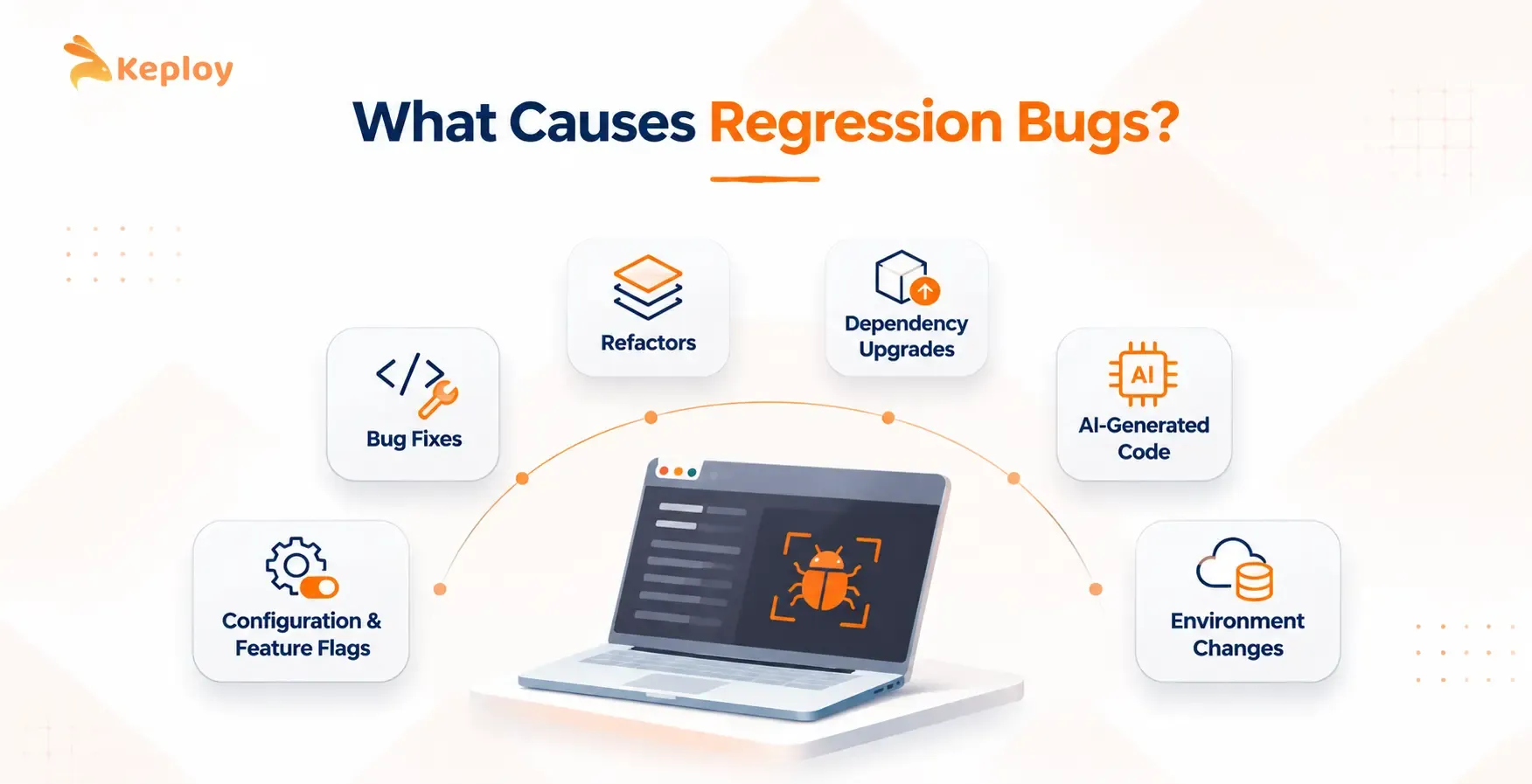
Bug Fixes
Fixes change behavior on purpose, and they’re usually tested only against the bug they target. The fix works. Something nearby that relied on the old behavior doesn’t.
- Warning sign: a fix touches shared code, but its test covers only the reported case.
Refactors
A refactor promises the same behavior with better structure. That promise holds only as far as the tests reach, and refactors often remove code that looked unused or redundant.
- Warning sign: deleted guards or code paths with no test explaining why they existed.
Dependency Upgrades
A library bump changes code you didn’t write and rarely read. Defaults, date parsing, serialization, and error types can all shift between versions, even when a release is described as backward compatible.
- Warning sign: an upgrade merged because the build passed, with no behavior tests on the code that calls it.
Configuration and Feature Flag Changes
Config changes skip a lot of the scrutiny that code changes get. A new rule, a changed timeout, or a reused flag can switch on behavior nobody has exercised in years.
- Warning sign: config pushed everywhere in one step, or a flag name reused for a new purpose.
Environment Changes
Sometimes nothing in the repo changes at all. An OS patch, a new runtime version, a database upgrade, or a daylight saving switch can break code that was fine the day before.
- Warning sign: failures that start on a specific date or after an infra change, with no matching commit.
AI-Generated Code
AI coding assistants write code fast and confidently, but they don’t know which undocumented behaviors your callers depend on. A suggested cleanup can change a default, reorder fields, or drop an edge case that no test ever pinned down.
- Warning sign: large AI-assisted diffs approved for readability, without behavior checks on the paths they touched.
Real Examples of Regression Bugs
Cloudflare’s BYOIP Outage (February 2026)
On February 20, 2026, Cloudflare withdrew about a quarter of its customers’ Bring Your Own IP prefixes from the internet, and the incident lasted just over six hours.
- What changed: a new automated cleanup task replaced a manual process for removing customer IP prefixes. It called an internal API with a pending_delete parameter but passed no value.
- What broke: the API filtered for pending deletions only when that parameter had a non-empty value. With an empty one, it returned every BYOIP prefix, and the task started withdrawing them, about 1,100 before engineers stopped it.
- What would have caught it: an API test for the empty-parameter case, plus a check on how many prefixes a single cleanup run was about to remove.
Claude Code’s Quality Regression (March to April 2026)
Between March 4 and April 20, 2026, users of Anthropic’s Claude Code reported that the coding agent had gotten worse. Anthropic’s postmortem traced the drop to three separate product changes, not to the underlying model.
- What changed: the default reasoning effort dropped from high to medium, a caching change introduced a bug that cleared earlier reasoning in long sessions, and a new system prompt instruction cut verbosity.
- What broke: answers got shallower and long sessions lost context. Because the three changes overlapped, no single release looked responsible.
- What would have caught it: regression evals run on the exact build users receive, after every change to defaults, caching, or prompts.
Coinbase’s 50-Minute Outage (July 2026)
On July 14, 2026, a configuration change took Coinbase’s trading, transfers, and card transactions offline for about 50 minutes.
- What changed: a routine, low-risk configuration update to a shared production Kubernetes cluster, made as part of a migration to a new deployment model.
- What broke: a collision in resource names meant the update also modified resources belonging to the cluster’s Istio ingress gateway. The gateway went down, all inbound traffic stopped, and the deployment tooling engineers needed for a rollback sat behind that same gateway.
- What would have caught it: a pre-deploy check for resource name collisions. Coinbase’s pre-production checks missed this one, and the company has since added guardrails that block such collisions.
How to Find the Change That Caused a Regression
- Confirm it’s a regression. Find a version where the behavior was correct. If there isn’t one, you’re dealing with a new bug.
- Narrow the window. List every change between the last good version and the first bad one, including dependency bumps, config pushes, and infra updates, not just commits.
- Bisect. git bisect runs a binary search through the commit history, so even a long list of changes comes down to a handful of test runs.
- Write the failing test first. Reproduce the regression with the exact input that triggered it. The test should fail now and pass after the fix.
- Check the neighbors. A change that broke one caller may have broken others, so search for everything that depends on what changed.
How Regression Tests Catch Regression Bugs
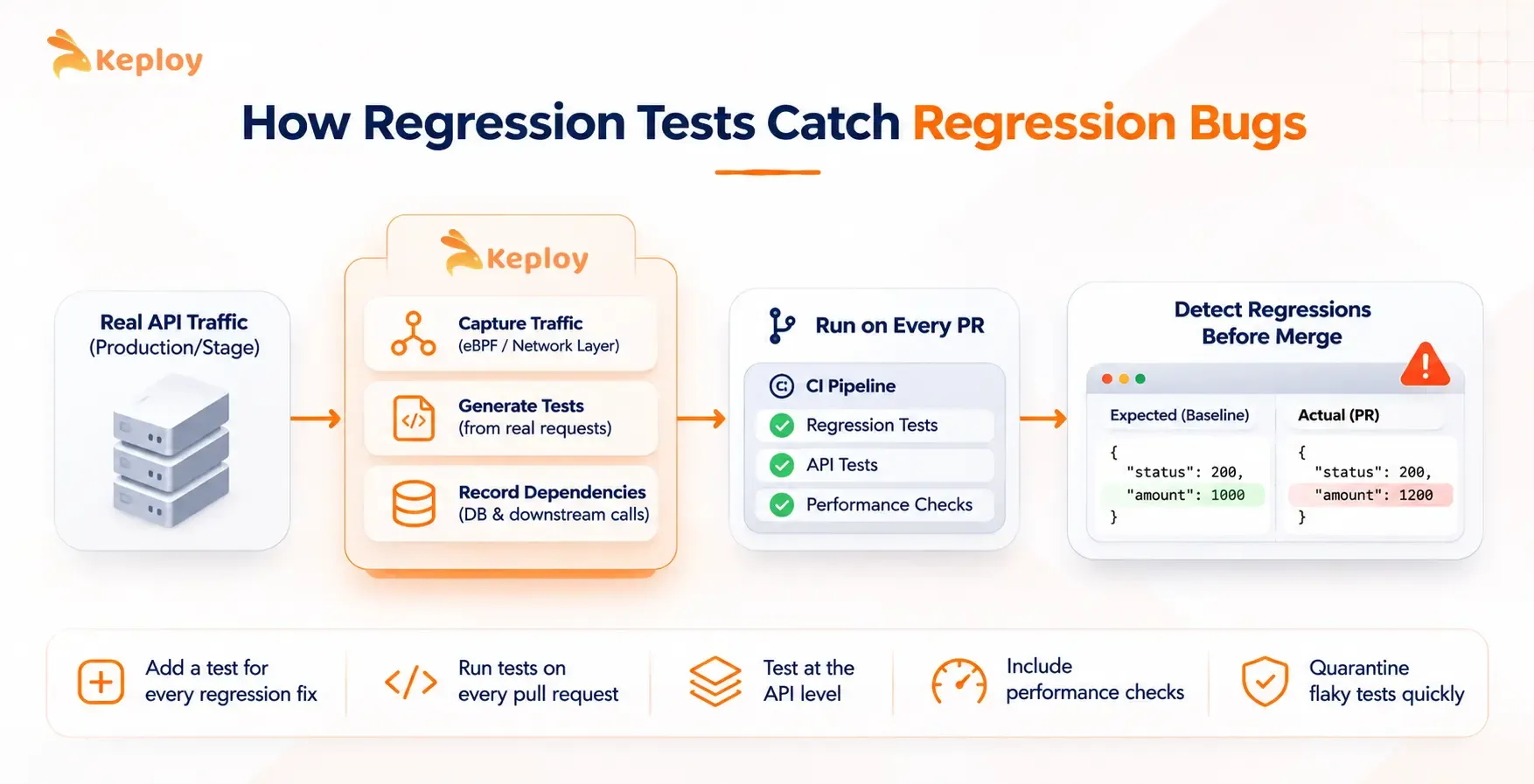
A regression suite works because it remembers what correct looked like. A few habits make it catch more:
- Add a test for every regression you fix. The same bug coming back is the cheapest regression to prevent.
- Run tests on every pull request, not just before release, so the change and the failure stay close together. Teams practicing regression testing in agile run targeted tests per story and the full suite before each sprint review.
- Test at the API level. UI tests miss renamed fields and changed status codes that break other services, while API regression testing compares responses against a baseline and catches those directly.
- Include performance checks on critical paths, since a performance regression passes every functional assertion.
- Quarantine flaky tests quickly. A suite that fails at random trains people to ignore the run that matters.
Writing baselines by hand is the slow part, and it’s why many suites miss the paths users hit most. Keploy builds them from real API traffic instead, recording each call with its database and downstream responses and replaying them on every pull request. A changed field or status code then appears as a flagged diff before merge, alongside the automated regression tests a team already runs.
Conclusion
The number of changes hitting a codebase each week keeps climbing. AI assistants, faster release trains, and deeper dependency trees all add changes that touch code which already works, and each one is a fresh chance for a regression.
Teams that treat every change as a possible regression, and keep a baseline that grows with real usage, will spend far less of their week on tickets that start with "it worked last week."
FAQs
What is a regression bug in software testing?
A regression bug is a defect in a feature that worked in a previous version but broke after a change, such as a bug fix, refactor, dependency upgrade, or configuration update. Regression testing exists to catch these bugs before release.
Is a regression bug the same as a software regression?
Yes. Software regression is the broader term used in engineering literature, and regression bug is the term most bug trackers and QA teams use. Both describe behavior that worked before and stopped working after a change.
What does regression issue mean?
A regression issue is a reported problem where something that used to work no longer does. The term is common in support tickets and issue trackers, often before anyone has found the change responsible.
What is code regression?
Code regression is a regression traced back to a specific code change, usually a single commit or pull request. Developers often find it with git bisect, which narrows down the commit that introduced the failure.
Can a regression bug happen without a code change?
Yes. OS patches, runtime upgrades, database version changes, and even daylight saving time switches can break software whose code hasn’t changed at all.

Leave a Reply