Imagine pushing a new feature to production, only to discover that it crippled half your APIs, pushed other teams into delays, and launched a series of frantic bug repairs in the middle of the night. For most dev teams, this is not a describe-a-scenario but a reality. With increasingly intricate apps and quickening release rhythms, making sure each code change integrates just right is a vital need. That’s where CI testing enters the picture. Automatic validation of each commit and integration, a safety net in all respects, preserves your codebase in a sound state and lets you make deployments with confidence in your apps. In this blog, we’ll explore everything from the mechanics and types of CI tests to best practices and real-world strategies, showing how CI testing can transform chaotic integration processes into a seamless, reliable workflow.
What is CI Testing?
Continuous Integration Testing (CI) refers to the automatic building and testing of software application source code every time the application is merged into a common repository. Unlike the traditional way of doing manual/infrequent testing, which means that by the time your code changes are manually tested, it could have already accumulated a number of integration issues.
Therefore, through CI, you can get immediate confirmation that your code changes were tested as part of continuous integration so as to minimize these types of integration problems. CI Testing provides an immediate safety net for code changes in order to allow for the quick identification of defects as a result of automated tests being run on every code commit to the shared repository.
Key points regarding CI Testing:
• Automated tests will be executed for each commit made to the shared repository
• Integration issues can be identified at an early stage in order to prevent you from going into ‘Integration Hell.’
• CI Testing is one of the major components of the CI/CD pipeline.
• Improved collaboration between development and QA teams, as quick feedback can be provided.
Key Components of CI Testing
CI Testing goes beyond just running tests automatically. Several key components of CI Testing allow it to be effective:
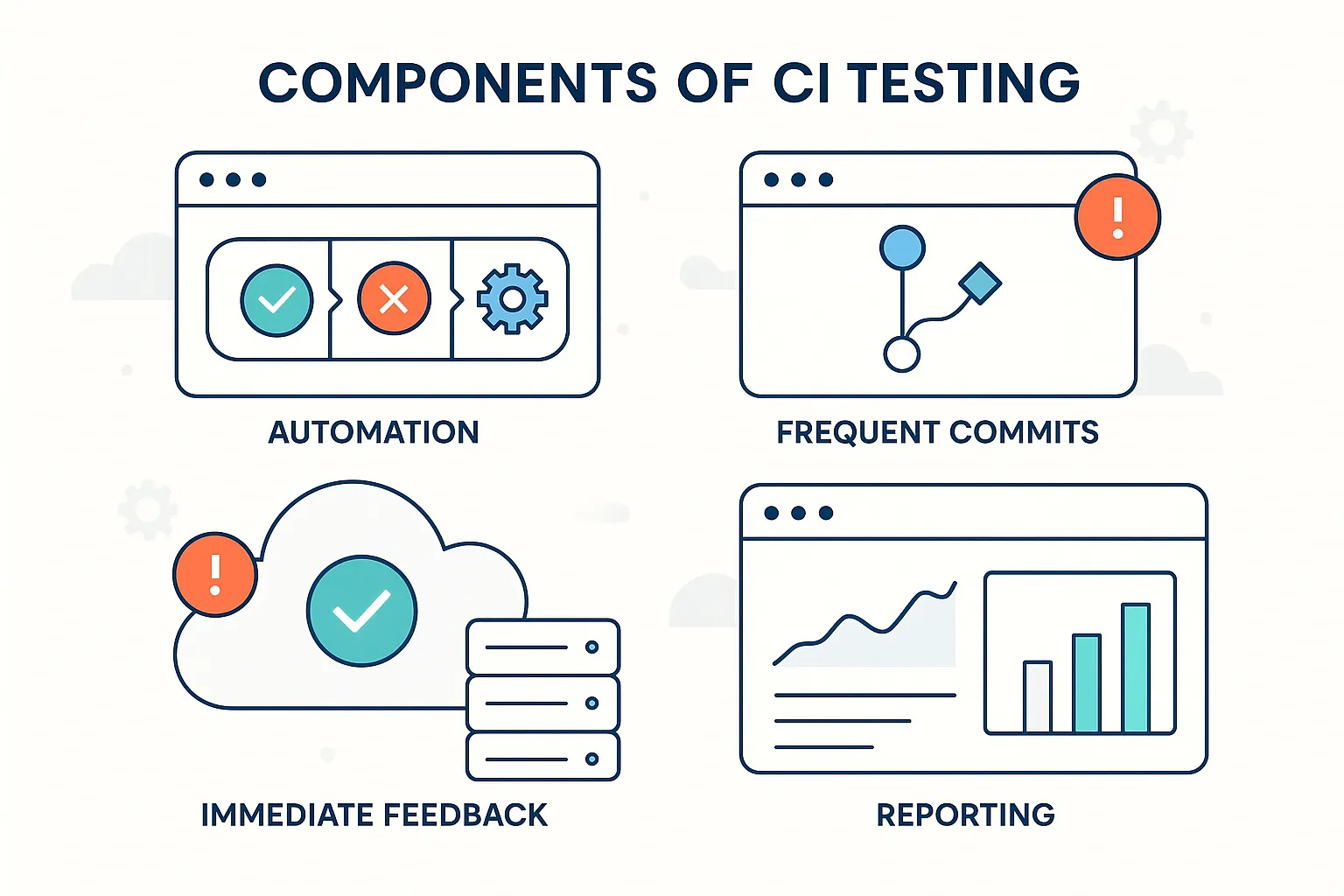
1. Automate First – Because CI Testing requires that many tests are built and run frequently, manual testing is not an efficient way to validate software; instead, CI Testing uses automated unit, integration, and API test scripts.
2. Frequent Commits – Developers committed smaller incremental changes on a consistent basis, allowing quick identification of problems in the codebase after committing code.
3. Immediate Feedback – If any tests fail, developers receive notification immediately so they can address the issue with the freshest knowledge of what they have changed in their code.
4. Consistent Environments – Testing should occur within a production-like environment to prevent issues resulting from "it works on my machine" syndrome.
5. Visibility & Reporting – Each time testing occurs, logs, reports, and metrics about the test are generated and enable tracking of testing progress and the quality of software over time.
How CI Testing Works: Step-by-Step Pipeline?
Here is the standard process that would occur when CI Testing is done:
Code Commit: When a developer makes some updates in code, they push those changes to where everyone else has placed their code.
Build Trigger: The CI System automatically starts a construct process when a code is pushed to it.
Automated Tests Run: Once that task has begun, the entire system runs Automated Tests, including Integration Tests, API / Contract Tests, and, in some cases, Performance Testing will run.
Test Results and Reporting: The CI Tool monitors the outcome of these tests,; therefore, A report of Testing Results is sent to the Developer(s) so that they know whether their code was Successful or Failed.
Artifact Storage: These build artefacts, such as Binary code, Packages, or Test Log Files, are preserved for future reference.
Next Steps in Pipeline: If all the tests pass, it will then continue on with its CI/CD Pipeline to either Staging or Deployment.
All of the above steps ensure that the code is continuously examined and continually reduces the likelihood of causing a regressional error, as well as providing a stable software quality.
Types of CI Tests
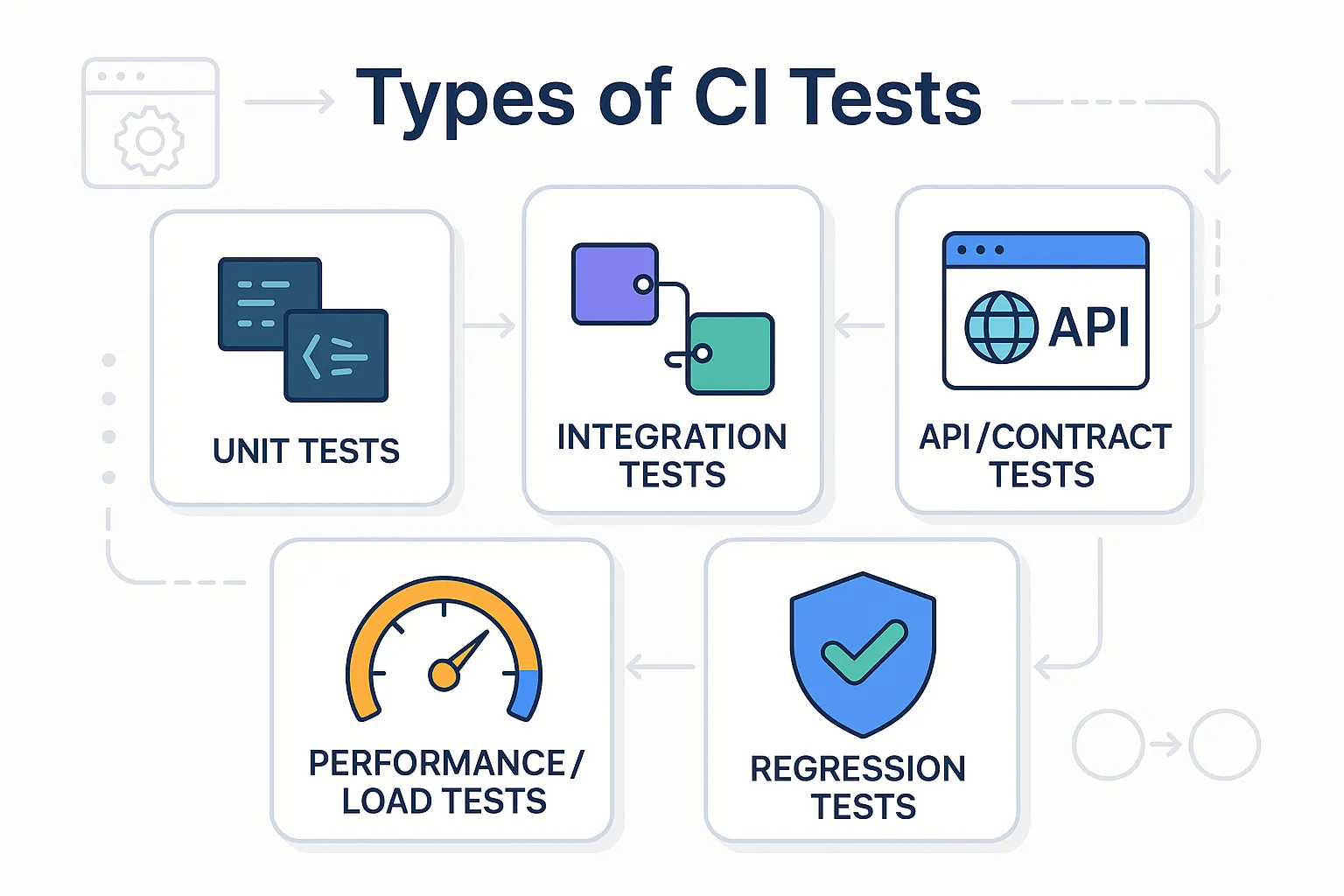
Continuous Integration testing is not a one-size-fits-all approach; each project will have its own set of Continuous Integration tests that may include one or more of the following types of tests:
-
Unit Testing – Allows for testing all actions on a piece of code (unit) separately, outside of the context of the rest of the program.
-
Integration Testing – Helps to determine how well multiple units work together.
-
API/Contract Testing – Ensures the API follows all of the requirements defined in its contract and works properly with any other APIs.
-
Performance/Load Testing – Tests how well a system can handle stress.
-
Regression Testing – Verifies that code changes do not disrupt previously working code.
If you have an API-first or a microservices architecture, API/Contract Testing is crucial for providing confidence that changes to an individual microservice do not adversely affect other parts of your application.
CI Testing for API-First & Microservices Projects
CI Testing for microservices and API-first is a common architecture trend in today’s software applications and therefore has unique requirements in terms of CI Testing. Here are some of the important aspects of CI Testing for microservices/API first projects:
-
Testing Isolation: Each microservice should be tested independently before being integrated with other services.
-
Mock Services: Mocking of external services ensures the repeatability of CI Test regardless of the availability of the service.
-
Contract Validation: Contract Testing for APIs must ensure the uncovering and prevention of any breaking changes between API’s.
-
Parallel Testing: CI Testing for microservices the architecture allows for the concurrent execution of CI Tests, resulting in the quickest delivery of Continuous Feedback.
-
Observability: The Logs and Metrics from API Testing provide the ability to provide quick feedback as to which microservice failed.
By focusing on these important areas of CI Testing, you will be able to continue to build robust, complex, and large systems while deploying and modifying them more often than ever before.
Benefits of CI Testing
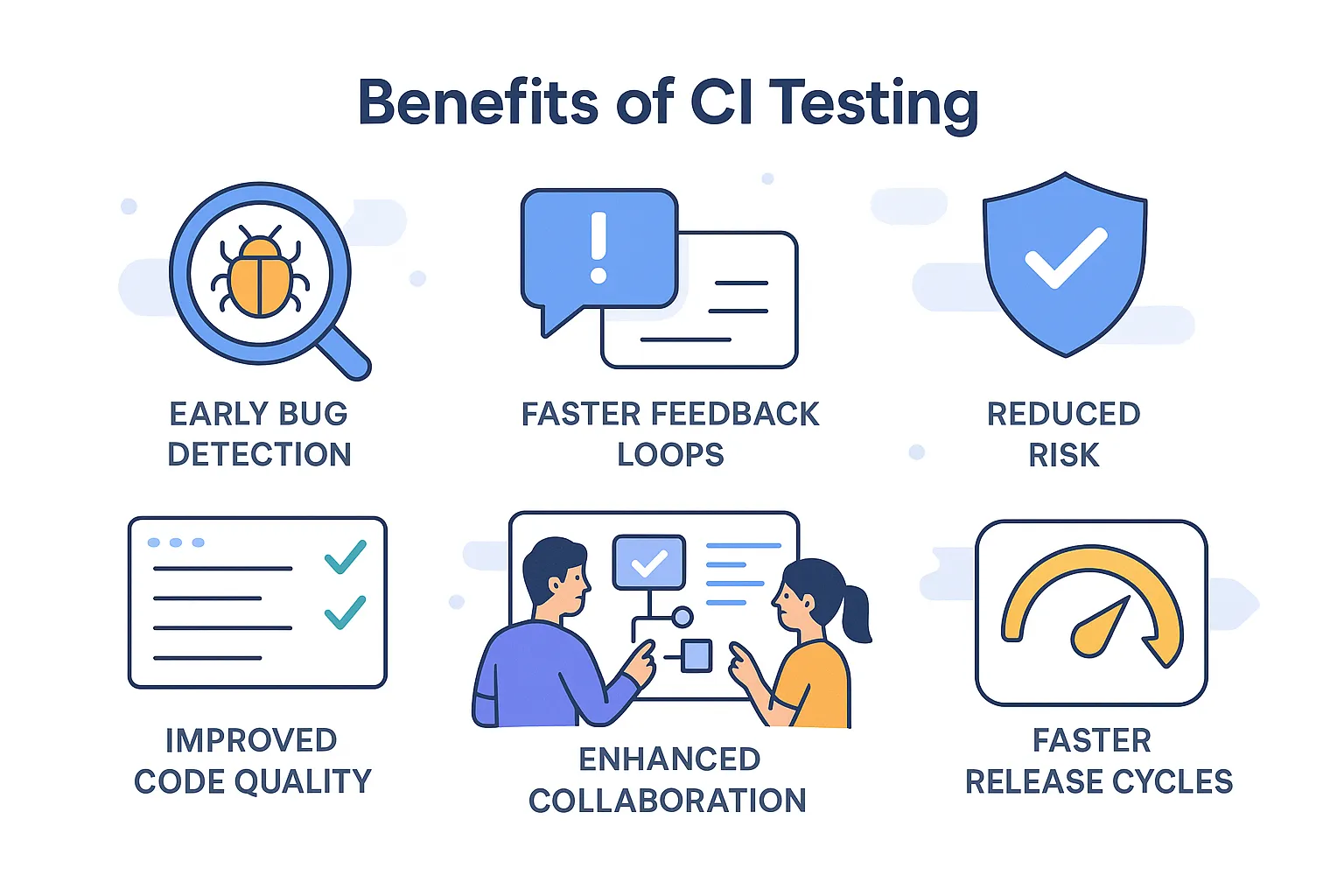
Integrating Continuous Integration testing into software development has several benefits for both the development team and ultimately users of the software through increased efficiency and improvements to the quality of software. Some of the key benefits include:
-
Early Bug Detection: Getting an early start on identifying defects within code during the course of development (to get an overall feel/understanding of the functionality of the software) allows an organization to eliminate potential issues down the road and unnecessary costs.
-
Faster Feedback Loops: Receiving prompt alerts about failing tests provides a mechanism for individuals to quickly identify and address issues. These quick responses not only minimize idle time but also enable teams to continuously improve their position in providing software to complement an organizational unit’s development cycle through new and improved methods of development.
-
Improved Code Quality: Writing clean, maintainable code requires more frequent use of Continuous Integration (CI) testing. By continuously validating that they have fulfilled all requirements and that the developers have produced acceptable quality.
-
Reduced Risk: Continuous Integration and corresponding CI processes enable teams to maintain an ongoing review of their processes, establish acceptable standards, and determine any areas of improvement to ensure they are producing software at an acceptable standard.
-
Enhanced Collaboration: Incremental changes increase the ability to efficiently address any problems encountered with the current build by allowing for easy identification and resolution of any issues being experienced.
-
Faster Release Cycles: The earlier in the development cycle that problems are identified, the easier it becomes to resolve any issues without major loss of productivity. This allows teams to release features and updates more frequently.
Top CI Testing Tools
Finding the right unit testing software for CI can mean the difference between efficiency and chaos in your building process. There are many choices available for CI Unit Testing solutions. Therefore, you must choose one that will be compatible with the types of technology your team uses, the projects you are working on, and the tests you need to run.
If you have an API-first development model, selecting CI software with automated API testing capabilities will reduce the time you have to spend doing multiple integrations. Here’s a list of some of the most popular CI testing tools, along with their strengths and ideal use cases:
| Tool | Strengths | Ideal Use Case |
|---|---|---|
| Keploy | Focused on API testing automation, open-source, supports contract testing, and regression detection | API-first microservices, CI pipelines needing automated API tests |
| Jenkins | Highly customizable, large plugin ecosystem | General-purpose CI/CD for varied tech stacks |
| GitHub Actions | Easy integration with GitHub, free tiers | GitHub repositories, cloud-native pipelines |
| GitLab CI | Built-in CI/CD, strong automation | End-to-end GitLab projects |
| CircleCI | Fast, scalable, supports parallelism | Large-scale projects needing speed |
| Travis CI | Simple setup, cloud-hosted | Open-source projects |
Pro Tip: Look for testing tools that integrate well with your current environment and provide valuable insight into the results of your CI tests. A great example of an API testing and validation tool for developers working on projects using an API-first approach is Keploy, which offers many great features for automating API testing and providing input into regression.
Best Practices in CI Testing
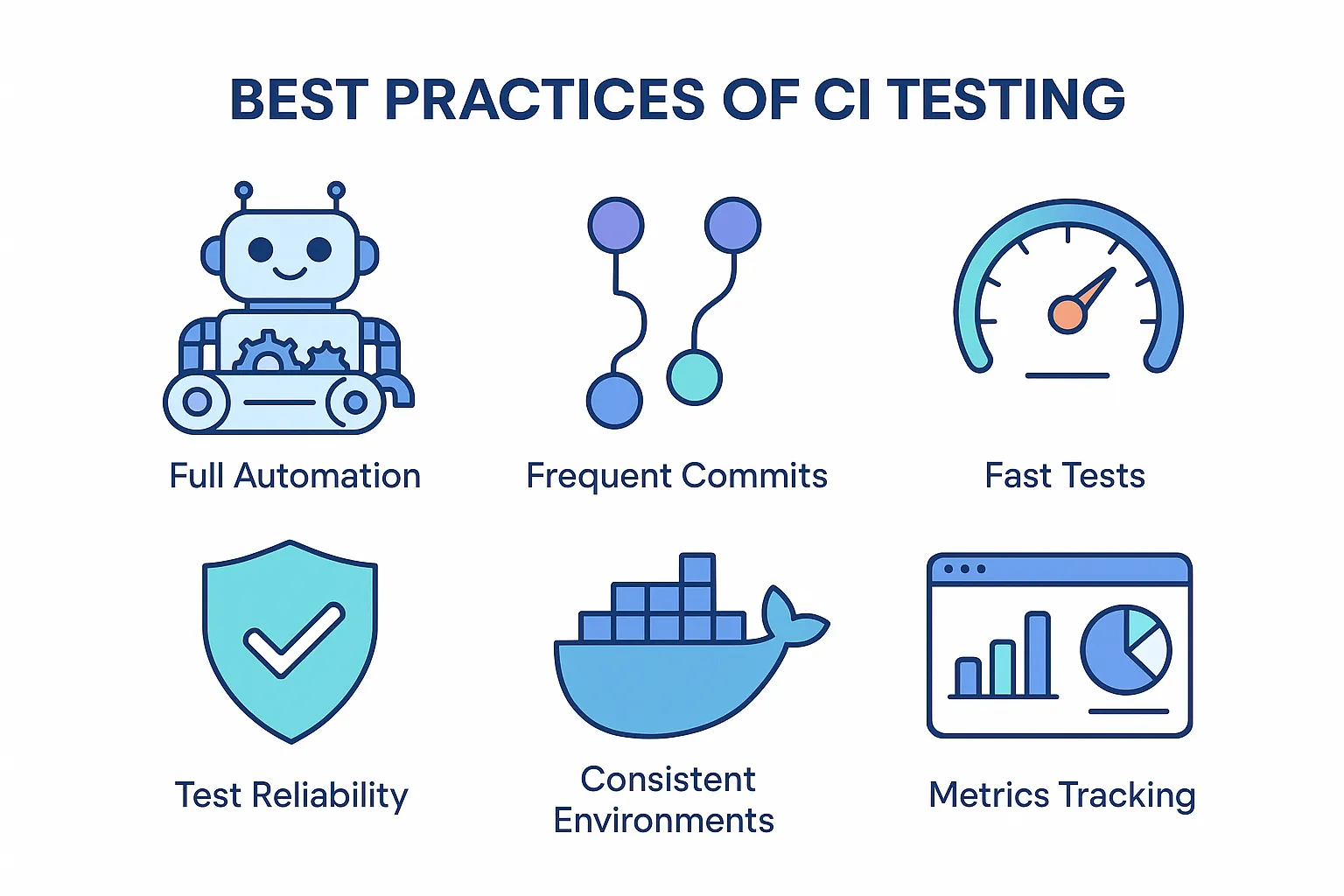
For CI Testing to function properly, teams must adhere to established best practices in order to derive maximum benefit. Those who do will have dependable pipelines, be able to identify problematic code early in the development cycle, and be able to get their software delivered faster. Here are some important examples of CI Testing Best Practices:
-
Automate all you can: Unit, integration, API and performance testing will provide more consistent and dependable results than any manual process could.
-
Commit often: Smaller, incremental code changes will reduce the chances of code merge conflicts as well as allow developers to pinpoint code problems more easily.
-
Keep tests running quickly: If your tests take a long time to run, this affects how quickly you receive feedback, thereby reducing your ability to keep developing code quickly; therefore, keep your test running speed as fast as possible.
-
Keep your tests reliable: Flaky tests or tests that do not produce consistent results will erode developer confidence in CI pipelines, and as such, it is essential that CI Testing is stable.
-
Use identical test environments: Using containerization technology, either using Docker or VM (Virtual Machines), to test on will produce test results that are more similar to production service test results, eliminating the dreaded “It worked on my computer” issue.
-
Measure your CI metrics: Measuring your CI metrics over time will allow you to continuously improve both the quality of your code and the speed with which your CI Pipelines function.
Common Challenges in CI Testing
There are also CI Testing issues that all teams that are using CI, need to be prepared for even if they are doing it properly. By understanding these common issues, teams can better create an efficient, effective and scalable pipeline for Continuous Integration (CI).
-
Flaky Tests: Intermittently failing tests can mislead teams in addition to causing wasted time debugging these intermittent failures.
-
Slow Pipelines: Large test suites or inefficiently created tests cause teams to delay receiving feedback about the ‘Success of the Integration’ and therefore slows down their Release Cycle.
-
Environment Mismatches: Environmental Differences between Development, Staging and Production can result in Unexpected Build Failures.
-
Insufficient Coverage: Lack of tests to cover critical scenarios allows for regressions to be moved into Production.
-
Scaling CI: CI must rely on the Orchestration of tests, Selective Execution of Testing and Parallel Execution of Testing to avoid Losing Efficiency when a Project Grows Larger.
For Teams to surmount the aforementioned challenges, they should give priority to stabilizing their flaky tests, optimizing testing speed through their test suites, maintaining environmental consistency, providing for adequate coverage, and performing duplicate or selective tests through parallel Testing. To help simplify CI scalability while improving CI reliability, use tools such as Keploy for automated API testing and regression Testing.
How Keploy Enhances CI Testing for API-First Projects?
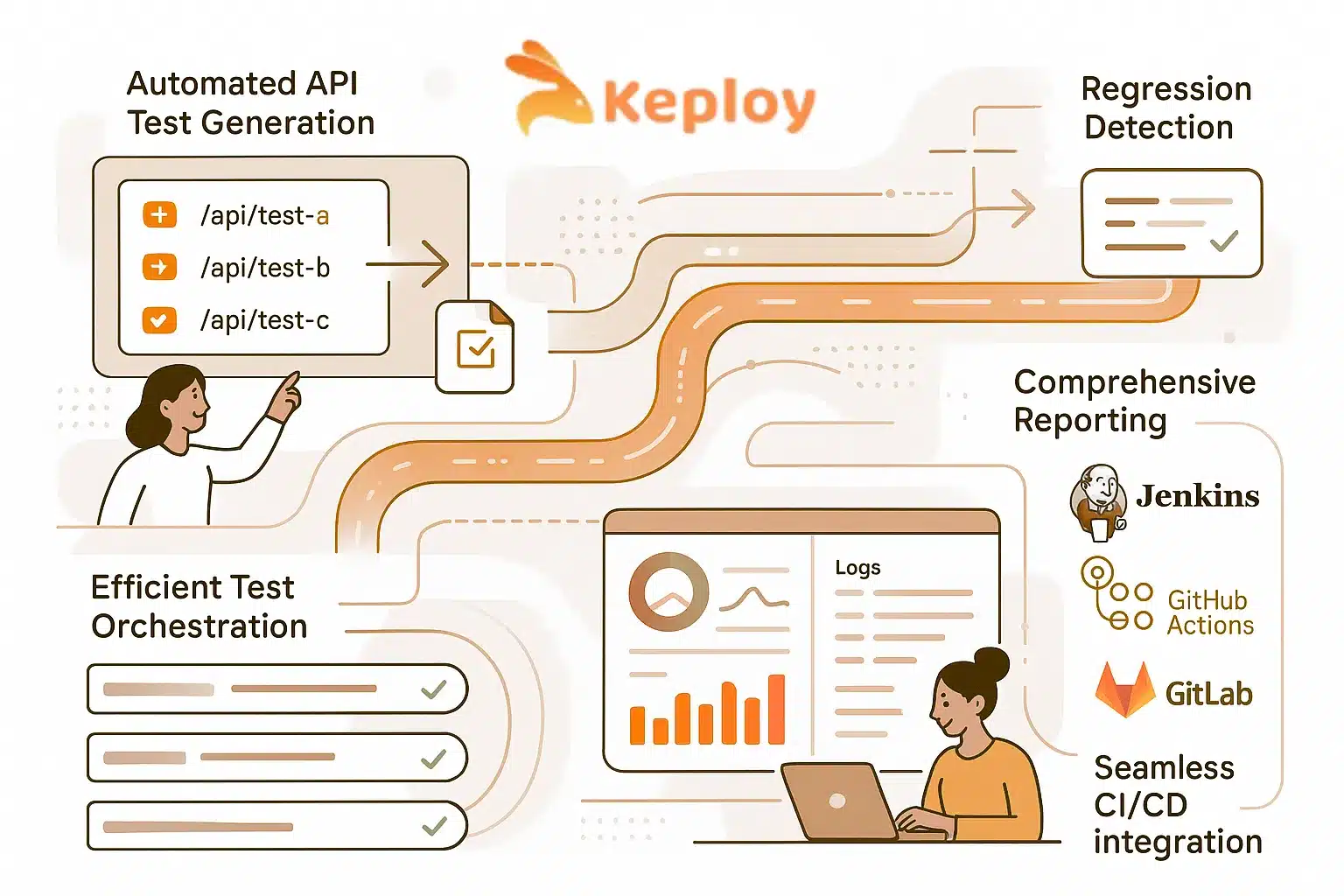
Managing CI testing for teams with an API-first or microservice architecture can be extremely difficult to manage, as there are so many sub-components that must be integrated together and also tested. With Keploy, this process is streamlined with automation, which makes it possible to automate CI Testing of APIs along with Regression Detection and Reporting. Below are some of the key benefits of using Keploy to improve CI Testing capabilities:
-
Automated Generation of API Tests – During development, Keploy records actual API calls being made and automatically generates tests that can then be run in the CI pipeline, thus reducing the amount of time spent on creating tests manually and ensuring adequate test coverage.
-
Regression Detection – Each time a developer commits code, the code is validated against the existing API’s actual functionality, which will help to identify errors in the newly committed code or possible Regressions before deploying changes to production.
-
Optimized Test Orchestration – By optimally orchestrating test executions, Keploy allows users to run tests in parallel, prioritize tests for mission-critical workflows, and decrease test execution time without sacrificing test coverage.
-
Reports – Keploy provides comprehensive information and metrics including Pass/Fail, Test Logs, and API metrics so a team’s members can quickly identify issues that arise during CI Testing and resolve them.
-
Easy Integration with Common CI/CD Applications – Because Keploy connects seamlessly with all major CI/CD Applications such as Jenkins, GitHub Actions, and GitLab CI, it is extremely easy to integrate Keploy into a team’s existing workflow.
By utilizing Keploy, teams can be confident that their most complex API Microservices will have stability, they will catch regressions before they become a production issue, and they will be able to run their CI Pipelines with minimal manual intervention.
Conclusion
The foundation of modern software development lies within Continuous Integration Testing. CI testing does not exist just to support test execution; it aids in adding quality at each code change and helps find issues prior to becoming larger problems, thus allowing teams to become quicker and more confident in their development activities. With the benefits seen through implementing the best strategies and tools such as Keploy, teams have the ability to overcome challenges associated with the complexity of working with APIs and Microservices; in addition, all releases will create greater/meaningful value. In summary, Continuous Integration Testing’s objective goes beyond simple automation; it allows for the development of better software, the use of strategic and intelligent continuous integration testing.
FAQs
1. How to handle regression testing in CI?
When creating a regression test suite for Continuous Integration (CI) access, you should automate your testing process and have your automated tests execute when there is a code commit. You may benefit from executing selective tests or providing test execution priority to have quick feedback on any regression issues.
2. How does CI testing fit into the DevOps lifecycle?
Continuous Integration (CI) Testing is part of the "Development" portion of the DevOps Lifecycle. CI Testing helps ensure that the code being written and tested is of acceptable quality before deployment and is integrated into the CI/CD Pipeline so that CI Testing is associated with the processes required for Continuous Delivery of software.
3. How do I choose the right CI tool for my project?
There are a number of factors to consider when selecting a Continuous Integration (CI) tool for your project. These include the size of your project, the stack used for the project, the types of tests you will run, your integration needs, as well as your budget.
4. How to integrate API tests into a CI/CD pipeline?
To integrate API Tests into a CI/CD Pipeline, you should trigger the automated tests (API tests) after each commit, log all API interactions when they were made, replay the same API calls from your logging, and display those results as part of your CI/CD report.

Leave a Reply