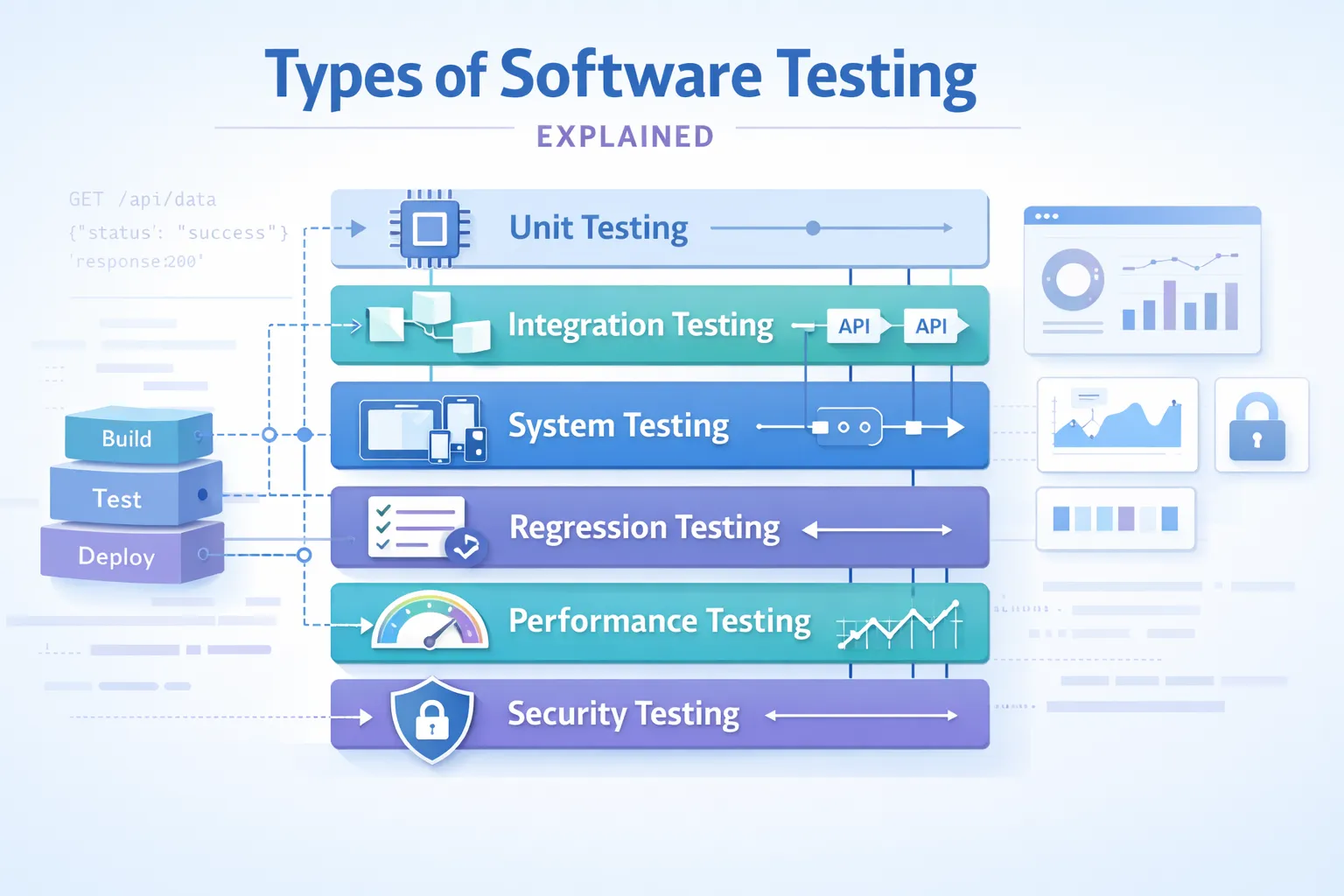
The types of software testing define how modern systems maintain stability, performance, and security in fast release cycles. In 2026, software is API-driven and continuously deployed, so testing is no longer a final step – it is embedded across the development lifecycle.
Key Takeaway: Software testing spans multiple levels — unit, integration, system, and acceptance — each catching different categories of defects. A comprehensive testing strategy layers these types together: unit tests for fast developer feedback, integration tests for component interactions, and end-to-end tests for business workflow validation across the full stack.
Each testing type addresses specific risks and helps teams build a strong foundation of software testing instead of relying on random test cases. Let’s explore how these testing types work in practice.
How Are Types of Software Testing Classified?
Software testing is a systematic process to verify whether an application operates as intended and works consistently under various conditions after release. In other words, effective testing helps decrease risk and increase confidence prior to deployment.
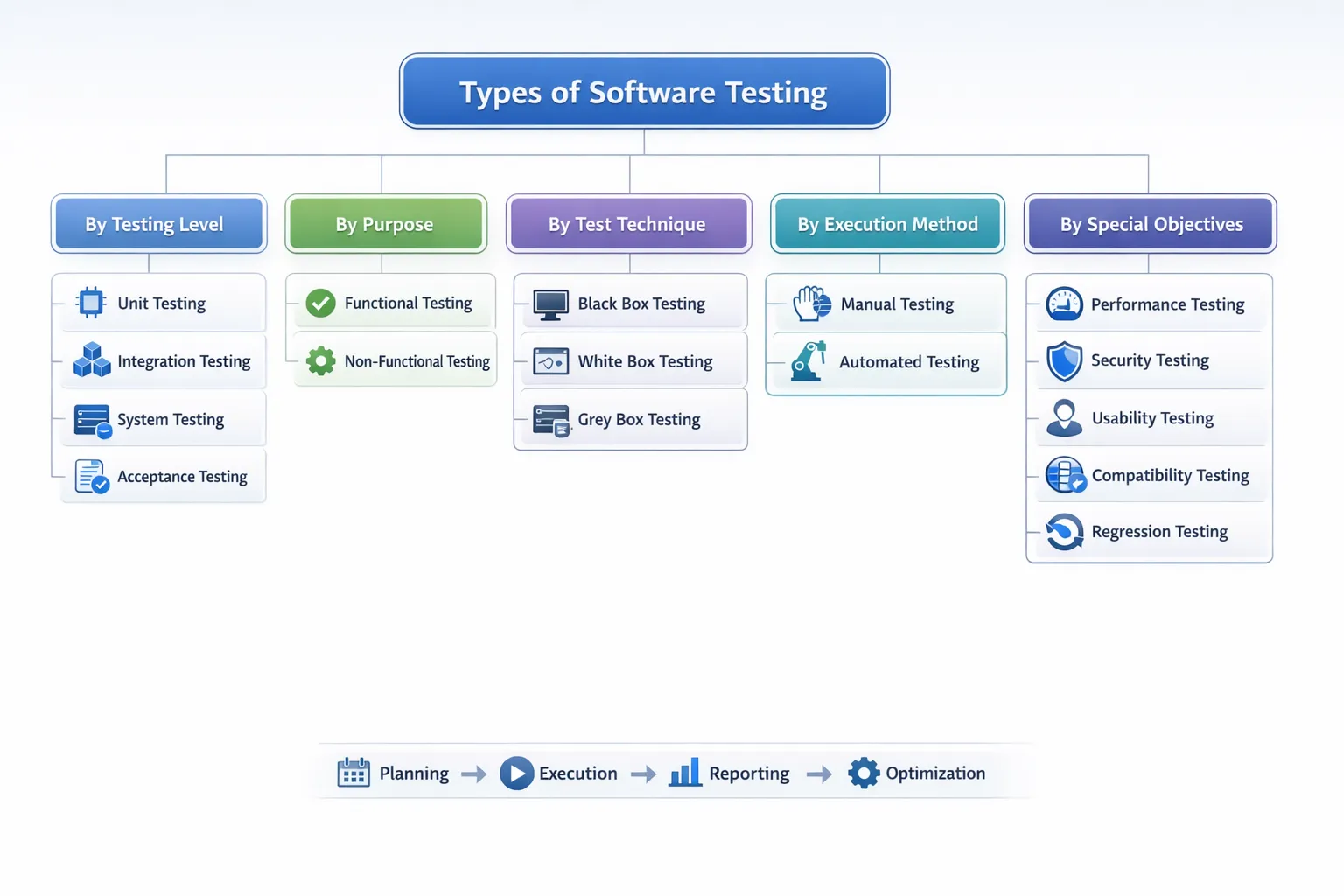
However, there are several types of software testing that can be categorised based on well-defined dimensions. Understanding these categories allows you to build a clear and scalable testing strategy.
| Classification Type | Description |
|---|---|
| By Testing Level | Defines which part of the development cycle a test fits into, such as testing a single module/component or the entire application. |
| By Purpose (Functional vs Non-Functional) | Functional tests validate features and business logic, while non-functional tests evaluate aspects such as performance, security, scalability, and usability. |
| By Test Technique | Based on the approach used to design tests, such as black-box testing (without viewing source code) and white-box testing (with full visibility into source code). |
| By Execution Method | Describes how tests are performed – either manually by human testers or automatically using scripts and testing tools. |
| By Special Objectives or Advanced Goals | Focuses on advanced or specialized testing approaches with specific goals, such as AI-driven testing, mutation testing, or risk-based testing. |
Types of Software Tests Based on Purpose
Functional Testing
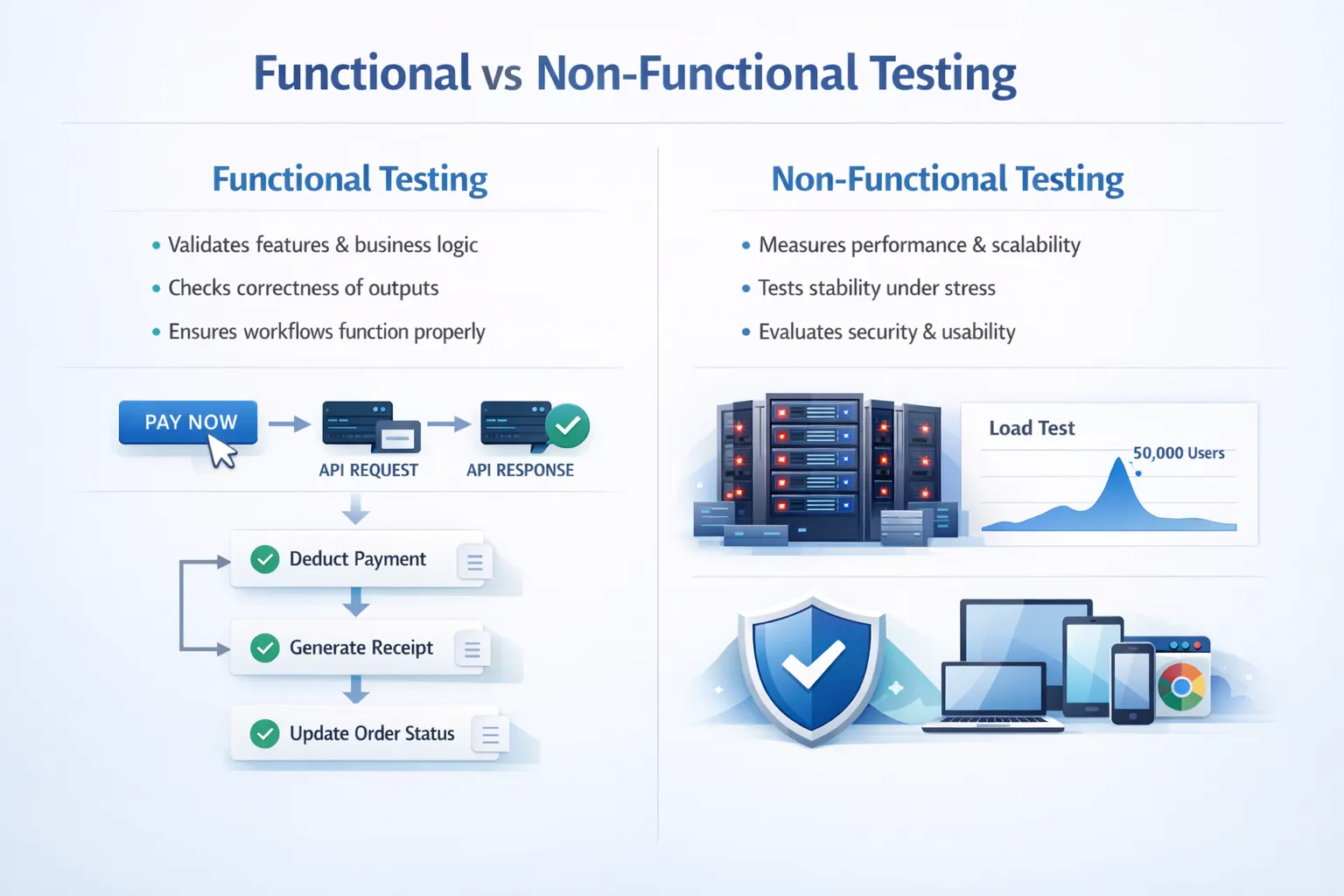
Functional tests evaluate whether the software behaves according to the documented business requirements. This includes checking that all features perform according to their specifications and that workflows process user input correctly to produce the expected output. Functional testing does not evaluate performance or scalability and is only concerned with verifying the correctness of the application. Therefore, functional tests serve as the foundation of reliability for the application; if the features of the application do not work, nothing else will matter.
What is typically tested in functional testing?
-
Checking that features work according to business requirements and that business rules are applied accurately.
-
Verifying that the inputs received from the user are correctly validated against the expected outputs generated by the application.
-
Verifying that the application is correctly maintaining and retrieving the data it is responsible for (updates to the database, API calls, consistent data returned to the user, etc.)
-
Verifying that an end-to-end user experience is achieving what it is designed to do, from the point of authentication to navigation to completion of a transaction.
Example: Checking whether a payment API deducts the correct amount from a user’s account, generates a receipt, and updates the order status within the e-commerce platform.
Tools: Selenium, Cypress, Playwright, Keploy (for API-level functional testing), Postman.
Non-Functional Testing
Non-functional testing evaluates how well an application performs rather than just what it does. Examples of these are how an app works under various conditions, e.g., heavy traffic, breach of security, or different types of devices. Non-functional tests verify that an app will be operational, expandable, protected, and easy for end users to utilise. Functional tests verify what an application does, while non-functional tests evaluate how well it performs. Effective non-functional testing is essential for any modern platform to exist.
What is typically tested in non-functional testing?
-
Performance/Scalability (response time, load capabilities, stress resiliency, throughput).
-
Security/Data Protection (authentication strength, authorisation controls, vulnerability mitigation).
-
Reliability/Stability (availability, recovery from failure, and consistency under sustained use).
-
Usability/Compatibility (quality of user experience, behavior across multiple browsers/devices, compliance with accessibility requirements).
Example: Performance test using 50,000 concurrent customers’ activity during a sale to measure both response time and system stability.
Tools: Apache JMeter, k6, OWASP ZAP, BrowserStack, Keploy
Types of Software Testing Based on Level
Unit Testing
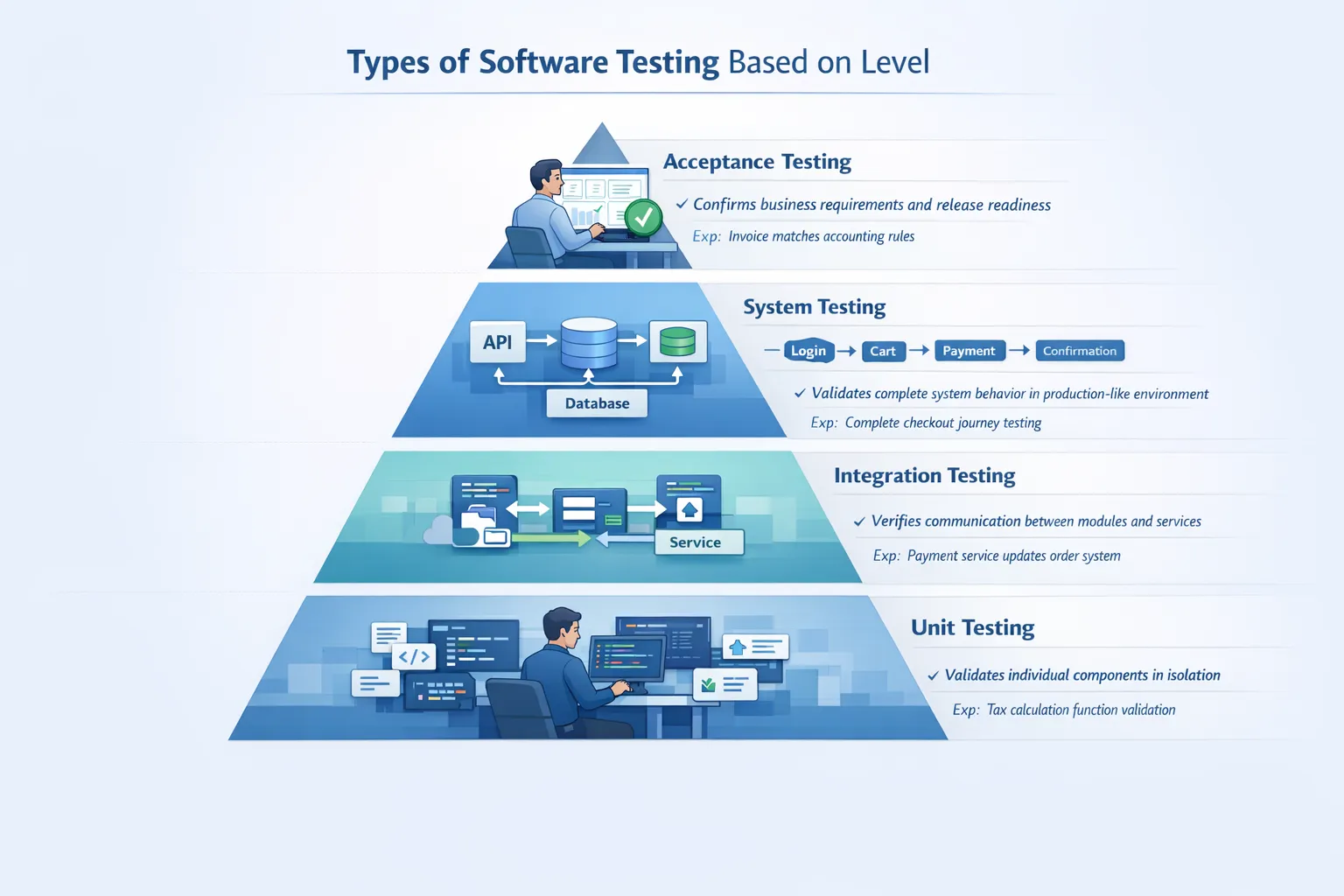
Unit tests ensure that individual components or functions operate according to requirements before the module moves between environments, such as alpha and beta. This initial testing phase is typically performed by the developer to quickly obtain valid results, and because errors in coding are resolved early in this process, debugging other test phases becomes less complex, thus improving the long-term supportability of the code and easily allowing any refactoring of the code to be done safely.
-
Examples: Testing a tax calculation function with different valid and invalid inputs to ensure it produces the correct output consistently.
-
Tools: JUnit, PyTest, NUnit, Mockito
Integration Testing
The integration test performs an evaluation of the interaction between various sub-modules in a system and/or between various services (i.e., systems that use microservices). Integration testing will check that data sent from one service to another has been correctly compiled based on a data structure, i.e., no data type mismatch, or that the communication protocol used to connect the two services is valid, or to check if both services are functioning properly. Integration testing is necessary due to the complex nature of microservice architecture; any interdependencies between services can create instability across the entire system, leading to errors. Companies such as Netflix rely heavily on integration testing to ensure that all microservices interact with one another reliably when scaled.
Other Major Companies that Rely Heavily on Integration Testing:
-
Amazon: tests its communication between the order management system, payment gateways, inventory Systems, and Logistics Microservices
-
Uber: tests the interactions between rider applications, driver applications, pricing engines, and real-time location services.
-
PayPal: continually tests Payment Processing Systems, Fraud Detection Systems, and Banking Networks for integration.
-
Spotify: tests the data flow from its recommendation engines, streaming services, user analytics systems, and content delivery infrastructure.
Example: Testing if the payment service properly updates the Order Management System after the payment succeeds.
Tools: REST Assured, Postman, Keploy (for recording and replaying real API traffic with a sandbox), SoapUI
System Testing
Testing a system within the full context of a complete, integrated application is referred to as system testing. A system test takes place in an environment closely resembling the production environment, and consists of means to ensure the proper functioning of all integrated modules, and ultimately establishes if the system meets its associated technical specifications. System tests functionally validate the entire application using the workflows from end to end, as opposed to only validating components of the application. System testing serves as the final validation layer before user acceptance testing. Companies such as Amazon conduct extensive system tests on full user journeys prior to significant releases of their platform.
-
Example: Testing the entire checkout process from logging in, selecting an item, updating the shopping cart, through to completing payment and receiving a confirmation email.
-
Tools: Selenium, Cypress, Playwright, TestNG.
Acceptance Testing
Acceptance testing is used to determine if the software meets business requirements and/or stakeholder expectations, and validates that the system is ready from the business standpoint for production release. Acceptance testing ensures that all features developed align with user story definitions and acceptance criteria. Acceptance testing typically represents the last verification prior to deploying the software into production. Acceptance testing can either be performed manually or automated, depending on project needs.
-
Example: Validating the invoices generated by the system conform to accounting rules set out by the finance department.
-
Tools: Cucumber, TestRail, Manual scripts.
Types of Software Testing by Test Technique
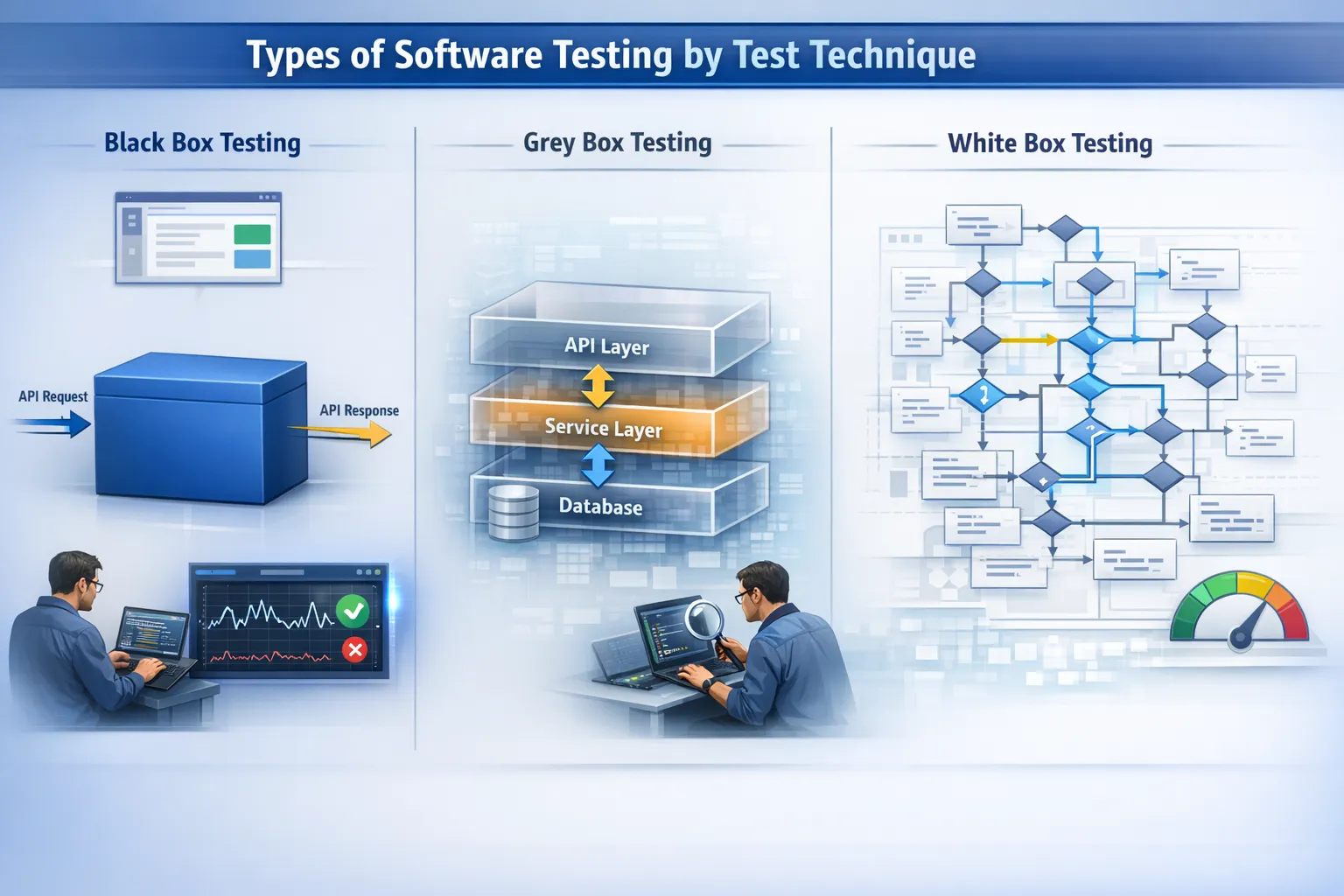
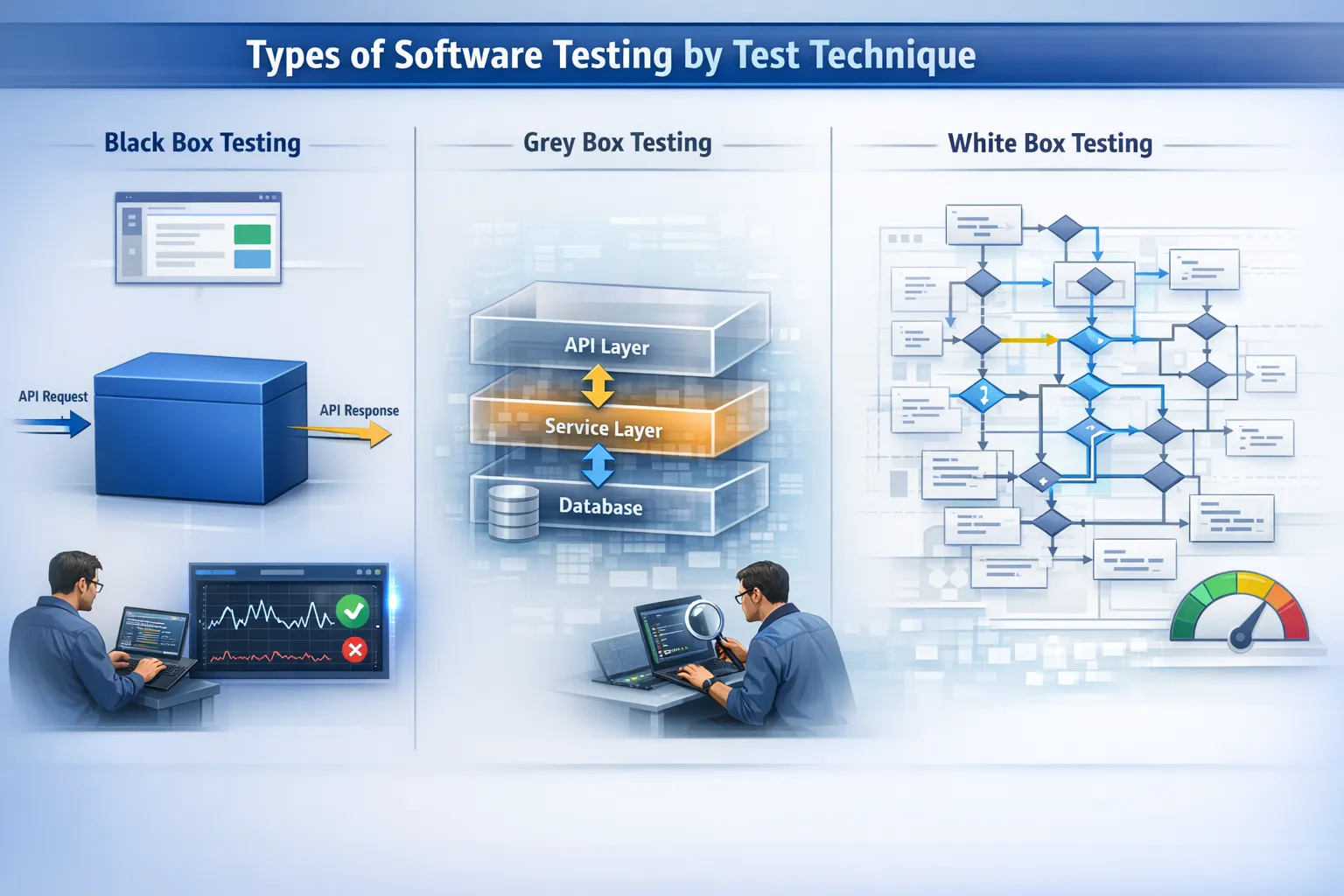
Black Box Testing
Black Box Testing verifies system functionality by analysing only the inputs and outputs of the software’s interfaces, without knowing anything about the software’s code and internal structure. Therefore, the only goal of the Black Box Tester is to determine if the software works the way a real user would expect it to work. Black Box Testing is commonly used to verify business logic and API functionality, as well as for testing UIs and APIs.
-
Example: A tester enters their login credentials and checks to see if they can successfully log in or if they get an error message without looking at the backend.
-
Tools: Selenium, Postman, Cypress, Keploy
White Box Testing
White Box Testing tests the functionality and design of a system through its internal code structure. By having access to the source code, the White Box Tester can fully analyse how each piece of code interacts with all other pieces of code in order to ensure that all potential execution paths have been properly tested. In addition to identifying hidden logic errors in the code, White Box Testing can also identify any potential security vulnerabilities. The ultimate goal of White Box Testing is to improve the overall quality and coverage of the code being tested.
-
Example: A tester would check to see if all of the possible branches of a complex discount calculation algorithm were working correctly.
-
Tools: JUnit (with coverage tools), SonarQube
Grey Box Testing
Grey box testing is a type of software testing that combines both internal knowledge of the code and external testing methods. In this type of testing, a tester has partial knowledge of the system’s architecture in order to perform tests at a more effective level than performing pure black box testing. Grey box testing is often used when testing at an integration level and also for validating APIs. The grey box testing method offers a balance between efficient testing methods and providing insight while conducting the test.
-
Example: When performing an API test, use your knowledge of the database structure and validation rules.
-
Tools: Postman, REST Assured, Keploy
Types of Software Testing by Execution Method
Manual Testing
Human testers execute manual tests without using automated scripts. Testers can perform exploratory testing and find defects through intuition during manual testing. Manual testing is often used when testing early stages of development or to validate the usability of an application. Manual testing has a key advantage over automated testing in that it will typically help identify defects that automated scripts will not detect; therefore, Manual testing is recommended when performing exploratory testing on an application. Manual testing does not scale well for large regression test cycles.
-
Example: Testing new user onboarding screens to validate the user experience is clear.
-
Tools: TestRail, Zephyr, Spreadsheet-based test cases
Automated Testing
Automated testing runs scripts to execute test cases automatically. By taking advantage of automation, automated testing can increase the speed, repeatability, and accuracy of regression testing. Automated testing is critical in CI/CD pipelines by reducing the likelihood of human errors and supporting more frequent releases. Automated testing is widely used in modern DevOps environments. Manual testing and automated testing differ based on testing frequency, complexity, and release speed requirements.
-
Example: Running automated regression tests after each code merge in a GitHub Actions pipeline.
-
Tools: Keploy, Selenium, Cypress, Playwright, JUnit
Types of Software Testing by Special Objectives
Performance Testing
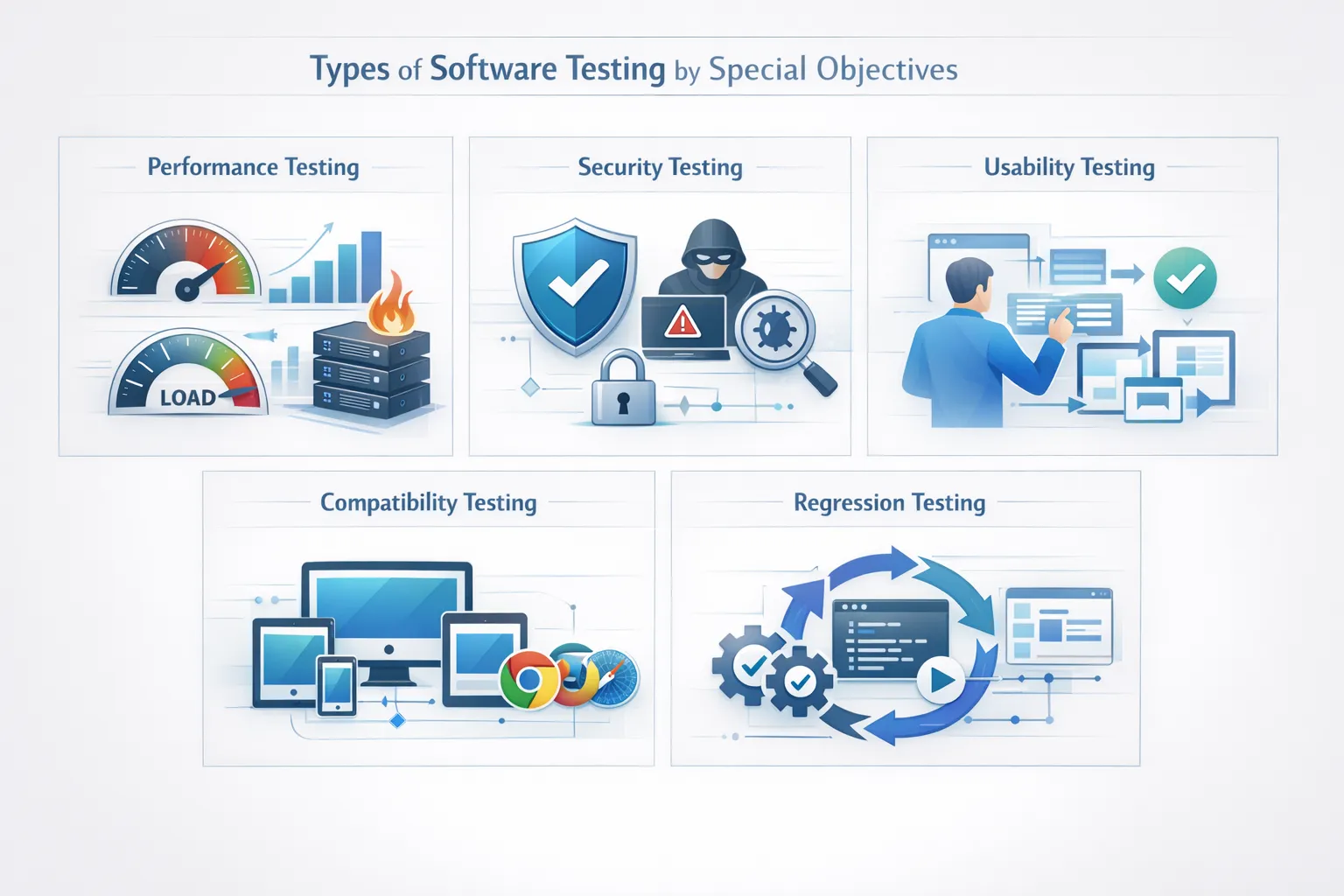
Performance tests assess the system’s responsiveness under load as well as how well it can scale. Performance tests measure response time, throughput, and resource usage while identifying bottlenecks before they cause production issues and ensuring the system can withstand estimated load levels prior to release. Platforms such as Amazon perform extensive performance testing before large sales events. Many organisations use benchmark software testing to compare the performance of their systems with pre-defined industry and/or internal benchmarks.
-
Example: Simulate ten thousand concurrent users trying to access a ride availability booking platform, like Uber.
-
Tools: Keploy, Apache JMeter, k6, Gatling
Security Testing
Security tests are designed to detect weaknesses within a system that could be targeted by an attacker. These tests will look at the system’s authentication, authorisation, encryption, input validation, and proper escaping before data is accepted into the system. Security testing is critical for systems that handle sensitive data. Security testing helps reduce the risk of data breaches and compliance failures. When security testing is consistently performed on a system, the overall risk of cyberattacks will be mitigated substantially.
-
Example: Testing for SQL injection vulnerabilities in a payment processing system like PayPal.
-
Tools: OWASP ZAP, Burp Suite
Usability Testing
The purpose of usability testing is to measure the ease of use and user-friendliness of a program by analysing how intuitive the interface is for navigation and the overall interactions of the user. Good usability will decrease friction points and increase user retention. Usability testing is performed by observing real user feedback and interactions.
-
Example: Usability testing the onboarding flow for clarity, similar to how Spotify has done it.
-
Tools: User testing platforms, Hotjar
Compatibility Testing
Compatibility testing validates the application across different web browsers, devices, and operating systems. It verifies that the UI is responsive and the functionality is consistent. Compatibility testing helps prevent application failures caused by device-specific issues. Performing compatibility testing for web and mobile applications is necessary to ensure that your user experience is as extensive and reliable as possible.
-
Example: Testing a web application on Chrome, Safari, Firefox, and on a mobile device.
-
Tools: BrowserStack, Sauce Labs
Regression Testing
Regression testing is considered one of the most vital software testing approaches, as it validates that newly introduced code will not affect any previously existing functionality. In fast-paced agile development environments, project teams often release minor updates on a weekly or daily basis. A relatively small code change can inadvertently affect or impact other modules that are not directly related to the code that was just changed. Regression testing provides safeguards for functionality that has already been working properly. Therefore, regression testing is critical to a CI/CD environment, where a deployment occurs at least once every business day.
-
Example: Adding a coupon feature to an eCommerce application, then running regression tests to confirm that the checkout, payment, and order tracking functions will operate correctly after the addition of the coupon feature.
-
Tools: Selenium, Cypress, Playwright, Keploy (for automated API regression through traffic replay), JUnit
How to Choose the Right Types of Software Testing?
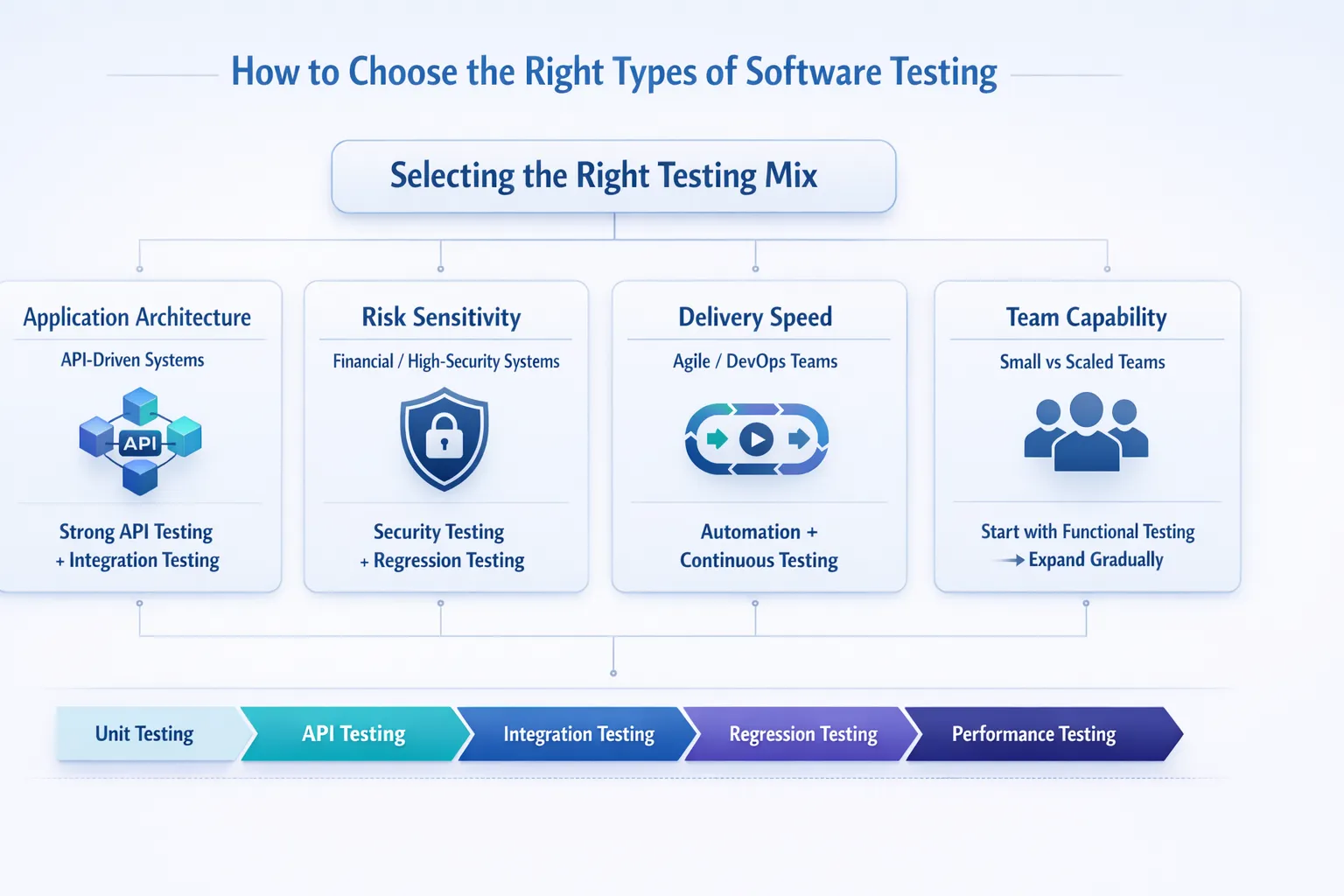
Choosing the right types of software testing requires evaluating which risks are most critical and which parts of your system need validation. Not every test type is necessary for every project; selecting the right combination ensures efficient coverage while avoiding unnecessary effort. Here are the key criteria to guide your selection:
1. Application Architecture
What to consider: The structure of your application – whether it is API-driven, microservices-based, or monolithic.
Selection guidance:
-
API-driven and microservices systems benefit from API testing, integration testing, and contract testing to ensure modules communicate reliably.
-
Monolithic applications may rely more on system and end-to-end testing to validate complete workflows.
2. Risk Sensitivity
What to consider: The potential impact of failures in different parts of the system.
Selection guidance:
-
High-risk domains like finance, healthcare, or e-commerce require security, regression, and performance testing to prevent costly errors and protect sensitive data.
-
Lower-risk projects may focus more on functional and usability testing.
3. Delivery Speed
What to consider: How frequently the application is updated and released.
Selection guidance:
-
Agile and CI/CD teams should prioritize automation testing for unit, API, and regression tests to maintain fast release cycles without compromising reliability.
-
Projects with slower release cycles can complement automated tests with manual exploratory testing to uncover hidden issues.
4. Team Capability
What to consider: The size, expertise, and resources of your testing and development teams.
Selection guidance:
-
Smaller teams may start with core functional and unit testing, then scale to integration, regression, and performance testing as expertise and resources grow.
-
Larger or more experienced teams can implement full-scale automation, performance, security, and compatibility testing from the outset.
These days, most teams will implement unit and API-level automation and then layer integration, regression, and performance testing on top of that based upon their assessment of risk. A balanced testing approach provides stability without unnecessary overhead.
Conclusion
The different types of software testing exist to give teams the tools necessary to develop complex, ever-evolving modern software systems. By understanding the appropriate types of testing for your system, you can provide predictable, scalable, secure software applications. One method of testing cannot assure that an application is reliable. Functional testing ensures correctness. Level-based testing ensures structural reliability.
Regression and black-box testing help maintain reliability across releases, often using tools like Keploy, while open-source solutions such as Selenium, JUnit, Apache JMeter, and OWASP ZAP enable teams to implement other testing layers efficiently. When these types of software testing function together, quality is predictable rather than reactive. This allows teams to build reliable systems in 2026 and beyond.
FAQs
1. What is the testing pyramid, and why is it important?
The testing pyramid promotes early defect detection, fast test execution, and a stable automation framework throughout the application lifecycle. Easy-to-read and understand test reports generated by the continuous integration system make it easier for teams to catch defects before they occur, quickly identify defective code in production, and improve the overall quality of their application.
2. What is the difference between functional and non-functional testing?
Functional and non-functional testing differ in their objectives. Functional testing ensures that an application does what it is supposed to do, whereas non-functional testing assesses how well an application works with regard to speed, scalability, and security.
3. Why is regression testing important in agile environments?
Because of the rapid evolution of Agile development, the frequency of releases increases significantly, and regression testing helps prevent regressions that may result from adding new functionality or changes to existing functionality. The effect on the quality of the existing application remains constant or nearly constant between release iterations, ensuring that new functionality does not disrupt existing features.
4. When should teams prefer automated testing over manual testing?
Automated testing scales faster than manual testing, making it an obvious choice for regression and API validations and other types of testing that cover large portions of functionality. Manual testing remains the best method for performing exploratory and usability testing because it offers a greater level of flexibility than does automated testing.
5. What testing types are essential for API-driven applications?
API testing, integration testing, regression testing, performance testing, and security testing are necessary types of testing to validate the reliability of the backend system for API-driven applications.

Leave a Reply