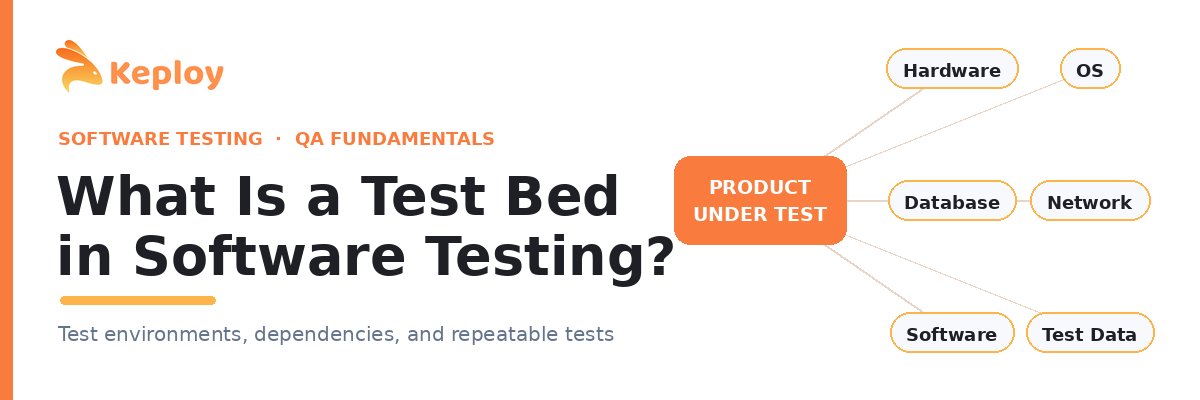
Every tester has lost an afternoon to an environment that would not behave. The code was fine. The suite was fine. The problem was the ground the tests ran on. That ground has a name, and getting it right is quietly one of the highest leverage things a QA team can do. It is called a test bed, and this guide walks through what it is, what goes into one, why it tends to fall apart, and how teams keep it stable without babysitting infrastructure all day.
What Is a Test Bed?
A test bed in software testing is the fully configured environment where your tests actually run. It brings together the hardware, the operating system, the software stack, the network setup, the databases, and the exact build of the application you are checking, all tuned to a known state so that test cases behave the same way on every run.
If you have seen the term written as "testbed" or hyphenated as "test-bed," those are the same thing. The test bed meaning does not shift with the spelling. Some people even search for it as a "bed test," which arrives at the same idea from the other side: a bed, or foundation, that testing sits on top of.
The reason the definition matters is repeatability. Two testers running the same case against the same test bed should see the same result, every time. When that stops being true, you are no longer testing the software. You are testing the environment. So the short, quotable test bed definition is this: a controlled, reproducible setup of hardware, software, and configuration assembled specifically to execute tests.
Test Bed vs Test Environment
People use "test bed" and "test environment" as if they were one word, and most of the time that is harmless. There is a subtle line between them that is worth knowing. A test environment is the broader picture: the processes, the tooling, the access rights, the procedures, everything that surrounds the act of testing. A test bed is the concrete slice of that, the specific combination of machine, OS, software, and data assembled for a given run.
A useful way I frame it for newer testers is that the test bed is often the test environment plus the exact test data it operates on. The environment is the house. The test bed is the room set up for one particular experiment, with everything in its place before you begin.
What Goes Into a Test Bed
A test bed is not a single thing you switch on. It is a stack of layers that all have to line up before a meaningful test can run. The diagram below shows the pieces that usually sit around the application under test.
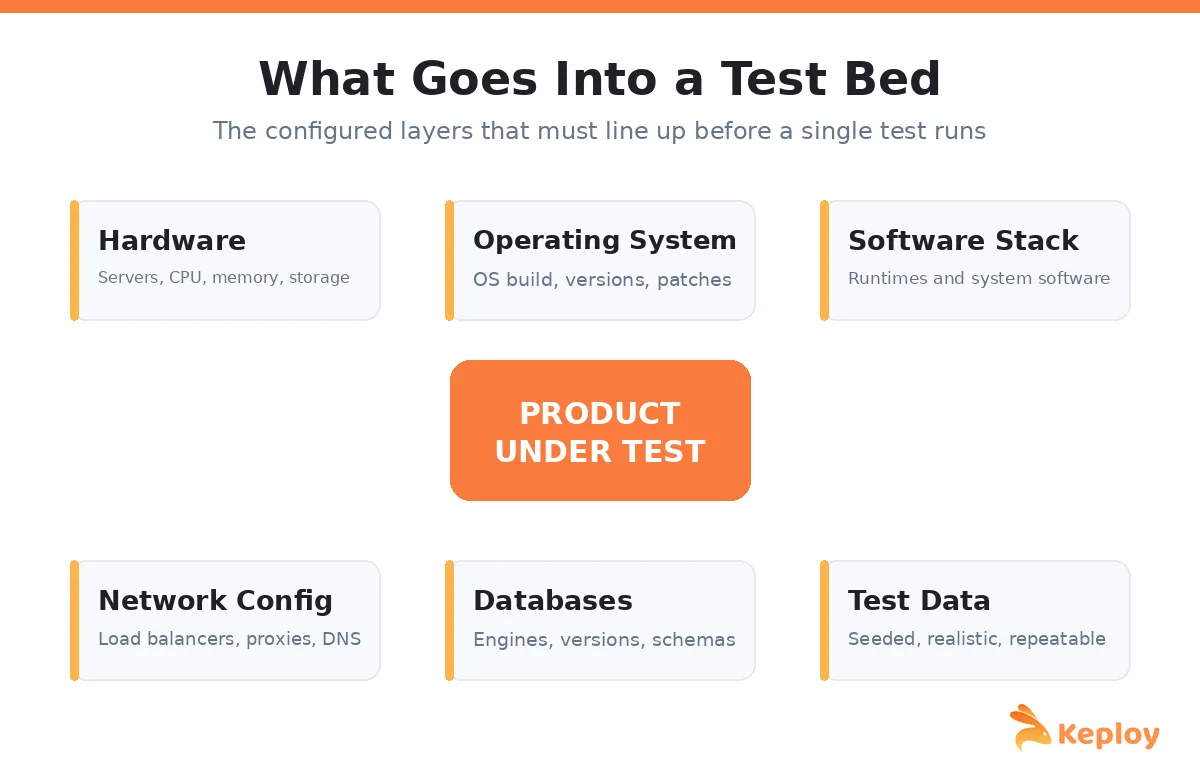
At the base sits the hardware and the operating system, including the specific OS build and patch level, because a mismatch here is a common source of "works on my machine" arguments. On top of that lives the software stack, meaning the runtimes, libraries, and any supporting system software the application leans on. The network configuration matters more than people expect, since load balancers, proxies, and DNS routing all change how requests actually flow.
Then come the databases, configured with the right engine and version, and finally the test data itself, seeded into a known starting state. That last layer is the one teams underestimate most. Realistic, repeatable data is often the difference between a test bed that catches real defects and one that passes everything and protects nothing. If you want to see how these pieces map onto specific check types, our guide to the types of software testing breaks that down further.
Types of Test Beds
Test beds vary a lot in size and ambition, and the right shape depends on what you are validating. A small unit or component test bed might be a single container spun up on a laptop, seeded, exercised, and thrown away in seconds. A larger one, used for integration testing, has to stand up several real services so you can watch them talk to each other.
Two patterns tend to dominate in practice. A shared test bed is one long lived environment that many tests run against. It is cheap to keep around, but it drifts and tests start to collide with each other as data piles up. An ephemeral test bed is built fresh for each run and destroyed afterward, which is cleaner and far more reproducible, though it asks more of your automation. In hardware heavy work such as embedded or IoT, the test bed leans physical, closer to a wired up rig than a piece of cloud config.
Why Test Bed Setup Is So Painful
If test beds are so central, why do they cause so much grief? The honest answer is that keeping one faithful to production is genuinely hard. Environment drift creeps in the moment a dependency updates on staging but not in your test bed, and the two quietly diverge until a test fails for reasons that have nothing to do with the code.
Test data is its own tax. You have to seed it, reset it between runs, and keep it realistic without dragging a copy of production, which raises real compliance concerns if any personal data comes along for the ride. Then there is the problem of external dependencies. The moment your test bed reaches out to a live third party API, you inherit its latency, its rate limits, its downtime, and its habit of returning slightly different data than it did yesterday. Scaling all of this into a CI pipeline, where dozens of runs may fire at once, turns small frictions into constant flakiness. A solid software testing strategy accounts for this up front rather than discovering it in the pipeline.
Where Test Beds Break Down for API Testing
API work is where the cracks show earliest, because an API almost never lives alone. It calls a database, a queue, a payment provider, an auth service, and three internal microservices before it returns a single response. Every one of those is a dependency your test bed has to account for.
The Dependency Problem
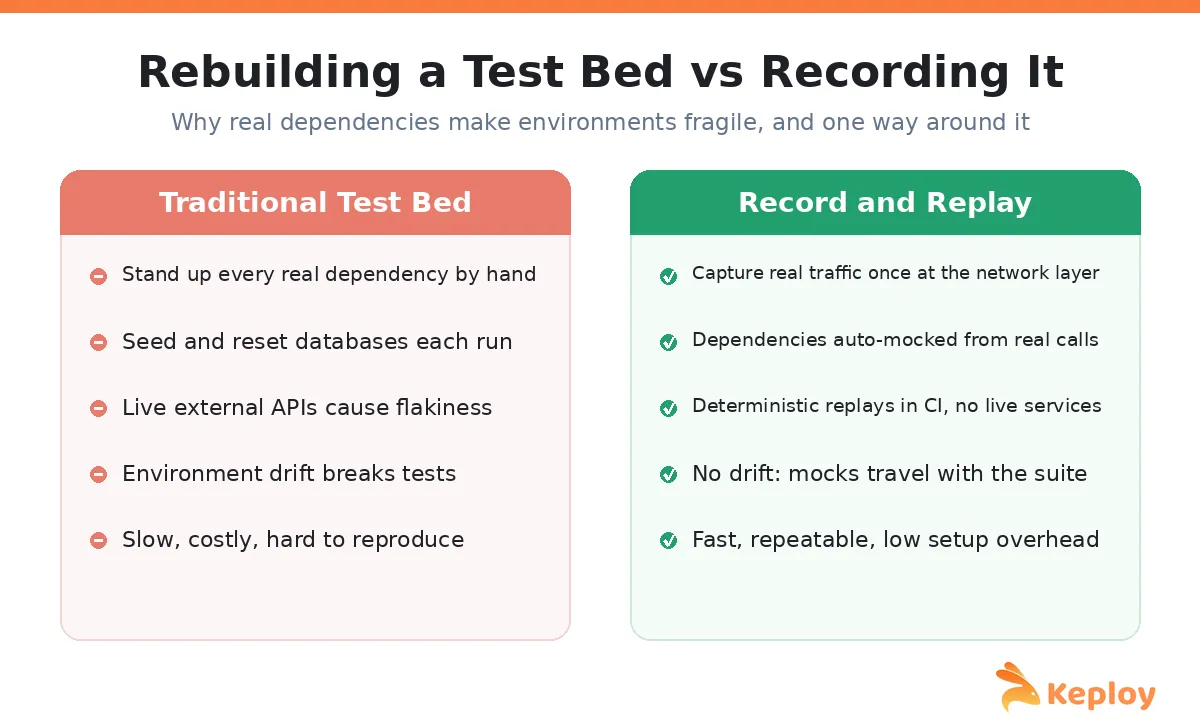
You have two traditional options, and neither is comfortable. You can provision every real dependency, which is slow, expensive, and fragile, or you can hand write stubs and mocks for each one, which is faster but drifts out of sync with reality the moment a real service changes its behavior. Both approaches spend a large share of your time maintaining the test bed rather than testing the software. If you want the broader picture of what API testing actually involves, that is a good companion read.
Recording the Test Bed Instead of Rebuilding It
There is a third approach that has changed how I set up API test beds, and it is worth understanding even if you never adopt it. Instead of rebuilding dependencies by hand, you record real API traffic once and let a tool generate the mocks for you. This is the model Keploy is built around. It attaches at the network layer using eBPF, watches your API make real calls, and captures every downstream interaction, the database reads, the queue writes, the external service responses, as deterministic mocks.
The effect on the test bed is the interesting part. Those captured mocks travel with the test suite, so replays in CI do not need any live dependency standing by. There is nothing to drift, because the mock is a snapshot of how the dependency genuinely behaved, not a guess someone typed out. Non deterministic values like timestamps and generated IDs get normalized so tests do not shatter on every run. In practice it collapses most of the setup overhead that makes API test beds miserable. The comparison below is the way I usually explain the difference to a team.
This is also where tool choice starts to matter. A request builder like Postman is excellent for exploring an API by hand, and if you are weighing that style of workflow against automated capture, this Postman comparison lays out the tradeoffs. For a wider survey of what is available, our roundup of API testing tools covers the current field. When you are ready to see recorded, replayable API tests in action, you can start with Keploy’s API testing platform.
Best Practices for a Reliable Test Bed
A few habits keep a test bed trustworthy over time. Aim for production like rather than production identical. You want the same OS family, the same database engine and version, the same major dependency versions, and a realistic data volume, but you do not need to match production hardware scale to catch most bugs. Differences in scale are usually forgivable. Differences in architecture, like running MySQL in your test bed and Postgres in production, are not.
Beyond that, isolate runs so one test cannot poison the next, version your configuration so a test bed can be rebuilt from scratch on demand, and lean on mocking for anything external so your suite does not depend on someone else’s uptime. Seed data deterministically, reset it between runs, and never let unmasked production data anywhere near a test database. These are small disciplines, but together they are the difference between a test bed you trust and one you argue with.
Closing Thoughts
A test bed is easy to overlook and expensive to ignore. When it is stable, nobody thinks about it, and tests just tell the truth about the code. When it is not, you burn hours chasing failures that were never bugs. For API heavy systems, the biggest lever is usually the dependencies, and recording them instead of rebuilding them is the shift that finally made my own environments quiet. If that is the pain you are feeling, it is worth trying on a single service and seeing how much setup simply disappears.
Frequently Asked Questions
What is a test bed in simple terms?
A test bed is the ready to use environment where software tests run, made up of the hardware, operating system, software, network, and data all configured to a known state so tests give the same result every time.
Is a test bed the same as a test environment?
They overlap and are often used interchangeably. A test environment is the broader setup including processes and tooling, while a test bed is the specific configuration and data assembled for a particular test run.
What is the difference between a test bed and a test harness?
The test bed is the environment tests run in. A test harness is the software that drives the tests inside that environment, feeding inputs and checking outputs. The harness runs on the test bed, not the other way around.
Why is test bed setup considered difficult?
Because keeping it faithful to production takes constant effort. Environment drift, test data management, and live external dependencies all introduce flakiness, especially once tests run at scale in a CI pipeline.

Leave a Reply