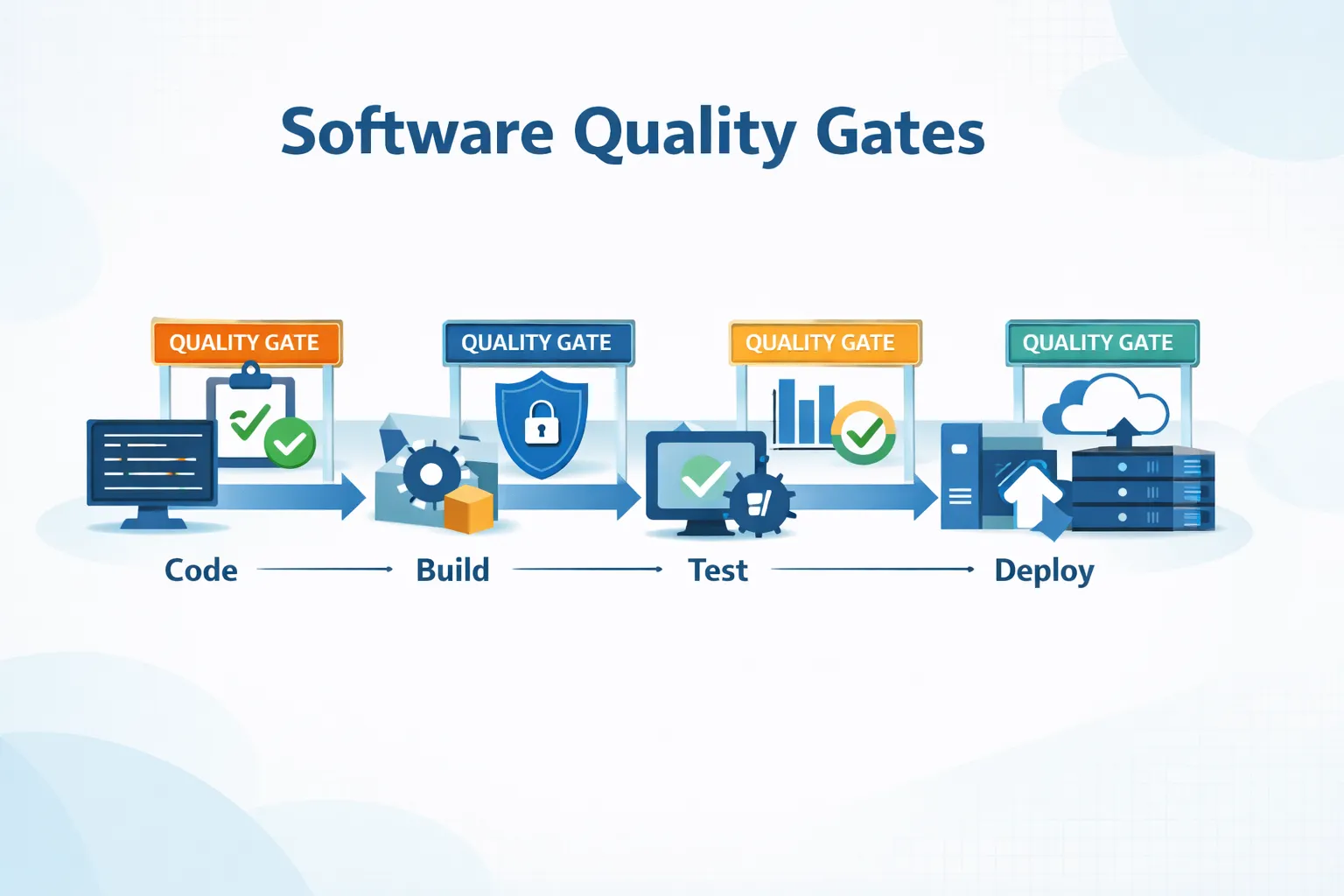
Software quality gates are automated pass/fail checkpoints in CI/CD pipelines that block code from progressing unless it meets predefined thresholds – coverage minimums, zero failed regressions, no critical vulnerabilities. They replace subjective debates with objective pipeline signals. Teams increasingly gate on API schema and business use-case coverage – the layer where Keploy’s traffic-based testing adds signal that standard coverage tools miss.
Shipping fast feels great – until something breaks in production. This is where software quality gates play an important role in modern development pipelines. Software quality gates are automated checkpoints in a CI/CD pipeline that ensure code meets predefined quality standards before moving forward. Rather than relying on instinct, they rely on data – code coverage numbers, test results, and security signals. Let’s explore how quality gates work in real software teams.
What Are Quality Gates in Software Development?
In Software Development, software quality gates are a set of automated rules that determine whether code is good enough to move forward in the CI/CD pipeline or be approved for release. The quality of a piece of Code is based on its ability to pass the defined Quality Gates. The rules are applied at build time or at commit time. If the qualifying tests fail, an error is generated, and the release eliminates the build from further processing. Most modern DevOps teams implement these gates directly inside their CI/CD pipelines.
Quality Gates work because:
-
They rely on pass/fail criteria: Either you meet the quality expectation set forth for your code, or you do not meet the expectation. There are no gray areas.
-
They rely on metrics: Some quality metrics include test Coverage, tested failures, code smells, and Security vulnerabilities.
-
Automation-first: Gates run inside CI/CD pipelines, not during manual reviews.
To sum up, quality gates remove guesswork. Instead of debating quality in code reviews, it lets the pipeline speak.
How Do Quality Gates Work?
Software quality gates run automatically at different stages of the CI/CD pipeline, ensuring that code meets predefined quality standards before progressing to deployment. Here’s how it usually plays out in real projects I’ve worked on.
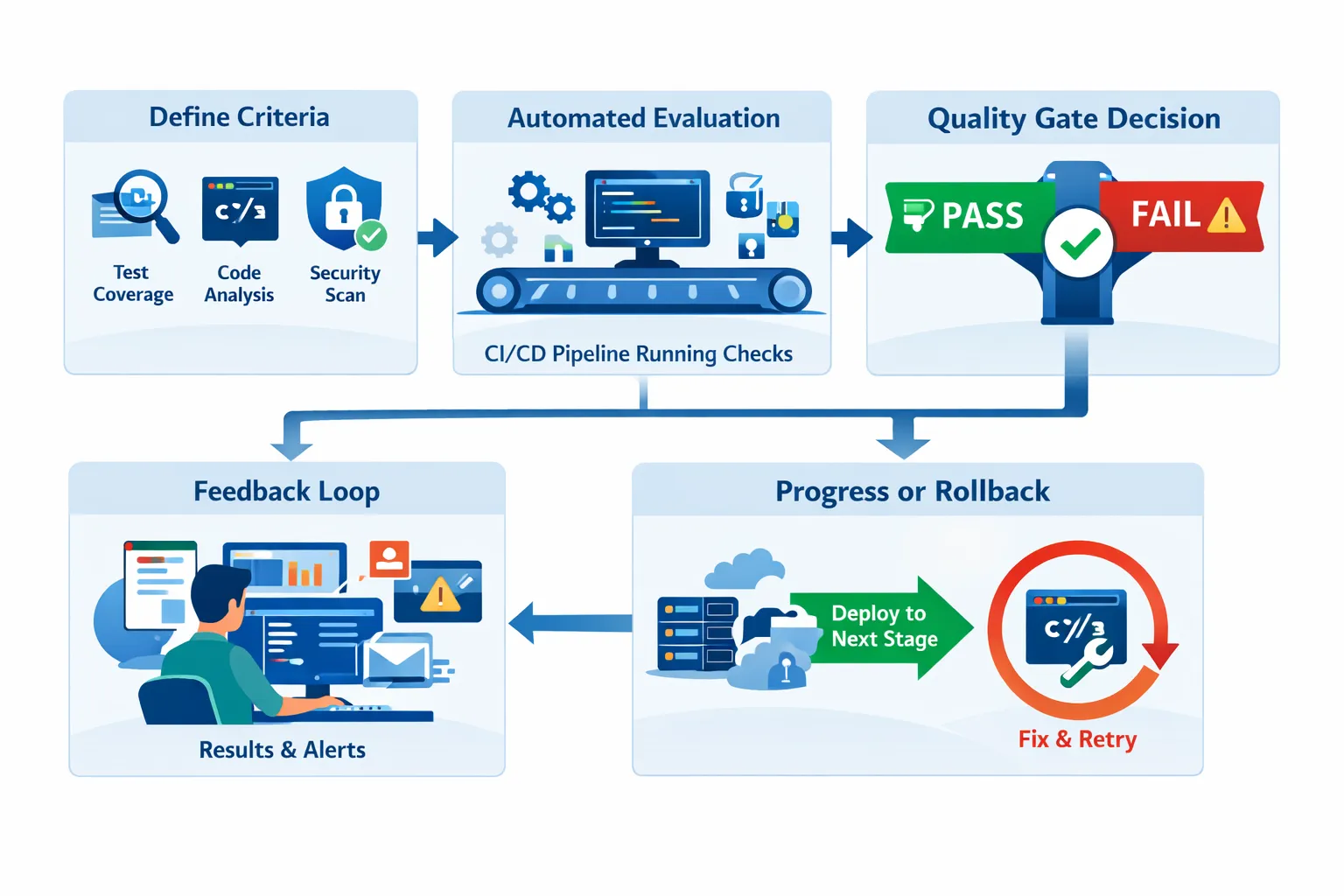
1. Define clear criteria
Teams define what “acceptable quality” means by choosing objective thresholds.
Common criteria:
-
Unit test health: Baselines like ≥ 80% unit test coverage (often on changed lines / critical modules), plus an emphasis on small, reliable unit tests. Google has shared that fast, dependable unit tests are central to keeping changes safe at scale.
-
Schema coverage (API contract): A target like ≥ 80% schema coverage to ensure the API surface (endpoints + request/response fields) is exercised—not just the code behind it. This matters more as AI-assisted coding speeds up change, and unit tests don’t always keep up.
-
Business use-case coverage: Expectations that tests reflect real workflows (checkout, refunds, login, renewals). Keploy is used to track schema coverage and business use-case coverage, so teams can express behavior-level quality as a measurable gate.
-
Security: No critical vulnerabilities.
-
Regression: Zero failed regression/behavior tests.
Tools commonly used:
-
Keploy (schema coverage + business use-case coverage; gate on ≥ 80% schema coverage)
-
SonarQube (coverage, code smells)
-
JaCoCo (Java coverage)
-
Istanbul / nyc (JavaScript coverage)
2. Automated evaluation
Once gates are defined, CI enforces them on every PR. Most teams start with unit tests, security scans, and regression checks – but those don’t always prove that the API contract and real workflows were exercised. That’s why teams use Keploy as it reports schema coverage (API surface exercised) and business use-case coverage (real user flows covered), and can block merges if they fall below a threshold (e.g., ≥ 80% schema coverage).
Example: A new checkout API is added. Unit tests cover 62% of the logic, and Keploy reports 68% schema coverage → the quality gate fails → the PR stays red until missing contract coverage and key workflows are covered.
3. Pass or fail decision
If all rules pass:
- The build moves forward.
If not:
-
The pipeline stops.
-
The developer fixes the issue early, not after release.
4. Feedback loop
Developers get the exact reasons for failure:
-
“Coverage dropped below 80%”
-
“2 high-severity vulnerabilities detected.”
This tight feedback loop saves hours of debugging later.
This is where quality gates really shine – fast failure beats late failure.
What are the Types of Quality Gates?
Different types of software quality gates focus on different risks in the development process.
Common Types of Quality Gates
-
Code Coverage Gates: Prevent untested code from shipping.
Tools to Use: SonarQube, Codecov, Coveralls -
Test Result Gates: Ensure unit, integration, and regression tests pass.For teams relying heavily on APIs, investing in proper API Testing Services ensures your test results gates are backed by comprehensive API validation.
Tools to Use: JUnit, pytest, TestNG, ReportPortal -
Static Analysis Gates: Catch bugs and maintainability issues early.
Tools to Use: SonarQube, ESLint, PMD -
Security Gates: Block builds with critical vulnerabilities.
Tools to Use: Snyk, OWASP ZAP, Trivy -
Performance Gates: Stop slow APIs from reaching users.
Tools to Use: k6, JMeter, Gatling
What Makes a Good Quality Gate?
-
Measurable – Numbers, not opinions
-
Relevant – Aligned with product risk
-
Enforceable – Integrated into CI/CD
A gate that no one trusts will eventually get bypassed.
Benefits of Software Quality Gates
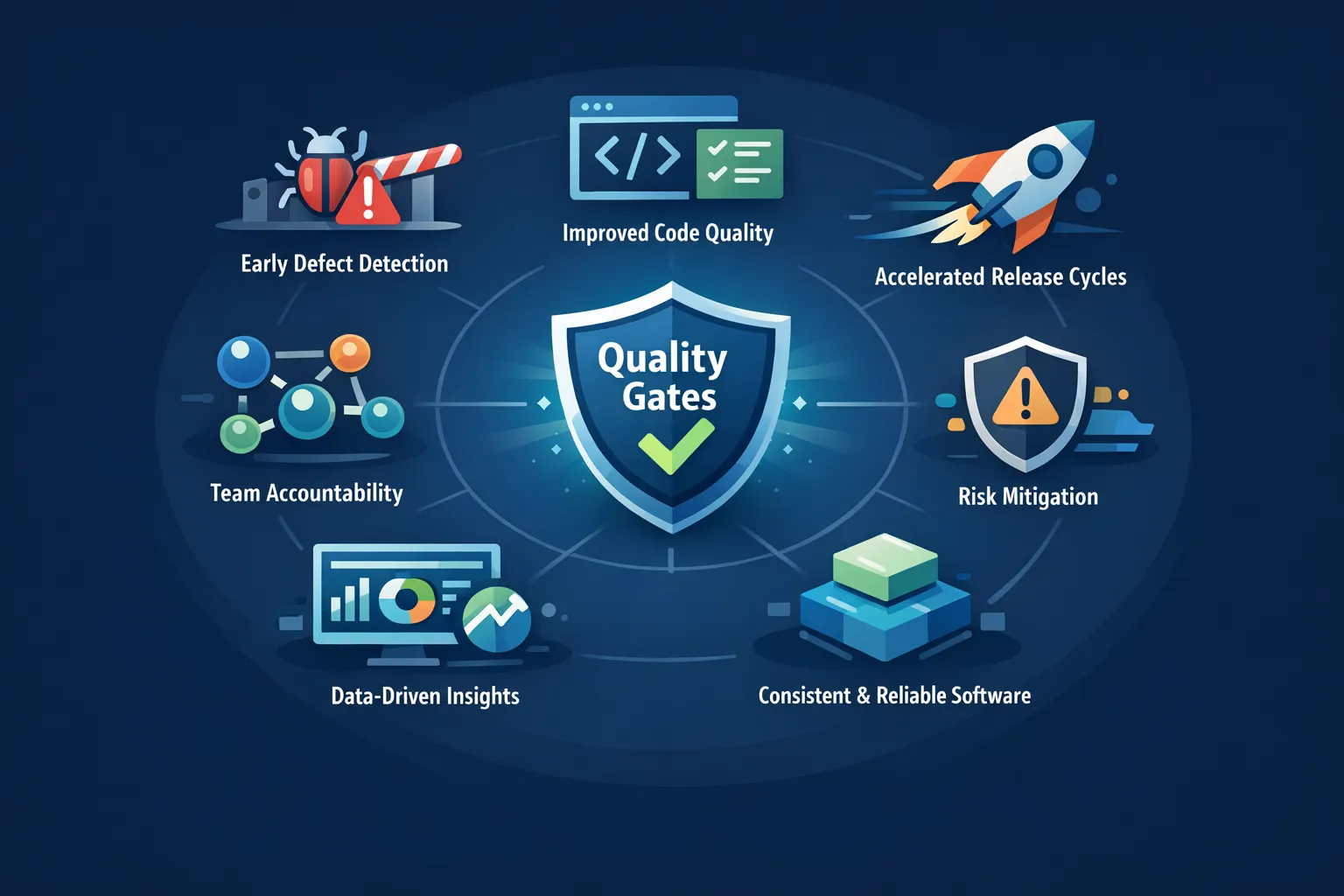
The benefits of software quality gates become clear once teams integrate them into automated CI/CD workflows. Here’s how it benefits in practice:
-
Bugs caught early: Fixing a failing test in CI is cheaper than fixing production issues.
-
Cleaner codebase: Gates push developers to write tests and follow standards.
-
Faster releases over time: Less rollback, fewer hotfixes.
-
Shared ownership: Everyone knows the rules. No blame games.
-
Lower risk: Security and performance issues surface before users see them.
Over time, teams stop fearing quality gates – they start relying on them.
Example of Quality Gates in Software Development
The following example shows how software quality gates typically work inside a CI/CD pipeline:
-
Code pushed → unit tests run (coverage ≥ 80%)
-
Static analysis checks for bugs and complexity
-
Performance test checks checkout response time
If any step fails, the pipeline stops.
This is how quality gates in testing prevent bad releases without manual intervention.
The Role of Quality Gates in DevOps
Software quality gates help DevOps teams balance both by enforcing automated quality checks during development and deployment.

Quality gates help balance both:
-
They automate trust in the pipeline.
-
They reduce manual reviews.
-
They align dev, QA, and ops on shared metrics.
In DevOps teams, quality gates act like guardrails – not roadblocks.
Challenges and Best Practices for Implementing Quality Gates
While quality gates improve reliability, implementing them effectively requires the right strategy.
Common Challenges
-
Too strict, too early: Unrealistic thresholds slow teams down.
-
Unclear metrics: “Good quality” must be measurable.
-
Legacy systems: Older pipelines need extra effort to integrate gates.
-
Cultural resistance: Teams need to trust automation.
Best Practices That Actually Work
-
Start small (coverage + tests first)
-
Increase thresholds gradually
-
Review gates every few sprints
-
Share failure data openly
-
Align gates with team goals
Well-designed gates evolve with the team.
How Keploy Supports Quality Gates in Testing?
Keploy helps organizations generate quality gates based on realistic test cases. This makes the use of quality gates considerably easier and more effective as compared to human-generated test cases.
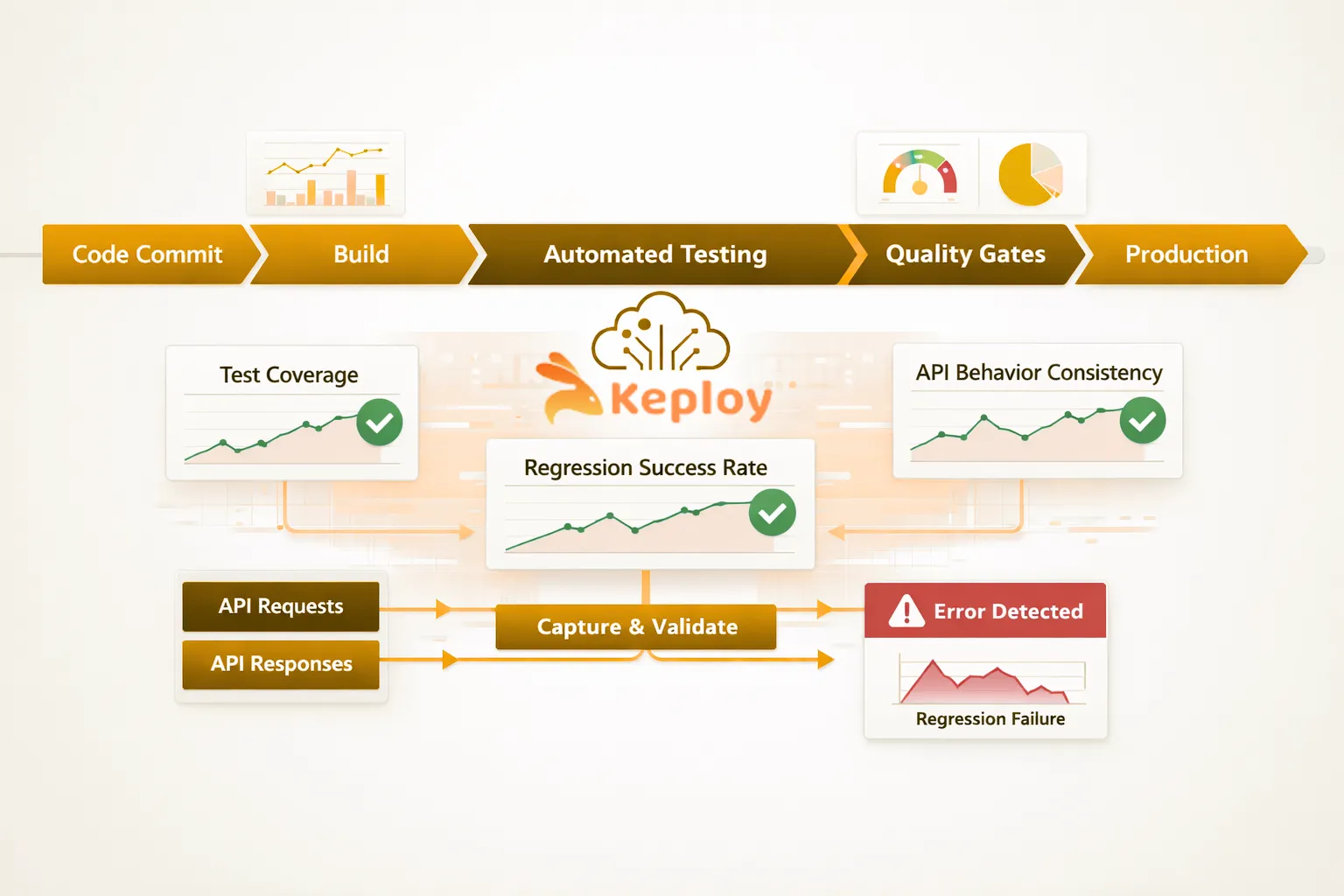
Keploy enables this by:
-
Generating quality gates from actual API traffic
-
Allowing users to validate the behaviour of their APIs in a manner similar to that of their production environments
Users will also recognise that real production behaviour is the key to creating true quality gates. Therefore, by allowing users to validate their APIs against real API traffic, Keploy allows teams to:
-
Have confidence in what they validate
-
Support regression testing of APIs
-
Handle cases where human-generated test cases would otherwise be difficult to develop and maintain
Rather than relying on completely synthetic data sets created through a series of manual processes, Keploy provides teams with the ability to generate their quality gates based on data generated from real API traffic through the use of real production systems and using actual API calls.
As a result, teams can be:
-
More practical in their use of quality gates
-
Much more confident in trusting gate results
-
More closely aligned with the behaviour that their applications would exhibit in real production scenarios
Conclusion
Software quality gates are essential in modern CI/CD environments where teams need to release software quickly without sacrificing reliability. They allow teams to implement clear and automated standards in every stage of development. When quality gates have appropriate and realistic thresholds set, reliable test data used to support their determination, and they are effectively integrated into CI/CD pipelines, they can transition from being a hindrance to an enabler for the team. With strong testing signals, ongoing feedback, and a commitment to using quality gates, effective quality gates enable the team to release stable, safe, and predictable software with high velocity.
FAQs
1. How to implement quality gates in a DevOps pipeline?
To establish a quality gate within a DevOps pipeline, you need to determine how to measure the quality of your code; this means creating an automated check at every stage of the CI/CD process, as well as creating feedback loops for the developers.
2. What are the benefits of using quality gates in Agile workflows?
In Agile workflows, quality gates can detect defects early in the development process. This is one way to ensure that all code produced during the sprint conforms to the same quality standard. As a result, quality gates can help minimize the amount of technical debt created from having many different standards for code quality.
3. How to choose quality gate software for enterprise security compliance?
When selecting quality gate software for enterprise security compliance, consider the software’s ability to easily integrate with your existing CI/CD tools, enforce security and quality policies, generate comprehensive reports, and scale as needed to accommodate project demands. Tools that provide actionable intelligence will help automate and enforce compliance.

Leave a Reply