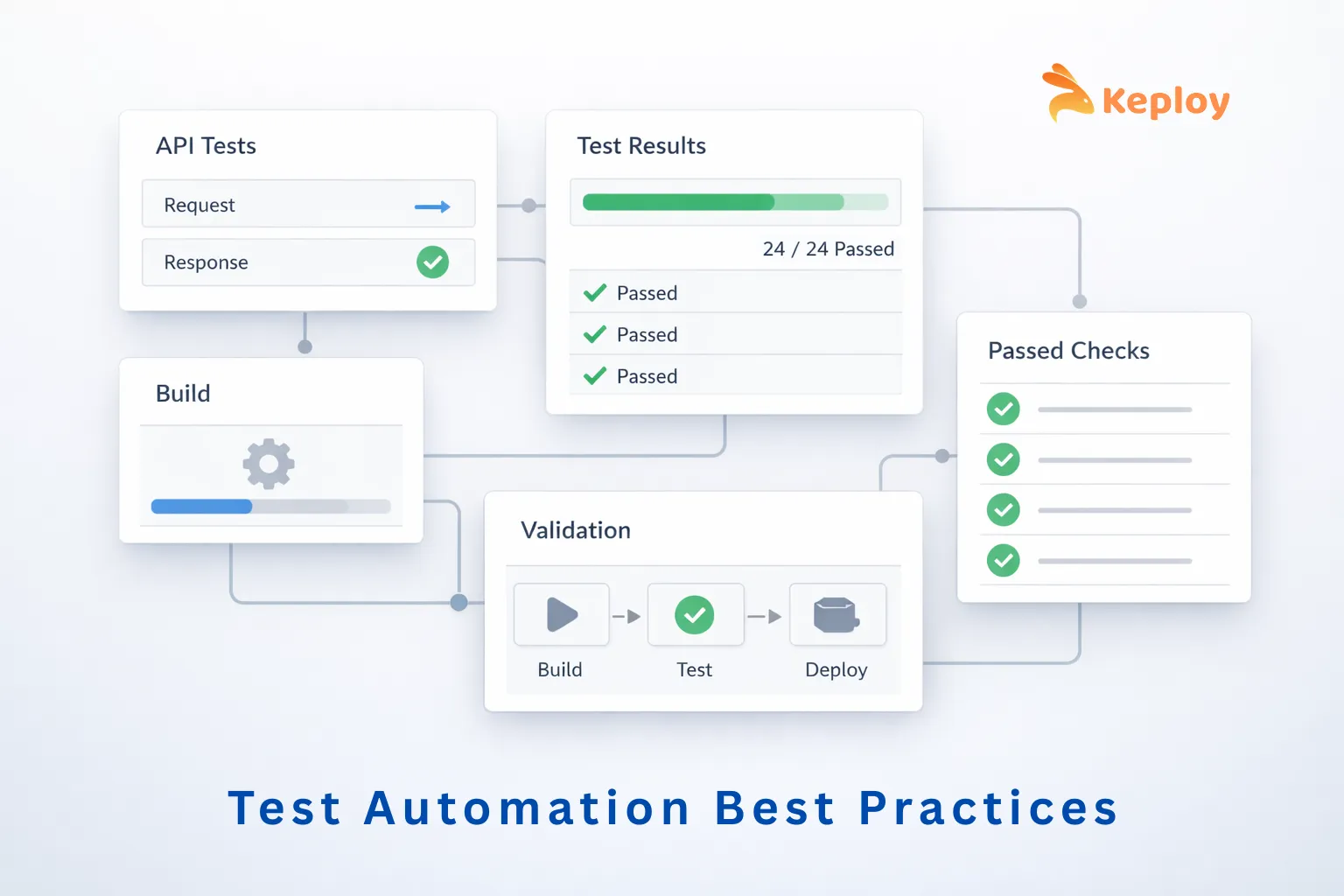
Test automation has become an essential part of modern software development. In 2026, shipping fast without reliable test automation is almost impossible. Done right, it ensures consistent quality, faster feedback, and fewer production incidents. This guide covers practical test automation best practices used by real engineering teams to deliver measurable results.
Benefits of Test Automation
When implemented properly, automation increases development velocity and improves software quality dramatically.
-
Faster Feedback
Integrating automated testing into a pull request and CI pipeline decreases the average time for validating a PR from ±90 minutes to ±15 minutes. Regression cycles that used to take 2–3 days, or more, can now be completed in less than 4 hours. This allows for the early detection of regressions and prevents bad builds from being deployed to production.
-
Increased Release Confidence
Automation will provide continuous validation of critical workflows such as authentication, payment, REST utilization, and service integration. Continuously validating these workflows on every build will allow the team to frequently release updates without the added risk of failing in production.
-
Reduced Manual Effort
Automation will save the team 40–70% of the manual QA time that was spent on regression testing. This is equivalent to the work of 2–3 senior engineers and enables the engineering team to focus on exploratory testing, edge cases, and features that provide the highest value to the customer.
-
Broader Test Coverage
Automated testing creates 80%+ statement/code coverage wherever possible and covers 80%+ of business workflows and 80%+ of API schemas. Detecting very subtle regression and schema drift very early in the testing process (100% detection of breaking contracts or schemas) will improve the overall reliability of the system.
-
Consistent and Repeatable Testing
In every environment and for each release, tests will run the same way every time, which will provide consistent verification across both environments and releases. As tests are repeated, they will aid teams in identifying small regressions that may not otherwise be identified through manual testing.
In large-scale engineering environments, the automation of testing not only validates responses and integrations of APIs but may also find an additional 20%-30% of bugs prior to production once continuous integration gating has been established. By sharing the same test data and using mock objects, teams may achieve reusability of up to 80% for test data, resulting in approximately 50% faster time to relevant test coverage.
Best Practices for Test Automation
Here are some test automation best practices organized across key stages of the automation lifecycle:
-
Planning & Strategy
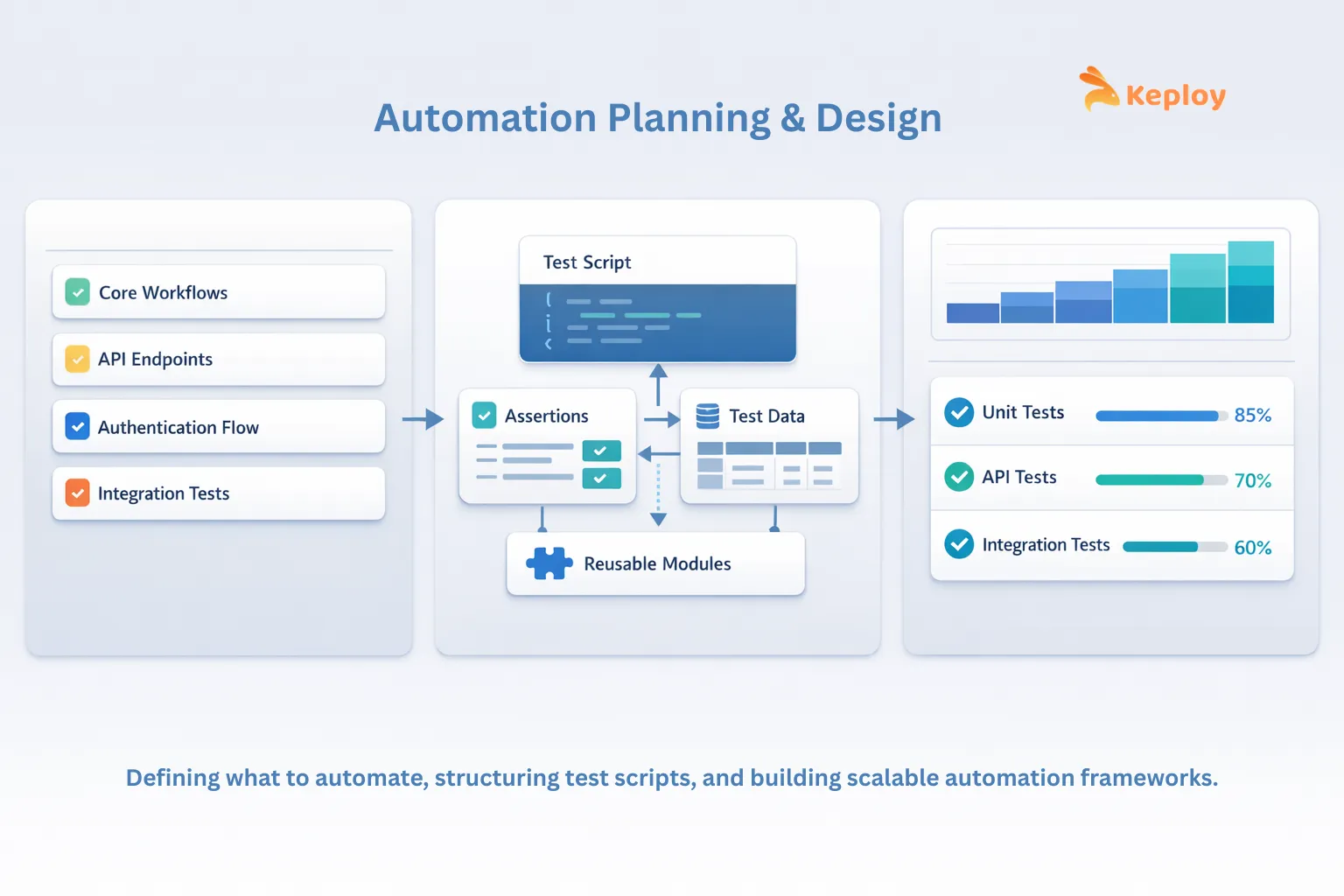
Automation without a defined strategy could lead to oversight about whether any testing was done, therefore leading to deploying the product without the product being properly tested. Therefore, the planning for test automation should be built on the core fundamentals of software testing – the foundation every QA team needs before scaling automation.
- Define Clear Objectives
Defining your goals of what you want to achieve from automation can clarify the priorities taken while automating existing test cases. In other words, without clear-first goals, you may find that many tests you’ve written cannot be automated and, if they could have been automated, do not add value and waste developer time.
- Prioritize High-Value Test Cases
When prioritizing the test cases you would like to automate, keep in mind that you do not need to automate every test. Aspects to focus on are scenarios that are stable, run regularly, and fundamental to the success of the product, such as primary workflows, API validations, authentication workflow, and integrations, which will generally provide the largest amount of value for your automation.
- Integrate Automation into Agile Workflows
In the majority of Agile environments, teams select automated software testing tools such as Playwright for UI and end-to-end testing, Keploy for API and integration testing, and Jenkins or similar continuous integration/continuous delivery (CI/CD) platforms to execute automated tests continuously within their deployment pipeline. By using these tools, you achieve a strong level of integration between the automation process and delivery of the product, therefore providing a quick feedback loop to developers.
- Define Automation KPIs
Tracking metrics helps teams evaluate the effectiveness of their automation efforts. Useful KPIs include:
-
Test execution time
-
Flaky test rate
-
Defect leakage to production
-
PR-to-signal time
-
Automation coverage of critical flows
These metrics provide visibility into how well the automation system supports engineering productivity.
Example- In an e-commerce platform, the team might focus on automating the checkout workflow, including user login, product selection, cart updates, and payment processing, as these are critical, high-frequency flows that directly impact revenue and user experience.
2. Scripting & Design
A cleanly constructed test script will be best maintained and scaled as the application expands.
- Use Modular Test Design
Create tests as separate reusable components (e.g., authentication helpers, API setup functions, and configuration utilities) vs. creating them in one large monolithic script. Modular design reduces duplication and simplifies the maintenance of your tests when a change in behavior occurs in the system.
- Adopt Data-Driven Testing
Separating test logic from test data permits the same scripts to run across multiple scenarios. For instance, API tests can validate multiple variations of the same request without duplicating code.
- Follow Test Automation Coding Best Practices
Automation code should meet the same engineering standards as any production code; that is, it should have a clear naming convention, be reviewed by other developers before it is committed to the repository, and there should be a version control system in place. In addition, documentation that describes what each piece of code does and how it behaves will help ensure a high level of quality in the code, which in turn aids in readability and reduces the time it takes to debug any problems that may arise.
- Choose the Right Framework Structure
The framework design can affect the ease of performing maintenance long-term. Many teams utilize a hybrid of both modular architectures and data-driven elements in their framework. The goal is to achieve as much flexibility as possible while still keeping the tests maintainable as the application changes. One implementation of this is Keploy, which records actual API calls and can then be run in an automated test suite as a way of providing regression coverage.
Example- In the e-commerce scenario, modular scripts could separate login, cart, and payment helpers, while data-driven tests validate multiple payment methods or promo codes without duplicating code, ensuring maintainable and scalable automation.
3. Execution & Environment
Reliable automation with automated tests requires a consistent execution environment.
- Integrate Tests with CI/CD Pipelines
To help ensure new changes to the codebase do not introduce regressions, tests should automatically run as part of the continuous integration process with every pull request, nightly regression runs, or test suites run before the code is released (in pre-release). This is one part of a broader software deployment process that includes validation, environment preparation, deployment execution, and post-deployment monitoring.
Keploy makes it easy to run lightweight automated integration and API tests within your CI/CD pipeline, allowing teams to validate critical business processes without significantly increasing pipeline overhead.
- Run Tests at the Right Pipeline Stage
Running everything on every commit slows feedback and trains developers to ignore the pipeline. A practical split:
| Pipeline Stage | What to Run | Target Time |
|---|---|---|
| Every commit / PR | Unit tests, smoke tests, critical API checks | Under 10 minutes |
| Every PR merge | Integration tests, API regression suite | Under 20 minutes |
| Nightly | Full regression, cross-service tests | No strict limit |
| Pre-release | Performance baselines, security checks | Scheduled |
Fast signal at the commit stage, heavier suites later. The goal is a pipeline developers trust enough to wait for.
- Maintain Consistent Test Environments
Using sandboxed/test environments allows teams to scale reliably instead of traditional test environments (where there is likely to be environment drift, which often leads to flaky tests). Keploy captures real API traffic and replays it in these test environments so that tests are consistently and predictably executed without relying on the availability of live services.
Why do tests pass locally but fail in CI?
Almost always an environment difference, not a test logic problem. The most common causes are missing environment variables, tests depending on local state or running services unavailable in CI, timing differences masked by local machine speed, and dependency version mismatches between local and CI containers. The fix is to define dependencies and configurations explicitly so the environment is identical across machines.
- Run Tests in Parallel
Parallel execution reduces the length of time tests take to run and therefore increases your CI/CD pipeline’s efficiency. By running the same tests in parallel, on different environments or services, large test cases can be validated without jeopardizing the speed of development.
- Control External Dependencies
Failures during testing often occur when third-party services or external integrations change behavior or experience downtime. In such cases, tests may fail even though the product itself is functioning correctly. To avoid this, teams often mock or simulate external dependencies so tests can run in a controlled environment. Keploy allows teams to record real API calls and automatically create mock versions for testing, enabling reliable integration tests without depending on live third-party services.
Example- For an e-commerce platform, tests could run in parallel across multiple staging browsers, while payment gateways and shipment APIs are mocked using Keploy. CI/CD tools like Jenkins ensure tests run automatically on every pull request.
4. Reporting & Collaboration
Automation can only be effective if it produces clear and actionable results.
- Generate Actionable Test Reports
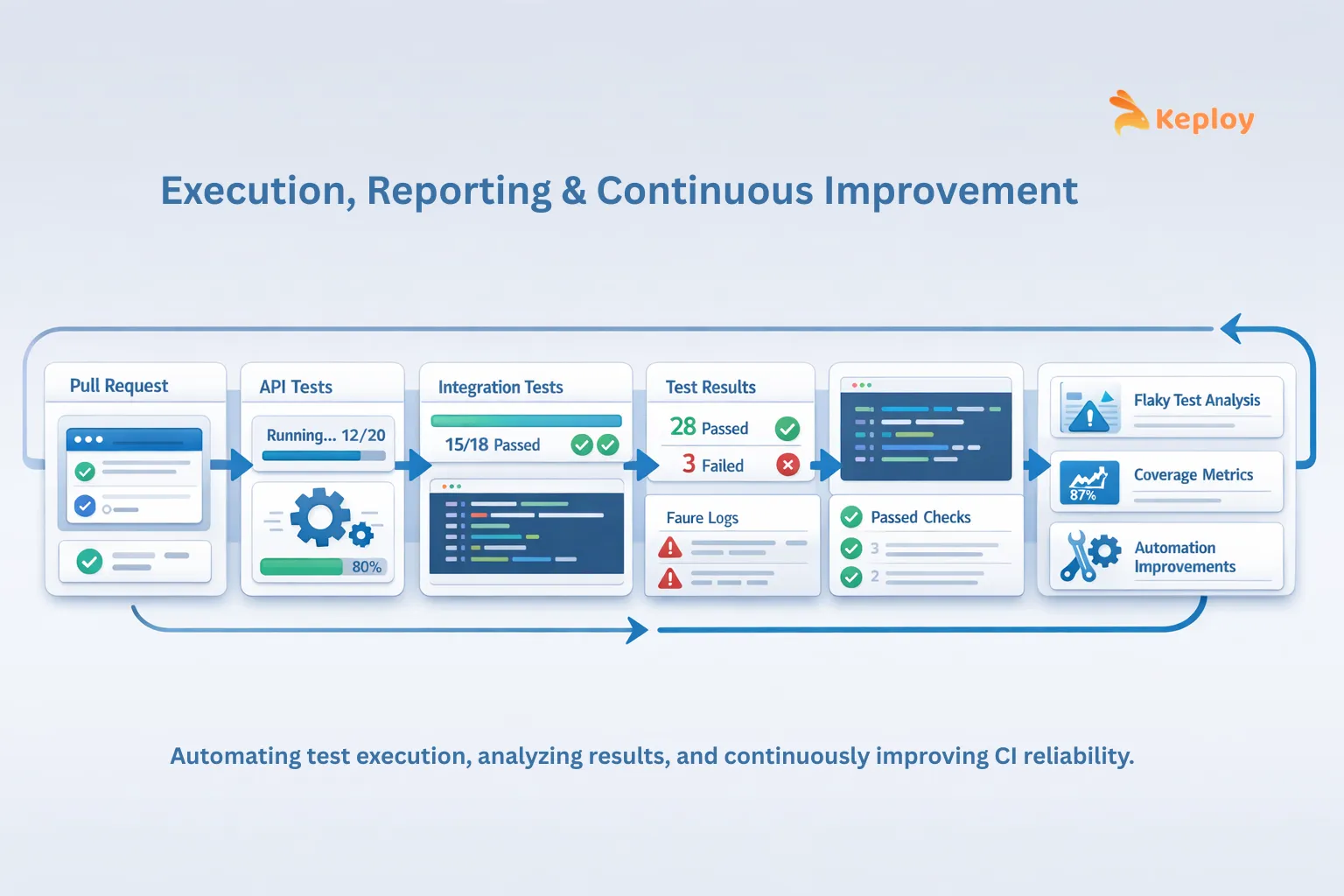
Test reports should clearly show which tests failed, what caused them to fail, and supply the necessary logs or stack traces for the developer to identify the problem quickly without having to sift through the entire pipeline looking for the failure.
- Share Ownership Across Teams
In order to be effective, automation cannot be owned solely by the QA teams. Automation must have contributions from the developer, tester, and product teams to maintain the test suite and also to keep the automation aligned with the behaviour of the product.
- Track Automation Trends
By measuring long-term metrics such as failure patterns, trends of test duration, and the frequency of flaky tests, teams are able to find stability problems and to identify areas that need to be improved.
- Track KPIs for Management
In addition to developer-focused reports, teams should track key automation KPIs to provide visibility to management. These can include:
-
Regression cycle time reduction: 2–3 days → <4 hours
-
Mean time to validate PRs: 90 min → 15 min
-
Manual QA effort saved: 40–70%
-
Bugs caught pre-production: +20–30%
-
Schema drift/contract break detection: +100%
-
Test data reusability: 0% → 80%+
Example- In an e-commerce scenario, reports would show which checkout or payment flows failed, including logs and stack traces, allowing developers, QA, and product managers to prioritize fixes efficiently.
5. Analysis & Maintenance
Automation should be maintained over time to be a dependable solution.
- Identify and Fix Flaky Tests
Flaky tests are harmful to the confidence placed in automation. Many teams will need to look into the cause of returning consistent sporadic failures in their automated tests and resolve any issues required by the original root cause, including timing issues, unstable environments, or inconsistent test data.
- Review Test Suites Regularly
Over time, some automated tests will become obsolete or defunct due to development changes to the product. By conducting periodic reviews of automated tests, you can remove unnecessary tests and ensure that the test suite focuses on the high-value tests that need validation.
- Validate Coverage of Critical Workflows
Automation should focus on the most relevant test cases and will accomplish that with a focus on testing the most important parts in the system, such as API endpoints, integrations with services, and business logic functions. Automation will remain applicable to production by regularly reviewing testing data.
- Update Tests Alongside Product Changes
Once a product has undergone an update for features, APIs, and so on, all relevant test cases should also be updated. Test cases that remain out of date or behind the current state of the product can introduce false positives as results in the test pipeline.
Example: For an e-commerce platform, this could include reviewing and updating tests for deprecated payment methods, expired promo codes, or updated checkout flows to ensure automation remains aligned with the current product.
6. Continuous Improvement
Automated systems are always changing over time as new products are developed.
- Track Automation KPIs Over Time
Some of the metrics that can be measured over time in order to see how well the automation project is doing with making release reliability better are – defect leakage rate (how many defects have made it into production), flaky tests (the number of tests that failed at least once), and CI pipeline times (the average amount of time it takes for the CI pipeline to run successfully).
- Maintain a Balanced Test Pyramid
The majority of the overall automation coverage should be made up of unit tests and API integration tests. This is because these types of tests can typically run very quickly (compared to UI tests), and they also tend to be more stable (i.e., won’t break as often). UI automation should be limited to testing critical user workflows only.
- Iterate Based on Engineering Feedback
As the engineering team receives and implements feedback from developers, the automation framework, test data creation strategy, and coverage priorities will continue to be adjusted/iterated upon. There will be new APIs, new integrations, and new edge cases that need to be validated/automated as products are changed over time. Keploy enables teams to capture real API traffic and automatically create regression tests based on those interactions; therefore, teams can expand their automation coverage continuously while keeping their tests current with actual production.
Example: In an e-commerce scenario, tracking KPIs for the checkout and payment flows and iterating on test coverage based on production issues ensures continuous improvement and high confidence in releases.
Following these test automation best practices helps teams build reliable, scalable automation systems that support fast and stable software delivery. When applied consistently, they reduce regression risk and improve overall confidence in every release.
Common Mistakes to Avoid in Test Automation
Many times, when automation projects fail to deliver on their promises, it is because of the following areas where many teams tend to forget to focus on:
-
Lack of Strategy: Developing test scripts without a clear goal will result in a test suite that is very brittle.
-
Automation of Low-Value Areas: Implementing tests for things that rarely change or will change often will eventually cost more than they deliver in return on investment (ROI).
-
Test Data Dependency: Flaky/unreliable tests due to flaky/unreliable randomly generated or inconsistent testing data. Creating, isolating, and cleaning up test data are critical parts of the automation design environment.
-
Poor CI/CD Integration: If automated tests are not consistently passing, teams will lose confidence in their overall automation program.
-
Not Maintaining Your Suite of Automated Test Cases: As automated test cases become outdated, they lose credibility and create a lot of noise in a suite of tests. It is absolutely necessary to continuously prune and update your automated tests.
One common failure scenario in automation testing is that teams will use automated UI test suites for automation testing too early. UI test suites are generally slow to execute, very fragile, and more difficult to maintain than other forms of automated testing. Generally accepted best practice for automation testing is to engage in API and integration testing first, before testing UI.
Conclusion
Applying the right test automation best practices does not mean producing the most automated tests. The goal is to develop a quality-assured system that will give you rapid response times and high-quality indicators. Building a comprehensive test strategy, designing effective tests, running your automation in stable environments, and continually evaluating your outcomes will allow you to minimize the number of regressions you encounter and have confidence in your releases.
Complex technology-driven systems will result in your test automation teams being able to quickly identify any new regressions early, maintain a stable continuous integration environment, and provide high-quality releases that you will have confidence in.
FAQs
1. How do teams decide which tests to automate first?
There are three criteria for determining your first test cases for automation: stable, high-impact flows (such as core APIs, integration points, and regression tests) that will deliver immediate return on investment (ROI) to avoid hitting critical live issues.
2. How can automation metrics help improve CI/CD pipelines?
Tracking key performance indicators like PR-to-signal time flakiness and defect leakage will help you identify areas for improvement by identifying the bottlenecks in the process to provide greater focus for improvement.
3. Should teams automate everything in agile projects?
No. Focus on automating tests for scenarios that require frequent execution and are high-value to your organization. Avoid automating flows that have a high frequency of change and provide low-value (until they stabilize).
4. Should developers write automation tests?
Yes, for the right layer. Developers should own unit and API-level tests since they have the most context on the code being changed. QA should own regression suites and end-to-end workflows. Shared ownership with clear layer boundaries works best – automation owned exclusively by either side creates either bottlenecks or gaps in coverage.

Leave a Reply