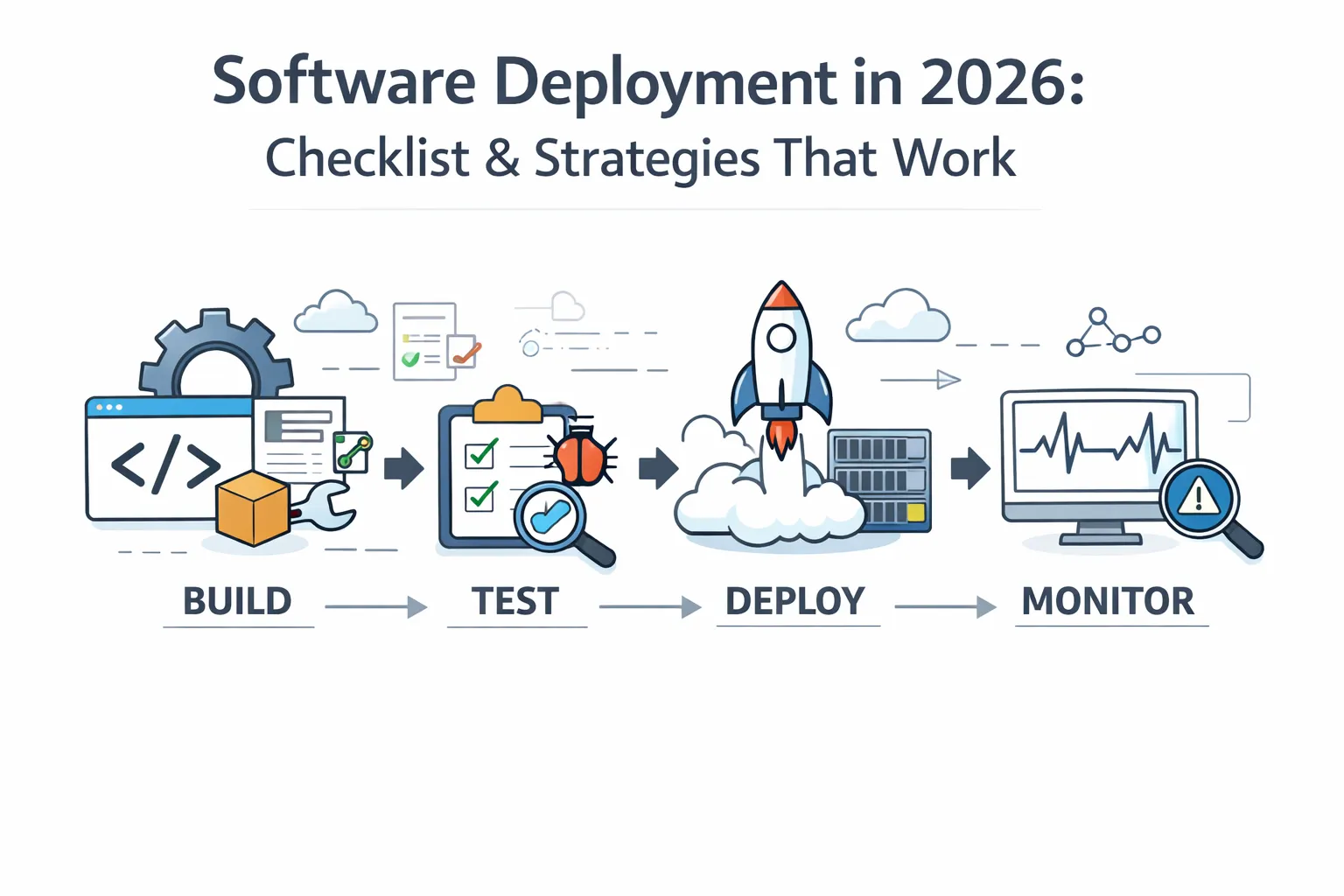
Most software projects fail not in development – but at software deployment. Even stable, well-tested code can break in production when the deployment process isn’t planned well. In 2026, software deployment is no longer just about pushing code – it’s about reliability, speed, and control. Let’s explore how modern teams deploy smarter, faster, and safer in 2026.
What Is Software Deployment?
Software deployment is the process of delivering an application – along with its configuration and dependencies – to a production environment where end users can access it.
It consists of several steps such as:
-
Preparing an Application Package
-
Configuring Target Environments
-
Releasing Updates
-
Verifying Health of Systems Post-Deployment
Therefore, when we discuss deploying software, we are referring to all of the technical steps associated with deploying software, rather than simply clicking on the "Deploy" button.
Types of Software Deployment Environments
Every deployment moves code through a series of environments before it reaches users. Understanding each one is essential to designing a reliable deployment process.
- Development- where engineers write and test code locally. Changes here are isolated and do not affect other team members or users.
- Staging- a production-like environment used to validate the full application before release. Staging should mirror production as closely as possible in configuration, data shape, and infrastructure. Most deployment failures that slip through testing happen because staging and production are not identical.
- Production- the live environment where real users interact with the application. Any failure here has direct user impact, which is why every stage before it exists.
Some teams also maintain a QA environment between development and staging for dedicated quality assurance testing, and a pre-production environment for final checks immediately before release.
Why Software Deployment Matters in Modern Software Development?
Since modern applications are updated frequently, having a clearly defined process for deploying software is critical to maximising that frequency, while limiting risk associated with it.
The right software deployment processes also enable development teams to:
-
Minimise downtime when performing updates to the product
-
Identify problems at an early stage so users are not impacted.
-
Deploy features more efficiently and safely
-
Maintain System Reliability and Stability at Scale
For any DevOps-driven team specifically, deployment quality has a very direct relationship to product quality and reliability. A well-defined software deployment process helps teams release faster while maintaining system stability and reliability.
Teams that measure this quantitatively track DORA metrics, including deployment frequency, lead time for changes, change failure rate, and recovery time, to get a data-driven view of how their deployment process performs over time.
What Are the Core Stages of the Software Deployment Process?
Every software deployment process follows a clear flow. Skipping any stage usually leads to production issues.
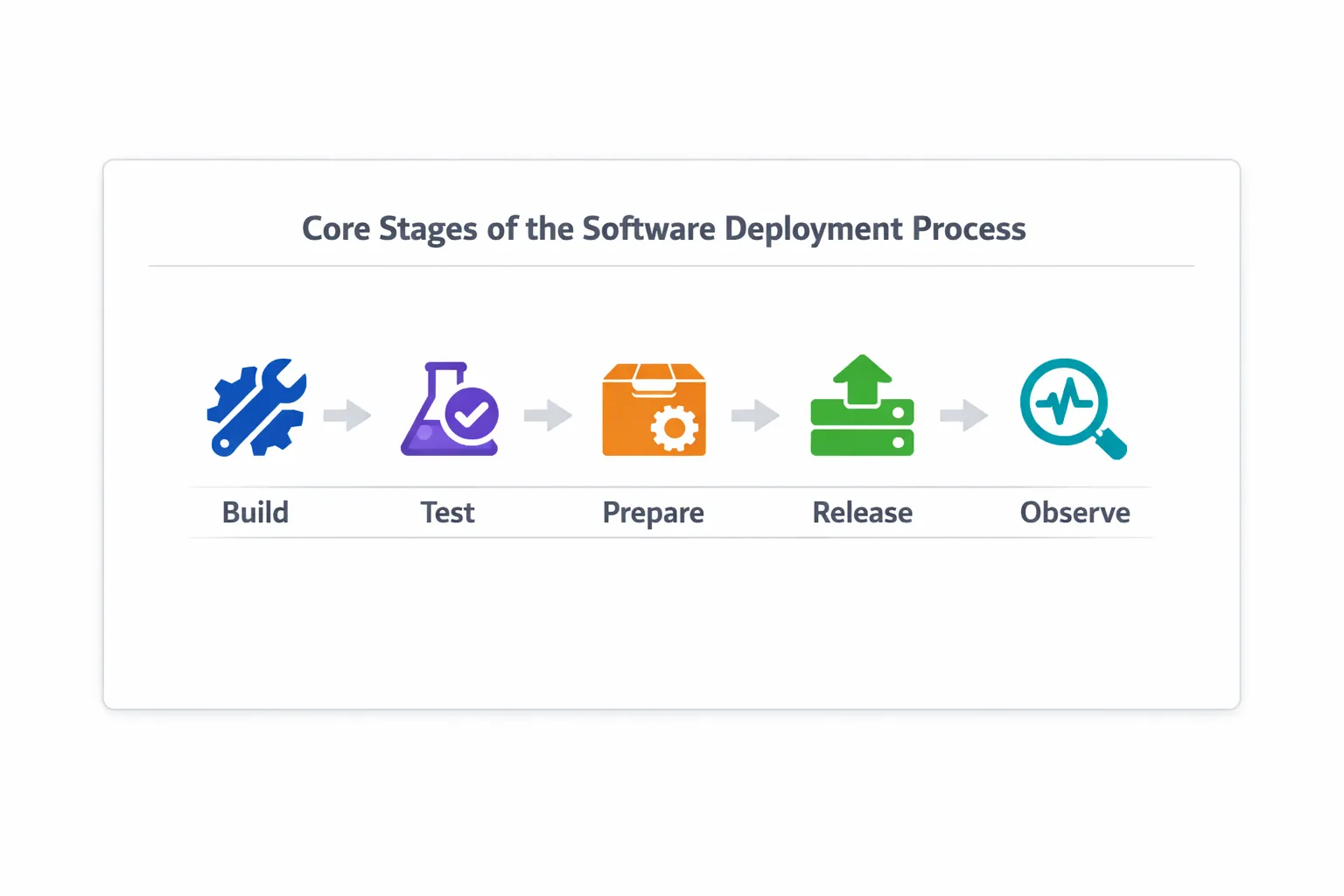
1. Build and Package
The build and pack stage is where deployable artifacts are created from source code. For example:
-
Container images for back-end services
-
Static builds for front-end applications
-
Version-controlled configuration items in conjunction with the code
It ensures that all artifacts used are identical between environments with a clean build.
Common tools used in this stage include:
| Task | Tools Commonly Used |
|---|---|
| Build automation | Maven, Gradle, Make |
| Containerization | Docker |
| Artifact management | GitHub Packages, Artifactory |
| Version control | Git |
2. Testing and Validation
Automated and manual tests are run prior to deployment to confirm the application is valid for deployment. Many deployment failures occur due to differences between staging and production environments, especially in API behavior.
This includes:
-
Unit and integration tests
-
API and contract tests
-
Performance checks in staging
-
Staging Performance Checks
Industry statistics indicate that the majority of production incidents are not caused by failure of the code, but rather by when APIs behave differently on the live site (live traffic) compared to testing (test traffic). By validating how the system will behave in these scenarios, teams can significantly reduce their risk during the deployment phase.
Most teams now have a level of testing hierarchy that includes functional, regression, contract, and end-to-end testing during this phase. Teams building this validation layer typically rely on automated software testing tools to run these checks consistently across every deployment cycle.
Keploy supports this by allowing teams to automatically generate and validate their real-world API behavior before they deploy through its testing layer.
Common testing activities and tools at this stage:
| Testing Type | Purpose | Tools |
|---|---|---|
| Unit & Integration | Validate individual components | JUnit, pytest, Go test, Keploy |
| API & Contract | Validate request/response behavior | Keploy, Postman, Pact |
| Functional & Regression | Ensure existing behavior remains unchanged | Selenium, Cypress, Keploy |
| End-to-End | Validate complete workflows | Keploy, Cypress, Playwright |
| Performance (staging) | Catch latency and load issues | k6, JMeter, Keploy, Locust |
3. Environment Preparation
Environment preparation ensures the target environment is ready to receive the new release. Skipping this stage is one of the most common causes of deployment failures, particularly when staging and production drift apart over time. The most common steps at this stage include:
-
Updating infrastructure configuration
-
Setting environment variables
-
Checking database compatibility
A common cause for failure when deploying is an environment that has been created in staging rather than production, which can lead to a multitude of problems.
Common tools used for environment preparation:
| Task | Tools |
|---|---|
| Infrastructure provisioning | Terraform, CloudFormation |
| Configuration management | Ansible |
| Secret management | Vault, AWS Secrets Manager |
| Container orchestration | Kubernetes |
4. Deployment Execution
This phase of the application development process involves deploying the software release into production. Depending on the particular strategy used to move an application into production, deployment can be executed in a variety of ways, including:
-
Gradual rollout
-
Parallel environment switch
-
Limited user exposure
Within this phase of application deployment, automation plays a critical role in allowing for fewer manual errors and more repeatability.
Common deployment execution tools:
| Deployment Type | Tools |
|---|---|
| Application rollout | Kubernetes, Helm |
| Pipeline execution | GitHub Actions, GitLab CI/CD |
| Release orchestration | Argo CD, Spinnaker |
5. Monitoring and Feedback
Monitoring as well as feedback are critical systems, following deployment. For constant monitoring, teams typically track:
-
Error rates
-
User impact
If any issues arise, rollback &/or fixes should happen immediately.
Common monitoring and feedback tools:
| Metric Type | Tools |
|---|---|
| Logs & errors | Datadog, ELK Stack |
| Metrics & performance | Prometheus, Grafana |
| Alerts & incidents | PagerDuty, Opsgenie |
| User experience | New Relic |
Common Software Deployment Strategies and Models
Selecting the most appropriate strategy depends on a company’s level of risk tolerance, project traffic behaviours, and system complexities.
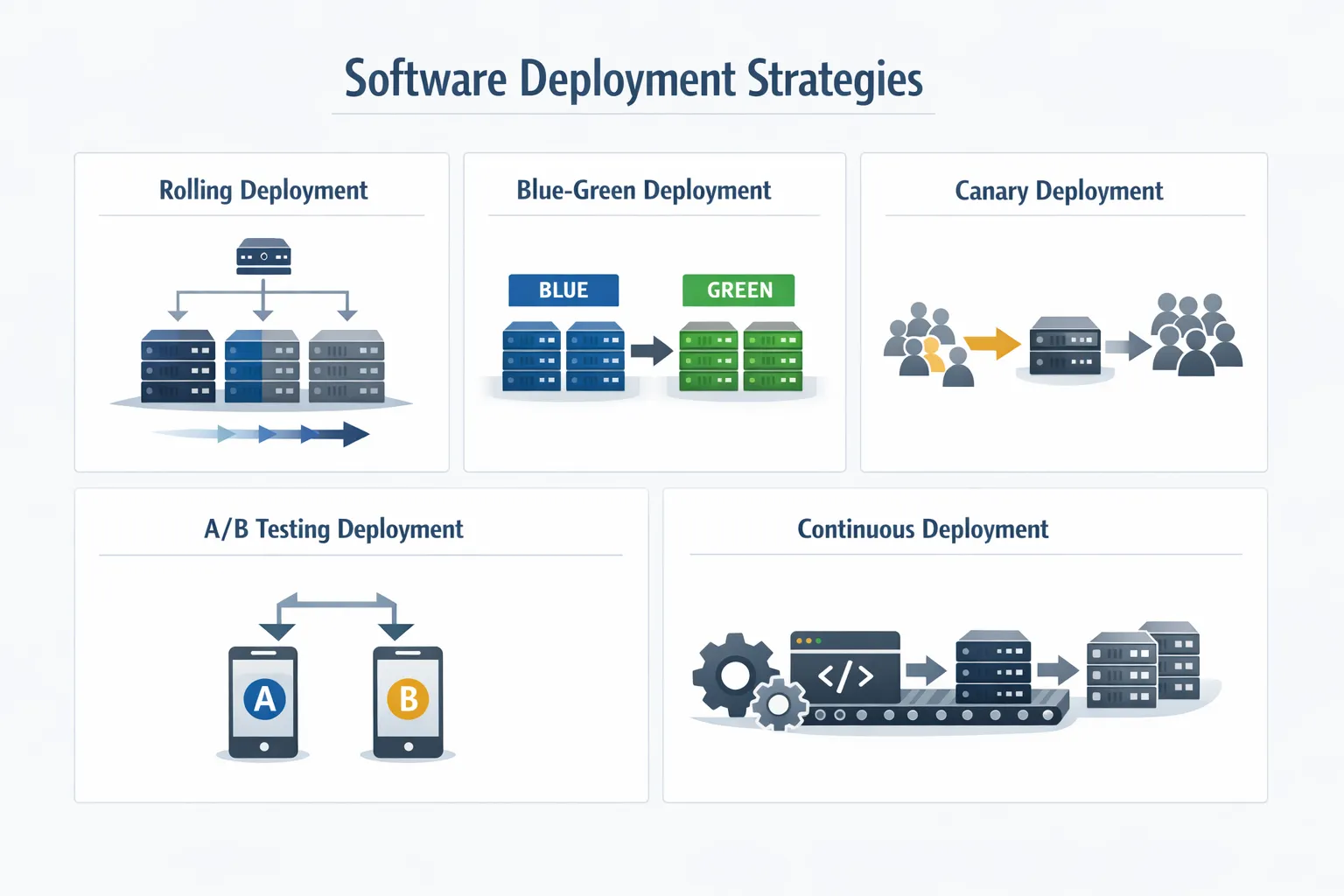
Rolling Deployment
This type of deployment updates servers in increments versus installing the Implementation on all servers at one time. Rolling deployments are most applicable when:
-
The system is required to remain operational 24/7.
-
Downtime cannot be tolerated by users.
-
The system has adequate load balancing available/hardware.
Rolling deployments are usually gated by the results reported from prior implementations. Rolling deployment teams may require minimum coverage of test cases (for example: ≥ 80%), stable API validation results, and acceptable performance thresholds prior to increasing traffic.
Rolling deployments are often essential for large microservices-oriented platforms that rely on rolling Implementations to eliminate service interruptions.
Blue-Green Deployment
Utilizes two equivalent environments. Recommended Use cases include:
-
Immediate rollbacks are like a requirement
-
High risk of release failures
-
Switching of Traffic is clearly defined and simple.
Modern engineering teams use this step to simulate actual user interaction in a secure manner, as well as providing teams with the opportunity to develop test scenarios from successful production interaction. Tools such as Keploy and GoReplay provide teams with the ability to copy production traffic and analyze the behavior of an application in an inactive environment, without altering a production database.
This provides the ability to build confidence before making a traffic change. This model is very effective with payment processing systems and enterprise applications, as both can incur drastic costs if there is a system failure.
Canary Deployment
Introduces changes to a limited number of users at first. This approach is most beneficial when:
-
The behaviour of actual users is important
-
The performance impact of changes must be tested
-
Decisions are based on data.
For example, you might test a new recommendation algorithm with five per cent of your audience before launching it marketplace-wide.
A/B Testing Deployment
Reveals which version a user will respond to. This type of deployment is most helpful when:
-
You want to collect data that helps determine user behaviour
-
You aim to measure the effect an application or feature update has on the customer experience
-
Business metrics influence decisions.
Connecting application deployments with business results will enable your company to improve its overall bottom line.
Continuous Deployment
Automatically pushes every validated change to production.
Best used when:
-
CI/CD pipelines are mature
-
Automated tests are reliable
-
Monitoring and alerting are strong
Adopting this delivery model enables successful DevOps teams to deploy several updates to their products each day- a practice directly tracked by Deployment Frequency, one of the five DORA metrics used to benchmark engineering performance. Many teams, however, blend several deployment techniques consistent with risk and application functionality.
Recreate Deployment
This strategy involves shutting down the current version of the application before deploying the new version. While it is simple to implement, it introduces downtime during the transition.
Recommended use cases include:
- Applications where temporary downtime is acceptable
- Internal tools or low-traffic systems
- Simple architectures with minimal deployment complexity
Shadow Deployment
Shadow deployment runs the new version of the application alongside the existing one, receiving a mirrored copy of live traffic without serving responses to users. The new version processes real requests in parallel so teams can observe how it behaves under actual production load – with zero risk of user impact.
Recommended use cases include:
- High-stakes services where even a canary rollout carries too much risk
- Validating performance or behavioral changes before a major release
- Payment systems, authentication flows, or data-intensive services where silent failures are costly
When to Use Each Deployment Strategy?
Choosing the right deployment strategy depends on your system requirements, risk tolerance, and user impact. Here’s a quick way to decide:
| Strategy | Best for | Downtime | Rollback speed |
|---|---|---|---|
| Blue-green | Zero-downtime releases, high-risk changes | None | Instant |
| Canary | Testing with real users, data-driven rollouts | None | Fast |
| Rolling | Gradual updates across servers | None | Slow |
| A/B Testing | Feature comparison, UX decisions | None | Fast |
| Shadow | High-risk validation without user impact | None | N/A |
| Recreate | Simple apps, internal tools | Yes | Fast |
| Continuous | Mature CI/CD pipelines, frequent releases | None | Automated |
Automated Software Deployment: How Automation Changes Deployment?
Manual deployments are slow, inconsistent, and error-prone at scale. A developer running scripts in the right order and hoping nothing gets skipped is not a sustainable process for a team shipping daily.
Automation replaces those manual steps with repeatable, auditable pipeline runs. When a developer merges code, a CI/CD pipeline builds the artifact, runs the test suite, packages the deployment, and pushes to production without anyone running a command manually. The same steps execute every single time.
-
Faster release cycles: Automated pipelines compress deployment time from hours to minutes. Teams at companies like Netflix and Google deploy hundreds of times daily because their entire deployment process runs without human intervention.
-
Consistent deployments across environments: A pipeline that builds and tests the same artifact before deploying to staging and production eliminates the class of failures that come from environment drift and manual configuration differences.
-
Auditable deployment history: Every automated run produces logs. When something breaks in production, teams can trace exactly which commit, which build, and which configuration change triggered it.
-
Lower rollback friction: Automated rollbacks that trigger on error rate thresholds or health check failures respond faster and more reliably than manually initiated rollbacks under pressure.
The tools that power deployment automation at different stages include GitHub Actions and GitLab CI/CD for pipeline execution, Argo CD for GitOps-based release management, and Kubernetes for automated scaling and self-healing of deployed services.
Software Deployment Tools
Modern deployments depend on a layered toolchain where each category of tool handles a distinct part of the process. Here is how the most widely used tools map to each deployment function:
Build and Packaging
-
Docker: Container image creation for consistent, reproducible builds across all environments
-
Maven and Gradle: Build automation for Java-based projects
-
GitHub Packages and Artifactory: Artifact storage and version tracking across deployment stages
Pipeline and CI/CD
-
GitHub Actions: Event-driven pipelines that trigger on commits, pull requests, and scheduled releases.
-
GitLab CI/CD: Built-in pipeline management for teams hosted on GitLab.
-
Jenkins: Open-source automation server for teams that need highly customized pipeline configurations.
Infrastructure and Configuration
-
Terraform: Infrastructure as code for provisioning cloud environments reproducibly.
-
Ansible: Configuration management and environment setup automation.
-
Kubernetes: Container orchestration for deploying, scaling, and managing services in production.
-
Helm: Package manager for Kubernetes that simplifies deployment of complex multi-service applications.
Release Orchestration
-
Argo CD: GitOps-based continuous delivery that treats Git as the single source of truth for deployments.
-
Spinnaker: Multi-cloud deployment platform with advanced rollback, canary analysis, and strategy support.
Monitoring and Observability
-
Prometheus and Grafana: Metrics collection and visualization for tracking performance post-deployment.
-
Datadog: Full-stack monitoring combining logs, distributed traces, and infrastructure metrics.
-
PagerDuty: Incident alerting and on-call routing when post-deployment checks fail.
-
New Relic: Application performance monitoring with user experience tracking.
Testing and Validation
-
Keploy: API and integration test generation from real traffic for pre-deployment behavioral validation.
-
k6: Load and performance testing to validate staging environment behavior before release.
-
Selenium and Cypress: Functional and regression test execution as part of pre-deployment pipelines.
Software Deployment Checklist for Reliable Releases
A checklist is the best way to align and focus your teams around software deployments.
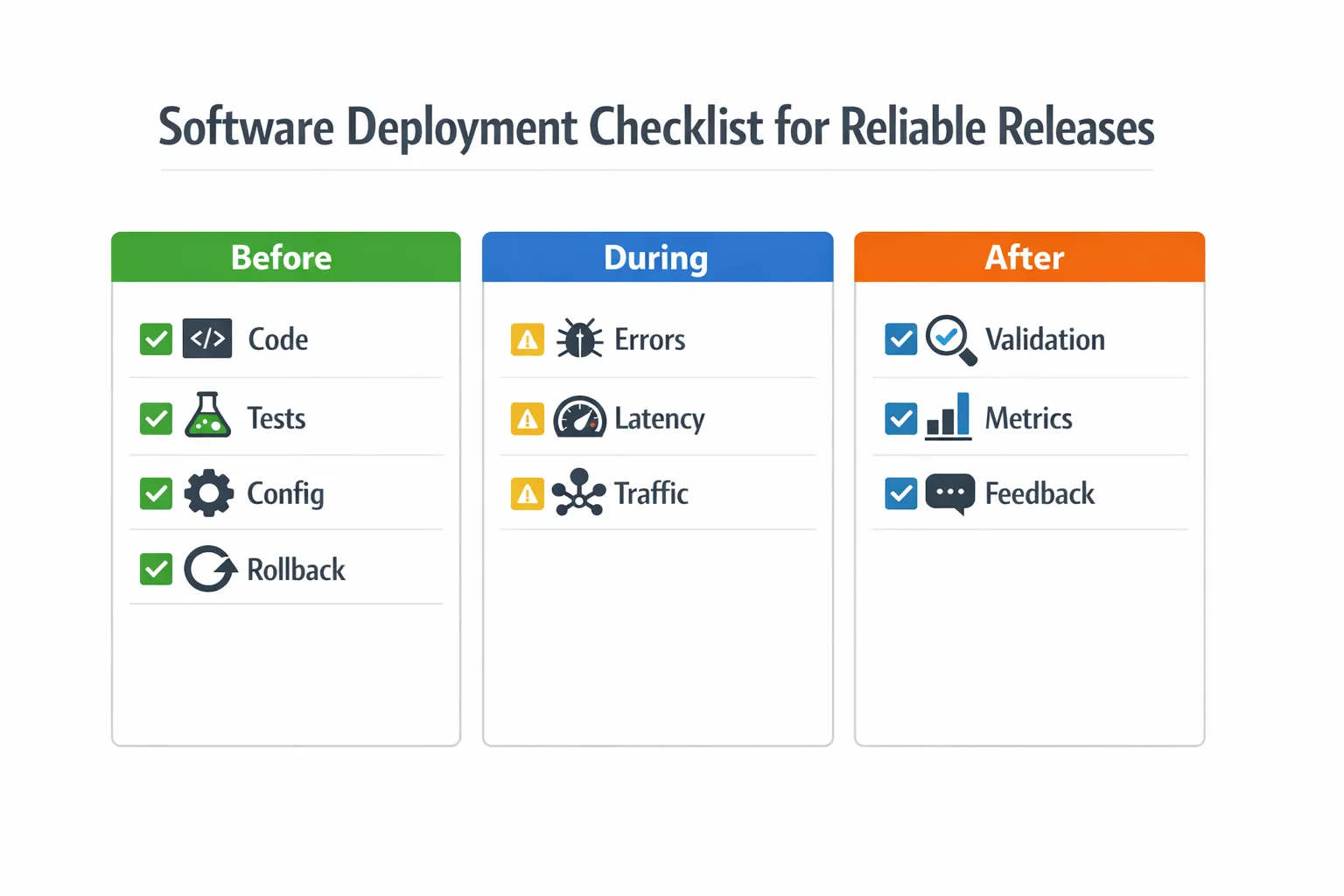
Here are some important checkpoints to consider during each stage of the deployment process:
Before Deployment
-
Code is merged and reviewed
-
Tests are passing in CI
-
The configuration of your environment is verified
-
Rollback plan is in place
During Deployment
Watch deployment logs in real time for 4xx/5xx error spikes that indicate immediate failures.
-
Track your error rate (4xx/5xx error %)
-
Track your trends for latency and response times
-
Traffic is shifted gradually based on your health metrics.
After Deployment
-
Complete the validation of new feature.
-
Review the performance metrics.
-
Track user feedback.
Teams that do not use checklists are likely to make the same deployment mistakes repeatedly.
Software Deployment vs Software Release Management
Deployment involves making your code available for use both in a production environment and within your application, while release management helps you decide when to give users access to new features. Modern teams are frequently using feature toggles to hide their deployments until they’re ready to roll out new functionality.
Challenges in Deploying Software and How to Overcome Them
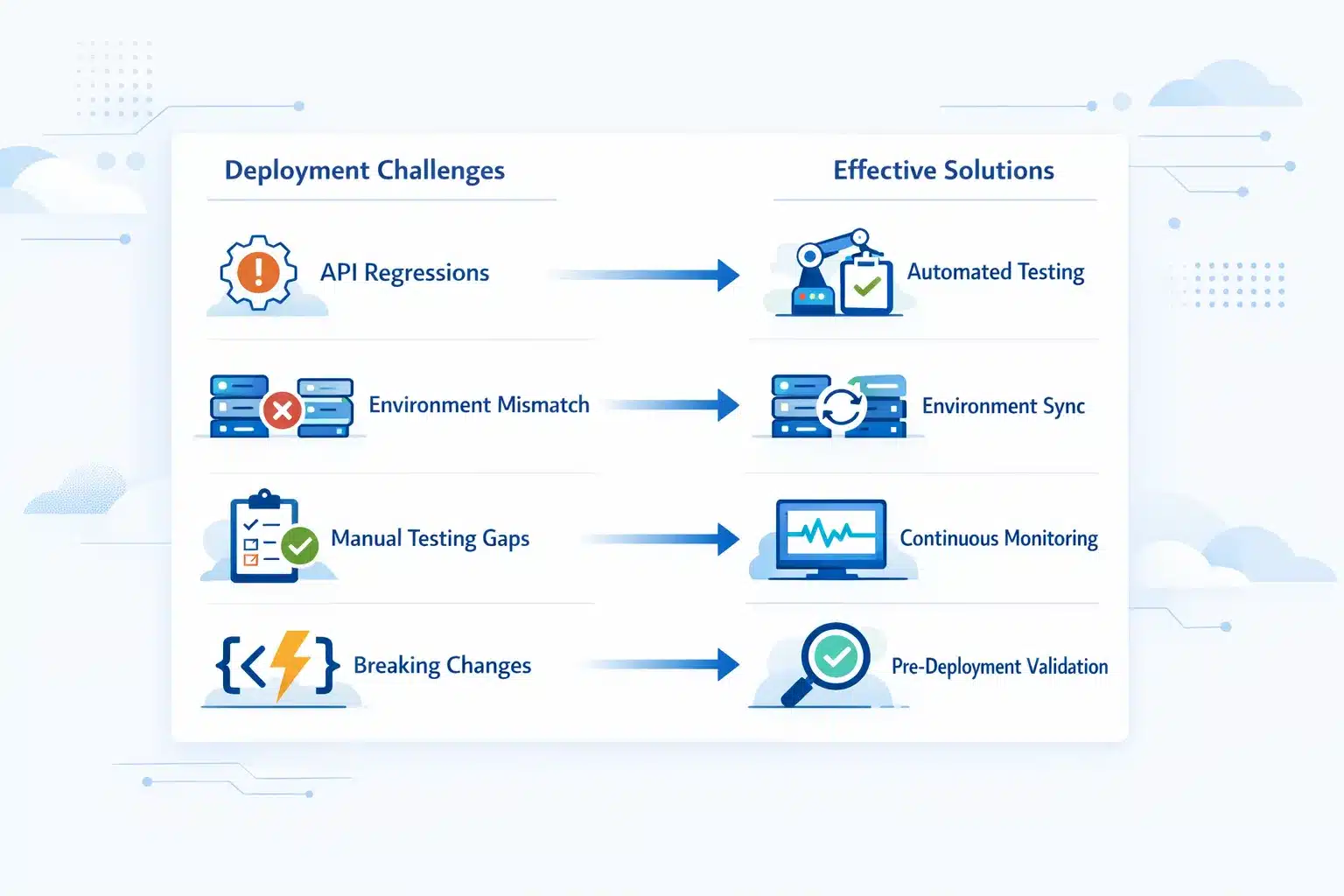
Software deployment failures rarely come from a single cause. They usually result from a combination of process gaps, environment differences, and validation blind spots. Here are the most common challenges and how teams address them practically:
Undetected API Regressions
API behavior changes are the most frequent cause of silent production failures. An endpoint that passed all tests in staging can return different responses in production because of data differences, environment variables, or dependent service versions. The fix is behavioral validation before deployment. Tools like Keploy capture real production traffic and replay it against the new version, surfacing API behavior changes that static test suites miss entirely.
Environment Mismatches Between Staging and Production
Most deployment failures trace back to configuration differences between staging and production. A missing environment variable, a different database version, or a misconfigured network rule can break a build that passed all tests. Infrastructure as code tools like Terraform and Ansible define environments declaratively and enforce consistency. Container-based deployments with Docker reduce but don’t eliminate this risk since configuration still needs explicit verification at each stage.
Insufficient Test Coverage Before Release
Teams often have strong unit test coverage but weak integration and end-to-end coverage. Individual components pass in isolation but fail when connected to real services under production load. The fix is layered testing: unit tests for logic, integration tests for service communication, and pre-deployment staging tests that mirror actual traffic patterns. Automated test generation tools reduce the manual effort required to build this coverage.
Rollback Complexity Under Pressure
Not all deployment failures are immediate. Some surface minutes or hours after release through gradual error rate increases or failures on specific user flows. Without a tested rollback plan ready before deployment, teams scramble to reverse changes under pressure. The fix is to treat rollback as a first-class deployment requirement: document the rollback procedure, test it in staging before every major release, and automate it wherever possible using blue-green or canary strategies.
Deployment Process Drift
Over time, deployment processes accumulate informal steps, manual workarounds, and undocumented dependencies. What was once a clean procedure becomes a tribal knowledge exercise where only specific team members know which steps to skip or add. The fix is deployment checklists and pipeline automation that encode the process explicitly. Every deployment step should be a documented, repeatable action that any team member can execute without institutional memory.
Future Trends in Software Deployment
The future trends involving software deployment involve increased use of confidence-based intelligence. Some of the major trends include:
-
An enhanced level of observability in the software pipeline.
-
Improved safety with regard to rollout strategy and the alignment of Service Level Objectives (SLOs).
-
Improved AI-assisted failure detection as part of rollbacks.
-
A move towards using behavioral validation as opposed to using static checks.
To sum up, the focus has changed from speed to confidence in the deployment.
Conclusion
Software delivery in recent times has evolved from merely transferring a codebase from one system to another into an ongoing, structured process that utilizes various forms of automation to improve the quality & reliability of the software deployment workflow. With smarter automation, real-time monitoring, and tools like Keploy, teams can deploy confidently, reduce errors, and scale efficiently. Looking ahead, AI-driven pipelines, predictive analytics, and adaptive validation will make deployments faster, safer, and increasingly self-optimizing.
FAQs
What is software deployment?
Software deployment is the process of delivering an application and its dependencies to a production environment where end users can access it. It covers building and packaging the application, preparing the target environment, executing the release, and monitoring the system post-launch – not just clicking a deploy button.
What are the main types of software deployment strategies?
The main types are blue-green deployment, canary deployment, rolling deployment, A/B testing deployment, continuous deployment, and recreate deployment. Blue-green and canary are the most widely used for zero-downtime production releases. Recreate is the simplest but introduces downtime.
What is the difference between software deployment and continuous delivery?
Software deployment is the technical act of moving code to an environment. Continuous delivery is a practice where code is always kept in a deployable state, but a human approves the final push to production. Continuous deployment removes that human gate – every change that passes automated tests ships automatically.
What should a software deployment checklist include?
A solid deployment checklist covers: code review and CI test status, environment configuration verification, rollback plan documentation, database migration safety checks, a monitoring setup confirmation, and a post-deployment validation window. The checklist ensures no critical step is skipped under release pressure.
How do you achieve zero-downtime deployment?
Zero-downtime deployment is achieved through blue-green (instant traffic switch between two environments), canary (gradual traffic shift to the new version), or rolling deployment (updating servers incrementally with health checks). The key requirements are load balancing, health check automation, and a tested rollback procedure.
How often should modern teams deploy software?
High-performing teams deploy multiple times per day. The goal is not frequency for its own sake – it’s making individual deployments smaller and lower-risk so frequent releases stay safe. Teams using feature flags and automated pipelines routinely deploy many times daily with low change failure rates.
What metrics should teams monitor after a deployment?
Post-deployment teams should track: HTTP error rate (4xx/5xx), p95/p99 latency, API response behavior, and system resource utilization. Any metric that diverges from the pre-deployment baseline – even slightly – is a signal to investigate before declaring the deployment stable.

Leave a Reply